
Indledning
Thank you for choosing the OTL Technologies Pro G4 Batman DC Comic Gaming Headset. This manual provides essential information for setting up, operating, and maintaining your new gaming headset. Designed for immersive gaming, this headset features comfortable ear pads, a detachable microphone, and inline controls for an optimal audio experience across various gaming platforms.
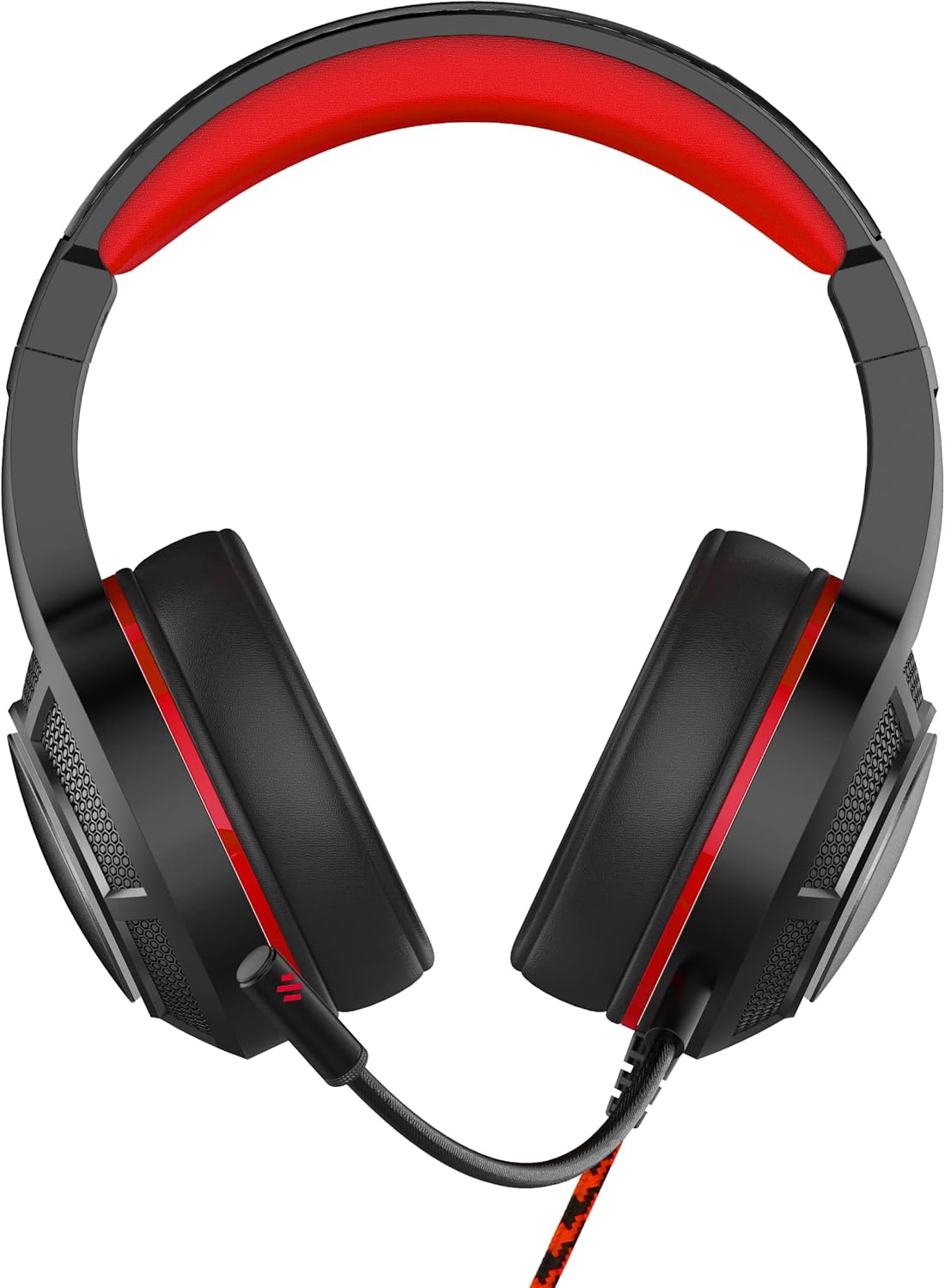
Billede: Forside view of the OTL Technologies Pro G4 Batman DC Comic Gaming Headset, showcasing its design and earcups.
Pakkens indhold
Sørg venligst for, at alle varer er til stede i pakken:
- OTL Technologies Pro G4 Batman DC Comic Gaming Headset
- Aftagelig mikrofon

Image: The product packaging, clearly indicating the presence of a detachable boom microphone.
Opsætningsinstruktioner
- Tilslut mikrofonen: Locate the microphone input port on the left earcup of the headset. Insert the detachable microphone firmly into this port until it clicks into place.
- Juster headsettets pasform: Extend or retract the headband to ensure a comfortable and secure fit over your head. The super padded PU headband and memory foam ear pads are designed for extended comfort.
- Opret forbindelse til enhed: Plug the 3.5mm audio jack from the headset cable into the corresponding audio port on your gaming console controller, PC, or other compatible device.

Billede: Top view of the headset showing the detachable microphone securely attached to the left earcup.
Betjeningsvejledning
- Lydstyrkekontrol: Use the inline volume control wheel located on the headset cable to adjust the audio output level to your preference. Rotate the wheel up to increase volume and down to decrease it.
- Mikrofon mute: The inline controller also features a microphone mute switch. Slide the switch to the "ON" position to enable the microphone, and to the "OFF" position to mute it.
- Lydkvalitet: The 50mm on-ear speakers provide powerful, premium sound quality and passive sound isolation, enhancing your gaming experience.
- Kompatibilitet: This headset is compatible with all devices using a standard 3.5mm audio jack, including PlayStation 4, PlayStation 5, Xbox One, and PCs.

Image: Close-up of the inline controller, showing the volume adjustment wheel and the microphone mute switch for easy access during gameplay.
Opretholdelse
- Rensning: Gently wipe the headset with a soft, dry cloth. Do not use liquid cleaners or abrasive materials.
- Opbevaring: Opbevar headsettet et køligt og tørt sted væk fra direkte sollys og ekstreme temperaturer. Undgå at placere tunge genstande oven på headsettet.
- Vandtæthed: Dette headset er IKKE vandafvisendeUndgå kontakt med væsker for at forhindre skader.
- Kabelpleje: Undgå skarpe bøjninger eller overdreven trækkraft i kablet for at forhindre indvendige ledningsskader.
Fejlfinding
- Ingen lyd fra headset:
- Sørg for, at 3.5 mm lydstikket er sat helt i din enhed.
- Kontroller den indbyggede lydstyrkekontrol, og øg lydstyrken.
- Verify your device's audio settings to ensure output is directed to the headset.
- Test headsettet med en anden enhed for at udelukke enhedsspecifikke problemer.
- Mikrofonen virker ikke:
- Sørg for, at den aftagelige mikrofon er fastgjort korrekt.
- Check the inline microphone mute switch and ensure it is in the "ON" position.
- Verify your device's microphone input settings.
- Test mikrofonen med en anden applikation eller enhed.
- Dårlig lydkvalitet:
- Sørg for, at lydstikket er rent og fri for snavs.
- Adjust the volume to an appropriate level; excessively high volume can cause distortion.
- Tjek for eventuelle løse forbindelser.
Specifikationer
| Feature | Detalje |
|---|---|
| Modelnavn | PRO G4 DC Comic Batman (DC0905) |
| Forbindelsesteknologi | Kablet |
| Hovedtelefonstik | 3.5 mm Jack |
| Støjkontrol | Lydisolering |
| Frekvensrespons | 20 Hz (Minimum) |
| Inkluderede komponenter | Aftagelig mikrofon |
| Kontroltype | Lydstyrkekontrol |
| Kontrolmetode | Remote (Inline) |
| Kabelfunktion | Aftagelig |
| Varens vægt | 200 gram (7.1 ounce) |
| Vandmodstandsniveau | Ikke vandafvisende |
| Materiale | Plast |
| Øreplacering | Over Ear |
| Impedans | 32 Ohm |
| Produktdimensioner | 7.09 x 2.76 x 6.3 tommer |
Garantioplysninger
OTL Technologies products are manufactured to high standards. For specific warranty details, please refer to the warranty card included with your product or visit the official OTL Technologies webwebsted. Gem din købsbevis i tilfælde af garantikrav.
Støtte
If you encounter any issues not covered in this manual or require further assistance, please contact OTL Technologies customer support. Contact information can typically be found on the product packaging or the official OTL Technologies webwebsted.