
ZEBRONICS ZEB- YOGA 3 (BLACK)
Zebronics Zeb-Yoga 3 Wireless Earphone User Manual
Model: ZEB- YOGA 3 (BLACK)
Indledning
Thank you for choosing the Zebronics Zeb-Yoga 3 Wireless Earphones. This manual provides detailed instructions on how to set up, operate, and maintain your earphones to ensure optimal performance and longevity. The Zeb-Yoga 3 features Bluetooth v5.0 connectivity, rapid charging, a long-lasting 17-hour battery backup, voice assistant support, and a built-in microphone for call functions. Its flexible neckband and magnetic earpieces offer comfort and convenience.

Figure 1: Zebronics Zeb-Yoga 3 Wireless Earphones
This image displays the Zebronics Zeb-Yoga 3 wireless earphones in black, highlighting their flexible neckband design and the magnetic in-ear earpieces.
Hvad er der i æsken
Kontroller venligst pakkens indhold for at sikre, at alle varer er til stede:
- Neckband-1 unit
- Cable (Type-C charging cable)
- Brugermanual

Figure 2: Key Features and Included Accessories
This diagram illustrates the core features of the Zeb-Yoga 3, including its flexible neckband, call function capability, built-in rechargeable battery, the provision of extra earpieces for a comfortable fit, and Bluetooth v5.0 connectivity.
Product Layout and Controls
Familiarize yourself with the various parts and controls of your Zeb-Yoga 3 earphones.
- Fleksibel halsrem: Designed for comfortable wear around the neck.
- Magnetic Earpieces: The earbuds have magnets to keep them together when not in use, preventing tangles.
- Kontrolmodul: Located on the neckband, housing buttons for various functions and the charging port.
- Indbygget mikrofon: Til håndfri opkald.

Figure 3: Magnetic Earpieces
Dette billede giver et nærbillede view of the magnetic earpieces, demonstrating how they can securely attach to each other when not in use, aiding in tangle-free storage.

Figure 4: Control Module and Media Controls
This image highlights the control module on the neckband, detailing the buttons for media playback (play/pause) and track navigation/volume control.
Opladning af høretelefoner
The Zeb-Yoga 3 features a built-in rechargeable battery with a Type-C charging facility.
- Connect the Type-C charging cable (provided in the package) to the charging port on the earphone's control module.
- Tilslut den anden ende af kablet til en USB-strømkilde (f.eks. en vægadapter eller en computers USB-port).
- LED-indikatoren viser opladningsstatus.
- En fuld opladning giver cirka 17 timers afspilning.
- Hurtig opladning: With just 10 minutes of charge, the Zeb-Yoga 3 provides approximately 7 hours of playback.

Figure 5: Type-C Rapid Charging
This image illustrates the Type-C charging port on the earphone's control module and highlights the rapid charging capability, showing that a 10-minute charge can provide up to 8 hours of use.

Figur 6: Forlænget afspilningstid
This graphic emphasizes the impressive 17 hours of playback time available on a full charge, ensuring long-lasting audio enjoyment.
Bluetooth Pairing (Setup)
Follow these steps to pair your Zeb-Yoga 3 earphones with your device:
- Tænd: Press and hold the Multi-function button on the control module until the LED indicator flashes blue and red alternately, indicating pairing mode.
- Aktiver Bluetooth: Aktiver Bluetooth på din smartphone, tablet eller bærbare computer.
- Søg efter Enheder: Søg efter tilgængelige Bluetooth-enheder.
- Select "ZEB-YOGA 3": From the list of devices, select "ZEB-YOGA 3".
- Bekræft parring: Når der er oprettet forbindelse, blinker LED-indikatoren langsomt blåt, og du vil høre en bekræftelsestone.
- The earphones will automatically connect to the last paired device when powered on, if Bluetooth is enabled on the device.
Betjeningsvejledning
Tænd/sluk
- Tænd: Tryk og hold multifunktionsknappen nede, indtil LED-indikatoren lyser.
- Sluk: Tryk på multifunktionsknappen, og hold den nede, indtil LED-indikatoren slukker.
Musikafspilning
- Afspil/pause: Tryk én gang på multifunktionsknappen.
- Næste nummer: Tryk længe på knappen Lydstyrke op (+).
- Forrige nummer: Tryk længe på lydstyrke ned-knappen (-).
- Lydstyrke op: Tryk kort på knappen Lydstyrke op (+).
- Skrue ned for lyden: Tryk kort på lydstyrke ned-knappen (-).
Opkaldsfunktioner
- Besvar/afslut opkald: Tryk én gang på multifunktionsknappen.
- Afvis opkald: Tryk og hold multifunktionsknappen nede.
- Genopkald sidste nummer: Tryk to gange på multifunktionsknappen.
Stemmeassistent
The Zeb-Yoga 3 supports voice assistants on both Android and iOS devices.
- Aktiver stemmeassistent: Triple-press the Multi-function button to activate your device's voice assistant (e.g., Google Assistant, Siri).
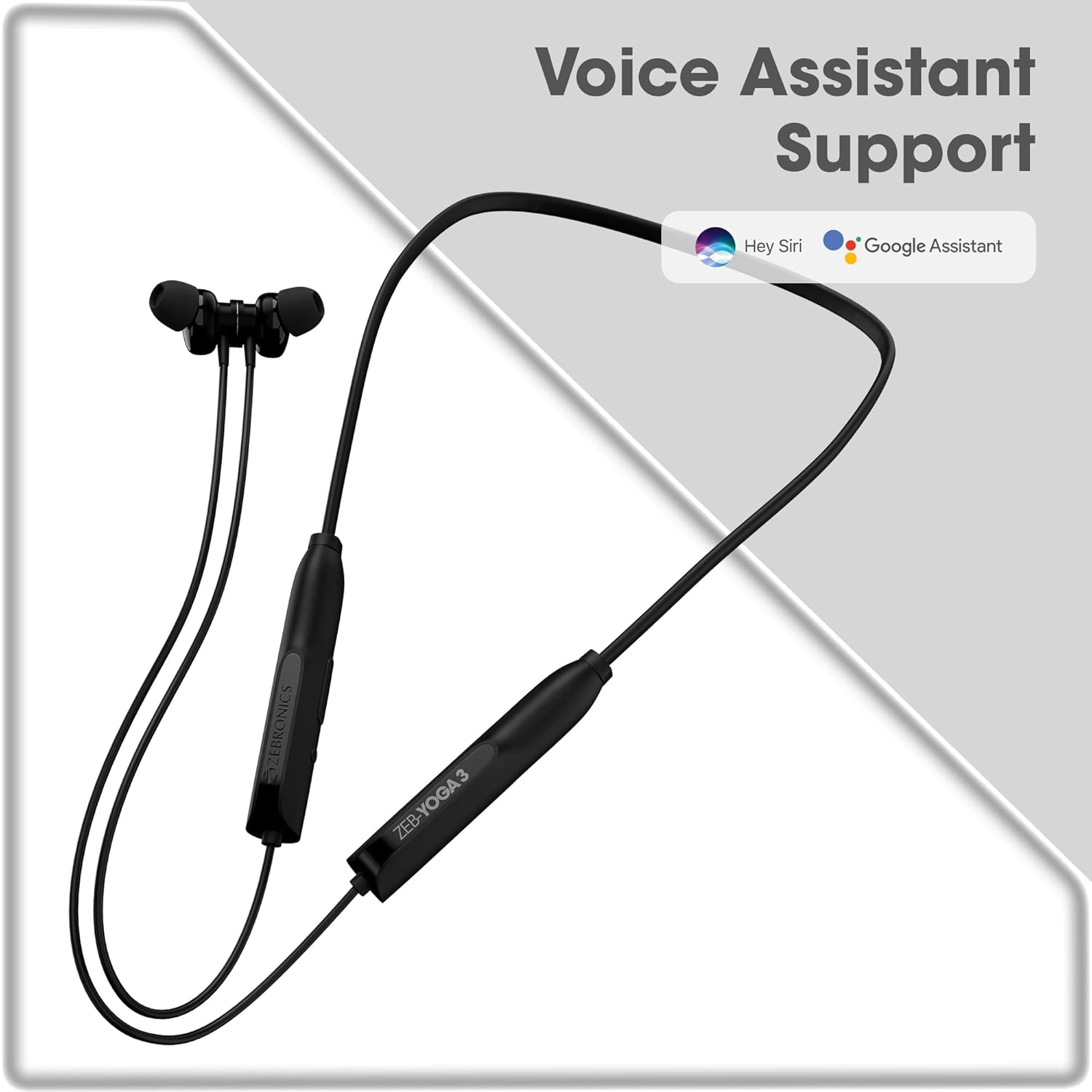
Figur 7: Understøttelse af stemmeassistent
This image confirms the earphones' compatibility with popular voice assistants like Hey Siri and Google Assistant, allowing for hands-free control.
Opretholdelse
For at sikre dine øretelefoners levetid og optimale ydeevne skal du følge disse vedligeholdelsestips:
- Keep the earphones dry. Avoid exposure to water or excessive moisture.
- Clean the earpieces and charging port regularly with a soft, dry cloth.
- Opbevar øretelefonerne et køligt, tørt sted væk fra direkte sollys og ekstreme temperaturer.
- Undgå at tabe høretelefonerne eller udsætte dem for kraftige stød.
- Do not attempt to disassemble or repair the earphones yourself. Contact customer support for assistance.
Fejlfinding
If you encounter any issues with your Zeb-Yoga 3 earphones, refer to the following common problems and solutions:
| Problem | Mulig årsag | Løsning |
|---|---|---|
| Høretelefonerne tændes ikke. | Lavt batteri. | Charge the earphones fully using the provided Type-C cable. |
| Kan ikke parres med enheden. | Høretelefoner er ikke i parringstilstand; Bluetooth slukket på enheden; enheden er for langt væk. | Ensure earphones are in pairing mode (flashing blue/red). Turn on Bluetooth on your device. Keep devices within 10 meters. |
| Ingen lyd eller lav lydstyrke. | Lydstyrken er for lav; høretelefonerne er ikke tilsluttet; forkert lydudgang. | Increase volume on both earphones and device. Re-pair the earphones. Check audio output settings on your device. |
| Opkaldskvaliteten er dårlig. | Svagt signal; mikrofonblokering. | Move closer to your device. Ensure the microphone is not covered. |
Specifikationer
Detailed technical specifications for the Zebronics Zeb-Yoga 3 Wireless Earphones:
| Feature | Detalje |
|---|---|
| Modelnavn | ZEB- YOGA 3 (BLACK) |
| Forbindelsesteknologi | Trådløs (Bluetooth v5.0) |
| Bluetooth version | 5.0 |
| Audio driver størrelse | 14 millimeter |
| Batterilevetid | 17 timer (ca.) |
| Opladningstype | Type-C (Rapid Charging) |
| Mikrofonformat | Indbygget |
| Kontroltype | Stemmestyring, knapstyring |
| Særlige funktioner | Metallic & Magnetic Earpieces, Voice assistant support, Fast Charging |
| Kompatible enheder | Smartphones, tablets, bærbare computere |
| Varens vægt | 210 gram |
| Produktmål (LxBxH) | 2.8 x 18.3 x 20.7 cm |
| Fabrikant | Zebronics India Private Limited |
Garanti og support
Your Zebronics Zeb-Yoga 3 Wireless Earphones come with a manufacturer's warranty. For detailed information regarding the warranty policy, please refer to the warranty card included in your product package or visit the official Zebronics webwebsted.
For any technical support, service, or inquiries, please contact Zebronics customer care. Contact details can typically be found on the official Zebronics webwebstedet eller på produktemballagen.
Vigtig: Do not attempt to open or modify the device. This may void the warranty and could cause damage to the product.
Ask a question about this manual
Ask about setup, troubleshooting, compatibility, parts, safety, or missing instructions. Manuals+ will review the question and use this page’s manual context to help answer it.