
BTMETER BT-570T-APP
BTMETER BT-570T-APP Clamp Multimeter brugervejledning
Omfattende vejledning til drift og vedligeholdelse
1. Introduktion
The BTMETER BT-570T-APP is a versatile AC/DC 1000A Clamp Multimeter designed for accurate electrical measurements. It features 4000 counts digital display, data logging capabilities, and Bluetooth connectivity for remote monitoring via a smartphone or tablet application. This manual provides detailed instructions for the safe and effective use of your device.
Key functionalities include measuring AC/DC current, AC/DC voltage, resistance, capacitance, frequency, temperature, and continuity. It is suitable for various applications including HVAC, household electrical work, and commercial troubleshooting.
2. Sikkerhedsoplysninger
Overhold altid følgende sikkerhedsforanstaltninger for at forhindre personskade eller beskadigelse af måleren:
- Overskrid ikke de maksimale inputgrænser for noget måleområde.
- Udvis ekstrem forsigtighed, når du arbejder med spændingsførende kredsløb.
- Sørg for, at måleren er indstillet til den korrekte funktion og det korrekte område, før du foretager målinger.
- Undersøg testledningerne for skader før hver brug. Udskift dem, hvis isoleringen er kompromitteret.
- Brug ikke måleren, hvis den ser ud til at være beskadiget eller ikke fungerer korrekt.
- Adhere to IEC 61010-1, CAT IV 600V, CAT III 1000V safety standards.
- When measuring current, ensure only the LIVE conductor is clamped for accurate readings. Clamping both hot and neutral conductors will result in a zero reading.
3. Produktet er slutview
The BTMETER BT-570T-APP is designed for ease of use and durability. Familiarize yourself with its components:

Figure 3.1: Key Components of the BT-570T-APP
- AC/DC Clamp: For non-contact current measurement. Jaw caliber size is 1.77 inches (45mm).
- Udløser: Åbner og lukker clamp kæbe.
- Funktionsvælger: Selects measurement modes (Voltagf.eks. strøm, modstand osv.).
- Baggrundsbelyst LCD -skærm: Shows measurement readings clearly, even in low light.
- Indgangsstik: For connecting test leads and temperature probe.
- Knapper: HOLD, SELECT RANGE, REL/Duty, Max/Min/Average.
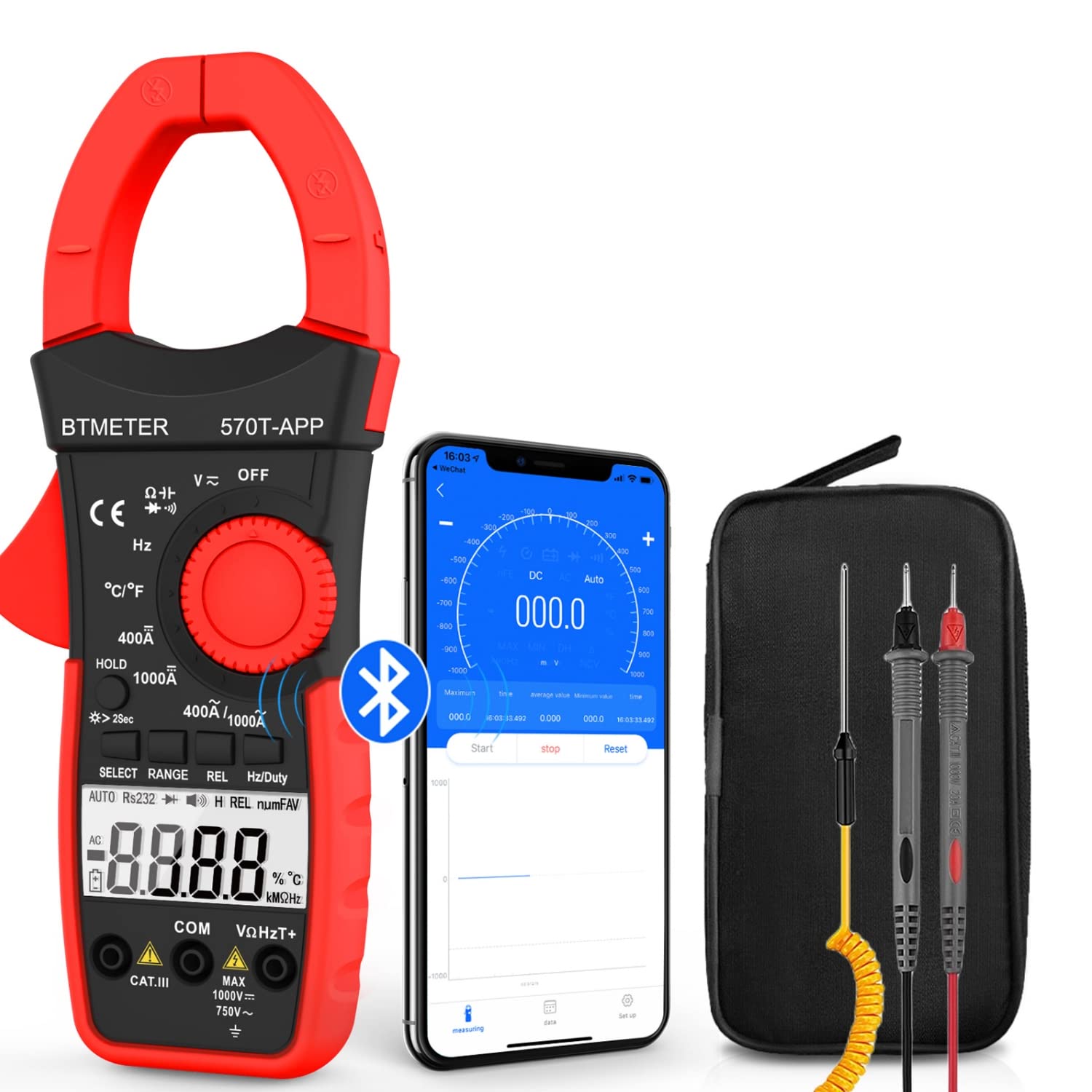
Figure 3.2: Product Contents and Bluetooth Connectivity
The package includes the BT-570T-APP clamp multimeter, test leads, a thermocouple probe, and a carrying case for convenient storage and transport.
4. Opsætning
4.1 Batteriinstallation
The meter requires batteries for operation. Open the battery compartment on the back of the device, insert the batteries according to the polarity indicators, and secure the cover.
4.2 Appinstallation og Bluetooth-forbindelse
The BT-570T-APP supports remote control and data logging via a mobile application. Follow these steps to connect:
- Download the "Intelligent Clamp Meter" app from the App Store (iOS) or Google Play (Android).
- Sørg for, at Bluetooth er aktiveret på din smartphone eller tablet.
- Turn on the BT-570T-APP multimeter.
- Open the app on your device. It should automatically detect and connect to the multimeter.
- Når du er tilsluttet, kan du view measurements, graph data, and save readings in Excel or TXT format.
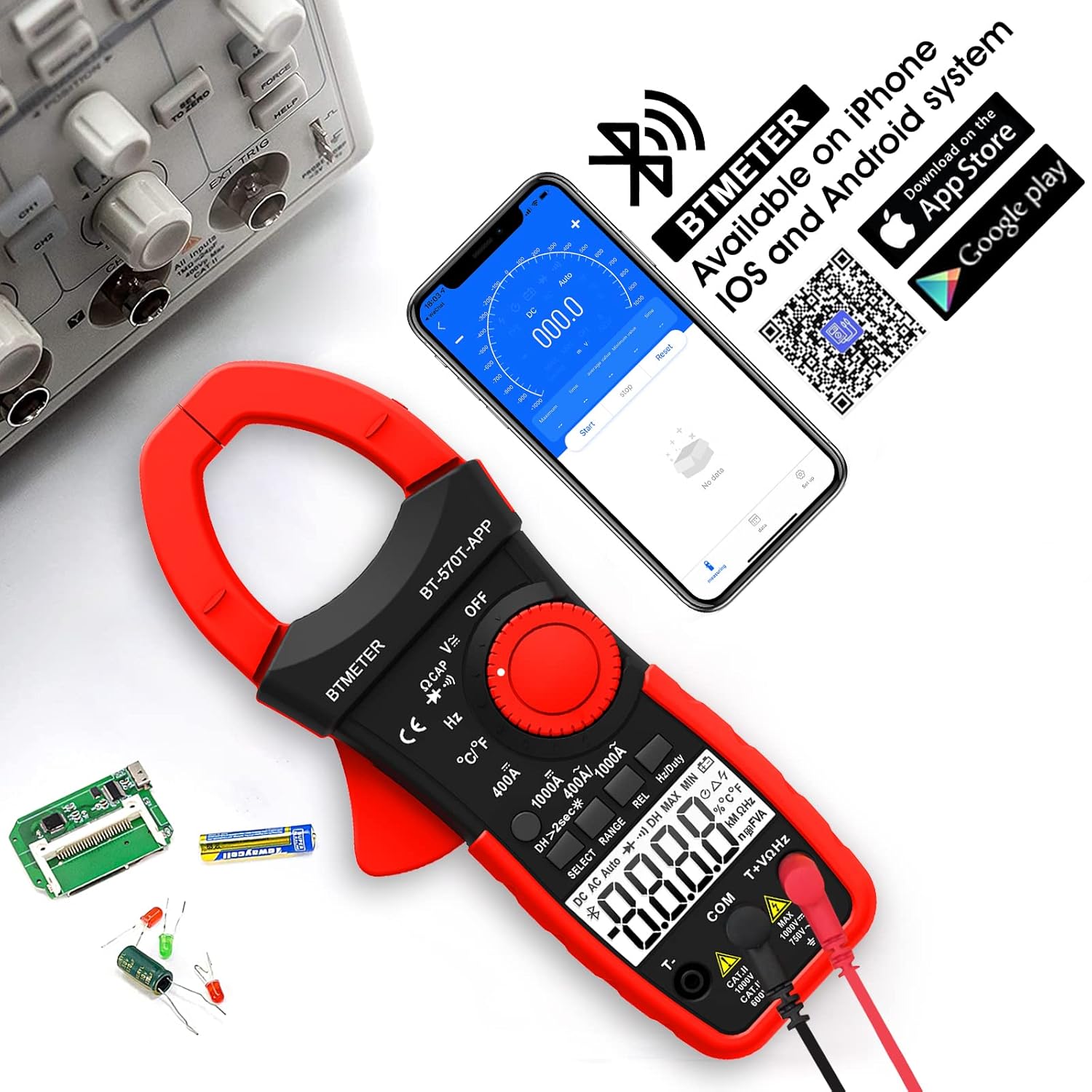
Figure 4.1: App Download and Bluetooth Pairing
5. Betjeningsvejledning
5.1 AC/DC strømmåling (Clamp)
Sådan måler du AC- eller DC-strøm op til 1000A:
- Turn the function dial to the "400A" or "1000A" AC/DC current range.
- Press the SELECT button to toggle between AC and DC current if necessary.
- Åbn clamp kæben ved hjælp af aftrækkeren.
- Enclose only one conductor (e.g., the live wire) within the clamp. Må ikke clamp multiple wires as this will result in inaccurate readings.
- Aflæs den aktuelle værdi på LCD-displayet.

Figure 5.1: Measuring AC/DC Current with the Clamp
5.2 bindtage-måling (AC/DC)
Til at måle AC eller DC voltage up to 1000V:
- Insert the red test lead into the VΩHzT+ jack and the black test lead into the COM jack.
- Turn the function dial to the "V~" (AC Voltage) or "V-" (DC Voltage) rækkevidde.
- Tilslut testledningerne parallelt til det kredsløb eller den komponent, der testes.
- Læs bindtage -værdi på LCD -displayet.
5.3 Modstandsmåling
To measure resistance up to 60M ohms:
- Insert the red test lead into the VΩHzT+ jack and the black test lead into the COM jack.
- Turn the function dial to the "Ω" (Resistance) range.
- Ensure the circuit is de-energized before connecting the test leads across the component.
- Aflæs modstandsværdien på LCD-displayet.
5.4 Kapacitansmåling
To measure capacitance up to 200µF:
- Insert the red test lead into the VΩHzT+ jack and the black test lead into the COM jack.
- Turn the function dial to the "CAP" (Capacitance) range.
- Discharge the capacitor completely before connecting the test leads.
- Tilslut testledningerne på tværs af kondensatorterminalerne.
- Aflæs kapacitansværdien på LCD-displayet.
5.5 Frekvensmåling
To measure frequency up to 9.999MHz:
- Insert the red test lead into the VΩHzT+ jack and the black test lead into the COM jack.
- Turn the function dial to the "Hz" (Frequency) range.
- Tilslut testledningerne til signalkilden.
- Aflæs frekvensværdien på LCD-displayet.
5.6 Temperaturmåling
To measure temperature from -4°F to 1832°F (-20°C to 1000°C):
- Insert the thermocouple probe into the T+ and COM jacks, observing polarity.
- Turn the function dial to the "°C/°F" (Temperature) range.
- Press the SELECT button to switch between Celsius and Fahrenheit.
- Placer spidsen af termoelementproben på eller i det objekt, hvis temperatur skal måles.
- Aflæs temperaturværdien på LCD-displayet.

Figur 5.2: Temperaturmåling
5.7 Kontinuitetstest
To test for circuit continuity:
- Insert the red test lead into the VΩHzT+ jack and the black test lead into the COM jack.
- Turn the function dial to the "Diode/Continuity" range.
- Tilslut testledningerne på tværs af kredsløbet eller komponenten.
- The buzzer will sound if the resistance is less than 50Ω, indicating continuity.

Figure 5.3: Auditory Continuity Test
5.8 Data Logging and Bluetooth Features
The BT-570T-APP offers advanced data logging capabilities via its mobile application:
- Fjernovervågning: View real-time measurements on your phone or tablet from a distance.
- Trend Chart: The app automatically graphs measurement trends over time.
- Dataeksport: Export logged data in Excel (.xlsx) or TXT (.txt) formats for analysis.
- Data Hold: Press the "HOLD" button to freeze the current reading on the display.
- REL (relativ måling): Press "REL" to zero out the current reading, useful for measuring changes relative to a reference point.
- Max/Min/Gennemsnit: Record the maximum, minimum, and average values during a measurement session.

Figure 5.4: Remote Control and Data Download via App
6. Vedligeholdelse
- Rensning: Wipe the meter with a dry, clean cloth. Do not use abrasive cleaners or solvents.
- Udskiftning af batteri: Replace batteries when the low battery indicator appears on the display. Ensure proper polarity.
- Opbevaring: If storing for extended periods, remove the batteries to prevent leakage. Store in a cool, dry place away from direct sunlight.
- Kalibrering: Til professionel brug anbefales periodisk kalibrering udført af en kvalificeret tekniker for at opretholde nøjagtigheden.
7. Fejlfinding
| Problem | Mulig årsag | Løsning |
|---|---|---|
| Måleren tænder ikke. | Døde eller forkert installerede batterier. | Udskift batterierne, og sørg for korrekt polaritet. |
| Inaccurate current reading (e.g., zero reading). | Clamping multiple conductors (hot and neutral). | Ensure only a single live conductor is clampudg. |
| Bluetooth-forbindelse mislykkes. | Bluetooth disabled on phone/tablet; app issue; meter too far. | Ensure Bluetooth is on, restart app/meter, move closer, check app permissions. |
| Data not saving/exporting from app. | App bug; insufficient storage; incorrect save location. | Ensure app is updated. Check phone storage. Refer to app's help section for data export paths. Some users report issues with iOS data saving, try Android if available. |
| Displayet viser "OL" (Overbelastning). | Målingen overstiger det valgte område. | Select a higher range or ensure the input is within the meter's capabilities. |
8. Specifikationer
| Parameter | Værdi |
|---|---|
| Modelnummer | BT-570T-APP |
| AC/DC strømområde | 400A / 1000A (100mA / 1A resolution) |
| AC/DC VoltagRækkevidde | Op til 1000V |
| Modstandsområde | Op til 60MΩ |
| kapacitans Range | Op til 200µF |
| Frekvensområde | Op til 9.999MHz |
| Temperaturområde | -4°F til 1832°F (-20°C til 1000°C) |
| Vis tæller | 4000 tæller |
| Jaw Caliber Size | 1.77 tommer (45 mm) |
| Sikkerhedsvurdering | IEC 61010-1, CAT IV 600V, CAT III 1000V, Class 2, Double insulation |
| Strømkilde | Batteridrevet |
| Varens vægt | 11.68 ounce |
| Pakkedimensioner | 10.2 x 5 x 2.28 tommer |
9. Garanti og support
BTMETER provides a 12-month quality warranty for the BT-570T-APP Clamp Multimeter. Life-time technical support is also available.
For technical assistance, warranty claims, or any inquiries, please contact BTMETER customer support through their official webwebstedet eller de kontaktoplysninger, der er angivet med dit køb.
Valgfrie beskyttelsesplaner er tilgængelige for udvidet dækning:
- 3-årig beskyttelsesplan
- 4-årig beskyttelsesplan
- Complete Protect Plan (monthly billing)
Se venligst de specifikke vilkår og betingelser for disse beskyttelsesplaner for at få alle detaljer.