
Kosmisk Byte CB-GK-29
Cosmic Byte CB-GK-29 Black Eye PRO Wired Per Key RGB Mechanical Keyboard User Manual
Model: CB-GK-29 | Brand: Cosmic Byte
Indledning
This manual provides detailed instructions for the setup, operation, and maintenance of your Cosmic Byte CB-GK-29 Black Eye PRO Wired Per Key RGB Mechanical Keyboard. Please read this manual thoroughly before using the product to ensure proper functionality and longevity.

Image: The Cosmic Byte CB-GK-29 Black Eye PRO Mechanical Keyboard, showcasing its full 104-key layout and RGB backlighting.
Pakkens indhold
Bekræft at alle varer er til stede i pakken:
- Cosmic Byte CB-GK-29 Black Eye PRO Mechanical Keyboard
- Brugervejledning (dette dokument)
- Nøgletrækker
- Hand Rest Pad
Opsætningsinstruktioner
1. Tilslutning af tastaturet
Connect the USB-A connector of the keyboard cable to an available USB 2.0 port on your computer (PC or Laptop). The keyboard is plug-and-play and should be recognized automatically by Windows 10 and other compatible operating systems.
2. Attaching the Hand Rest Pad
Align the hand rest pad with the bottom edge of the keyboard and gently push to secure it. The hand rest is designed to improve comfort during extended use.

Image: The keyboard featuring its large ergonomic arm rest, designed for user comfort.
3. Softwareinstallation (valgfrit)
For advanced customization of the Per Key RGB lighting and other functions, download and install the dedicated software from the Cosmic Byte official webwebsted. Denne software er kompatibel med Windows-operativsystemer.

Image: Illustration indicating software support for Windows, enabling per-key RGB customization.
Betjeningsvejledning
1. Grundlæggende tastaturfunktioner
The keyboard features a full 104-key layout, providing all standard alphanumeric, function, and navigation keys. All keys support anti-ghosting for accurate input during rapid key presses.

Image: The full 104-key layout of the Cosmic Byte CB-GK-29 keyboard.
2. RGB-lysstyring
The keyboard features Per Key RGB lighting. Default lighting modes can be cycled using specific key combinations (refer to the software for detailed key mappings). For advanced customization, use the dedicated software to set individual key colors and effects.
3. Multimedietaster
The keyboard includes 8 dedicated multimedia keys for quick access to functions such as volume control, media playback, and calculator. These keys are typically located above the function row (F1-F12).

Image: The keyboard highlighting the location of the 8 multimedia keys.
4. Windows Lock Key
A dedicated Windows Lock key is available to disable the Windows key function, preventing accidental presses during gaming sessions.
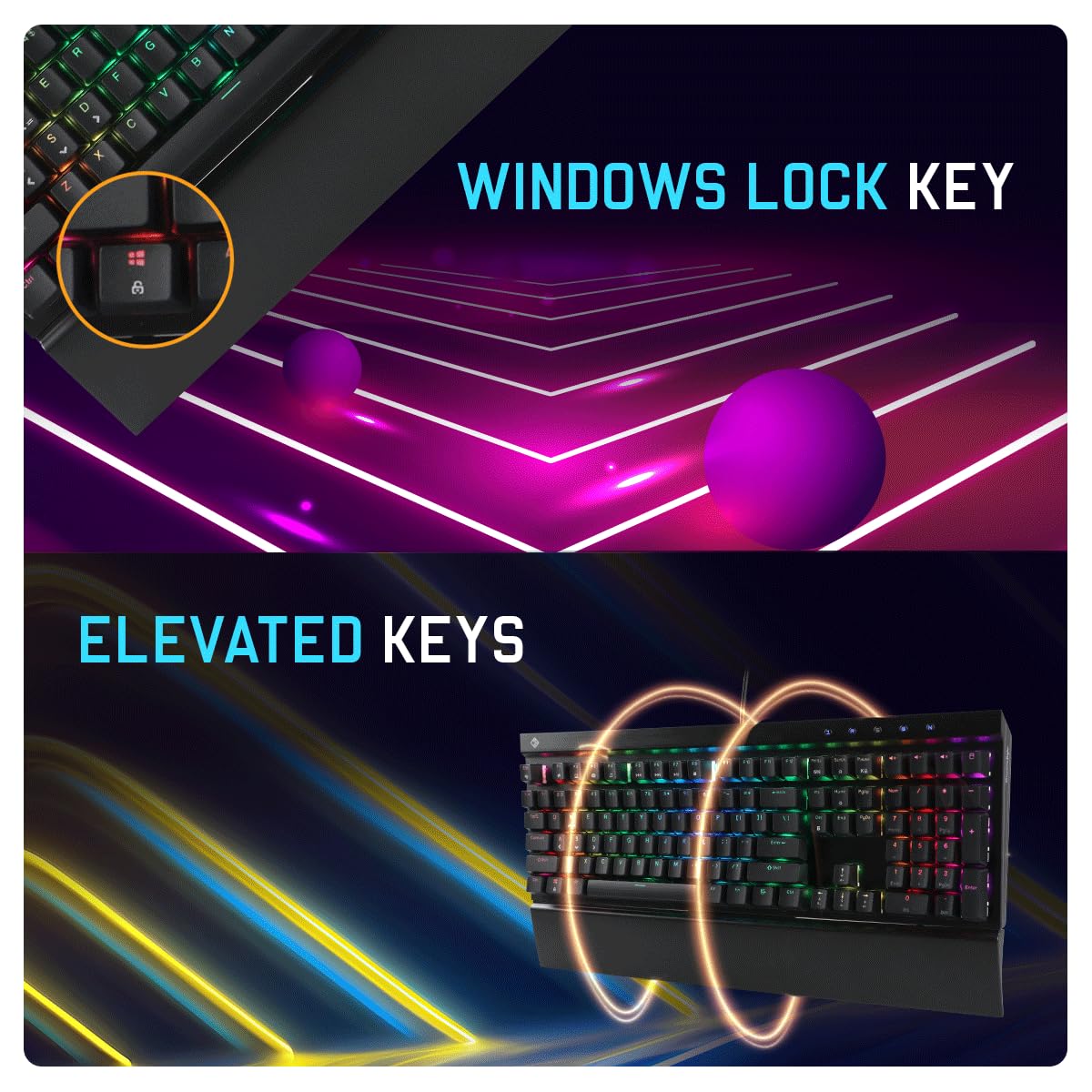
Image: A close-up of the Windows Lock key on the keyboard.
5. Justerbar højde
The keyboard features adjustable feet on the underside, allowing you to modify the typing angle for personalized comfort.
Image: The underside of the keyboard showing the adjustable height feet.
Opretholdelse
1. Rensning
To clean the keyboard, disconnect it from your computer. Use a soft, dry cloth to wipe down the surface. For deeper cleaning, you may use a can of compressed air to remove dust and debris from between the keycaps. Avoid using liquid cleaners directly on the keyboard.
2. Udskiftning af kontakt
The Cosmic Byte CB-GK-29 features Outemu swappable switches. If a switch needs replacement, use the provided key puller to carefully remove the keycap, then use the switch puller (if included, or a compatible tool) to extract the switch. Insert a new compatible Outemu switch, ensuring it is correctly aligned, and then reattach the keycap.

Image: Diagram illustrating the Outemu swappable switch mechanism.
3. Holdbarhed af taster
The keyboard features injection-molded double-shot keycaps, designed for enhanced durability and resistance to wear and scratches.

Image: Close-up of the keycaps, highlighting their scratch-resistant and double-shot construction.
Fejlfinding
- Tastaturet reagerer ikke:
Ensure the USB cable is securely connected to both the keyboard and the computer. Try connecting to a different USB port. Restart your computer.
- RGB-belysning virker ikke/forkert:
Check if the lighting is enabled via keyboard shortcuts (refer to software manual for specific combinations). Ensure the Cosmic Byte software is installed and running correctly. Update the keyboard firmware if available.
- Specifikke taster virker ikke:
If individual keys are not functioning, consider replacing the switch for that key, as the keyboard supports swappable switches. Ensure the keycap is properly seated.
- Problemer med anti-ghosting:
The keyboard features full anti-ghosting. If you experience issues with multiple key presses not registering, ensure no conflicting software or drivers are installed. Test on a different computer if possible.
Specifikationer
| Feature | Detalje |
|---|---|
| Mærke | Kosmisk byte |
| Model | CB-GK-29 Black Eye PRO |
| Tastaturtype | Kablet mekanisk tastatur |
| Switch Type | Outemu Blue Switches (Swappable) |
| Nøgleantal | 104 tangenter (fuld størrelse) |
| Nøgleliv | Over 50 million operations per key |
| tasterne | Injection Molded Double Shot |
| Baggrundsbelysning | Per Key RGB with Software Control |
| Anti-Ghosting | Alle nøgler |
| Multimedietaster | 8 Dedicated Keys |
| Forbindelse | USB-A |
| Kompatibel OS | Windows 10 (Software Support) |
| Materiale | Aluminium (Top Plate) |
| Produktdimensioner | 44 x 16 x 3.6 cm |
| Varens vægt | 1.12 kg |
Garanti og support
1. Garantioplysninger
The Cosmic Byte CB-GK-29 Black Eye PRO Mechanical Keyboard comes with a 1 års garanti fra købsdatoen. Denne garanti dækker fabrikationsfejl. Gem venligst din købsbevis i tilfælde af garantikrav.
2. Kundesupport
For teknisk assistance, garantikrav eller produktrelaterede forespørgsler, kontakt venligst Cosmic Bytes kundesupport:
- Telefon: 1800 31300 7700
- Producentens adresse: Cosmic Byte, Prakash Warehousing, S. No.163, Hissa No 1-2-3-4-5A-5B/2/1, Phursungi, Pune 412308, Maharashtra, India
Ask a question about this manual
Ask about setup, troubleshooting, compatibility, parts, safety, or missing instructions. Manuals+ will review the question and use this page’s manual context to help answer it.