
Indledning
Thank you for choosing the KOSETON E9 True Wireless Earbuds. This manual provides essential information for setting up, operating, and maintaining your new earbuds. Please read it carefully to ensure optimal performance and longevity of your device.
Hvad er der i æsken
- KOSETON E9 Wireless Earbuds
- Opladningsetui
- Ear Tips (3 size options: S, M, L)
- USB-C ladekabel
- Hurtig startvejledning
Opsætning
1. Opladning af øretelefoner og etuiet
Before first use, fully charge the earbuds and the charging case. Connect the provided USB-C cable to the charging port on the case and to a compatible USB power source.

The KOSETON E9 True Wireless Earbuds are shown in their open baby pink charging case. The earbuds are nestled in their respective slots, and four blue LED indicator lights are visible on the front of the case, indicating battery status.
- The LED indicators on the charging case will illuminate to show charging status.
- A full charge provides up to 30 hours of total battery life with the charging case.

This image highlights the 30-hour total battery life of the KOSETON E9 earbuds. The baby pink earbuds and their charging case are depicted alongside large, stylized '30 hours' text, emphasizing extended usage.
2. Bluetooth-parring
- Åbn opladningsetuiet. Ørepropperne går automatisk i parringstilstand.
- Aktiver Bluetooth på din enhed (smartphone, tablet osv.).
- Søg efter "E9" in the list of available Bluetooth devices and select it to connect.
- Når der er forbindelse, hører du en lydmeddelelse, og ørepropperne er klar til brug.
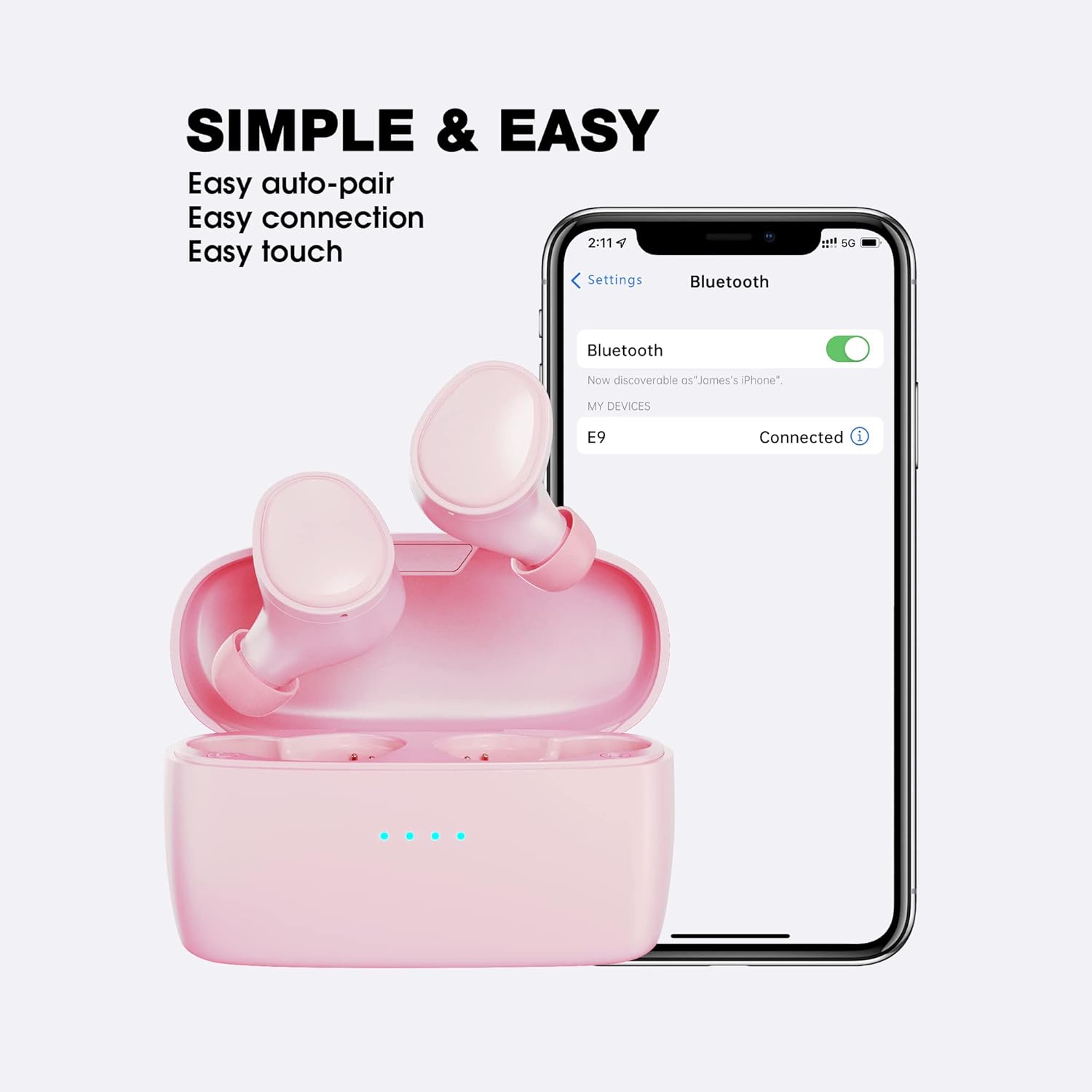
This image illustrates the simple and easy connection process of the KOSETON E9 earbuds. The earbuds are next to a smartphone screen displaying Bluetooth settings, with 'E9' listed as 'Connected', highlighting auto-pairing and easy touch controls.
The KOSETON E9 earbuds are compatible with both iOS and Android devices.
3. Optimal pasform
For the best sound quality and comfort, choose the ear tips that fit your ears most securely. Three sizes (S, M, L) are included. Gently insert the earbuds into your ear canal and twist slightly to ensure a snug fit.

The KOSETON E9 earbuds, their charging case, three sizes of ear tips, and a USB-C charging cable are displayed. Text emphasizes 'Compact & Comfort for women and kids', indicating the product's ergonomic design and customizable fit.
Betjeningsvejledning
Tryk på kontrolelementer
The KOSETON E9 earbuds feature intuitive touch controls for various functions:
- Afspil/pause: Et enkelt tryk på begge øretelefoner.
- Næste nummer: Dobbelttryk på den højre øreprop.
- Forrige nummer: Dobbelttryk på den venstre øreprop.
- Besvar/afslut opkald: Et enkelt tryk på begge øretelefoner.
- Afvis opkald: Tryk på en af øretelefonerne, og hold den nede i 2 sekunder.
- Aktiver stemmeassistent: Tryk tre gange på en af øretelefonerne (f.eks. Siri, Google Assistant).
Lydkvalitet og støjreduktion
The KOSETON E9 earbuds deliver crystal-clear sound. They also feature in-ear noise cancellation for clear calls, isolating your voice from ambient noise.

The KOSETON E9 earbuds are shown in their charging case, with one earbud partially removed, next to text stating 'Crystal Clear Sound'. A graphic indicates '3X clearer than ordinary wireless earbuds' with a 'Noise' and 'Voice' bar, suggesting enhanced audio clarity.
Opretholdelse
- Rensning: Rengør regelmæssigt ørepropperne og opladningsetuiet med en blød, tør klud. Brug ikke skrappe kemikalier eller slibende materialer.
- Ørespidser: Fjern og rengør ørepropperne med jævne mellemrum med mild sæbe og vand. Sørg for, at de er helt tørre, før du sætter dem på igen.
- Opbevaring: Når ørepropperne ikke er i brug, skal de opbevares i deres opladningsetui for at beskytte dem og holde dem opladede.
- Vandtæthed: The earbuds are water-resistant (sweatproof), making them suitable for sports and exercise. However, they are not designed for submersion in water. Avoid exposing them to excessive moisture.
Fejlfinding
- Ørepropper parrer ikke: Ensure both earbuds are in the charging case, then open the lid to activate pairing mode. Check your device's Bluetooth settings to ensure "E9" is selected.
- Kun én øreprop virker: Sæt begge ørepropper tilbage i opladningsetuiet, luk låget, og åbn det derefter igen. Dette nulstiller ofte forbindelsen mellem de to ørepropper.
- Ingen lyd: Kontrollér lydstyrken på både din enhed og øretelefonerne. Sørg for, at øretelefonerne er korrekt forbundet via Bluetooth.
- Opladningsproblemer: Verify that the USB-C cable is securely connected to both the charging case and the power source. Ensure the charging contacts on the earbuds and inside the case are clean and free of debris.
Specifikationer
| Modelnavn | E9 |
| Forbindelsesteknologi | Trådløs (Bluetooth 5.0) |
| Øreplacering | In Ear |
| Støjkontrol | Sound Isolation (In-Ear Noise Cancelling for Calls) |
| Batterilevetid | Op til 30 timer (med opladningsetui) |
| Kontrolmetode | Røre |
| Vandmodstandsniveau | Vandafvisende (svedtæt) |
| Varens vægt | 0.08 kilo (2.82 ounce) |
| Materiale | Plast |
| Kompatible enheder | iOS og Android |
Garanti og support
KOSETON provides a lifetime warranty for these wireless earbuds. For any support inquiries, please refer to the contact information provided in your Quick Start Guide or visit the official KOSETON webwebsted.