
Indledning
This manual provides instructions for the assembly, operation, and maintenance of your tectake Corner Desk, Model 404231. Please read this manual thoroughly before assembly and use to ensure proper function and safety. This L-shaped desk features two integrated shelves, a dark industrial wood finish, and a black metal frame, designed to provide a functional workspace.
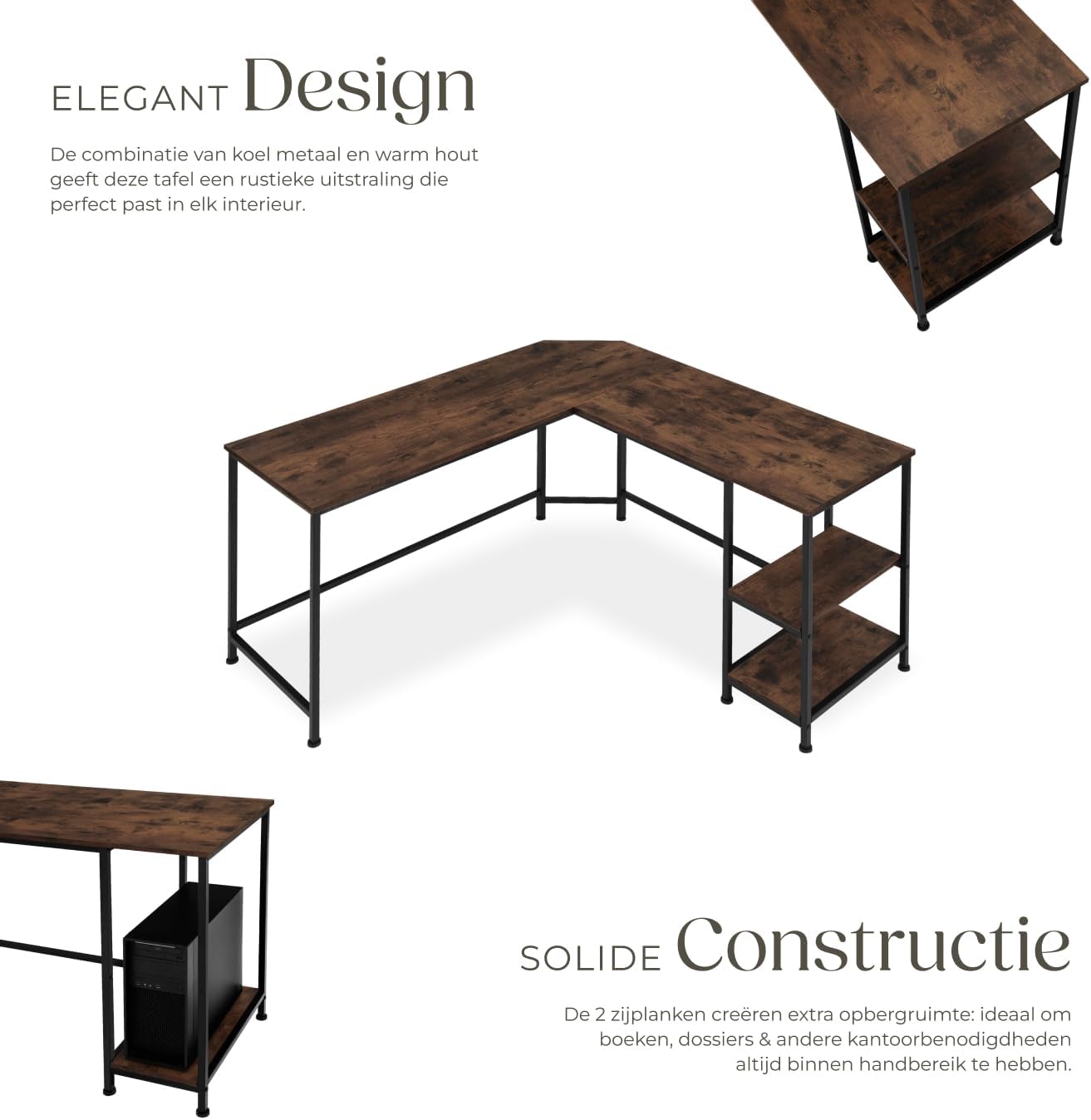
Billede: Samlet set view of the tectake Corner Desk, highlighting its L-shaped design and two side shelves.
Sikkerhedsoplysninger
Vigtig: Read all safety warnings and instructions carefully before assembly and use. Failure to follow these instructions may result in injury or damage to the product.
- Avoid overloading the desk and shelves.
- Ensure the desk is properly leveled to maintain stability.
- Exercise caution when placing heavy items on the shelves to prevent tipping.
- Hold små dele væk fra børn under montering for at undgå kvælningsfare.
- Stå eller sid ikke på skrivebordet.
Pakkens indhold
Verify that all components listed below are present before beginning assembly. If any parts are missing or damaged, please contact tectake customer support.
- Corner Desk components (MDF panels, steel frame parts)
- Assembly hardware (screws, bolts, plastic feet, etc.)
- Samlingsvejledning (denne manual)
Specifikationer
Detailed technical specifications for the tectake Corner Desk, Model 404231:
| Feature | Detalje |
|---|---|
| Modelnummer | 404231 |
| Overordnede mål (L x B x H) | 138 x 138 x 75.5 cm |
| Skrivebordsdybde | 50 cm |
| Upper Side Compartment (L x W x H) | 24 x 48 x 36 cm |
| Lower Side Compartment (L x W x H) | 24 x 48 x 24.5 cm |
| MDF Panel Thickness | 1.5 cm |
| Steel Support Dimensions | 2 x 2 cm |
| Plastic Foot Adjustment | 1.5 cm |
| Desk Top Load Capacity | 200 kg |
| Side Compartment Load Capacity (each) | 25 kg |
| Varens vægt | 25.2 kg |
| Materialer | MDF panel, powder-coated steel, polyethylene |
| Anbefalede forsamlingspersoner | 2 |
| Anbefalet værktøj til montering | Screwdriver (all necessary tools included) |

Image: Technical diagram illustrating the dimensions of the corner desk and its components.
Monteringsvejledning
This desk requires self-assembly. It is recommended that two people assemble this product. A screwdriver is the recommended tool, and all necessary assembly tools are included in the package. Refer to the detailed step-by-step instructions and diagrams provided in the box for precise guidance.
Før du begynder
- Pak alle komponenter ud, og læg dem på en ren, blød overflade (f.eks. et tæppe eller pap) for at forhindre ridser.
- Identify all parts using the included parts list and hardware pack.
- Sørg for at have tilstrækkelig plads til montering.
General Assembly Steps (Refer to included manual for detailed steps)
- Saml rammen: Connect the metal frame components using the provided screws and bolts. Ensure all connections are secure but do not overtighten initially.
- Fastgør skrivebordspaneler: Secure the MDF desk panels to the assembled metal frame. Align pre-drilled holes carefully.
- Installer hylder: Mount the two side shelves to their designated positions on the frame.
- Juster nivelleringsfødderne: Once the desk is fully assembled, place it in its desired location. Adjust the plastic leveling feet on the bottom of the frame to ensure the desk is stable and level on uneven surfaces.
- Endelig stramning: After all parts are in place and the desk is level, go back and securely tighten all screws and fasteners.
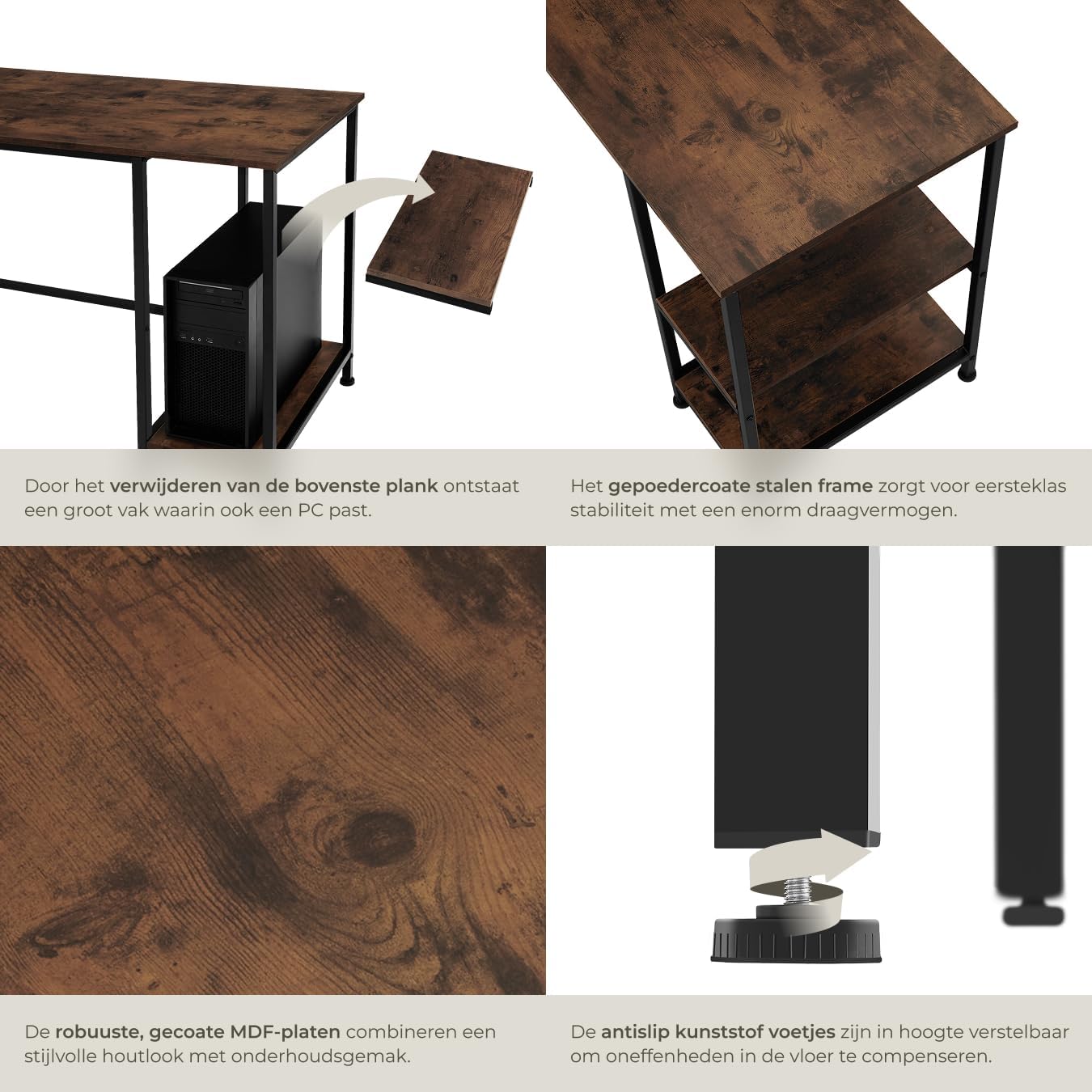
Image: Detail showing the beveled edge for cable management and the adjustable plastic feet for stability.
Betjeningsvejledning
The tectake Corner Desk is designed for general office and home use, providing a functional and organized workspace.
- Udnyttelse af arbejdsplads: The L-shaped design offers an expansive surface for multiple monitors, laptops, and other work essentials.
- Kabelstyring: Utilize the beveled corner edge to route cables for computers, monitors, and other devices, helping to keep your workspace tidy and organized.
- Opbevaring: The two integrated side shelves are suitable for storing books, office supplies, computer peripherals, or decorative items. Always adhere to the maximum load capacity of 25 kg per shelf to prevent damage or instability.
Opretholdelse
Proper care and maintenance will extend the life and preserve the appearance of your tectake Corner Desk.
- Rensning: Tør overflader af med en blød, damp cloth. For stubborn marks, use a mild soap solution and immediately dry with a clean cloth. Avoid abrasive cleaners, harsh chemicals, or solvents, as these can damage the finish.
- Inspektion: Periodically check all screws, bolts, and fasteners to ensure they remain tight. Retighten if necessary to maintain structural integrity and stability.
- Beskyttelse: Avoid placing hot items directly on the desk surface. Use coasters or protective pads under hot mugs, plates, or other objects. Protect the surface from sharp objects to prevent scratches.
- Miljø: Keep the desk in a dry environment and avoid prolonged exposure to direct sunlight or extreme temperature changes, which can affect the wood and metal components.
Fejlfinding
This section addresses common issues you might encounter with your desk and provides potential solutions.
Desk is Unstable or Wobbly
- Kontroller fastgørelseselementer: Ensure all assembly screws and bolts are securely tightened. Loose connections are a common cause of instability.
- Juster nivelleringsfødderne: The desk is equipped with adjustable plastic feet. Turn these feet clockwise or counter-clockwise to compensate for uneven floors until the desk is stable.
- Bekræft indlæsning: Ensure the desk and shelves are not overloaded beyond their specified weight capacities. Uneven weight distribution can also cause instability.
Vanskeligheder under montering
- Review Instruktioner: Carefully re-read the detailed assembly instructions and diagrams provided in the product packaging.
- Del orientering: Double-check that all parts are correctly oriented as shown in the assembly diagrams. Sometimes a part may appear similar but has a specific direction.
- To-personers samling: Remember that assembly is recommended for two people. Having an extra pair of hands can significantly ease the process, especially when aligning larger components.
- Kontakt support: If you continue to experience difficulties, contact tectake customer support for assistance.
Garanti & Support
For detailed warranty information, terms, and conditions, please refer to the documentation included with your product at the time of purchase. This documentation will outline the coverage period and procedures for making a warranty claim.
For technical support, missing parts, or any other inquiries regarding your tectake Corner Desk, please visit the official tectake webwebsted eller kontakt deres kundeserviceafdeling ved hjælp af de kontaktoplysninger, der er angivet på din produktemballage eller på deres webwebsted.
Når du kontakter support, bedes du have følgende oplysninger klar:
- Modelnummer: 404231
- ASIN: B09MDKJQRC
- Købsdato
- Beskrivelse af problemet