
1. Introduktion
Thank you for choosing the GIGASTONE 1TB Gaming Plus MicroSDXC Memory Card. This high-performance memory card is engineered to provide reliable and fast storage for your gaming consoles and other compatible devices. With read speeds up to 150 MB/s and write speeds up to 120 MB/s, it ensures quick data transfer and smooth operation for demanding applications like 4K video recording and gaming. This manual will guide you through the setup, operation, and maintenance of your new memory card.
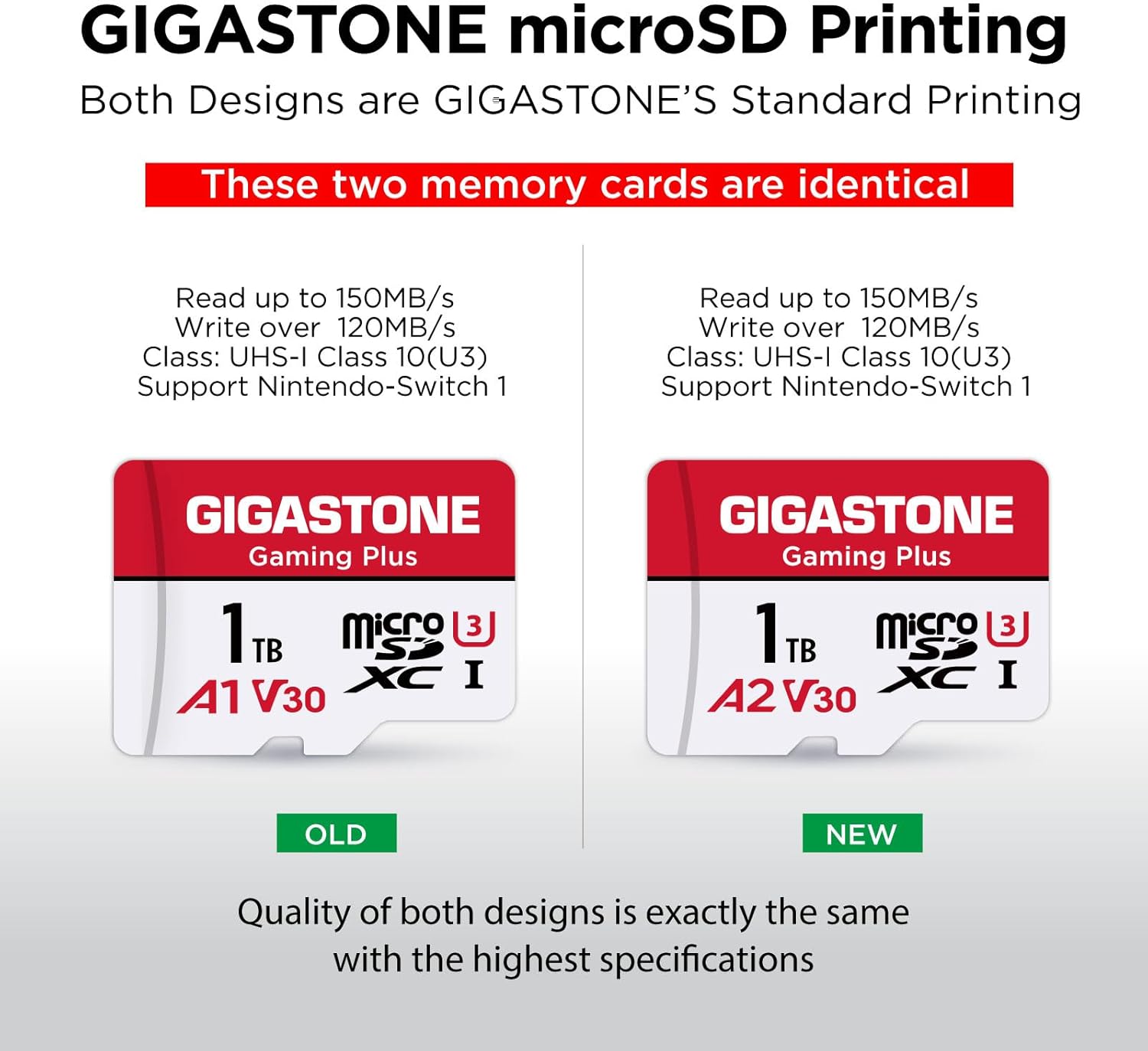
Image 1.1: GIGASTONE 1TB Gaming Plus MicroSDXC Memory Card. This image displays the front of the GIGASTONE 1TB Gaming Plus MicroSDXC card, highlighting its capacity and speed ratings.
2. Opsætning og installation
To begin using your GIGASTONE MicroSDXC card, follow these general steps. Specific installation procedures may vary depending on your device.
- Locate the MicroSD Card Slot: Identify the microSD card slot on your device (e.g., Nintendo Switch, Steam Deck, smartphone, camera).
- Indsæt kortet: Gently insert the GIGASTONE MicroSDXC card into the slot until it clicks into place. Ensure it is oriented correctly to avoid damage.
- Format the Card (If Necessary): Some devices may require the card to be formatted before use. Refer to your device's user manual for specific formatting instructions. For capacities 64GB or above, the default file system should be exFAT. If your device only supports FAT32, you may need to format the card to FAT32.
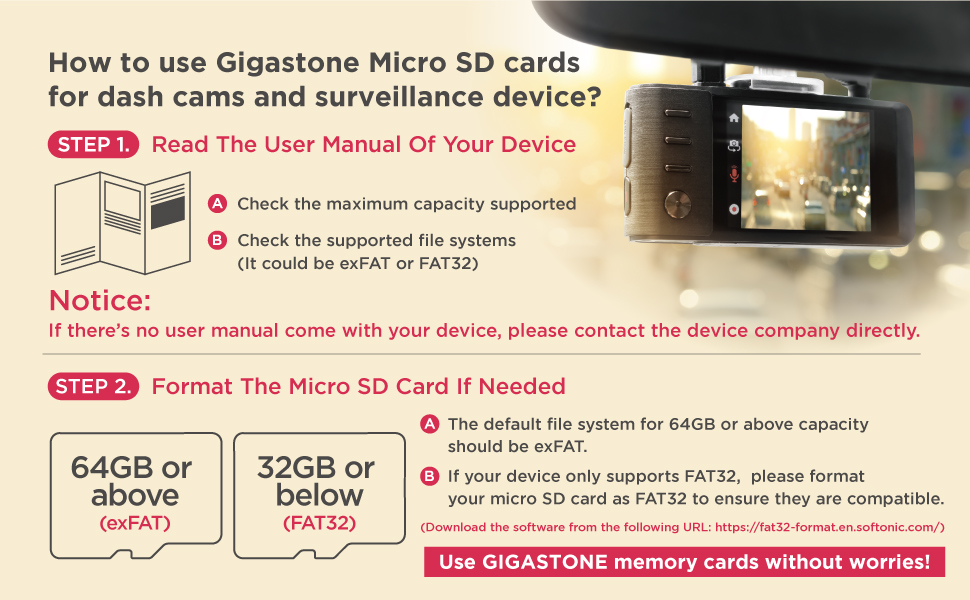
Image 2.1: MicroSD Card Formatting Guide. This image illustrates the recommended file systems (exFAT for 64GB+ and FAT32 for 32GB or below) and advises checking the device's user manual for compatibility.
3. Betjeningsvejledning
Once installed and formatted, your GIGASTONE MicroSDXC card is ready for use. It functions as an extended storage solution for various data types.
- Spil: Store a large library of games on your Nintendo Switch 1 or Steam Deck. The A1 specification ensures high-speed data transfer for game professionals, reducing load times and enhancing gameplay.
- 4K videooptagelse: Utilize the card's Ultra HD capabilities for recording and displaying 4K video content.
- File Opbevaring: Save photos, music, documents, and other files from compatible devices such as laptops, tablets, PCs, smartphones, and cameras.

Image 3.1: Ultra Fast Gaming Response. This image shows the GIGASTONE MicroSD card being used with a Nintendo Switch, emphasizing reduced transfer times for gaming.

Image 3.2: 4K UHD Recording. This image depicts the GIGASTONE MicroSD card enabling 4K UHD recording for an enhanced gaming adventure.
4. Compatibility and Performance
The GIGASTONE Gaming Plus Series MicroSDXC card is designed for broad compatibility and high performance.
4.1. Enhedskompatibilitet
This memory card is compatible with:
- Nintendo Switch 1 (including Nintendo Switch Lite and Nintendo Switch OLED)
- Steam dæk
- Laptops, Tablets, PCs, Smartphones, Cameras, e-Readers
Important Notice: This memory card is NOT compatible for gaming with Nintendo Switch 2.

Image 4.1: Nintendo Switch Compatibility. This image clearly indicates compatibility with Switch 1 and non-compatibility with Switch 2.

Image 4.2: MicroSD Card Compatibility Table. A detailed table showing compatibility of various Gigastone microSD cards with Nintendo Switch 1 and Switch 2 for game and photo/video applications.
4.2. Speed and App Performance
The card offers impressive speed and optimized app performance:
- Læsehastighed: Op til 150 MB/s
- Skrivehastighed: Op til 120 MB/s
- A1 App Performance: Optimized for faster app loading and smoother operation with 1500 IOPS (Input/Output Operations Per Second) for read and 500 IOPS for write.

Image 4.3: Read/Write Speed. This graphic highlights the 150 MB/s read speed and 120 MB/s write speed of the GIGASTONE MicroSD card.

Image 4.4: A1 App Performance. This image details the A1 specification, showing 1500 IOPS for read and 500 IOPS for write, indicating faster and smoother app execution.
5. Vedligeholdelse og pleje
To ensure the longevity and optimal performance of your GIGASTONE MicroSDXC card, follow these maintenance guidelines:
- Fysisk beskyttelse: The card is designed to be waterproof, shockproof, temperature-proof, and X-Ray proof. However, avoid exposing it to extreme physical stress or harsh chemicals.
- Renhed: Keep the metal contacts on the card clean and free from dust or debris. Use a soft, dry cloth if cleaning is necessary.
- Sikker fjernelse: Tag altid hukommelseskortet sikkert ud af din enhed, før du fysisk fjerner det, for at forhindre databeskadigelse.
- Bufferhukommelse: MicroSD cards reserve a portion of their capacity as buffer memory for firmware, applications, and software. A larger buffer memory contributes to a longer lifetime for the card. This is why the usable capacity may be slightly less than the advertised nominal capacity (e.g., a 1TB card may show around 906GB usable).
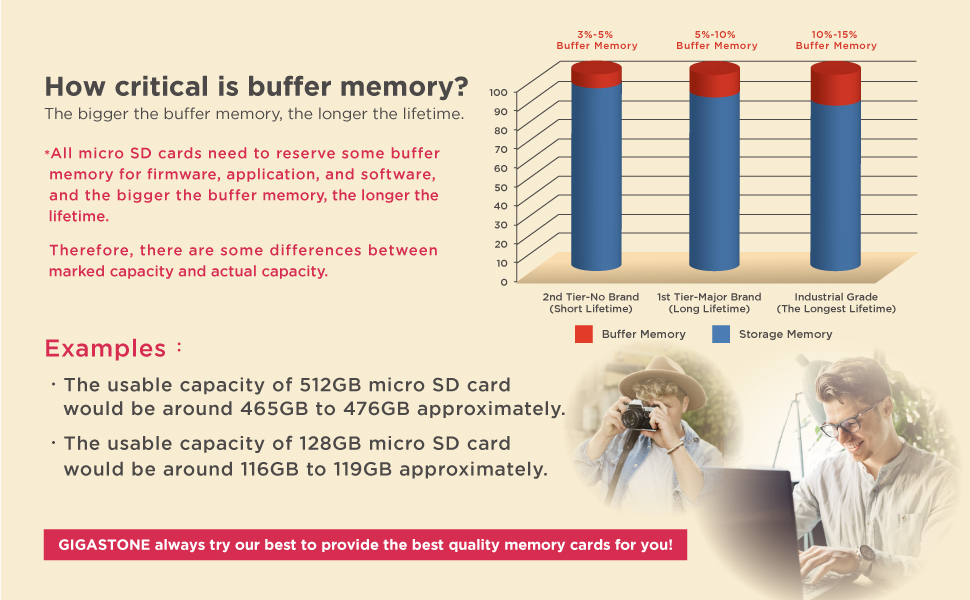
Image 5.1: Buffer Memory. This graphic explains the concept of buffer memory in microSD cards and its impact on usable capacity and card lifetime.
6. Fejlfinding
If you encounter issues with your GIGASTONE MicroSDXC card, consider the following:
- Kort ikke genkendt:
- Sørg for, at kortet er sat helt og korrekt i enhedens slot.
- Genstart din enhed.
- Prøv kortet i en anden kompatibel enhed for at afgøre, om problemet ligger i kortet eller i den originale enhed.
- Check if the card requires formatting for your specific device (refer to Section 2).
- Langsom ydeevne:
- Ensure your device supports the card's speed class (U3, V30, A1).
- Verify that the device's internal storage or processor is not bottlenecking the card's performance.
- Undgå at fylde kortet helt op, da dette nogle gange kan påvirke ydeevnen.
- Datakorruption:
- Tag altid kortet sikkert ud, inden du fjerner det.
- Sørg for, at din enheds software er opdateret.
- If data corruption persists, the card may be faulty. Contact customer support.
7. Specifikationer
| Feature | Specifikation |
|---|---|
| Mærke | Gigastone |
| Modelnavn | MSD |
| Modelnummer | MSD-1TB-2-1PK |
| Flash-hukommelsestype | Micro SDXC |
| Hukommelseslagringskapacitet | 1 TB (Terabyte) |
| Læs Speed | Op til 150 MB/s |
| Skrivehastighed | Op til 120 MB/s |
| Mediehastighed | 90.0 |
| Hardwareforbindelse | microSDXC |
| Sikker digital associations hastighedsklasse | Klasse 10, U3, V30, A1 |
| Kompatible enheder | Nintendo Switch 1, Nintendo Switch Lite, Nintendo Switch OLED, Steam Deck, Gaming Console, Laptop, Tablet, PC, Smartphones, Camera, e-Reader |
| Miljømæssige egenskaber | Waterproof, Shockproof, Temperature-Proof, X-Ray Proof |
| UPC | 804272758405 |
8. Garanti og support
GIGASTONE provides a 5 års begrænset garanti for this product. For warranty claims, technical support, or further inquiries, please visit the official Gigastone webwebstedet eller kontakt deres kundeservice. Gem din købsbevis for at validere garantien.
For mere information kan du besøge Gigastone Store on Amazon.