
1. Vigtige sikkerhedsoplysninger
Please read all safety and operating instructions carefully before using this television. Keep this manual for future reference. Always follow basic safety precautions to reduce the risk of fire, electric shock, and injury.
- Udsæt ikke dette apparat for regn eller fugt.
- Bloker ikke ventilationsåbninger. Installer i overensstemmelse med producentens anvisninger.
- Må ikke installeres i nærheden af varmekilder såsom radiatorer, varmeapparater, komfurer eller andre apparater (inklusive ampløftere), der producerer varme.
- Beskyt netledningen mod at blive gået på eller klemt, især ved stik, stikkontakter og det punkt, hvor de kommer ud af apparatet.
- Brug kun tilbehør/tilbehør specificeret af producenten.
- Overlad al service til kvalificeret servicepersonale. Service er påkrævet, når apparatet er blevet beskadiget på nogen måde.
2. Hvad er der i æsken
Carefully unpack your new Sansui TV and ensure all items listed below are present.
- 1 x Sansui 4K Ultra HD Android LED TV (JSW50ASUHD)
- 2 x bordstativbase
- 1 x Wall Mounting Set
- 4 x Screws for stand/mount
- 1 x brugermanual
- 1 x garantikort
- 1 x fjernbetjening
- 2 x AAA-batterier (til fjernbetjening)
- 1 x strømkabel
- 1 x Mini AV-kabel
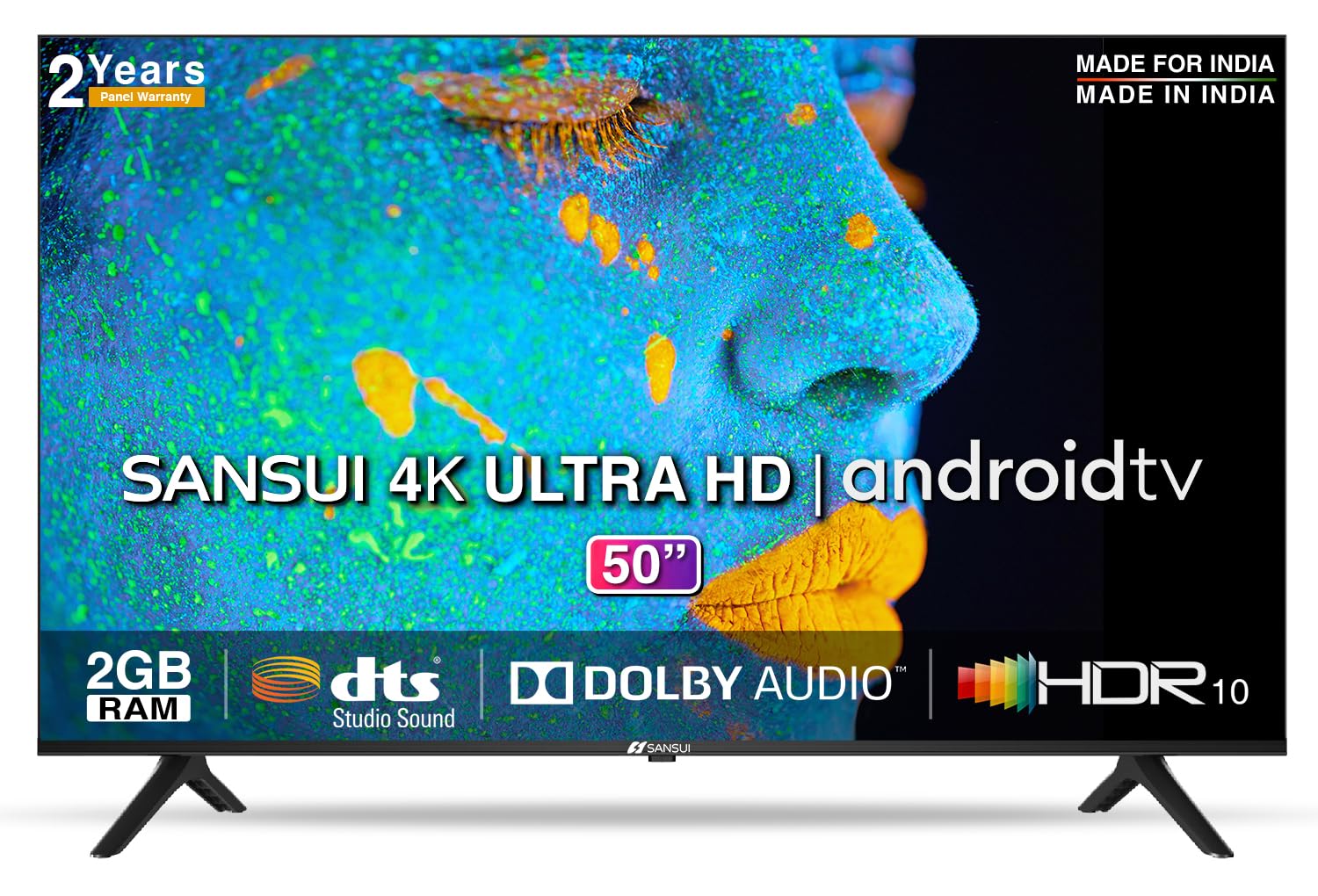
Image: Sansui 50-inch 4K Ultra HD Android LED TV with its table stand.
3. Produktet er slutview
3.1. Nøglefunktioner
- Vise: 4K Ultra HD (3840x2160) resolution, 60Hz refresh rate, Wide Viewing Angle, A+ Grade Panel, Wide Colour Gamut, HDR 10, Crystal Clear Display, High Brightness, Bezel-less Design.
- Lyd: Dolby Audio, DTS Studio Sound, 20 Watts Audio Output.
- Smart TV-funktioner: Android 10.0 (Certified by Google), Google Assistant, Alexa Enabled Support, Built-in Chromecast, CA53 Quad Core Processor, 2GB RAM, 8GB ROM.
- Understøttede apps: Prime Video, Netflix, Disney + Hotstar, YouTube, Google Play.
- Forbindelse: 3 HDMI ports, 2 USB ports, 3.5mm audio jack, Bluetooth, Wi-Fi, RJ45 (Ethernet), Antenna.

Image: Visual representation of the TV's main features and capabilities.
3.2. Dimensioner
The TV features a 50-inch screen (127 cm diagonal) with a bezel-less design for an immersive viewoplevelse.

Image: Detailed dimensions of the Sansui 50-inch TV, including width, height, and depth with and without the stand.
4. Opsætning
4.1. Installing the Table Stand
- Placer tv-skærmen med nedad på en blød, flad overflade for at forhindre skader.
- Align the table stand bases with the corresponding slots at the bottom of the TV.
- Secure the bases using the provided screws. Ensure they are tightened firmly.
4.2. Vægmontering (valgfrit)
If you choose to wall mount your TV, please use the provided wall mounting set and screws. The VESA mount standard is 800 x 400 mm. It is recommended to seek professional assistance for wall mounting to ensure proper and safe installation.
4.3. Tilslutning af enheder
The TV offers various connectivity options for your external devices.
- Magt: Tilslut netledningen til tv'ets strømindgang og derefter til en stikkontakt.
- HDMI: Use HDMI cables to connect devices like set-top boxes, gaming consoles, or Blu-ray players to the 3 HDMI ports.
- USB: Connect USB drives or other USB devices to the 2 USB ports for media playback.
- Lydudgang: Use the 3.5mm jack to connect headphones or external audio systems.
- Ethernet (RJ45): For a stable internet connection, connect an Ethernet cable from your router to the RJ45 port.
- Antenne: Connect your antenna cable to the RF input for terrestrial broadcasting.
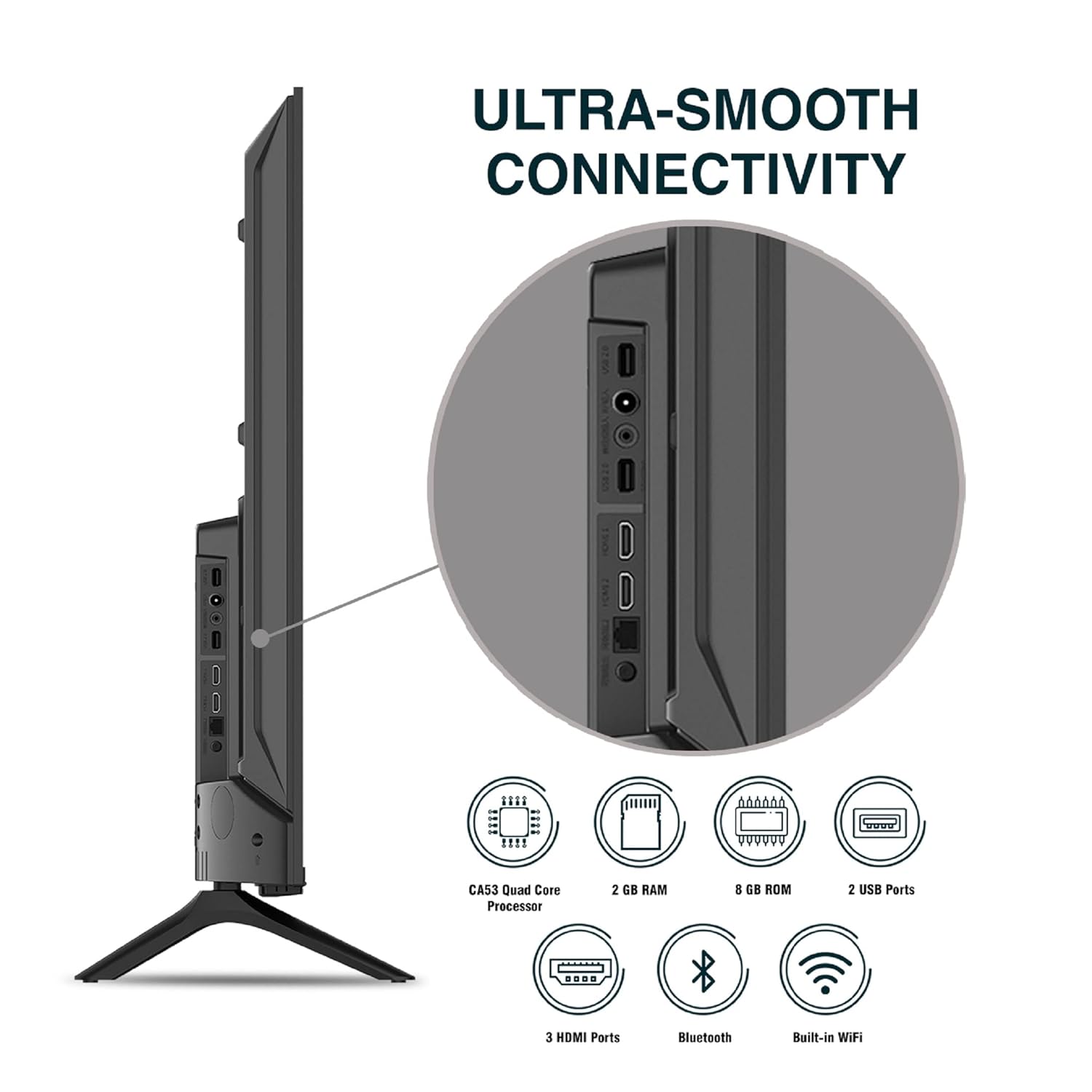
Billede: Detaljeret view af tv'ets tilslutningsporte.
5. Betjeningsvejledning
5.1. Grundlæggende betjening
- Tænd/sluk: Press the power button on the remote control or on the TV to turn it on or off.
- Indledende opsætning: Upon first power-on, follow the on-screen instructions to set up language, network connection, and Google account.
- Inputkilde: Press the 'Input' button on the remote to select between HDMI, AV, TV, or other connected sources.
- Lydstyrkekontrol: Brug knapperne for lydstyrke op/ned på fjernbetjeningen.
5.2. Brug af den smarte fjernbetjening
The included remote control features voice control and dedicated hotkeys for quick access to popular streaming services.
- Stemmestyring: Press the Google Assistant button (microphone icon) and speak your commands to search for content, control smart home devices, or ask questions.
- Genvejstaster: Directly launch Netflix, Prime Video, YouTube, and Google Play with a single press.
- Navigation: Use the directional pad and 'OK' button to navigate the Android TV interface.

Image: Sansui Smart Remote Control with voice control and app hotkeys.
5.3. Android TV Interface and Smart Features
Your Sansui TV runs on Android 10.0, providing access to a wide range of apps and smart functionalities.
- Startskærm: The home screen displays your favorite apps, recommended content, and input sources.
- Google Play Butik: Download and install additional apps, games, and content from the Google Play Store.
- Indbygget Chromecast: Cast content (videos, photos, music) from your smartphone, tablet, or computer directly to the TV.
- Google Assistant/Alexa: Use voice commands via the remote or a compatible Alexa device to control your TV and other smart home devices.

Image: Android TV home screen showing available applications.
6. Vedligeholdelse
Korrekt pleje og vedligeholdelse vil forlænge levetiden på dit tv.
- Rengøring af skærmen: Tør forsigtigt skærmen af med en blød, fnugfri klud. Brug en skærmrens, der er specielt designet til tv'er, til genstridige pletter, og påfør den på kluden, ikke direkte på skærmen.
- Rengøring af kabinettet: Brug en blød, tør klud til at tørre tv-kabinettet af. Brug ikke slibende rengøringsmidler eller opløsningsmidler.
- Ventilation: Sørg for, at ventilationsåbningerne er fri for støv og snavs for at forhindre overophedning.
- Strømledning: Regularly check the power cord for any damage. If damaged, replace it with an authorized part.
7. Fejlfinding
Hvis du støder på problemer, kan du se følgende almindelige problemer og løsninger.
| Problem | Mulig årsag | Løsning |
|---|---|---|
| Ingen strøm | Netledningen er frakoblet; Problem med stikkontakten | Kontroller netledningens forbindelse; Test stikkontakten med en anden enhed. |
| Intet billede, kun lyd | Incorrect input source; External device issue | Select correct input source; Check external device connection and power. |
| Ingen lyd, kun billede | Volume muted/low; External audio system issue | Unmute or increase volume; Check external audio system connections. |
| Fjernbetjeningen virker ikke | Batterierne er opbrugt; Blokering mellem fjernbetjening og tv | Udskift batterier; Fjern eventuelle forhindringer. |
| Problemer med Wi-Fi-forbindelse | Incorrect password; Router issues; Signal interference | Re-enter password; Restart router; Move TV closer to router or use Ethernet. |
Hvis problemet fortsætter efter at have prøvet disse løsninger, bedes du kontakte kundesupport.
8. Specifikationer
Detailed technical specifications for the Sansui JSW50ASUHD TV.
| Feature | Beskrivelse |
|---|---|
| Modelnavn | SANSUI LED - JSW50ASUHD |
| Skærmstørrelse | 50 tommer (127 cm) |
| Displayteknologi | LED |
| Opløsning | 4K Ultra HD (3840x2160) |
| Opdateringshastighed | 60 Hz |
| Operativsystem | Android 10.0 (Certified by Google) |
| Processor | CA53 Quad Core |
| VÆDDER | 2 GB |
| ROM (lager) | 8 GB |
| Lydudgang | 20 watt |
| Lydteknologi | Dolby Audio, DTS Studio Sound |
| HDMI porte | 3 |
| USB-porte | 2 |
| Trådløs forbindelse | Wi-Fi, Bluetooth |
| Anden forbindelse | Ethernet (RJ45), 3.5mm Audio Jack, Antenna |
| HDR-understøttelse | HDR10 |
| Monteringstype | Vægmontering og bordmontering |
| VESA-monteringsstandard | 800 x 400 mm |
| Strømforbrug | 120 watt |
| Varens vægt | 9650 gram |
| Farve | Mystique Black |
9. Garanti og support
Your Sansui TV comes with a comprehensive warranty and dedicated customer support.
- Garanti: 1 year comprehensive warranty and 1 year additional on panel from the date of purchase.
- Garantisupport: For warranty-related queries, please contact Sansui Toll Free No.: 1800-419-3777.
- Importørens kontakt: Jaina India Pvt Ltd., D170, Okhla Industrial Area, Phase-1, New Delhi-110020 INDIA | Email: sansuicare@jainaindia.com.
Gem venligst din købskvittering i tilfælde af garantikrav.