
Jadfezy J-7000
Jadfezy Action Camera J-7000
Brugermanual
Produkt overview
The Jadfezy J-7000 is a high-performance 4K Action Camera designed for capturing dynamic moments in various environments. It features 4K/60FPS video recording, 24MP photo resolution, Electronic Image Stabilization (EIS), Wi-Fi connectivity, and a robust waterproof case for underwater use.

Image: The Jadfezy J-7000 Action Camera, shown with its protective waterproof housing, a remote control, a dual battery charger with two batteries, and a compact carrying case. This image highlights the camera's readiness for various action-packed scenarios.
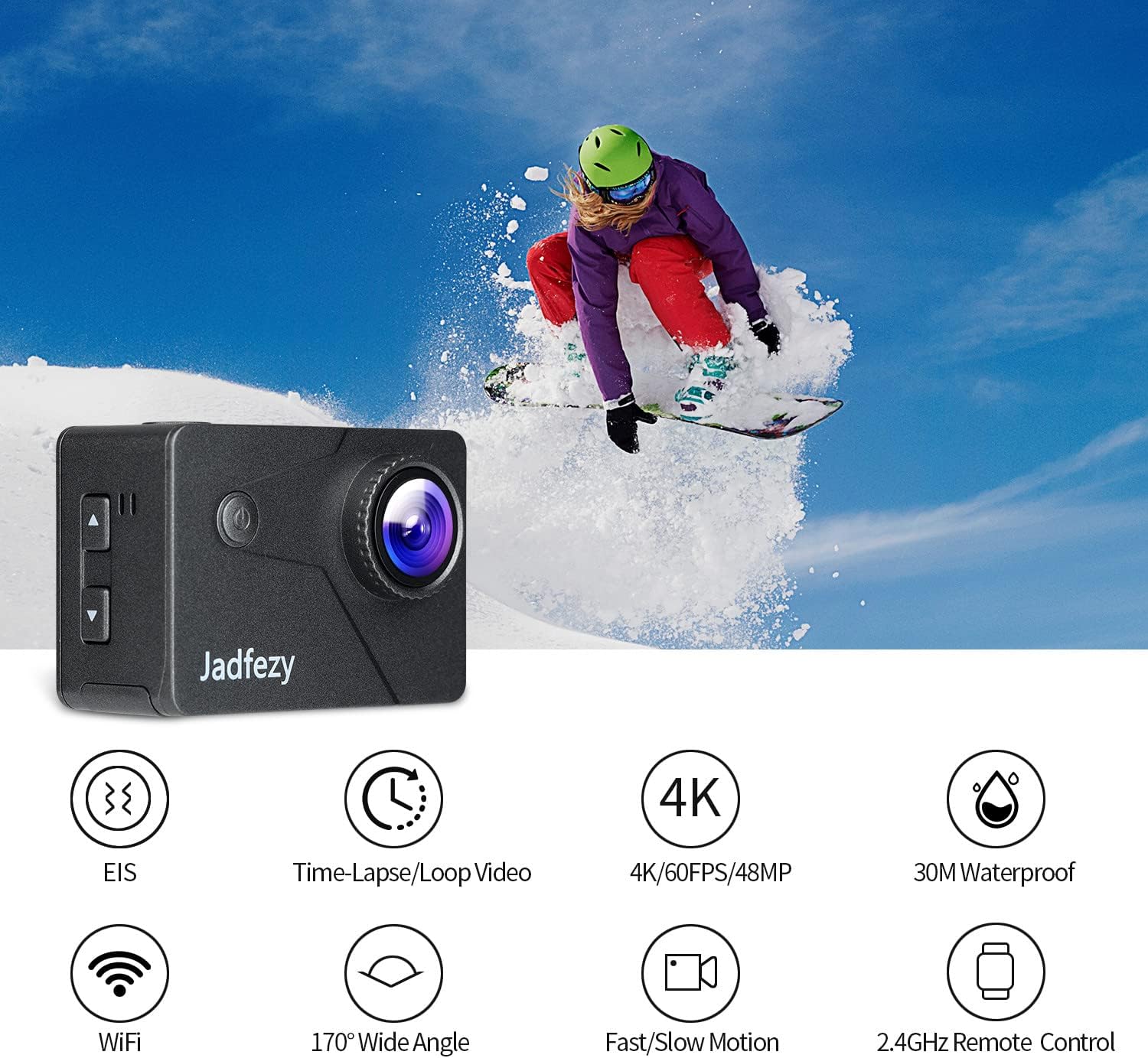
Image: The Jadfezy J-7000 Action Camera displayed alongside icons illustrating its core functionalities: Electronic Image Stabilization (EIS), Time-Lapse/Loop Video, 4K/60FPS/48MP recording, 30M Waterproof capability, Wi-Fi connectivity, 170° Wide Angle lens, Fast/Slow Motion modes, and 2.4GHz Remote Control compatibility.
Opsætning
1. Batteriinstallation og opladning
The camera comes with two 1500 mAh Lithium Ion batteries. Before first use, ensure batteries are fully charged.
- Åbn batteridækslet i bunden af kameraet.
- Indsæt batteriet med den rigtige retning.
- Luk batterirummets dæksel forsvarligt.
- To charge, use the included dual battery charger and USB cable. Connect the charger to a USB power source. The indicator lights will show charging status.
2. Indsættelse af Micro SD-kort
A Micro SD card (not included) is required for recording. The camera supports Micro SD cards up to 64GB (Class 10 or higher recommended).
- Find Micro SD-kortstikket på siden af kameraet.
- Isæt Micro SD-kortet med kontakterne vendt mod kameraets forside, indtil det klikker på plads.
- For at fjerne det skal du forsigtigt skubbe kortet ind, indtil det springer ud.

Billede: En omfattende view of the Jadfezy J-7000 Action Camera and its extensive accessory kit. This includes the camera in its waterproof housing, a dual battery charger with two batteries, a remote control, various mounts (helmet, bicycle, wrist), straps, a tripod, cleaning cloth, and a durable carrying case, demonstrating the versatility and completeness of the package.
Betjening af kameraet
1. Grundlæggende kontroller
- Tænd/sluk-knap: Tryk og hold nede for at tænde/slukke. Tryk kort for at skifte mellem video-, foto- og afspilningstilstand.
- Udløser/OK-knap: Press to start/stop recording video or take a photo. In menu, press to confirm selection.
- Op/Ned knapper: Navigate menu options or zoom in/out.
2. Videooptagelse og fotooptagelse
The J-7000 supports various resolutions for video and high-resolution photos.
- Videoopløsninger: 4K/60FPS, 4K/30FPS, 2.7K/60FPS, 1080P/120FPS, 1080P/60FPS.
- Billedopløsning: 24 MP.
- To switch between video and photo modes, press the Power/Mode button.
- Press the Shutter/OK button to begin recording or take a picture.
3. Elektronisk billedstabilisering (EIS)
The EIS feature helps to stabilize footage, reducing blur and shakiness, especially during action-packed activities.
- Access the camera settings menu to enable or disable EIS.
- When EIS is active, the camera digitally compensates for movements, resulting in smoother video.

Image: A visual comparison demonstrating the effect of Electronic Image Stabilization (EIS). The left side shows a clear, stable image of a skier with EIS ON, while the right side shows a blurred, shaky image of the same skier with EIS OFF, highlighting the effectiveness of the stabilization feature.
4. Wi-Fi-forbindelse og app-kontrol
Connect the camera to your smartphone via Wi-Fi for remote control and file overførsel.
- Download the "ISMART DV" app from your smartphone's app store.
- On the camera, enable Wi-Fi through the settings menu. The camera's Wi-Fi name and password will be displayed.
- On your smartphone, connect to the camera's Wi-Fi network.
- Open the "ISMART DV" app to control the camera, view live footage, and download videos/photos.

Image: The Jadfezy J-7000 Action Camera positioned next to a smartphone, illustrating its Wi-Fi connectivity feature. Various action shots are displayed on the smartphone screen, symbolizing the ability to share captured moments instantly via social media platforms like Twitter, Facebook, and Instagvædder.
5. Betjening af fjernbetjening
Den medfølgende 2.4G trådløse fjernbetjening muliggør bekvem betjening på afstand.
- Ensure the remote control is paired with the camera (refer to the camera's settings for pairing instructions if needed).
- Use the remote to start/stop video recording or take photos without directly touching the camera.
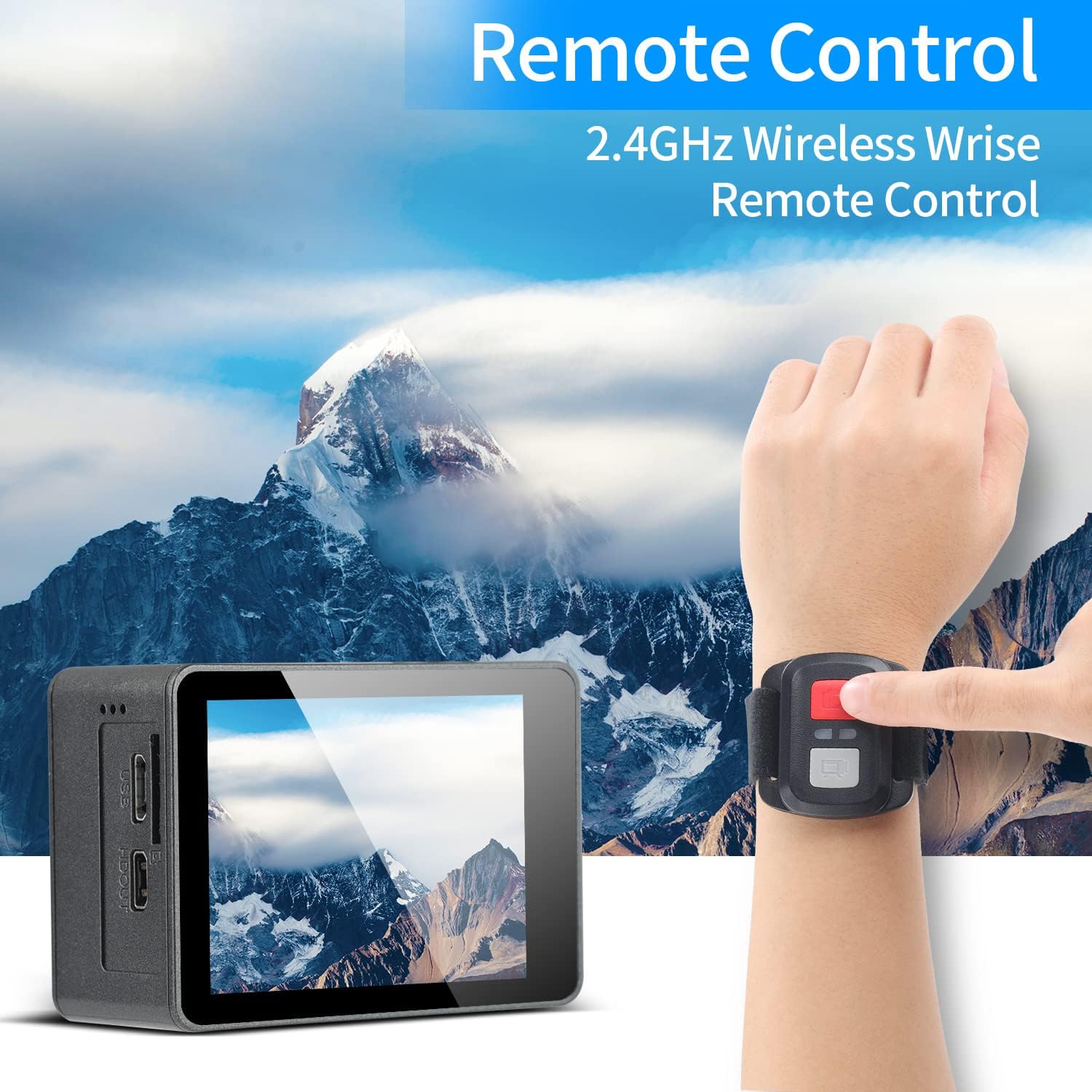
Image: A person's hand wearing the 2.4GHz wireless remote control for the Jadfezy J-7000 Action Camera, with the camera itself visible in the foreground. The background features a majestic mountain landscape, emphasizing the camera's suitability for outdoor adventures and the convenience of remote operation.
6. Underwater Usage
The camera is equipped with an IP68 certified waterproof case, allowing for dives up to 30 meters (98 feet).
- Always ensure the waterproof case is properly sealed before submerging the camera. Check for any debris or hair around the seal.
- Efter hver brug i saltvand skylles etuiet med ferskvand og lades lufttørre.

Image: The Jadfezy J-7000 Action Camera, enclosed in its waterproof housing, submerged underwater alongside a diver. A depth scale on the right indicates its capability up to 30 meters, highlighting its suitability for various underwater activities.
7. Multiple Modes
The camera offers various shooting modes to enhance your creative possibilities:
- Time-lapse-video: Optager billeder med bestemte intervaller for at skabe en hurtigere video.
- Loop-optagelse: Records video continuously, overwriting the oldest footage når hukommelseskortet er fyldt.
- Slowmotion: Records at a higher frame rate to create smooth slow-motion playback.
- Kørselstilstand: Functions as a dash cam, starting recording automatically when powered on.
- Time-lapse foto: Tager billeder med faste intervaller.
- Kontinuerlig optagelse: Tager flere billeder i hurtig rækkefølge.
Opretholdelse
- Rengøring af kameraet: Brug en blød, tør klud til at rengøre kamerahuset. Brug en specialklud og -opløsning til objektivet. Undgå skrappe kemikalier.
- Vandtæt etuipleje: Regularly inspect the waterproof case's O-ring for dirt, sand, or damage. Clean the O-ring and its groove with a soft, damp cloth. Apply silicone grease to the O-ring periodically to maintain its seal.
- Batteripleje: Opbevar batterier et køligt og tørt sted. Hvis kameraet ikke bruges i længere tid, skal du fjerne batterierne. Undgå at aflade batterierne helt ofte for at forlænge deres levetid.
- Opbevaring: Store the camera and accessories in the provided carrying case in a dry, dust-free environment away from direct sunlight and extreme temperatures.
Fejlfinding
| Problem | Mulig årsag | Løsning |
|---|---|---|
| Kameraet tænder ikke. | Batteriet er afladet eller ikke isat korrekt. | Charge the battery fully. Ensure battery is inserted with correct polarity. |
| Dårlig video-/fotokvalitet. | Linsen er snavset; forkerte indstillinger; utilstrækkelig belysning. | Rengør linsen. Juster opløsningsindstillingerne. Sørg for tilstrækkelig belysning. |
| Vandlækage i vandtæt hus. | Case not sealed properly; O-ring damaged or dirty. | Ensure case is securely latched. Check O-ring for debris or damage; clean or replace if necessary. |
| Problemer med Wi-Fi-forbindelse. | Incorrect password; camera Wi-Fi not enabled; app issues. | Verify Wi-Fi password. Ensure camera Wi-Fi is on. Restart camera and app. |
| Fjernbetjening virker ikke. | Remote battery low; not paired with camera. | Replace remote battery. Re-pair remote with camera according to instructions. |
Specifikationer
| Feature | Detalje |
|---|---|
| Mærke | Jadfezy |
| Modelnavn | J-7000 |
| Videooptagelsesopløsning | 4K (60FPS), 1080p (120FPS) |
| Foto opløsning | 24 MP |
| Billedstabilisering | Elektronisk billedstabilisering (EIS) |
| Vandtæt dybde | Up to 30m (98ft) with included case |
| Skærmstørrelse | 2 tommer |
| Forbindelsesteknologi | Wi-Fi, USB |
| Flash-hukommelsestype | Micro SD (up to 64GB, Class 10+) |
| Batterier | 2 x 1500 mAh Lithium Ion (included) |
| Optisk zoom | 8x |
| Varens vægt | 1.44 pund |
| Produktdimensioner | 1.2 x 2.3 x 1.6 tommer |
Garanti og support
For warranty information and technical support, please refer to the documentation included with your purchase or contact Jadfezy customer service directly. Keep your proof of purchase for any warranty claims.
Ask a question about this manual
Ask about setup, troubleshooting, compatibility, parts, safety, or missing instructions. Manuals+ will review the question and use this page’s manual context to help answer it.