
1. Introduktion
This manual provides instructions for the HCDZ Replacement Remote Control, designed for use with various Epson 3LCD 4K Large Venue Laser Projectors. This remote offers direct functionality without the need for programming.
Pakkeindhold:
- 1 x HCDZ Replacement Remote Control
Bemærk: Batterier og yderligere instruktioner er ikke inkluderet i pakken.
2. Opsætning
2.1 Batteriinstallation
Fjernbetjeningen kræver to AAA-batterier (medfølger ikke). Følg disse trin for at installere dem:
- Find batterirummets dæksel på bagsiden af fjernbetjeningen.
- Skub dækslet nedad, eller tryk på låsen, og løft det for at åbne rummet.
- Isæt to AAA-batterier, og sørg for, at de positive (+) og negative (-) poler er justeret korrekt med markeringerne inde i batterirummet.
- Sæt dækslet til batterirummet på igen, og skub det på plads, indtil det klikker sikkert.

Image: Back of the remote control with the battery compartment open, illustrating correct AAA battery placement.
2.2 Førstegangsbrug
Once batteries are correctly installed, the remote control is ready for immediate use. No programming or pairing is required. Point the remote directly at your Epson projector's infrared (IR) sensor.
3. Betjening af fjernbetjeningen
This remote control provides full functionality for your compatible Epson projector. Refer to your projector's original user manual for specific functions of each button.
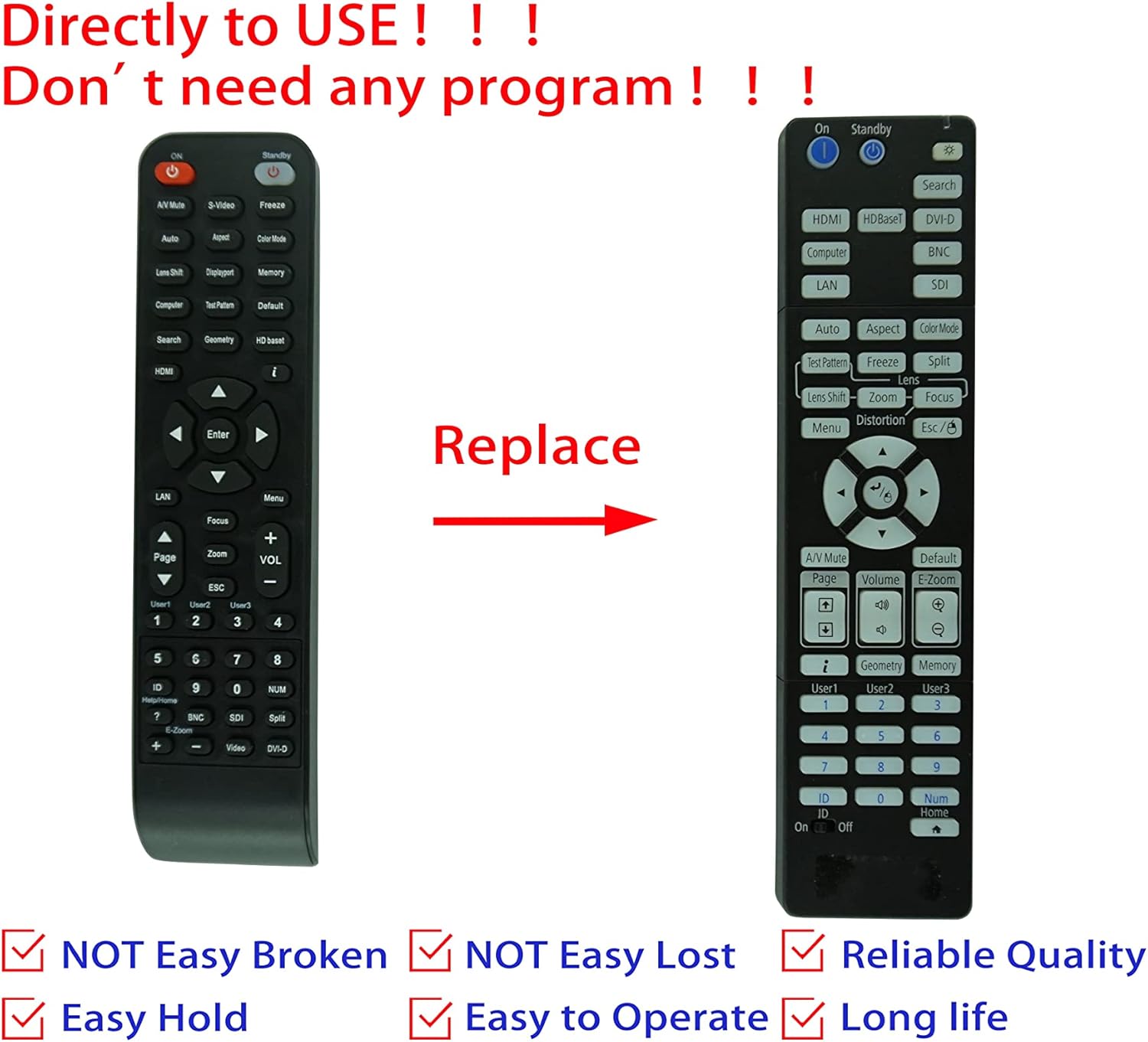
Image: Comparison of an original Epson remote (left) and the HCDZ replacement remote (right), highlighting the replacement functionality.
3.1 Key Functions (General)
- Tænd/sluk: Typically a dedicated button, often red or clearly marked.
- Valg af input: Buttons for HDMI, Computer, Video, etc., to switch input sources.
- Navigation: Arrow keys (Up, Down, Left, Right) and an Enter/OK button for menu navigation.
- Menu: Accesses the projector's on-screen display (OSD) menu.
- Bind: Adjusts audio output if the projector has built-in speakers or audio pass-through.
- Zoom/fokus: Adjusts the projected image size and clarity.
- Numerisk tastatur: For direct input or selecting specific functions.
4. Vedligeholdelse og pleje
To ensure the longevity and proper functioning of your remote control, observe the following guidelines:
- Rensning: Tør fjernbetjeningen af med en blød, tør klud. Brug ikke flydende rengøringsmidler eller slibende materialer.
- Miljø: Avoid exposing the remote to extreme temperatures, high humidity, or direct sunlight.
- Udskiftning af batteri: Replace both batteries simultaneously. Do not mix new and old batteries, or different types of batteries.
- Opbevaring: Hvis fjernbetjeningen ikke skal bruges i længere tid, skal du fjerne batterierne for at forhindre lækage og potentiel skade.
- Indvirkning: Undgå at tabe fjernbetjeningen eller udsætte den for hårde stød.

Billede: Bagside view of the HCDZ remote control, illustrating its design.
5. Fejlfinding
Hvis du oplever problemer med din fjernbetjening, kan du prøve følgende fejlfindingstrin:
- Fjernbetjeningen reagerer ikke:
- Sørg for, at batterierne er isat korrekt med den korrekte polaritet.
- Udskift gamle batterier med friske AAA-batterier.
- Check for any obstructions between the remote and the projector's IR sensor.
- Ensure you are within the effective range and pointing the remote directly at the projector.
- Intermitterende funktionalitet:
- Strong light sources (e.g., direct sunlight, fluorescent lights) can interfere with IR signals. Try operating the remote in a different lighting condition.
- Sørg for, at batterikontakterne er rene og fri for korrosion.
6. Specifikationer
| Feature | Detalje |
|---|---|
| Mærke | HCDZ |
| Kompatibilitet | Epson EB-PU2010B, EB-PU1007B, EB-PU2010W, EB-PU1007W, EB-PU1008B, EB-PU1006W, EB-PU1008W Projectors |
| Forbindelsesteknologi | Infrarød (IR) |
| Strømkilde | 2 x AAA batterier (medfølger ikke) |
| Programmering påkrævet | Ingen |
| Farve | Sort |
7. Garanti og support
This HCDZ replacement remote control comes with a 90-day warranty from the date of purchase. This warranty covers manufacturing defects under normal use.
For warranty claims or technical support, please contact your retailer or the HCDZ customer service department with your purchase details.
Gem venligst din købsbevis af garantihensyn.