
1. Sikkerhedsoplysninger
Please read and understand all safety information before operating this digital multimeter. Failure to follow these instructions may result in electric shock, fire, or damage to the device.
- Sørg altid for, at multimeteret er indstillet til den korrekte funktion og det korrekte område, før du foretager nogen målinger.
- Overskrid ikke de maksimale inputværdier, der er angivet for hver funktion.
- Vær forsigtig, når du arbejder med voltagover 30V AC RMS, 42V peak eller 60V DC, da de udgør en risiko for stød.
- Undersøg testledningerne for skader før hver brug. Må ikke anvendes, hvis isoleringen er kompromitteret.
- ADVARSEL: Before opening the case for battery or fuse replacement, always remove the test leads from the object being measured and disconnect from any power source to avoid electric shock.
- This device features F0.5A/600V fuse overload protection. Replace fuses only with specified types and ratings.
2. Produktet er slutview
The ANENG AN101 is a portable digital multimeter designed for measuring AC voltage, AC current, DC voltage, DC current, and resistance. It features an easy-to-read LCD display with 1999 counts and supports both automatic and manual ranging for versatile use in various electrical and electronic applications.
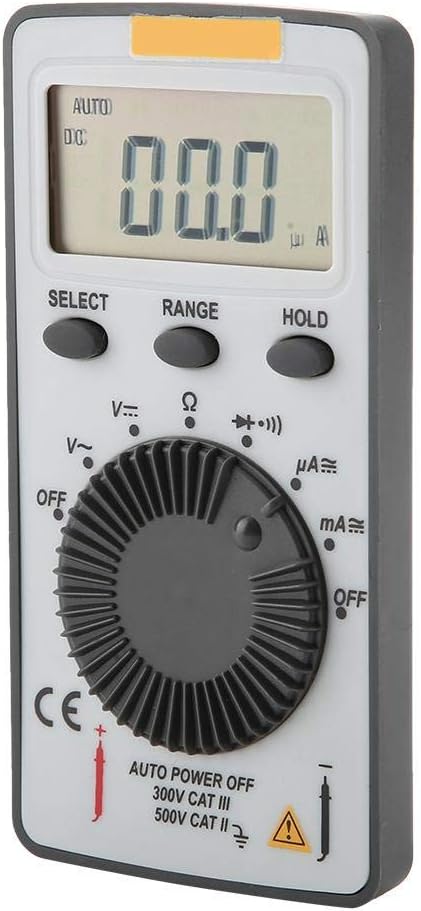
Figur 2.1: Forside view of the ANENG AN101 Digital Multimeter. This image displays the device's LCD screen, the central rotary function dial, and the 'SELECT', 'RANGE', and 'HOLD' buttons.
3. Opsætning
3.1 Batteriinstallation
- Sørg for, at multimeteret er slukket, og frakobl alle testledninger.
- Find batterirummet på bagsiden af enheden.
- Brug en skruetrækker til at åbne batteridækslet.
- Insert two 3V CR2032 batteries, observing the correct polarity.
- Sæt batterirummets dæksel på igen og fastgør det med skruen.

Figur 3.1: Tilbage view of the ANENG AN101 Digital Multimeter. This image shows the battery compartment cover and a safety warning regarding opening the case.
3.2 Tilslutning af testledninger
- Sæt den røde testledning i 'VΩmA'-indgangsstikket.
- Sæt den sorte testledning i 'COM'-indgangsstikket.
- Ensure the connections are firm before proceeding with measurements.
4. Betjeningsvejledning
4.1 Tænd/sluk
Rotate the central dial from 'OFF' to any measurement function to power on the device. To power off, rotate the dial back to 'OFF'. The multimeter also features an auto power-off function to conserve battery life.
4.2 Funktionsvalg
Turn the rotary dial to select the desired measurement function (e.g., DC Voltage (V=), AC Voltage (V~), Resistance (Ω), DC Current (μA=, mA=), AC Current (μA~, mA~)).
4.3 Range Selection (Auto/Manual)
The AN101 supports both automatic and manual ranging. In auto-ranging mode, the meter automatically selects the best range for the measurement. Press the 'RANGE' button to switch between auto and manual ranging. In manual mode, press 'RANGE' repeatedly to cycle through available ranges.
4.4 Måling af DC Voltage
- Set the rotary dial to 'V='.
- Tilslut den røde testledning til den positive side af kredsløbet og den sorte testledning til den negative side.
- Læs bindtage value on the LCD display. The polarity will be indicated automatically.
4.5 Måling af AC Voltage
- Set the rotary dial to 'V~'.
- Tilslut testledningerne på tværs af AC-volumentage kilde.
- Læs bindtage -værdi på LCD -displayet.
4.6 Måling af jævnstrøm
- Set the rotary dial to 'μA=' or 'mA=' depending on the expected current.
- ADVARSEL: To measure current, the multimeter must be connected in series with the circuit. Do not connect it in parallel across a voltage kilde.
- Break the circuit and connect the multimeter in series, ensuring the red lead is towards the higher potential and the black lead towards the lower potential.
- Aflæs den aktuelle værdi på LCD-displayet.
4.7 Measuring AC Current
- Set the rotary dial to 'μA~' or 'mA~'.
- ADVARSEL: Tilslut multimeteret i serie med kredsløbet.
- Afbryd kredsløbet og forbind multimeteret i serie.
- Aflæs den aktuelle værdi på LCD-displayet.
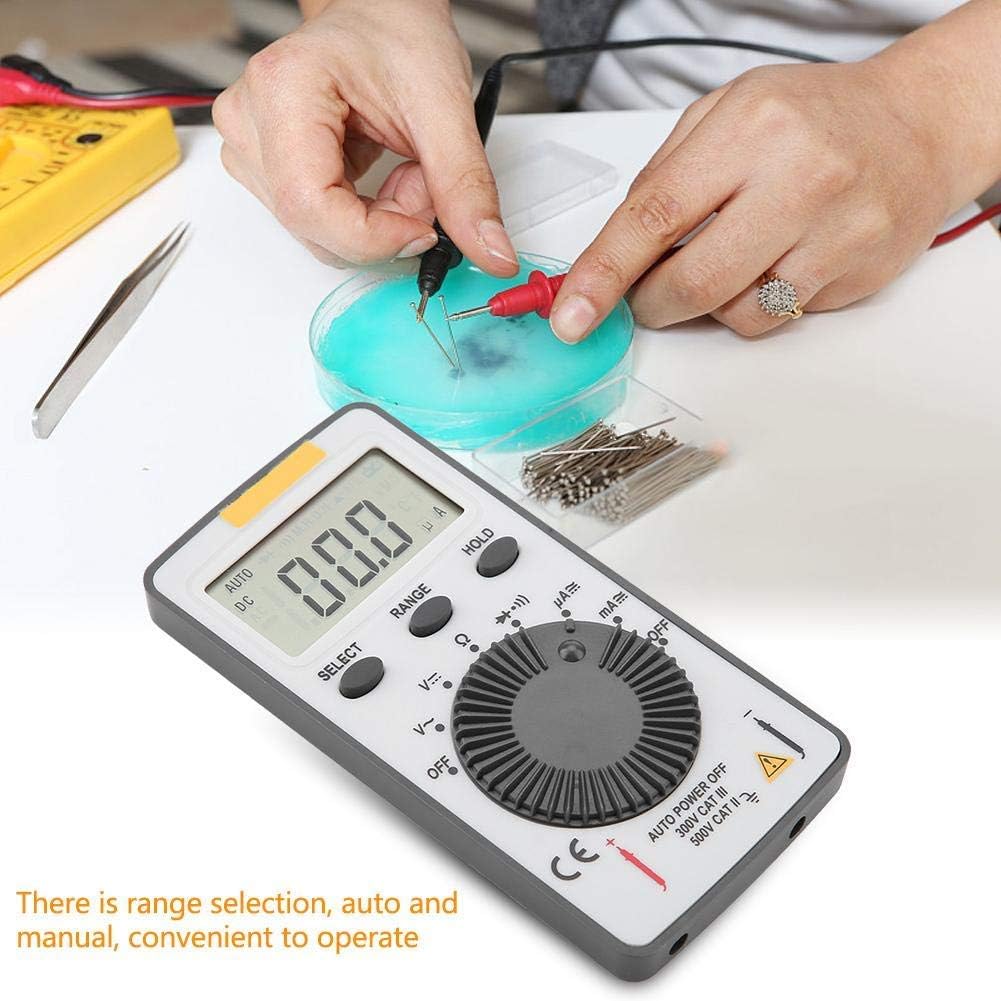
Figure 4.1: The ANENG AN101 Digital Multimeter in use, demonstrating its application for measuring electrical components. The image highlights the ease of operation with auto and manual range selection.
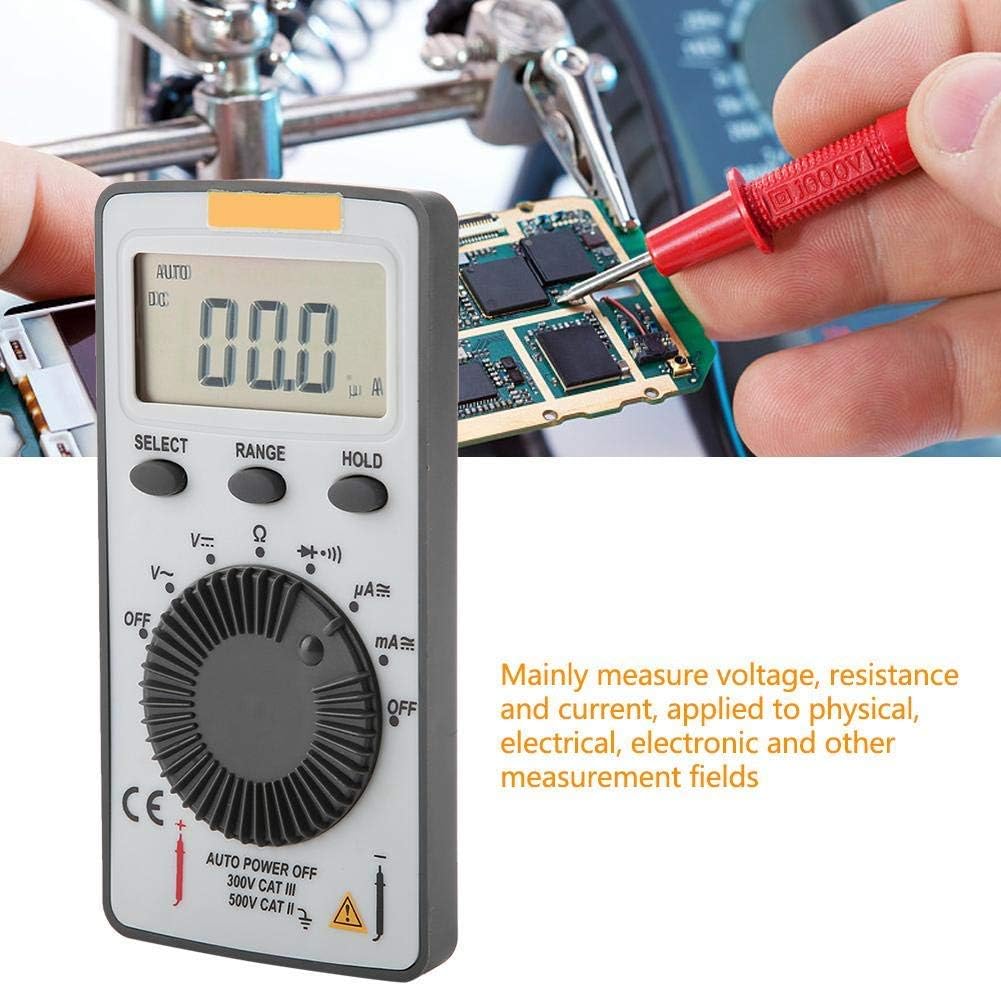
Figure 4.2: The ANENG AN101 Digital Multimeter being used to measure voltage or current on a circuit board. This illustrates its primary function in physical, electrical, and electronic measurement fields.
4.8 Hold-funktion
Press the 'HOLD' button to freeze the current reading on the display. Press it again to release the hold function and resume live measurements.
5. Vedligeholdelse
5.1 Rengøring
Wipe the device with a dry, soft cloth. Do not use abrasive cleaners or solvents. Keep the device free from dust and moisture.
5.2 Udskiftning af batteri
When the battery indicator appears on the display, replace the batteries as described in Section 3.1. Always use two new 3V CR2032 batteries.
5.3 Udskiftning af sikringer
If the current measurement functions stop working, the fuse may need replacement. Refer to the safety warnings in Section 1 before attempting to open the case. Replace the fuse only with a F0.5A/600V type.
6. Fejlfinding
- Ingen visning: Kontroller batteriinstallationen, og sørg for, at batterierne ikke er afladede.
- "OL" displayed: This indicates an over-range condition. Either the measured value exceeds the selected range, or the circuit is open (for resistance/current measurements). Select a higher range or check circuit continuity.
- Forkerte aflæsninger: Ensure test leads are properly connected, the correct function and range are selected, and the circuit connections are secure.
- Strømmåling virker ikke: Check the fuse as described in Section 5.3.
7. Specifikationer
| Feature | Specifikation |
|---|---|
| Mærke | ANENG |
| Model | AN101 |
| Vise | LCD, 1999 Counts |
| Opdateringshastighed | 2 gange / sekund |
| LCD størrelse | 40 * 20 mm |
| Polaritetsindikation | Automatic '-' |
| Over-range indikation | 'OL' |
| Områdevalg | Auto eller manuel |
| Driftstemperatur | 0℃ to 40℃, Relative Humidity: <80% RH |
| Opbevaringstemperatur | -10℃ to 50℃, Relative Humidity: <85% RH |
| Batteritype | 2 * 3V, CR2032 size (not included) |
| DC bindtage Indgangsimpedans | 10MΩ |
| DC bindtage Overbelastningsbeskyttelse | 600V DC / AC RMS |
| Maks. DC Voltage Indgang | 600V DC |
| DC Current Overload Protection | F0.5A / 600V Fuse |
| Max. DC Current Input | 500mA |
| AC Current Overload Protection | F0.5A / 600V Fuse |
| Max. AC Current Input | 500mA |
| AC Current Frequency Range | 40Hz - 400Hz |
| AC Voltage Indgangsimpedans | 10MΩ |
| AC Voltage Frekvensområde | 40Hz - 400Hz |
| AC Voltage Overbelastningsbeskyttelse | 600V DC / AC RMS |
| Maks. AC Voltage Indgang | 600V AC RMS |
| Vægt | Ca. 102 g / 3.6 oz |
| Dimensioner | Approx. 110 * 55 * 10 mm / 4.3 * 2.2 * 0.4 in |
| Pakkens indhold | 1 * Digital Multimeter, 2 * Test Leads |

Figure 7.1: Dimensions of the ANENG AN101 Digital Multimeter, showing its compact size for portability.
8. Garanti og support
For garantioplysninger og teknisk support henvises til den dokumentation, der blev leveret ved køb, eller kontakt din forhandler. Gem din købskvittering som købsbevis.