
Indledning
This manual provides detailed instructions for the setup, operation, and maintenance of your beFree Sound 2.1 Channel Bluetooth Surround Sound Speaker System. Designed for a sophisticated look and smooth sound, this system offers versatile listening options including Bluetooth, USB, SD, and FM radio capabilities. Please read this manual thoroughly before using the product to ensure proper function and longevity.

Image: The beFree Sound 2.1 Channel Bluetooth Surround Sound Speaker System, featuring a central subwoofer with blue LED lighting, two satellite speakers, and a remote control. Icons for Bluetooth, SD, USB, and FM radio are displayed below.
Hvad er der i æsken
- One 5.25" Amplifier (Subwoofer)
- Two 3" Satellite Speakers
- Fjernbetjening
- 1 Audio Cable (RCA to 3.5mm)
- 1 FM -antenne
Opsætning
1. Fysisk forbindelse
- Place the Subwoofer: Position the subwoofer on a stable, flat surface, ideally near your audio source.
- Tilslut satellithøjttalere: Connect the two satellite speakers to the corresponding output ports on the back of the subwoofer. Ensure a secure connection for optimal sound.
- Strømtilslutning: Sæt netledningen fra subwooferen i en almindelig stikkontakt.
2. Lydindgangsforbindelser
The system supports multiple audio input methods:
- RCA-indgang: Use the included audio cable (RCA to 3.5mm) to connect devices with RCA output (e.g., DVD player, TV) or 3.5mm output (e.g., smartphone, PC). Connect the red and white RCA plugs to the 'INPUT' ports on the subwoofer.
- USB-drev: Insert a USB flash drive into the USB port on the front panel of the subwoofer. The system will automatically detect and play compatible audio files.
- SD-kort: Insert an SD card into the SD card slot on the front panel of the subwoofer. The system will automatically detect and play compatible audio files.
- FM-antenne: Connect the FM antenna to the designated port on the back of the subwoofer for improved radio reception. Extend the antenna for best results.
3. Bluetooth-parring
- Aktivér Bluetooth-tilstand: Press the 'SOURCE' button on the front panel or remote control until 'BT' appears on the display. The system will enter pairing mode, indicated by a flashing Bluetooth icon or indicator light.
- Aktivér Bluetooth på din enhed: Gå til Bluetooth-indstillingerne på din smartphone, tablet eller anden Bluetooth-aktiveret enhed, og tænd Bluetooth.
- Select Speaker System: Søg efter available devices and select "beFree Sound" or a similar name from the list.
- Bekræft parring: Once connected, the system will indicate successful pairing (e.g., a solid Bluetooth icon or a confirmation sound). You can now play audio from your device through the speaker system.
Betjeningsvejledning
1. Tænd/sluk
Press the 'ST-BY/M' (Standby/Mode) button on the front panel or the power button on the remote control to turn the system on or off.
2. Valg af inputtilstand
Press the 'SOURCE' button on the front panel or remote control repeatedly to cycle through available input modes: Bluetooth (BT), USB, SD, FM Radio, and AUX (Audio Input).
3. Lydstyrkekontrol
Adjust the master volume using the large rotary knob on the front panel of the subwoofer or the 'VOL+' and 'VOL-' buttons on the remote control.
4. Betjening af FM-radio
- Automatisk scanning: In FM mode, press and hold the 'PLAY/PAUSE' button on the remote or front panel to automatically scan and save available radio stations.
- Manuel indstilling: Use the 'PREV' and 'NEXT' buttons to manually tune to specific frequencies or navigate through saved stations.
5. USB/SD-kortafspilning
When a USB drive or SD card is inserted, the system will automatically switch to the respective mode and begin playback. Use the 'PLAY/PAUSE', 'PREV', and 'NEXT' buttons on the front panel or remote control to manage playback.
6. Fjernbetjeningsfunktioner
The full-function remote control allows for convenient operation of all system features, including power, mode selection, volume, track control, FM tuning, and bass boost.
Funktioner
- 2.1 Channel Surround Sound Configuration
- Bluetooth Wireless Connectivity (Range: 10 Meters)
- USB and SD Card Inputs for direct media playback
- Integrated FM Radio
- Audio Input and Output options
- Enhanced Bass Boost Ported Design
- Illuminated Display with Front Panel Controls
- Fuldfunktionel fjernbetjening
- Frekvensrespons: 40Hz-20KHz
- Signal-to-Noise Ratio (S/N Ratio): >75dB
- Separation:> 50dB
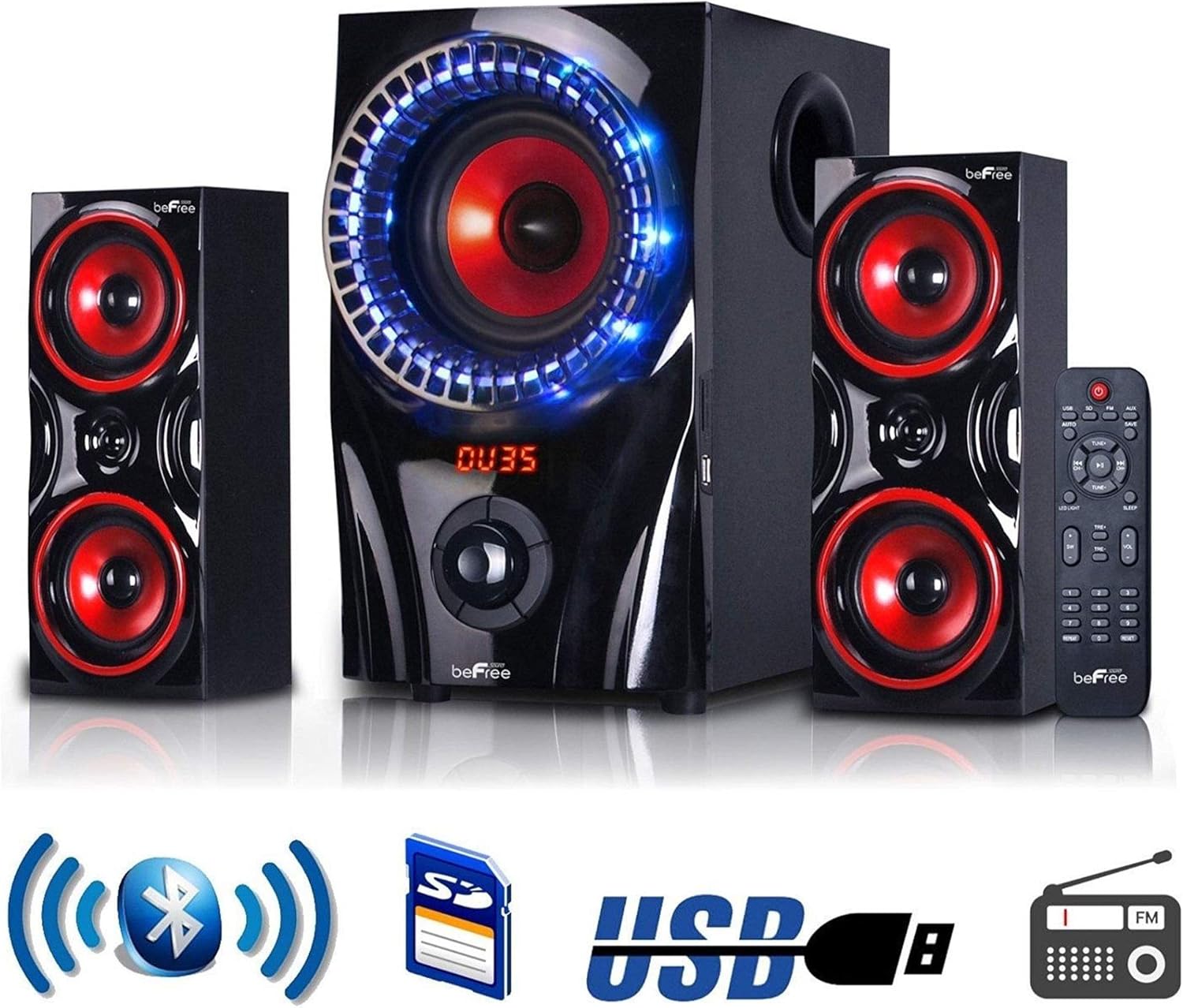
Image: The beFree Sound 2.1 Channel Bluetooth Surround Sound Speaker System, highlighting its connectivity options including Bluetooth, SD card, USB, and FM radio.
Specifikationer
| Modelnavn | BFS-2.1 Surround Sound højttalersystem |
| Mærke | beFree Lyd |
| Højttaler type | Surround Sound |
| Surround Sound Kanalkonfiguration | 2.1 |
| Forbindelsesteknologi | Bluetooth, USB |
| Trådløs kommunikationsteknologi | Bluetooth |
| Bluetooth rækkevidde | 10 meter |
| Subwoofer diameter | 5.25 tommer |
| Speaker Size (Satellite) | 3 tommer |
| Højttaler Maksimal udgangseffekt | 60 watt |
| Frekvensrespons | 40Hz-20KHz |
| Signal-støjforhold | >75dB |
| Adskillelse | >50dB |
| Strømkilde | Elektrisk med ledning |
| Kontrolmetode | Fjern |
| Produktdimensioner | 13.22" D x 13.22" B x 13" H |
| Varens vægt | 18.46 pund (8.39 kilo) |
| UPC | 840191201196 |
Opretholdelse
- Rensning: Use a soft, dry cloth to clean the exterior surfaces of the speakers and subwoofer. Do not use liquid cleaners or abrasive materials.
- Ventilation: Ensure that the subwoofer and speakers have adequate ventilation. Do not block any ventilation openings.
- Placering: Undgå at placere systemet i direkte sollys, i nærheden af varmekilder eller i områder med høj luftfugtighed eller støv.
- Sluk: Always turn off and unplug the system before cleaning or if it will be unused for an extended period.
Fejlfinding
- Ingen strøm: Check if the power cord is securely plugged into both the subwoofer and the electrical outlet. Ensure the outlet is functional.
- Ingen lyd:
- Verify the system is powered on and the volume is turned up.
- Ensure the correct input mode (Bluetooth, USB, SD, FM, AUX) is selected.
- Kontroller alle lydkabler for sikre forbindelser.
- If using Bluetooth, ensure your device is paired and connected.
- Bluetooth forbinder ikke:
- Make sure the speaker system is in Bluetooth pairing mode.
- Sørg for, at din enheds Bluetooth er aktiveret og inden for rækkevidde (10 meter).
- Prøv at ophæve parringen og parre enheden igen.
- Restart both the speaker system and your Bluetooth device.
- Dårlig FM-modtagelse: Extend and adjust the position of the FM antenna. Try moving the system to a different location.
- USB/SD Card Not Playing: Ensure the USB drive or SD card is inserted correctly and contains compatible audio files (e.g., MP3). Try a different USB drive or SD card.
Garanti og support
This beFree Sound speaker system comes with a Limited Warranty. Please refer to the warranty card included with your product for specific terms and conditions. For technical support or warranty claims, please contact beFree Sound customer service through their official webwebstedet eller forhandleren, hvor produktet blev købt.