
Rosewill BLITZ K50 RGB
Rosewill Blitz K50 RGB Gaming Mekanisk Tastatur Brugermanual
Model: BLITZ K50 RGB
Indledning
Welcome to the user manual for the Rosewill Blitz K50 RGB Wired Gaming Mechanical Keyboard. This manual provides detailed instructions for setting up, operating, and maintaining your new keyboard. The Blitz K50 RGB is designed for gamers, featuring durable Outemu Blue mechanical switches, customizable RGB backlighting, dedicated macro keys, and convenient media controls, all engineered for a responsive and immersive gaming experience.

Image: The Rosewill Blitz K50 RGB Gaming Mechanical Keyboard, showcasing its full layout with active RGB backlighting.
Hvad er der i æsken
Kontroller venligst, at alle følgende komponenter er inkluderet i din pakke:
- Rosewill Blitz K50 RGB Mechanical Gaming Keyboard
- Integreret USB-kabel
- Keycap aftrækker
- Aftagelig håndledsstøtte
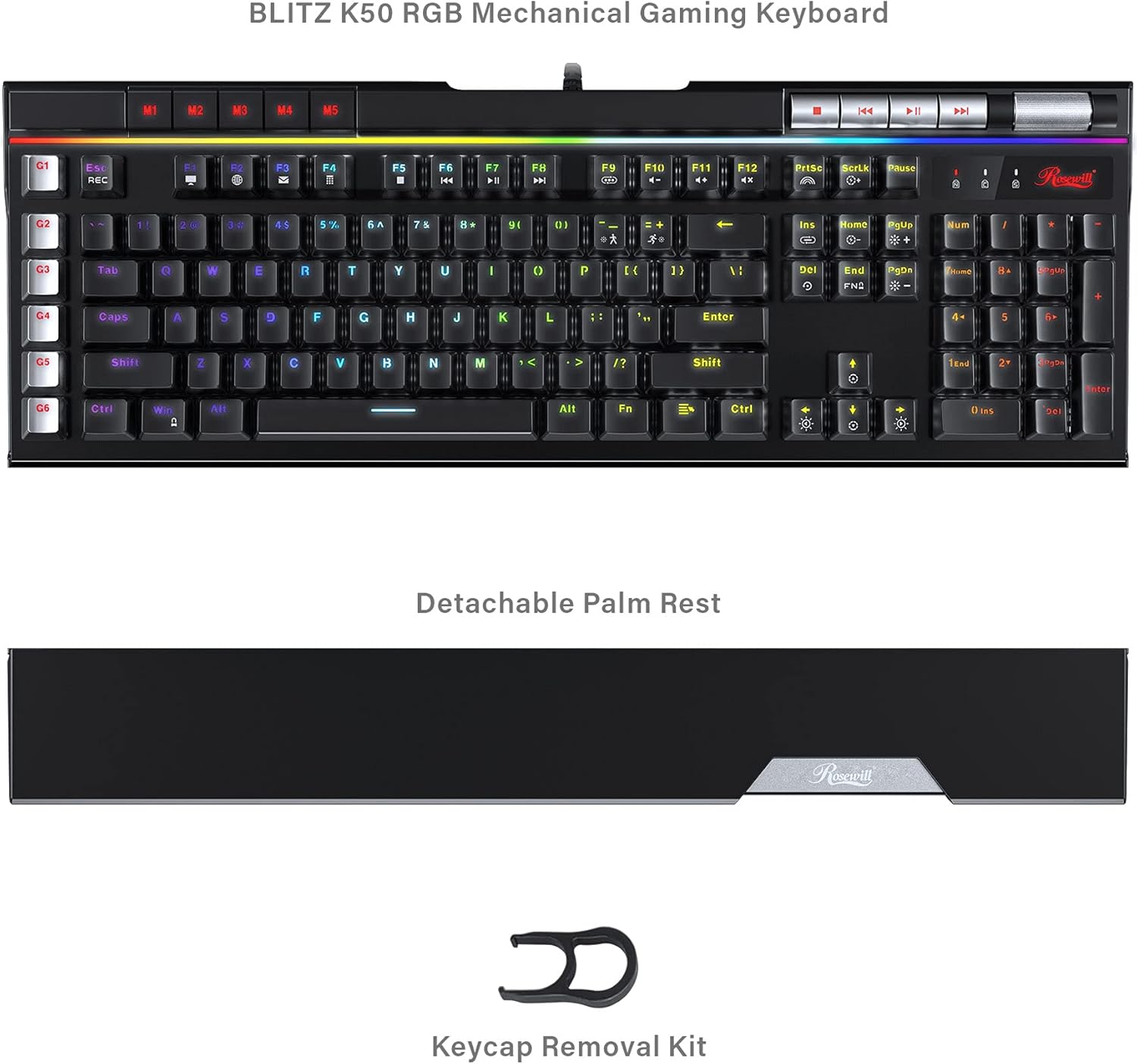
Image: The Rosewill Blitz K50 RGB keyboard displayed with its detachable palm rest and the included keycap puller, illustrating the package contents.
Opsætning
1. Connect the Keyboard:
Plug the integrated USB cable from the Rosewill Blitz K50 RGB keyboard into an available USB port on your computer. The keyboard is designed for plug-and-play functionality and should be automatically recognized by Windows XP / Vista / 7 / 8 / 10 and above operating systems.
2. Attach the Palm Rest (Optional):
Align the detachable palm rest with the bottom edge of the keyboard and gently push to secure it in place. This accessory provides ergonomic support, enhancing comfort during prolonged use.
3. Install Software (Optional):
For advanced customization of RGB lighting effects and macro key programming, download the official Rosewill Blitz K50 RGB software suite from the Rosewill webFølg instruktionerne på skærmen for installation.
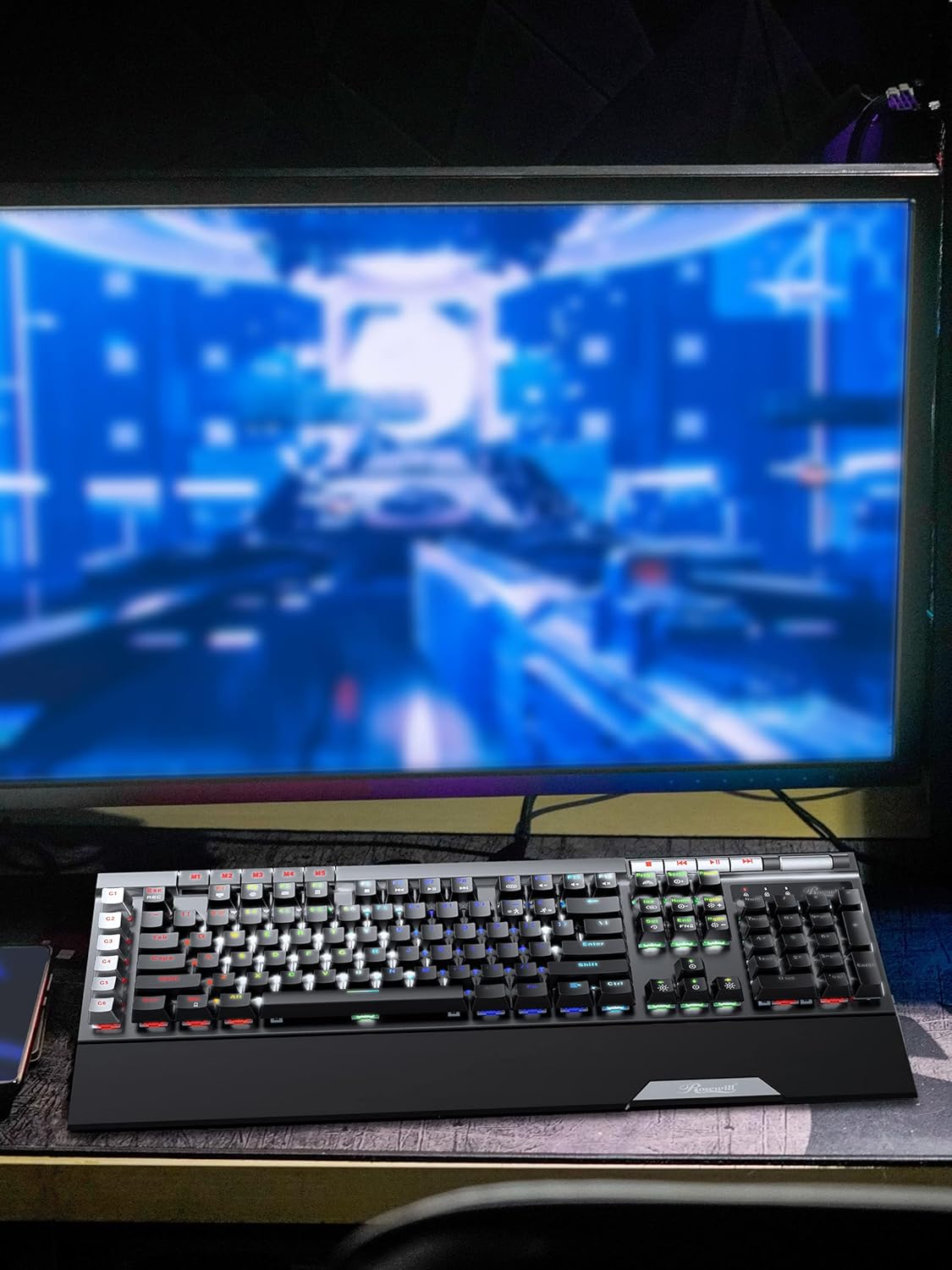
Image: The Rosewill Blitz K50 RGB keyboard positioned on a desk, connected to a computer monitor, illustrating a typical setup.
Betjeningsvejledning
RGB-baggrundsbelysningseffekter
The Blitz K50 RGB offers 5 customizable RGB modes and 14 pre-programmed backlighting effects. These can be easily cycled through using the function keys or fine-tuned via the dedicated software.
- Bruge FN + Indsæt to cycle through the various pre-programmed lighting effects.
- Bruge FN + Hjem to activate and switch between custom RGB modes.
- Juster lysstyrken med FN + pil op (stigning) og FN + pil ned (formindske).
- Adjust effect speed with FN + Venstre pil (langsommere) og FN + Højre pil (faster).

Image: A screenshot of the Rosewill Blitz K50 RGB software interface, displaying options for light modes, brightness, speed, and color customization.
Dedicated Macro Keys (G1-G6)
The keyboard is equipped with 6 dedicated macro keys (G1-G6) positioned on the left side, enabling you to record and execute complex command sequences with a single key press. Macros can be programmed directly on the keyboard or through the comprehensive software suite.
- To record a macro on the keyboard: Press FN + REC, og tryk derefter på den ønskede G-key (G1-G6). Type your sequence of keys, then press FN + REC igen for at gemme makroen.
- For advanced macro programming, editing, and saving up to 3 distinct profiles, utilize the Rosewill Blitz K50 RGB software.

Billede: Et nærbillede view highlighting the G1-G6 macro keys and the visible Outemu Blue mechanical switches on the Rosewill Blitz K50 RGB keyboard.
Dedikerede mediekontroller
Convenient media controls are strategically placed on the top right section of the keyboard, providing quick and intuitive access to playback functions and volume adjustments without interrupting your workflow or game.
- Stop knap
- Forrige spor knap
- Afspil/pause knap
- Næste spor knap
- Volumenrulle: Roll upwards to increase volume, roll downwards to decrease volume.

Billede: En detaljeret view of the dedicated media control buttons and the tactile volume roller located on the Rosewill Blitz K50 RGB keyboard.
USB Passthrough Ports
The keyboard integrates two built-in USB 2.0 passthrough ports, offering convenient connectivity for additional peripherals such as a gaming mouse, headset, or USB storage device directly through the keyboard, simplifying cable management.

Image: A close-up of the two USB passthrough ports situated on the Rosewill Blitz K50 RGB keyboard, with a USB cable inserted into one of the ports.
N-Key Rollover og Anti-Ghosting
The Blitz K50 RGB features full N-Key Rollover (NKRO) and anti-ghosting capabilities. This ensures that every single key press is registered accurately and simultaneously, even during rapid, complex key combinations, which is essential for competitive gaming and efficient typing.
Opretholdelse
Proper maintenance will extend the lifespan and performance of your keyboard:
- Rensning: Use a soft, dry cloth to gently wipe down the keyboard surface. For removing dust and debris from between the keycaps, use compressed air.
- Fjernelse af nøglekapsel: The provided keycap puller can be used to carefully remove keycaps for thorough cleaning or replacement. Always pull keycaps straight up to prevent damage to the underlying switch.
- Undgå væsker: Do not expose the keyboard to liquids. In the event of a spill, immediately disconnect the keyboard from your computer and allow it to dry completely before attempting to reconnect it.
- Opbevaring: When not in active use, store the keyboard in a clean, dry environment, away from direct sunlight and extreme temperatures.
Fejlfinding
This section addresses common issues you might encounter with your Rosewill Blitz K50 RGB keyboard.
| Problem | Mulig løsning |
|---|---|
| Tastaturet svarer ikke. |
|
| RGB lighting not working or incorrect. |
|
| Macro keys not functioning. |
|
| Tasterne er klæbrige eller reagerer ikke. |
|
Specifikationer
Detailed technical specifications for the Rosewill Blitz K50 RGB Gaming Mechanical Keyboard:
| Feature | Detalje |
|---|---|
| Model | BLITZ K50 RGB |
| Switch Type | Outemu Blue Mechanical Switches |
| Forbindelse | Kabelført USB 2.0 |
| Antal nøgler | 104 |
| Baggrundsbelysning | RGB (5 customizable modes, 14 pre-programmed effects) |
| Makro nøgler | 6 Dedikerede (G1-G6) |
| Anti-Ghosting | N-Key Rollover (NKRO) |
| USB-gennemstrømning | 2 x USB 2.0 porte |
| Mediekontrol | Dedicated buttons and volume roller |
| Operativsystemkompatibilitet | Windows XP / Vista / 7 / 8 / 10 og nyere |
| Dimensioner (LxBxH) | 18.74 x 8.97 x 1.53 tommer (47.6 x 22.8 x 3.9 cm) |
| Vægt | 2.58 pund (1.17 kg) |
| Farve | Sort |

Billede: Et overheadbillede view of the Rosewill Blitz K50 RGB keyboard with its key dimensions (length, width, and height) clearly indicated for reference.
Garanti og support
For comprehensive warranty information, technical assistance, and customer support, please refer to the official Rosewill website or contact Rosewill customer service directly. It is recommended to retain your purchase receipt as proof of purchase for any warranty claims.
Official Rosewill Webwebsted: www.rosewill.com
Ask a question about this manual
Ask about setup, troubleshooting, compatibility, parts, safety, or missing instructions. Manuals+ will review the question and use this page’s manual context to help answer it.