
1. Introduktion
This manual provides essential information for setting up, operating, maintaining, and troubleshooting your ASUS ROG Strix G15 G513IC-EB73 gaming laptop. The ROG Strix G15 is designed to deliver a high-performance gaming experience with its powerful AMD Ryzen CPU and NVIDIA GeForce RTX 3050 GPU, a 144Hz Full HD display, and advanced thermal management.
Please read this manual thoroughly to ensure proper usage and to maximize the lifespan of your device.
2. Hvad er der i æsken
Kontroller, at alle varer er til stede i emballagen:
- ASUS ROG Strix G15 G513IC-EB73 Gaming Laptop
- Strømadapter og ledning
- Brugervejledning (dette dokument)
- Garantikort
3. Indledende opsætning
3.1. Tilslutning af strømadapteren
Connect the power adapter to the laptop's power input port, located at the rear of the device. Plug the power cord into an electrical outlet. It is recommended to fully charge the laptop before initial use.
3.2. Første opstart og Windows-opsætning
Open the laptop lid and press the power button, located on the top-right of the keyboard deck. The laptop will power on and guide you through the Windows 10 Home setup process. Follow the on-screen instructions to configure your operating system, network settings, and user accounts.
3.3. Updating Drivers and Software
After completing the initial Windows setup, ensure all drivers and software are up to date for optimal performance and stability. You can use the pre-installed MyASUS application or visit the official ASUS support website to download the latest drivers for your model.
Official video demonstrating the features and functionalities of the MyASUS software, which allows for system customization and service access.
4. Bærbar computerkomponenter og porte
4.1.Overview

Front view of the ASUS ROG Strix G15 laptop, showcasing the display and keyboard area.
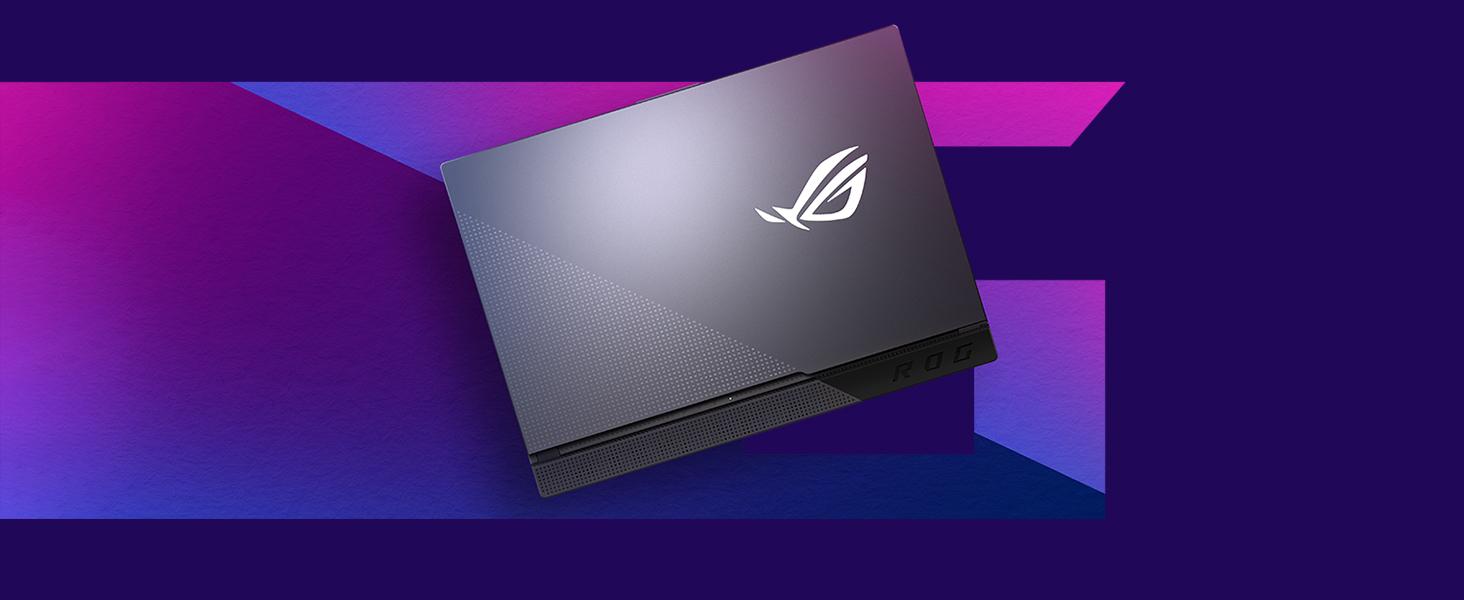
The streamlined design of the ROG Strix G15, emphasizing its aesthetic and functional form factor.
4.2. Tastatur og touchpad

Top-down view af det RGB-baggrundsbelyste tastatur og touchpad.
The laptop features a Chiclet-style keyboard with customizable RGB backlighting. The touchpad supports multi-touch gestures for navigation.
4.3. Porte og tilslutningsmuligheder

Right side of the laptop with USB Type-A ports and audio jack.

Bag view of the laptop, showing power, USB-C, HDMI, Ethernet, and USB Type-A ports.

Detailed illustration of the various connectivity ports available on the ROG Strix G15.
Den bærbare computer tilbyder omfattende tilslutningsmuligheder:
- USB 3.2 Gen 1 Type-A: Multiple ports for peripherals.
- USB 3.2 Gen 2 Type-C: Til højhastigheds dataoverførsel og displayoutput.
- HDMI (2.0b): Til tilslutning af eksterne skærme.
- LAN RJ45 Jack: Til kabelbaseret netværksforbindelse.
- 3.5mm Audio Combo Jack: Til hovedtelefoner eller headsets.
- Wi-Fi 6 (802.11ax) og Bluetooth 5: Til trådløs forbindelse.
4.4. Kølesystem

Diagram showing the airflow and components of the ROG Intelligent Cooling system.

Bund view of the laptop, highlighting the ventilation grilles for cooling.
The ROG Strix G15 features an Intelligent Cooling thermal system with Thermal Grizzly Liquid Metal Thermal Compound and multiple fan outlets to maintain optimal temperatures during intensive use.
5. Betjening af din bærbare computer
5.1. Strømstyring
To power on the laptop, press the power button. To shut down, click the Start button in Windows, then select Power > Shut down. You can also use sleep mode to quickly resume your work or hibernate for longer periods of inactivity to save battery.
5.2. Tastaturfunktioner
The keyboard includes dedicated function keys (Fn) that, when combined with other keys, control various laptop features such as screen brightness, volume, keyboard backlighting, and display output. Refer to the keyboard legends for specific functions.
5.3. Lydindstillinger
The laptop is equipped with Dolby Atmos speakers for an immersive audio experience. Adjust volume using the dedicated function keys or through Windows sound settings. For private listening, connect headphones to the 3.5mm audio combo jack.
Official product video providing an overview of the ASUS ROG Strix G series, highlighting key features and design elements.
6. Vedligeholdelse og pleje
6.1. Rensning
- Brug en blød, fnugfri klud til at rengøre skærmen og kabinettet.
- For genstridige mærker, gnid letampda kluden med vand eller et mildt, ikke-slibende rengøringsmiddel.
- Undgå at sprøjte væsker direkte på den bærbare computer.
- Rengør ventilationsgitrene regelmæssigt for at forhindre støvophobning, hvilket kan påvirke køleeffekten.
6.2. Batteripleje
- Undgå at aflade batteriet helt ofte.
- For prolonged storage, charge the battery to about 50-60% and store the laptop in a cool, dry place.
- Brug kun den originale ASUS-strømadapter.
6.3. Opbevaring
When not in use, store the laptop in a protective sleeve or bag to prevent scratches and dust accumulation. Avoid exposing the laptop to extreme temperatures or direct sunlight.
7. Fejlfinding
7.1. Wi-Fi or Bluetooth Connectivity Issues
- Genstart: Prøv at genstarte din bærbare computer.
- Skift: Disable and re-enable Wi-Fi or Bluetooth through Windows settings or the MyASUS application.
- Drivere: Ensure your wireless and Bluetooth drivers are up to date. Check the ASUS support webhjemmeside for de nyeste versioner.
- Router/Device: Verify that your Wi-Fi router is functioning correctly or that your Bluetooth device is discoverable and charged.
7.2. System Crashes or Reboot Loops
- Opdateringer: Ensure Windows and all drivers are updated. System instability can sometimes be resolved with software updates.
- Sikker tilstand: If the system is in a reboot loop, try booting into Windows Safe Mode to diagnose software conflicts or driver issues.
- Systemgendannelse: Use Windows System Restore to revert to a previous stable state if a recent software installation caused the issue.
- Geninstallation: As a last resort, consider reinstalling Windows. Back up your data before proceeding.
7.3. Overophedning
- Ventilation: Ensure the laptop's ventilation grilles are not obstructed. Use the laptop on a hard, flat surface.
- Kølepude: For extended gaming sessions, consider using an external cooling pad.
- Ventilatortilstand: Adjust fan profiles in the Armoury Crate software (if installed) to a more aggressive cooling mode.
8. Tekniske specifikationer
| Feature | Specifikation |
|---|---|
| Mærke | ASUS |
| Modelnavn | ASUS ROG Strix G15 |
| Modelnummer | G513IC-EB73 |
| Skærmstørrelse | 15.6 tommer |
| Display Type | FHD IPS-Type |
| Skærmopløsning | 1920 x 1080 pixels (144Hz) |
| CPU model | AMD Ryzen 7 4800H (8 Cores, up to 4.2 GHz) |
| Grafikkort | NVIDIA GeForce RTX 3050 (4 GB GDDR6) |
| RAM-hukommelse | 8 GB DDR4 3200 MHz |
| Opbevaring | 512 GB PCIe NVMe SSD |
| Operativsystem | Windows 10 Home |
| Forbindelse | Wi-Fi 6 (802.11ax), Bluetooth 5 |
| Havne | 3x USB 3.2 Gen 1 Type-A, 1x USB 3.2 Gen 2 Type-C, 1x HDMI 2.0b, 1x RJ45 LAN, 1x 3.5mm Audio Combo Jack |
| Lyd | Dolby Atmos Speakers, Built-in Microphone |
| Batteri | 4-cell Lithium Ion, 56 watt-hours |
| Varens vægt | 4.6 pund |
| Dimensioner (L x B x Tykkelse) | 13.94 cm x 10.2 cm x 1.02 cm |
9. Garanti og support
9.1. Garantioplysninger
Your ASUS ROG Strix G15 G513IC-EB73 comes with a 1-year International warranty. It is also eligible for 1-year free Domestic Accidental Damage Protection (ADP) upon registration. For standard hardware warranty repair, 1-way free shipping is provided, with 2-way free shipping for eligible repairs.
Please refer to the included Warranty Card for detailed terms and conditions, and instructions on how to register your product for ADP.
9.2. Kundesupport
For technical assistance, driver downloads, or service requests, please visit the official ASUS support website. You can also utilize the MyASUS application on your laptop for convenient access to support resources and system diagnostics.