
Tuitager 9S
Tuitager Bluetooth Headphones User Manual
Model: 9S
1. Introduktion
Thank you for choosing Tuitager Bluetooth Headphones. These over-ear headphones are designed to provide a high-fidelity audio experience with deep bass and clear treble, featuring long battery life, multiple EQ modes, and versatile connectivity options. Please read this manual carefully before use to ensure proper operation and maintenance.

Image 1.1: Tuitager Bluetooth Headphones (Black)
2. Sikkerhedsoplysninger
- Udsæt ikke hovedtelefonerne for ekstreme temperaturer, fugtighed eller ætsende stoffer.
- Undgå at tabe hovedtelefonerne eller udsætte dem for kraftige stød.
- Hovedtelefonerne må ikke skilles ad eller ændres. Dette vil ugyldiggøre garantien.
- Rengør hovedtelefonerne med en blød, tør klud. Brug ikke flydende rengøringsmidler.
- Langvarig lytning ved høj lydstyrke kan forårsage høreskader. Juster lydstyrken til et sikkert niveau.
3. Opsætning
3.1 Opladning af hovedtelefonerne
Before first use, fully charge the headphones. Connect the provided USB-C charging cable to the Type-C charging port on the headphones and the other end to a compatible USB power source (e.g., computer USB port, wall adapter). The LED indicator will show charging status.
- Opladningstid: Cirka 2 timer for en fuld opladning.
- Battery Life: Up to 60 hours of playtime on a single charge.
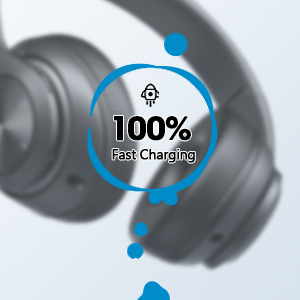
Image 3.1: Fast Charging Capability
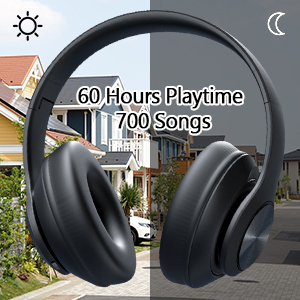
Image 3.2: Extended Playtime and Wired Option
3.2 Bluetooth -parring
- Sørg for, at hovedtelefonerne er fuldt opladede.
- Tryk på tænd/sluk-knappen, og hold den nede, indtil LED-indikatoren blinker, hvilket angiver parringstilstand.
- Aktiver Bluetooth på din enhed (smartphone, tablet, bærbar computer), og søg efter tilgængelige enheder.
- Select "Tuitager 9S" (or similar name) from the list of devices.
- Når den er tilsluttet, holder LED-indikatoren op med at blinke og forbliver konstant blå.
Hovedtelefonerne vil automatisk forsøge at genoprette forbindelsen til den sidst parrede enhed, når de tændes.
3.3 Wired Connection (3.5mm Aux)
For a wired connection, use the included 3.5mm audio cable. Plug one end into the 3.5mm Aux plug-in port on the headphones and the other end into your audio device's 3.5mm jack. The headphones will automatically switch to wired mode when the cable is connected.
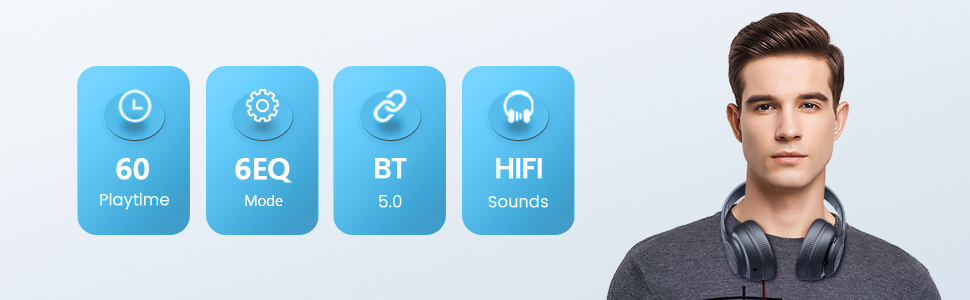
Image 3.3: Wide Compatibility and Usage (Wired & TF Card)
3.4 Brug af TF-kort
The headphones support TF (Micro SD) cards up to 32GB for direct music playback. Insert the TF card into the TF Card slot on the headphones. The headphones will automatically switch to TF card mode and begin playing audio files.
Bemærk: TF-kort er ikke inkluderet.
4. Betjeningsvejledning
4.1 Knapfunktioner

Image 4.1: Easy Operation Button Layout
| Knap/Port | Fungere |
|---|---|
| Tænd/sluk | Press and hold to power on/off. Short press to play/pause (in Bluetooth mode). |
| Afspil/Pause/Svar/Læg på | Kort tryk for at afspille/sætte musik på pause eller besvare/afslutte opkald. Langt tryk for at afvise opkald. |
| Forrige spor / lydstyrke ned | Kort tryk for forrige nummer. Langt tryk for at sænke lydstyrken. |
| Næste spor / lydstyrke op | Kort tryk for næste nummer. Langt tryk for at øge lydstyrken. |
| EQ knap | Short press to cycle through 6 EQ modes (Bass/Jazz/Voice/Rock/Pop/Classic). |
| Tilstandsknap (M) | Short press to switch between Bluetooth Mode and FM Mode. |
| 3.5mm Aux Plug-in Port | Til kablet lydforbindelse. |
| Type-C opladningsport | Til opladning af høretelefoner. |
| TF kort slot | For direct music playback from a TF (Micro SD) card. |
4.2 EQ-tilstande
The headphones feature 6 distinct EQ modes to optimize your listening experience:
- Bas: Enhanced low frequencies for powerful beats.
- Jazz: Balanceret lydprofffile suitable for jazz music.
- Stemme: Clearer vocals, ideal for podcasts or audiobooks.
- Klippe: Dynamic sound for rock music.
- Pop: Vibrant and energetic sound for pop music.
- Klassisk: Rich and detailed sound for classical music.
Press the EQ button to cycle through these modes.
4.3 Foretage opkald
With the built-in microphone, you can make and receive calls when connected via Bluetooth:
- Besvar/afslut opkald: Tryk kort på Play/Pause-knappen.
- Afvis opkald: Tryk længe på Afspil/Pause-knappen.
5. Vedligeholdelse
- Hold hovedtelefonerne rene ved at tørre dem af med en blød, tør klud.
- Opbevar hovedtelefonerne et køligt, tørt sted væk fra direkte sollys og ekstreme temperaturer.
- When not in use, fold the headphones for compact storage and to protect them from damage.

Image 5.1: Ergonomic and Foldable Design for Comfort and Portability
6. Fejlfinding
| Problem | Løsning |
|---|---|
| Hovedtelefonerne tænder ikke. | Ensure the headphones are fully charged. Press and hold the Power button for a few seconds. |
| Kan ikke parres med enheden. | Ensure headphones are in pairing mode (flashing LED). Turn off and on Bluetooth on your device. Move headphones closer to the device. Clear previous Bluetooth connections on your device. |
| Ingen lyd. | Check volume levels on both headphones and connected device. Ensure headphones are properly paired or the 3.5mm cable is fully inserted. Try a different audio source. |
| Dårlig lydkvalitet. | Ensure there are no obstructions between headphones and device (in Bluetooth mode). Try a different EQ mode. Check audio source quality. |
| Intermitterende forbindelse. | Move closer to the connected device. Avoid environments with strong Wi-Fi or other wireless interference. Ensure headphones are fully charged. |
7. Specifikationer
- Modelnavn: 9S
- Forbindelse teknologi: Kablet, trådløs (Bluetooth)
- Trådløs kommunikationsteknologi: Bluetooth 5.3
- Bluetooth Range: Op til 10 meter (32 fod)
- Audio Driver Størrelse: 40 millimeter
- Batterilevetid: Op til 60 timer
- Opladningstid: Cirka 2 timer
- Hovedtelefonstik: 3.5 mm Jack
- Materiale: Plast
- Varens vægt: 10.2 ounce (ca. 289 gram)
- Kontroltype: Lydstyrkekontrol, knap
- Inkluderede komponenter: Headphones, USB Charging Cable, 3.5mm Audio Cable, User Manual
8. Garanti og support
Tuitager products come with a standard manufacturer's warranty. For detailed warranty information, please refer to the warranty card included in your product packaging or visit the official Tuitager webwebsted.
If you encounter any issues or have questions regarding your Tuitager Bluetooth Headphones, please contact our customer support team:
- Online support: Visit the Tuitager Store on Amazon: Tuitager butik
- Brugervejledning (PDF): En digital version af brugervejledningen er tilgængelig her: Download PDF
Relaterede dokumenter - 9S
 |
TuitagBrugervejledning til trådløse hovedtelefoner til 9S Omfattende guide til Tuitager 9S trådløse hovedtelefoner, der dækker Bluetooth-parring, opkaldshåndtering, mediekontroller og statusindikatorer for optimal brugeroplevelse. |
 |
Suunto Wing Wireless Headphones User Guide Comprehensive user guide for Suunto Wing wireless Bluetooth headphones, covering features, setup, usage, safety, and support. |
 |
MEE audio M6 VR Multiplatform In-Ear Gaming Headphones Setup Guide Comprehensive setup guide for the MEE audio M6 VR multiplatform in-ear gaming headphones. Learn how to install, wear, and use your headphones with VR headsets and other devices. Includes package contents, eartip selection, cable replacement, microphone/remote functions, personalization, warranty, and support information. |
 |
SHUKE GD28 Bone Conduction TWS Headphones User Manual User manual for the SHUKE GD28 Bone Conduction TWS Headphones. Features Bluetooth V5.3, ear clip design, lightweight build, noise reduction, and a built-in microphone for business, sports, and gaming. |
 |
Brookstone Cat Ear-hovedtelefoner brugermanual og specifikationer Omfattende guide til Brookstone Cat Ear-hovedtelefoner, der dækker sikkerhedsinstruktioner, identifikation af dele, opladning, brug, pleje, tekniske specifikationer og garantioplysninger. |
 |
Sony WH-CH520 trådløst stereoheadset: Referencevejledning Kortfattet referencevejledning til Sony WH-CH520 trådløse stereoheadset, der dækker sikkerhedsforanstaltninger, tekniske specifikationer, kompatibilitetsoplysninger og vigtige brugsoplysninger. |
Ask a question about this manual
Ask about setup, troubleshooting, compatibility, parts, safety, or missing instructions. Manuals+ will review the question and use this page’s manual context to help answer it.