
1. Produktet er slutview
The NETVUE Sentry 2 is a 1080P outdoor security camera designed to provide comprehensive surveillance for your home. It features advanced functionalities such as 360° pan and 110° tilt for wide area coverage, real-time motion and human detection, two-way audio communication, and enhanced night vision capabilities. Its IP66 weatherproof rating ensures reliable performance in various outdoor conditions.
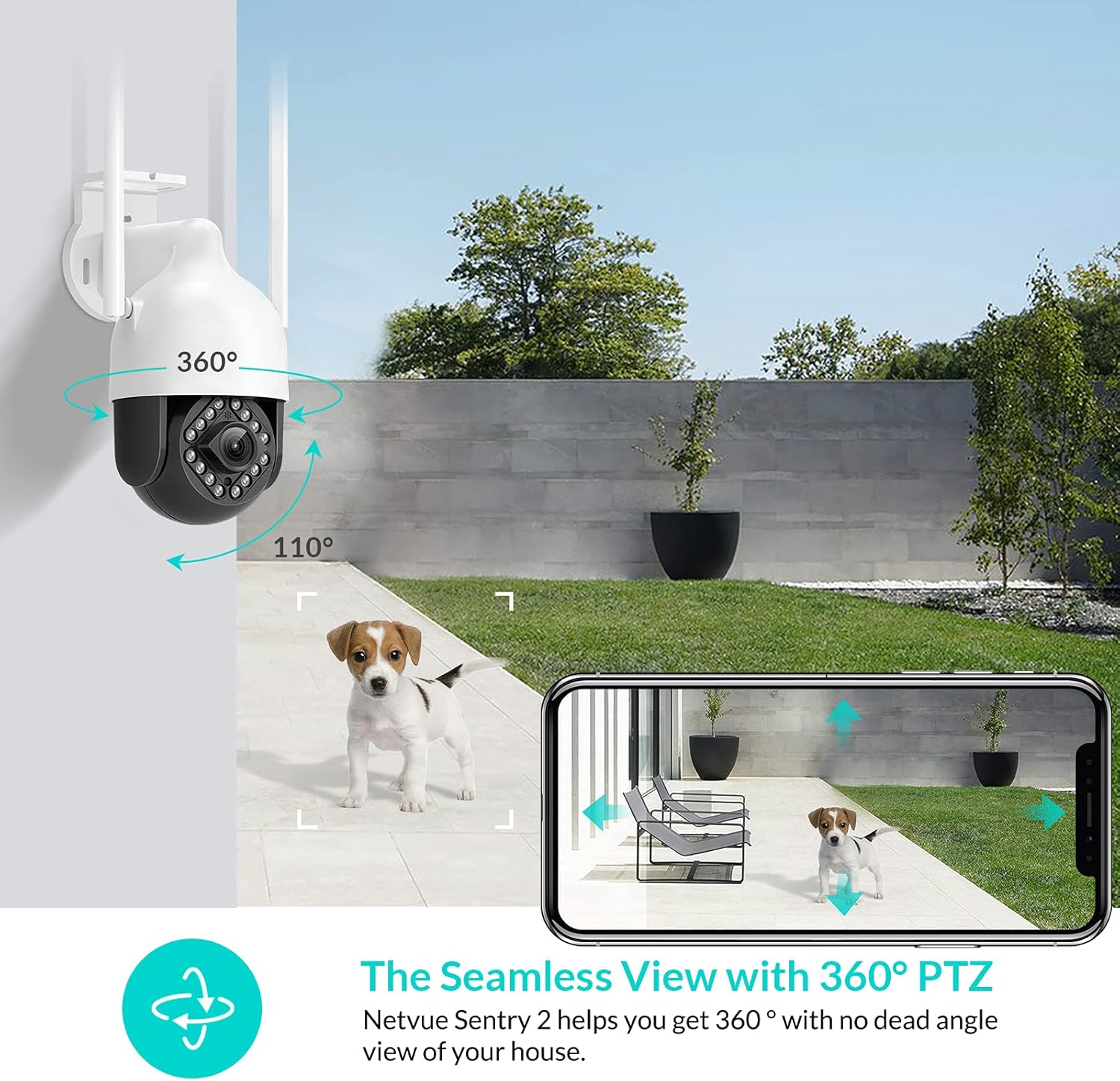
Image: NETVUE Sentry 2 Outdoor Security Camera showcasing its 360° pan and 110° tilt view.
2. Hvad er der i æsken
Upon unboxing your NETVUE Sentry 2 camera, please verify that all components are present:
- NETVUE Sentry 2 Outdoor Security Camera
- Strømadapter
- Monteringsbeslag
- Monteringsskruer og vægankre
- Vandtæt sæt til kabelforbindelser
- Brugervejledning (dette dokument)
For a visual guide on the product and its components, please refer to the official product video below:
Video: Official Netvue Outdoor Security Camera Sentry 2 overview, including unboxing and installation steps.
3. Opsætning og installation
3.1 Tænd
- Tilslut strømadapteren til kameraets strømindgang.
- Sæt strømadapteren i en almindelig stikkontakt.
- Wait for the camera to power on and initiate its self-test.
3.2 Download af app og oprettelse af konto
- Download the official NETVUE app from your device's app store (iOS or Android).
- Åbn appen, og opret en ny konto, eller log ind, hvis du allerede har en.
3.3 Wi-Fi-forbindelse
The NETVUE Sentry 2 camera supports 2.4GHz Wi-Fi networks. Ensure your mobile device is connected to a 2.4GHz Wi-Fi network during the setup process.
- In the NETVUE app, tap 'Add Device' and select your camera model.
- Follow the on-screen instructions to connect the camera to your Wi-Fi network. This typically involves scanning a QR code generated by the app with the camera lens.

Image: NETVUE Sentry 2 camera demonstrating stable Wi-Fi connection in distance.
3.4 Fysisk installation
Vælg et passende udendørs sted til montering af kameraet, og sørg for, at der er frit view and is within Wi-Fi range. The camera is IP66 weatherproof, suitable for various outdoor conditions.
- Use the mounting bracket as a template to mark drill holes on the desired surface.
- Bor hullerne og indsæt vægankrene.
- Fastgør monteringsbeslaget til overfladen med de medfølgende skruer.
- Fastgør kameraet til monteringsbeslaget.
- Ensure all cable connections are properly sealed using the waterproof kit to prevent water ingress.
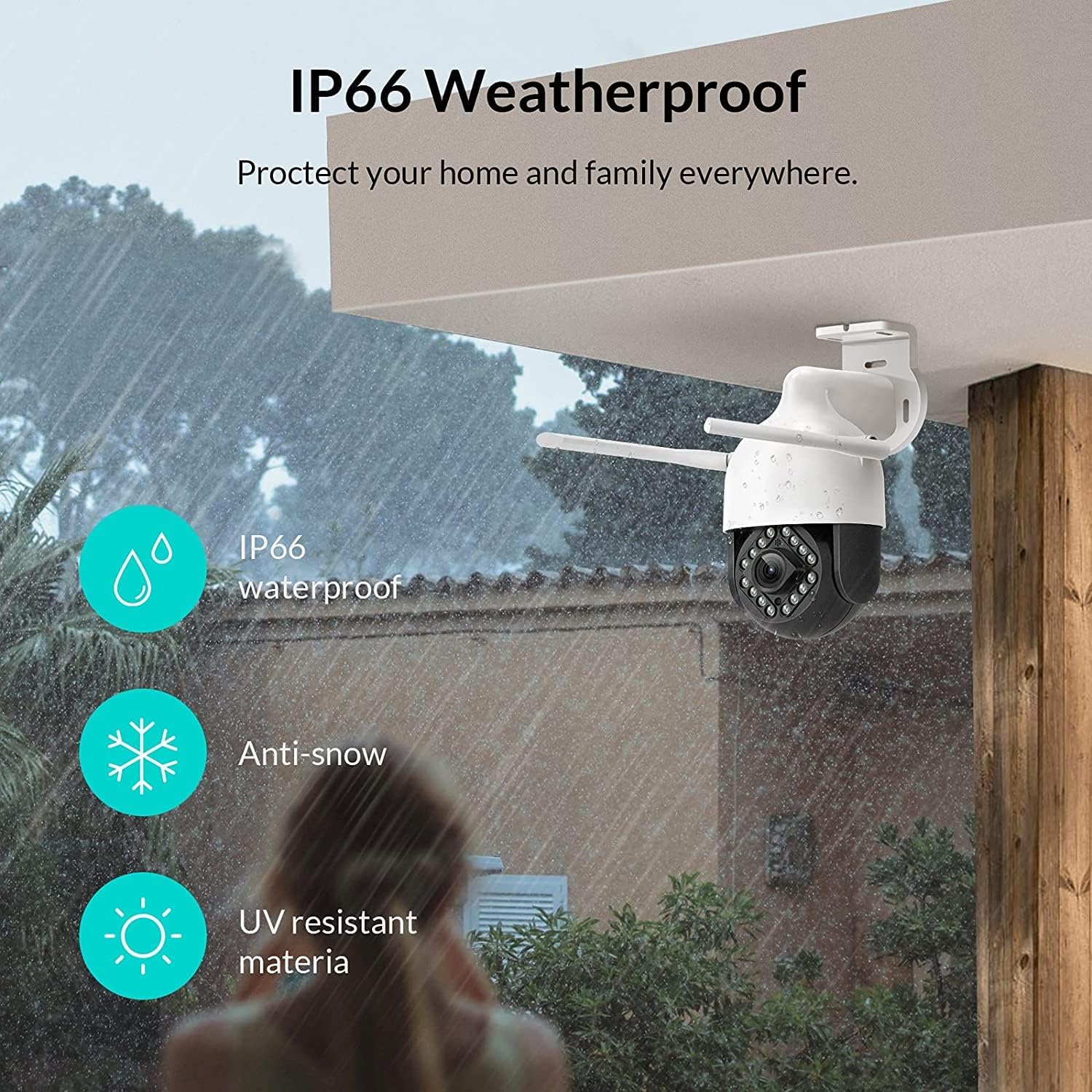
Image: NETVUE Sentry 2 camera highlighting its IP66 weatherproof features against rain and snow.
4. Betjening af kameraet
4.1 Live View og panorering/tilt-kontrol
Access the live video feed from your camera through the NETVUE app. You can remotely control the camera's pan (horizontal) and tilt (vertical) movements to adjust the viewvinkel efter behov.
4.2 Motion and Human Detection
The camera is equipped with motion and human detection capabilities. When motion or a human figure is detected, you will receive immediate notifications on your mobile device.

Image: Real-time motion detection alert displayed on a smartphone from the NETVUE Sentry 2 camera.

Image: Motion and human detection alert from the NETVUE Sentry 2 camera, showing a person at the front door.
4.3 Tovejslyd
Utilize the two-way audio feature to communicate with individuals near the camera. This is useful for interacting with visitors or deterring unwanted guests.

Image: Two-way audio feature of the NETVUE Sentry 2 camera, allowing communication with a delivery person.
4.4 Nattesyn
The NETVUE Sentry 2 camera is equipped with 16 infrared lights for super night vision, providing clear video footagselv i svagt lys eller fuldstændig mørke.

Image: Close-up of the NETVUE Sentry 2 camera's 16 infrared lights for super night vision.
5. Vedligeholdelse
5.1 Rengøring af kameraet
Periodically clean the camera lens and housing to ensure optimal performance. Use a soft, damp klud til at tørre støv og snavs af. Undgå at bruge skrappe kemikalier eller slibende materialer, der kan beskadige linsen eller finishen.
5.2 firmwareopdateringer
Regularly check the NETVUE app for available firmware updates. Keeping your camera's firmware up-to-date ensures you have the latest features, security enhancements, and bug fixes.
5.3 Lagerstyring
The camera supports local storage via a microSD card (not included) and cloud storage options. If using a microSD card, ensure it is properly formatted and regularly check its status within the app to prevent recording issues.
6. Fejlfinding
6.1 Problemer med Wi-Fi-forbindelse
- Sørg for 2.4GHz Wi-Fi: The camera only supports 2.4GHz Wi-Fi. Confirm your router is broadcasting a 2.4GHz signal and your phone is connected to it during setup.
- Signalstyrke: Verify the camera is installed within a strong Wi-Fi signal range. Relocate the camera or use a Wi-Fi extender if necessary.
- Routerindstillinger: Check your router settings for any restrictions that might prevent new devices from connecting.
6.2 SD Card Not Detected or Recording
- Reinsert SD Card: Power off the camera, remove the microSD card, and reinsert it firmly. Power the camera back on.
- Formater SD-kort: Format the SD card through the NETVUE app. If issues persist, try a different, high-quality microSD card.
- Tjek appindstillinger: Ensure recording settings are correctly configured in the NETVUE app.
6.3 No Motion Alerts
- Aktiver advarsler: Confirm motion detection and notification alerts are enabled in the NETVUE app settings.
- Juster følsomhed: Adjust the motion detection sensitivity to an appropriate level.
- Tjek tidsplan: Ensure motion detection is not disabled during specific times via a schedule.
6.4 Generelle problemstillinger
- Restart Camera: Disconnect the power adapter, wait 10 seconds, and reconnect it to restart the camera.
- Opdater app: Ensure your NETVUE app is updated to the latest version.
7. Specifikationer
| Kompatible enheder | Videomonitor |
| Strømkilde | AC/DC |
| Forbindelsesprotokol | Wi-Fi |
| Controller type | Iris |
| Monteringstype | Vægmontering |
| Videooptagelsesopløsning | 1080p |
| Antal genstande | 1 |
| Antal kanaler | 1 |
| Trådløs kommunikationsteknologi | Wi-Fi |
| Batterier påkrævet? | Ingen |
| Low Light teknologi | Nat farve |
| Alert Type | Kun bevægelse |
| Lyskildetype | Infrarød |
| Videooptagelsesformat | MPEG-4 |
| Antal enheder | 1.0 tæller |
| International Protection Rating | IP66 |
| Pakkedimensioner | 11.3 x 6.1 x 5.91 tommer |
| Varens vægt | 2.12 pund |
| Anbefalet anvendelse af produktet | Udendørs sikkerhed |
| Indendørs/Udendørs brug | Udendørs |
8. Garanti og support
For warranty information and technical support, please refer to the official NETVUE website or contact NETVUE customer service directly. Keep your purchase receipt for warranty claims.