
1. Introduktion
This user manual provides comprehensive instructions for the MAXHUB UC M30 4K 180° Panoramic Camera Webcam. It covers product features, setup procedures, operational guidelines, maintenance tips, troubleshooting solutions, and technical specifications. Please read this manual thoroughly before using the device to ensure proper operation and to maximize its performance.
2. Pakkens indhold
Bekræft at alle varer er til stede i pakken:
- MAXHUB UC M30 Panoramic Camera Webcam
- USB kabel
- Brugervejledning (dette dokument)
3. Produktet er slutview
The MAXHUB UC M30 is a 4K panoramic camera designed for video conferencing, streaming, and recording. It features a 180° field of view, 4K UHD clarity, and integrated microphones. The device is equipped with multiple lenses to capture a wide perspective and advanced image stitching technology.
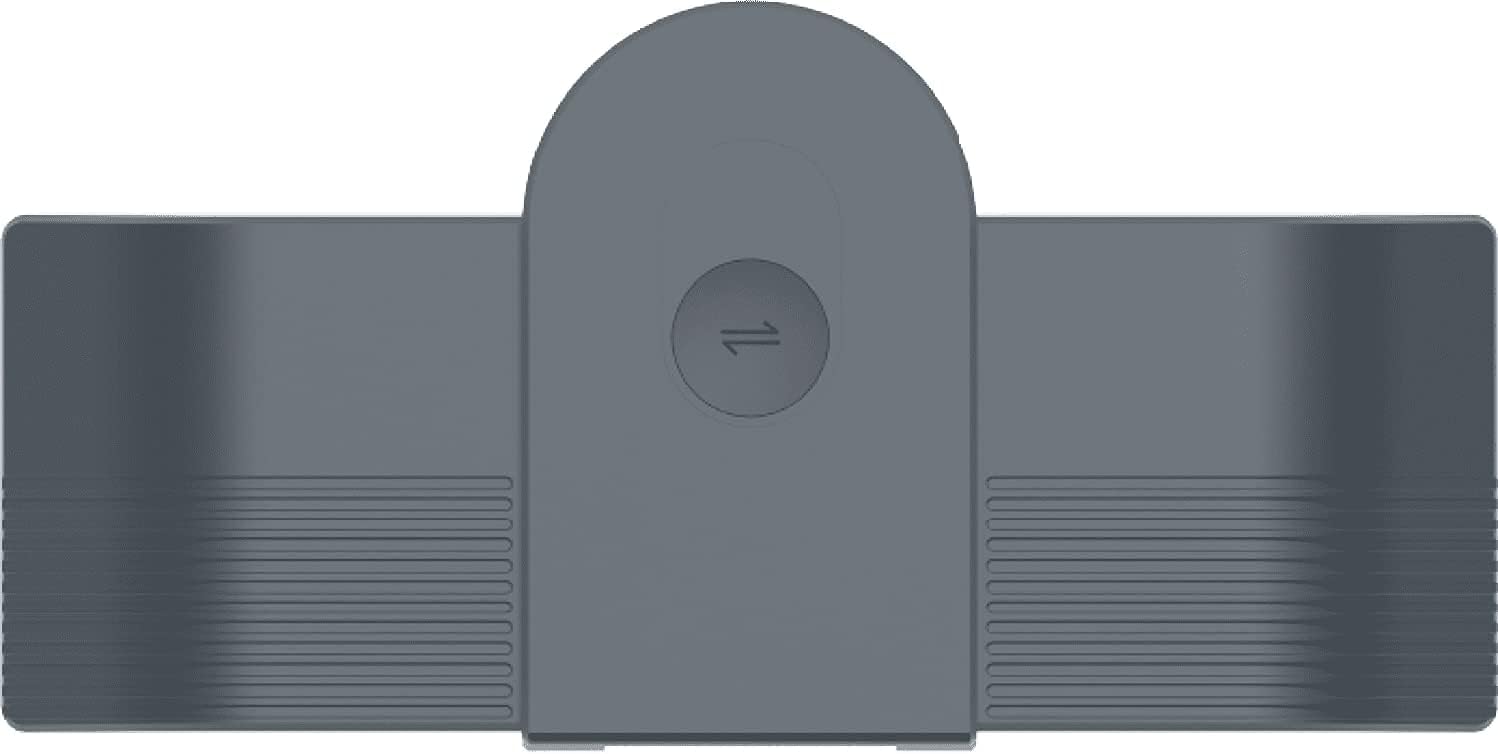
Figur 3.1: Øverst view of the MAXHUB UC M30 panoramic camera, showing its compact design and central control button.

Figur 3.2: Side view of the MAXHUB UC M30, illustrating its multi-lens array and adjustable mounting bracket for secure placement on a display.
4. Opsætning
The MAXHUB UC M30 is designed for plug-and-play operation, requiring minimal setup.
- Placering: Position the camera securely on top of your display, monitor, or a flat surface. Ensure the camera has an unobstructed view of the area you wish to capture.
- Tilslut USB-kabel: Connect one end of the provided USB cable to the USB port on the MAXHUB UC M30 camera. Connect the other end of the USB cable to an available USB port on your computer (laptop or desktop).
- Tænd: The camera will typically power on automatically once connected to your computer. No external power adapter is usually required.
- Driver installation: For most operating systems (Windows, macOS), the necessary drivers will install automatically. If prompted, follow the on-screen instructions.
- Softwarevalg: Open your preferred video conferencing or recording application (e.g., Zoom, Microsoft Teams, Google Meet, OBS Studio). In the application's settings, select "MAXHUB UC M30" as your video and audio input device.
The camera can also connect to a Bluetooth speaker without an external USB hub for audio output, if desired.
5. Betjeningsvejledning
The MAXHUB UC M30 offers intuitive controls and advanced features for an enhanced video experience.
5.1. Video Layout Switching
The camera supports various video layouts to suit different communication scenarios. To switch between available layouts, simply tap the top of the camera unit. Each tap cycles through the predefined layout options.
5.2. Panoramaudsigt View
180° feltet af view captures all participants in a room, even in confined spaces. This immersive technology ensures no one is left out of the frame.

Figure 5.1: The MAXHUB UC M30 capturing a wide 180-degree panoramic view, ideal for encompassing an entire meeting room.
5.3. Auto Tracking Technology
The UC M30 features intelligent auto-tracking. It can recognize and automatically zoom in on meeting participants. Furthermore, it can track speakers as they move within the room, ensuring the active speaker remains in focus.

Figure 5.2: The MAXHUB UC M30's auto-tracking feature highlighting individual participants in a multi-person meeting, adapting the view dynamically.
6. Nøglefunktioner
- 180° felt af View: Captures a full-picture immersive view, ensuring all participants are visible, even in small rooms.
- 4K UHD klarhed: Delivers superior video conferencing quality with advanced optics and high-resolution imaging.
- One-Touch Layout Switching: Easily change video layouts by tapping the camera, adapting to various communication needs from lecturing to brainstorming.
- Automatisk sporing: Automatically recognizes and zooms in on meeting participants, and tracks speakers as they move, facilitating natural collaboration.
- Integrerede mikrofoner: Built-in microphones capture clear audio.
- Plug-and-Play-forbindelse: Simple USB connection for quick setup and operation with existing central control systems.
- Bluetooth Speaker Connectivity: Allows connection to a Bluetooth speaker without an external USB hub.
7. Vedligeholdelse
To ensure the longevity and optimal performance of your MAXHUB UC M30 camera, follow these maintenance guidelines:
- Rensning: Use a soft, dry, lint-free cloth to clean the camera body. For the lenses, use a specialized lens cleaning cloth and solution if necessary, applying gently to avoid scratches. Do not use harsh chemicals or abrasive materials.
- Opbevaring: Når kameraet ikke er i brug i længere perioder, skal det opbevares et køligt og tørt sted, væk fra direkte sollys og ekstreme temperaturer.
- Håndtering: Avoid dropping or subjecting the camera to strong impacts. Handle the USB cable by the connector, not the cable itself, to prevent damage.
- Ventilation: Ensure the camera's ventilation openings are not blocked to prevent overheating.
8. Fejlfinding
If you encounter issues with your MAXHUB UC M30 camera, refer to the following common problems and solutions:
| Problem | Mulig årsag | Løsning |
|---|---|---|
| Ingen videoudgang | USB-kablet er ikke tilsluttet korrekt Forkert kamera valgt i softwaren Problem med driveren | Sørg for, at USB-kablet er korrekt tilsluttet til både kameraet og computeren. Verify "MAXHUB UC M30" is selected as the video input in your application's settings. Try a different USB port. Restart your computer. |
| Ingen lydindgang | Incorrect microphone selected in software Mikrofonen er slået fra | Verify "MAXHUB UC M30" is selected as the audio input in your application's settings. Kontroller, om mikrofonen er slået fra i din software eller dit operativsystems indstillinger. |
| Dårlig videokvalitet | Utilstrækkelig belysning Beskidt linse Lav båndbredde | Ensure adequate lighting in the room. Rengør kameralinsen med en blød, fnugfri klud. Check your internet connection speed. Close other bandwidth-intensive applications. |
| Auto-tracking not working | Forhindringer Too far from camera | Ensure there are no objects blocking the camera's view af deltagere. Ensure participants are within the optimal range for tracking. |
9. Specifikationer
Technical specifications for the MAXHUB UC M30 camera:
- Modelnavn: UC M30
- Mærke: MAXHUB
- Videooptagelsesopløsning: 4K
- Videokamera type: Webcam
- Speciel funktion: Ydeevne i svagt lys
- Farve: Sort
- Forbindelse teknologi: Bluetooth, USB
- Varens vægt: 1.21 pund
- Pakkedimensioner: 6.8 x 6.8 x 2 tommer
- Understøttet lydformat: PCM
- Første tilgængelige dato: 14. august 2021
10. Garanti og support
For warranty information, technical support, or service inquiries, please refer to the official MAXHUB website or contact MAXHUB customer service directly. Keep your purchase receipt as proof of purchase for warranty claims.