
1. Introduktion
This manual provides essential instructions for the proper installation, operation, and maintenance of your Fydun Remote Start Key Fob. Please read this manual thoroughly before attempting any installation or operation to ensure correct usage and to prevent potential damage or malfunction. This device is designed to provide remote control functionality for compatible Ford Transit Mk6 vehicles.
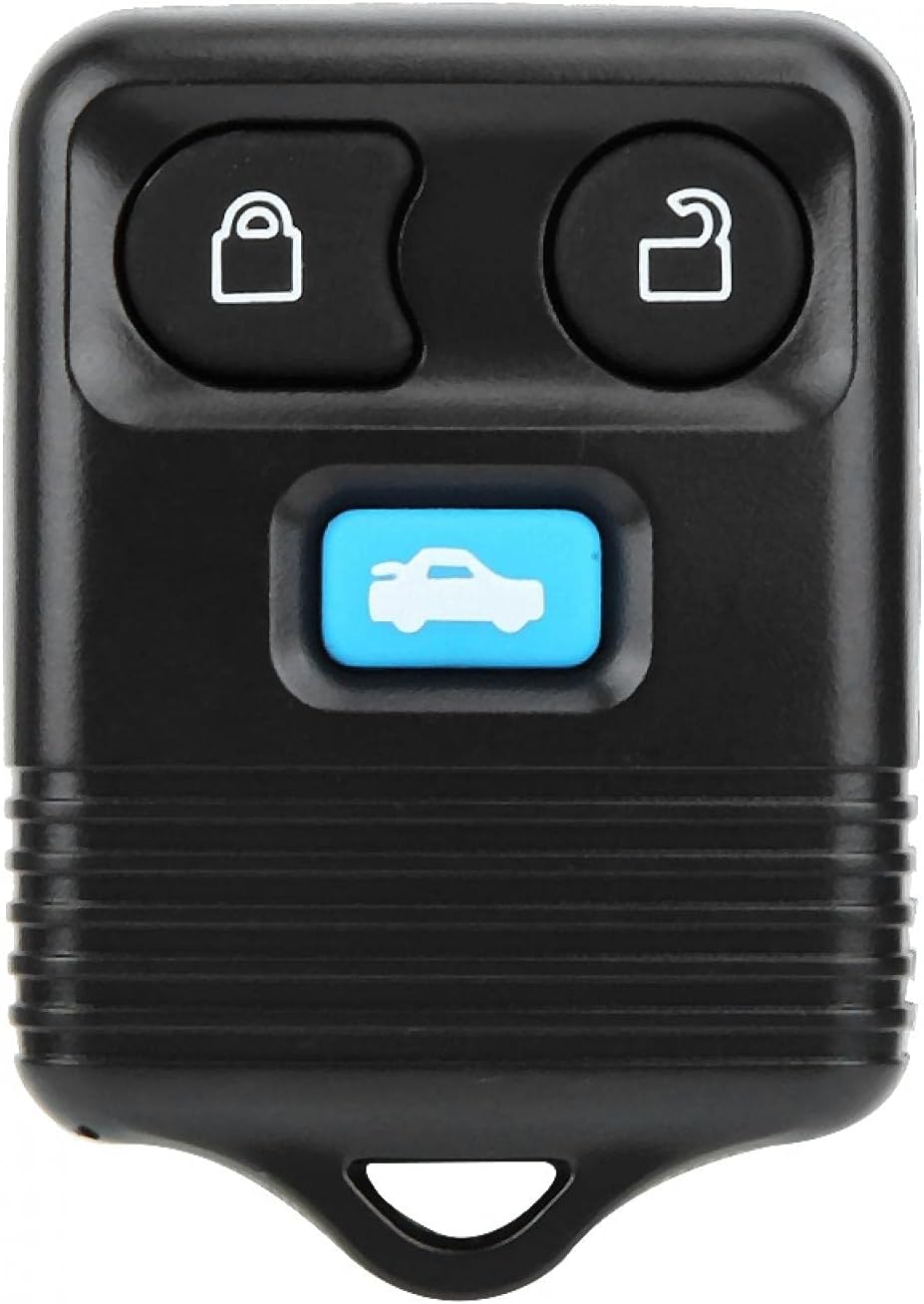
Image 1.1: The Fydun Remote Start Key Fob. This image displays the front of the black key fob with three buttons: lock, unlock, and a blue button featuring a car icon, indicating remote start or trunk release functionality.
2. Sikkerhedsoplysninger
Overhold altid følgende sikkerhedsforanstaltninger:
- Professionel installation anbefales: Installation of automotive electronic systems can be complex. It is highly recommended that installation be performed by a qualified automotive technician to avoid damage to the vehicle's electrical system or the product.
- Køretøjskompatibilitet: Ensure this product is compatible with your specific vehicle model and year before installation. Refer to Section 3 for compatibility details.
- Batterisikkerhed: Do not attempt to open or modify the key fob. Battery replacement should be done carefully, following instructions in Section 5.
- Miljøforhold: Avoid exposing the key fob to extreme temperatures, direct sunlight for prolonged periods, or water.
3. Kompatibilitet
This Fydun Remote Start Key Fob (Model: miyinlabulk800) is specifically designed for:
- Ford Transit Mk6 modeller produceret mellem 2000 og 2006.
Verify your vehicle's make, model, and year before proceeding with installation or programming.

Image 3.1: The Fydun Remote Start Key Fob positioned in front of a white Ford Transit Mk6 van. This image visually confirms the product's intended vehicle compatibility.
4. Opsætning og programmering
This section outlines the general steps for programming the remote key fob to your vehicle. Specific programming procedures can vary by vehicle model and may require specialized tools or diagnostic equipment. It is strongly recommended to consult your vehicle's owner's manual or a professional automotive locksmith/technician for precise programming instructions.
General Programming Steps (Consult Professional Guidance):
- Gather All Existing Remotes: Ensure all existing working key fobs are present, as they may need to be reprogrammed simultaneously.
- Gå ind i programmeringstilstand: This typically involves a sequence of turning the ignition key ON and OFF, pressing a button on the vehicle's dashboard, or a combination of actions within a specific timeframe.
- Programmér ny fjernbetjening: Once in programming mode, press a button on the new Fydun key fob. The vehicle's locks may cycle to confirm successful programming.
- Afslut programmeringstilstand: Turn the ignition OFF or wait for the vehicle to automatically exit programming mode.
- Test funktionalitet: Test all buttons (lock, unlock, remote start) to ensure proper operation.
Note: Incorrect programming attempts can lead to existing remotes losing their programming or the new remote failing to function. Seek professional assistance if you are unsure about any step.
5. Betjeningsvejledning
Once programmed, your Fydun Remote Start Key Fob provides convenient control over your vehicle's locking and remote start functions.
Key Fob Button Functions:

Billede 5.1: En vinklet view of the Fydun Remote Start Key Fob, highlighting its three distinct buttons: a lock icon, an unlock icon, and a blue button with a car symbol.
- Låseknap (Padlock Closed Icon): Press once to lock all vehicle doors. The vehicle's lights may flash and/or horn may chirp to confirm.
- Oplåsningsknap (Padlock Open Icon): Press once to unlock the driver's door, or twice to unlock all vehicle doors (behavior may vary by vehicle settings). The vehicle's lights may flash to confirm.
- Remote Start/Trunk Release Button (Blue Car Icon): This button typically activates the remote start function or opens the trunk/rear hatch, depending on your vehicle's configuration and the remote's programming. Consult your vehicle's manual for specific functionality. For remote start, it often requires pressing the button multiple times (e.g., twice) within a short period.
Driftsområde: The effective operating range of the key fob can vary depending on environmental factors, battery strength, and vehicle location. Obstructions and radio interference can reduce the range.
6. Vedligeholdelse
To ensure the longevity and optimal performance of your Fydun Remote Start Key Fob, follow these maintenance guidelines:
Udskiftning af batteri:
If the remote's range decreases significantly or it stops responding, the battery may need replacement. The key fob typically uses a standard coin cell battery (e.g., CR2032).
- Åbn Casing: Carefully pry open the key fob casing using a small flat-head screwdriver or a coin at the designated notch.
- Fjern det gamle batteri: Note the orientation (+/-) of the old battery and gently remove it.
- Isæt nyt batteri: Insert a new, identical battery with the positive (+) side facing the same direction as the old one.
- Luk Casing: Snap the two halves of the key fob casing forsvarligt sammen igen.
- Prøve: Test the key fob's functionality with your vehicle.
Rensning:
Wipe the key fob with a soft, dry cloth. Avoid using harsh chemicals, solvents, or abrasive cleaners, as these can damage the casing eller interne komponenter.
7. Fejlfinding
If you encounter issues with your Fydun Remote Start Key Fob, consider the following troubleshooting steps:
| Problem | Mulig årsag | Løsning |
|---|---|---|
| Nøglebrikken reagerer ikke | Tæt eller lavt batteri | Udskift batteriet (se afsnit 6). |
| Reduceret rækkevidde | Weak battery, environmental interference, physical obstructions | Replace battery. Move closer to the vehicle. Avoid areas with high radio frequency interference. |
| Vehicle not responding after battery replacement | Key fob may need reprogramming | Refer to Section 4 for programming guidance, or consult a professional. |
| Remote start not activating | Incorrect button sequence, vehicle conditions not met (e.g., hood open, low fuel), programming issue | Ensure correct button presses. Check vehicle status. Consult a professional for programming verification. |
Hvis disse trin ikke løser problemet, bedes du kontakte kundesupport.
8. Specifikationer
- Mærke: Fydun
- Modelnummer: miyinlabulk800
- Varens vægt: 0.88 ounce
- Pakkedimensioner: 6.54 x 4.92 x 0.59 tommer
- Særlige funktioner: Ergonomisk design
- Kompatibilitet: Ford Transit Mk6 (2000-2006)
9. Garanti og support
Garantioplysninger:
Specific warranty details for this Fydun product may vary. Please refer to the product packaging or contact the seller directly for information regarding warranty coverage, terms, and conditions.
Kundesupport:
For technical assistance, troubleshooting beyond this manual, or warranty claims, please contact the Fydun customer support team or the retailer from whom you purchased the product. Provide your product model number (miyinnlabulk800) and purchase details when contacting support.