
1. Introduktion
The Tronsmart Studio Metal Speaker is a portable Bluetooth speaker designed to deliver high-definition surround sound. Featuring 30W output, SoundPulse technology, and TuneConn for multi-speaker synchronization, it offers a versatile audio experience. Its durable metal construction and IPX4 water resistance make it suitable for various indoor and outdoor environments.

Image 1.1: The Tronsmart Studio Metal Speaker, showcasing its sleek design on a music sheet.
2. Pakkens indhold
Upon opening the Tronsmart Studio Metal Speaker package, you should find the following items:
- Tronsmart Studio Metal Speaker
- USB-C ladekabel
- 3.5 mm AUX lydkabel
- Brugermanual
- Garantikort

Image 2.1: All items included in the Tronsmart Studio Metal Speaker retail package.
3. Produktet er slutview
Gør dig bekendt med højttalerens betjeningselementer og porte for optimal brug.
3.1 Betjeningselementer på øverste panel

Image 3.1: Top panel of the speaker with control buttons.
- Power knap: Tryk og hold for at tænde/slukke.
- Skrue ned for lyden (-): Sænk volumen.
- Afspil/pause knap: Afspil eller sæt lydafspilning på pause.
- Forrige spor-knap: Spring til forrige spor.
- Knappen til næste spor: Spring til næste nummer.
- Bluetooth knap: Tryk på for at gå ind i Bluetooth-parringstilstand.
- Mode knap: Switch between input modes (Bluetooth, AUX, Micro SD).
- SoundPulse Button: Activate/deactivate SoundPulse audio enhancement.
- Broadcast Mode Button: Initiate or join multi-speaker synchronization.
3.2 Sideporte

Image 3.2: Side panel of the speaker with various input ports.
- USB-C opladningsport: Til opladning af højttaleren.
- AUX-indgangsport: For wired audio connection using a 3.5mm cable.
- Micro SD -kortplads: Til afspilning af lyd direkte fra et Micro SD-kort.
4. Opsætning
4.1 Opladning af højttaleren
- Tilslut det medfølgende USB-C-opladerkabel til højttalerens USB-C-port.
- Tilslut den anden ende af kablet til en kompatibel USB-strømadapter (medfølger ikke).
- Opladningsindikatorlamperne lyser for at vise opladningsstatus.
- Once fully charged, the indicator lights will change or turn off.
4.2 Tænd/sluk
- To power on, press and hold the Power Button for approximately 2 seconds until you hear an audible prompt.
- To power off, press and hold the Power Button for approximately 2 seconds until you hear an audible prompt.
4.3 Bluetooth -parring
- Ensure the speaker is powered on and in Bluetooth mode (the Bluetooth indicator light will be blinking). If not, press the Mode Button to switch to Bluetooth mode.
- Aktiver Bluetooth på din enhed (smartphone, tablet, bærbar computer), og søg efter tilgængelige enheder.
- Select "Tronsmart Studio" from the list of devices.
- Når der er oprettet forbindelse, lyser Bluetooth-indikatoren konstant, og du vil høre en bekræftelseslyd.
4.4 AUX-forbindelse
- Connect one end of the 3.5mm AUX audio cable to the speaker's AUX-in port.
- Tilslut den anden ende til lydudgangsstikket på din enhed.
- The speaker will automatically switch to AUX mode, or you may need to press the Mode Button to select AUX.
4.5 Afspilning fra Micro SD-kort
- Indsæt et Micro SD-kort (med lyd) files) i Micro SD-kortstikket på højttaleren.
- The speaker will automatically switch to Micro SD mode and begin playing audio, or you may need to press the Mode Button to select Micro SD.
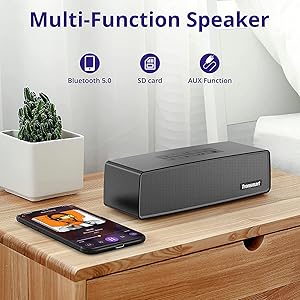
Image 4.1: The Tronsmart Studio speaker supports multiple input methods including Bluetooth, Micro SD, and AUX.
5. Betjeningsvejledning
5.1 Basic Audio Control
- Lydstyrkejustering: Tryk på knapperne Lydstyrke op (+) eller Lydstyrke ned (-).
- Afspil/pause: Press the Play/Pause Button.
- Næste nummer: Press the Next Track Button.
- Forrige nummer: Press the Previous Track Button.
5.2 SoundPulse Technology
Press the SoundPulse Button to activate or deactivate the SoundPulse audio enhancement. This technology is designed to provide a more dynamic and detailed sound experience with enhanced bass.

Image 5.1: SoundPulse technology enhances the audio output of the Tronsmart Studio speaker.
5.3 TuneConn (Multi-Speaker Synchronization)
The Tronsmart Studio speaker features patented TuneConn technology, allowing you to synchronize audio across 100+ compatible speakers for an immersive sound experience.
- Ensure all Tronsmart Studio speakers are powered on and in Bluetooth mode.
- Connect your device to one speaker via Bluetooth (this will be the primary speaker).
- On the primary speaker, press the Broadcast Mode Button. The indicator light will flash.
- On other Tronsmart Studio speakers (secondary speakers), press their Broadcast Mode Buttons. They will automatically search for and connect to the primary speaker.
- Once connected, all speakers will play synchronized audio.

Image 5.2: Multiple Tronsmart Studio speakers synchronized using TuneConn technology for a home theater setup.
5.4 Stemmeassistent
To activate your device's voice assistant (e.g., Siri, Google Assistant, Cortana), press and hold the Voice Assistant button (often indicated by a microphone icon) for 2 seconds. This feature works when the speaker is connected via Bluetooth to a compatible smartphone.
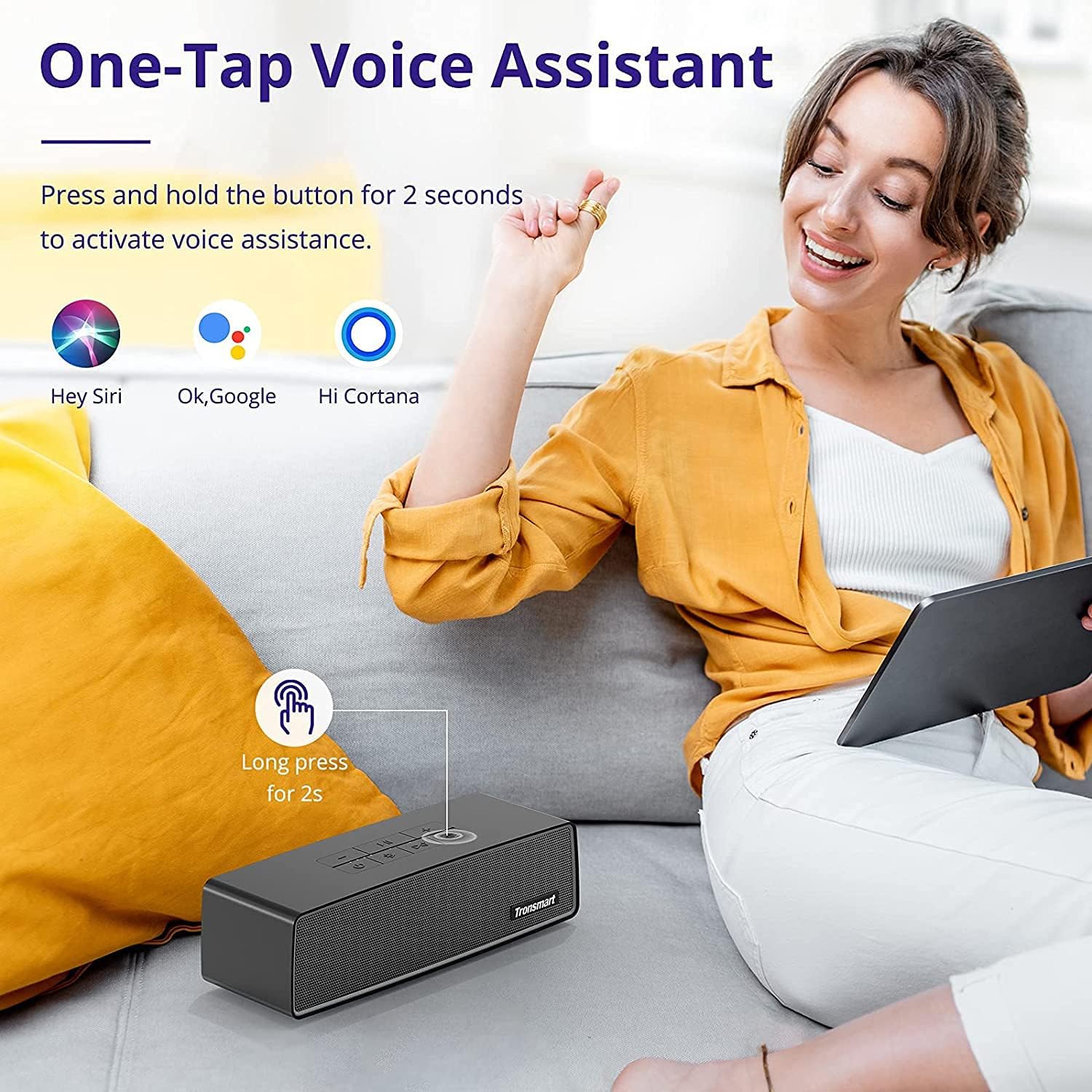
Image 5.3: Activating the voice assistant feature on the Tronsmart Studio speaker.
6. Opladning og batteri
The Tronsmart Studio speaker is equipped with a built-in 5000mAh battery, providing up to 15 hours of playtime on a single charge. Actual battery life may vary based on volume level, audio content, and usage of features like SoundPulse or TuneConn.

Image 6.1: The Tronsmart Studio speaker offers up to 15 hours of playtime.
7. Vandafvisende
The Tronsmart Studio speaker has an IPX4 water resistance rating. This means it is protected against splashing water from any direction. It is suitable for use in environments where it might encounter light splashes or rain, but it should not be submerged in water.

Image 7.1: The speaker's IPX4 rating provides protection against splashes.
8. Vedligeholdelse
- Rengør højttaleren med en blød, tør klud. Brug ikke slibende rengøringsmidler eller opløsningsmidler.
- Undgå at udsætte højttaleren for ekstreme temperaturer, direkte sollys eller høj luftfugtighed.
- Opbevar højttaleren et køligt og tørt sted, når den ikke er i brug i længere perioder.
- Forsøg ikke at skille højttaleren ad eller reparere den selv, da dette vil ugyldiggøre garantien.
9. Fejlfinding
| Spørgsmål | Mulig årsag | Løsning |
|---|---|---|
| Højttaleren tænder ikke. | Lavt batteri. | Oplad højttaleren helt. |
| Kan ikke parres via Bluetooth. | Højttaleren er ikke i parringstilstand; enhedens Bluetooth er slået fra; for langt fra højttaleren. | Ensure speaker is in Bluetooth pairing mode. Turn device Bluetooth off/on. Move device closer to speaker. |
| Audio cuts out in AUX mode. | Løs kabelforbindelse; defekt kabel. | Ensure 3.5mm cable is securely connected. Try a different AUX cable. |
| Buttons are hard to see. | Forhold med lavt lys. | Operate the speaker in well-lit environments. |
| Batteriets levetid er kortere end forventet. | High volume usage; continuous use of SoundPulse/TuneConn. | Reduce volume. Limit continuous use of power-intensive features. |
10. Specifikationer
| Feature | Detalje |
|---|---|
| Mærke | Tronsmart |
| Modelnummer | Tronsmart Studio US |
| Højttaler Maksimal udgangseffekt | 30 watt |
| Forbindelsesteknologi | Bluetooth |
| Lydudgangstilstand | Stereo, Surround |
| Monteringstype | Frit stående |
| Højttaler type | Surround Sound |
| Yderligere funktioner | Transportabel |
| Controller type | Knap |
| Er vandtæt | Sand (IPX4) |
| Kontrolmetode | App |
| Højttaler størrelse | 7 centimeter |
| Trådløs teknologi | Bluetooth |
| Forbindelsesprotokol | Bluetooth |
| Audio driver type | Dynamisk Driver |
| Antal lydkanaler | 2.1 |
| Kompatible enheder | Bærbar computer, smartphone, tablet |
| Strømkilde | Batteridrevet |
11. Officiel produktvideo
Video 11.1: En officiel overview of the Tronsmart Studio Portable Speaker, highlighting its features and design.
12. Garanti og support
The Tronsmart Studio Metal Speaker comes with a limited warranty. Please refer to the included Warranty Card in your package for specific terms and conditions, including warranty duration and coverage details. For further support, product registration, or to access updated drivers and firmware, please visit the official Tronsmart webwebsted eller kontakt deres kundeservice.
For mere information, besøg Tronsmart Store on Amazon.