
NC SWM 9702
NC Car Radio 1 Din MP5 Player User Manual
Model: SWM 9702
Produkt overview
This manual provides detailed instructions for the installation, operation, and maintenance of your NC Car Radio 1 Din MP5 Player (Model SWM 9702). This versatile unit features a 7-inch retractable HD screen, Bluetooth connectivity, GPS navigation, USB support, iOS/Android Mirror Link, and FM radio. It is designed to enhance your in-car entertainment and navigation experience.

Figur 1.1: The NC Car Radio MP5 Player unit shown with its essential components, including the main head unit, two wiring harnesses for power and speakers, a GPS antenna for navigation, and the user operation manual. This image provides a comprehensive view of what is included in the product package.
Opsætning og installation
1. Pakkens indhold
Før installationen påbegyndes, skal du kontrollere, at alle komponenter er til stede i pakken:
- Main Head Unit (Car Radio MP5 Player)
- GPS antenne
- Disassembly Keys (2)
- Power Cords (2) - for rear tail cable plus front connections
- Brugermanual
2. Ledningsforbindelser
Proper wiring is crucial for the functionality of the car radio. Refer to the wiring diagram provided with the unit for specific connections. Below are general guidelines:
- Strømtilslutning: Connect the yellow wire to constant 12V (B+), the red wire to accessory 12V (ACC), and the black wire to ground.
- Højttalerforbindelser: Connect the speaker wires to your vehicle's speaker system. Ensure correct polarity for optimal sound.
- Antenneforbindelse: Tilslut bilens radioantenne.
- GPS-antenne: Connect the provided GPS antenna to the designated port on the rear of the unit. Position the antenna in a location with a clear view af himlen for den bedste signalmodtagelse.
- Bag View Kameraindgang (valgfrit): Hvis der installeres en bagside view camera (not included with this specific model), connect its video output to the "REVERSE IN" RCA port and its power to the reverse light circuit.
- RCA udgange: Utilize the 2 audio outputs for connecting to external ampløftere eller subwoofere.
- USB-porte: The unit features 2 rear tail cable USB ports and a front USB port for media playback and phone connectivity.
Note: Incorrect wiring can damage the unit or your vehicle's electrical system. If you are unsure, consult a professional installer.
3. Montering af enheden
Insert the 1-DIN unit into your vehicle's dashboard opening. Secure it using the provided mounting brackets or screws. Ensure the retractable screen mechanism has sufficient clearance to extend and retract without obstruction.
Betjeningsvejledning
1. Grundlæggende funktioner
- Tænd/sluk: Press the power button (usually the VOL knob) to turn the unit on or off.
- Lydstyrkekontrol: Drej VOL-knappen for at justere lydstyrken.
- Valg af tilstand: Use the "MODE" button or the touchscreen interface to switch between functions like Radio, USB, AUX, Bluetooth, and Navigation.
- Radio (FM): Access the FM radio function to scan for stations (87.5~108MHz).
- USB-afspilning: Insert a USB drive into the front or rear USB ports to play audio (MP3/WMA/WAV/APE/FLAC), video, or view pictures (JPG).
- AUX funktion: Connect external audio devices via the front AUX audio input.

Figur 2.1: En overview of the diverse functionalities offered by the car radio, including Mirrorlink for phone integration, GPS Navigation, WiFi connectivity, Reverse Image display, Bluetooth for hands-free calls and audio streaming, Aux In for external devices, USB support for media, a responsive Capacitive touchscreen, support for high-quality audio formats like FLAC/APE, 1080P video playback, Driving Record capability, and FM Radio.
2. Avancerede funktioner
- Bluetooth Function (Version 4.0):
- Parring: Enable Bluetooth on your mobile device and search for the car radio (e.g., "CarBT"). Select and pair.
- Håndfri opkald: Når den er parret, kan du foretage og modtage opkald direkte via enheden.
- Lydstreaming: Play music from your phone wirelessly via Bluetooth.
- Mirror Link (Mobile Phone Interconnection):
- Android: Supports USB and WiFi screencasting. You can operate your phone from the car screen.
- Apple (iOS): Supports WiFi screencasting. The phone screen is mirrored to the player.
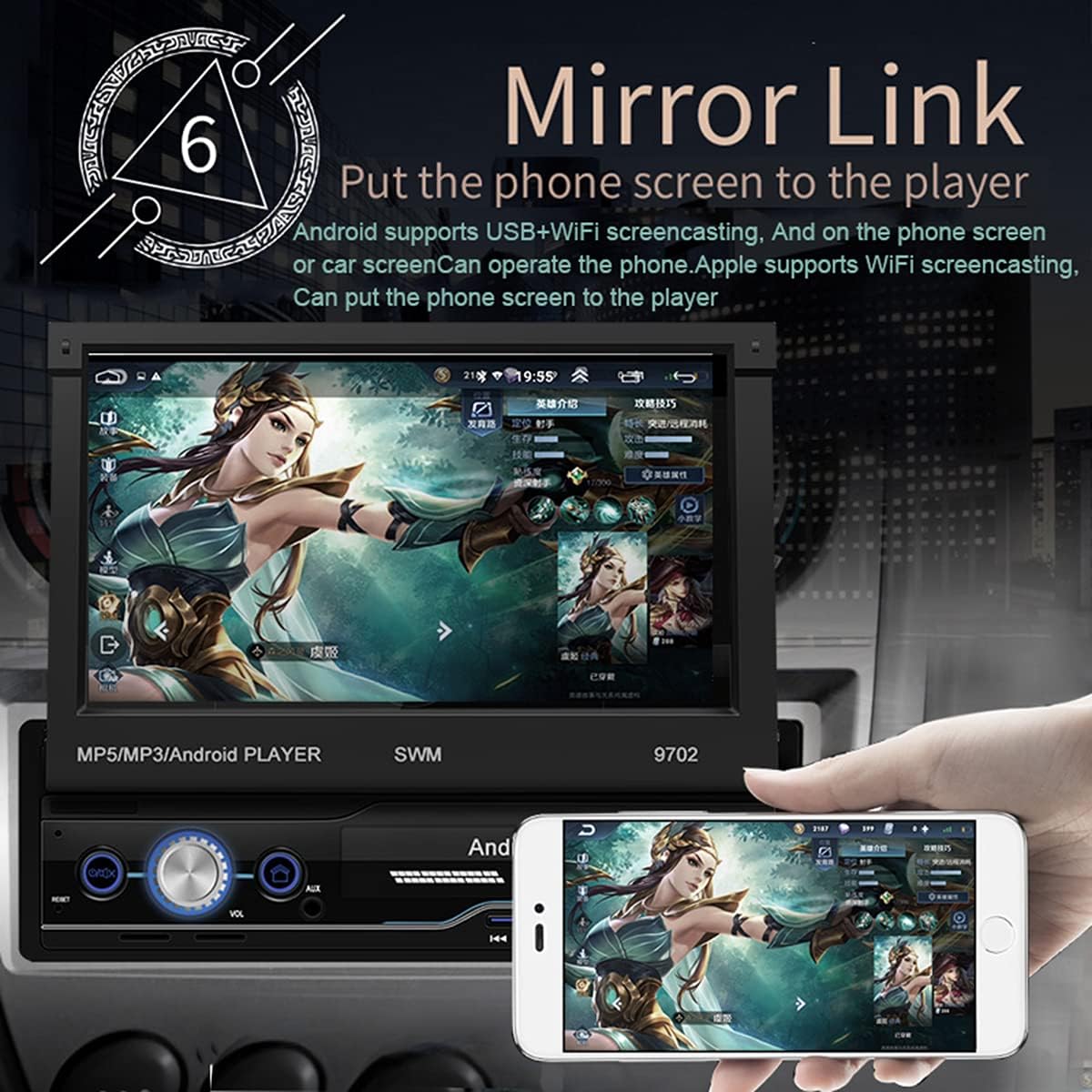
Figur 2.2: The Mirror Link function in action, showing a smartphone's display content, such as a game, being mirrored onto the car radio's 7-inch retractable screen. This feature allows for seamless integration and control of mobile applications directly from the car's display.
- GPS-navigation:
- The unit comes with built-in offline maps (Europe).
- Supports online real-time traffic maps and quick positioning.
- Access navigation applications through the touchscreen.

Figur 2.3: The GPS navigation interface on the car radio screen, showing a detailed map with route guidance and estimated travel time. Icons for popular navigation applications are also visible, highlighting the unit's capability for multiple navigation options and real-time traffic updates.
- Bag View Fungere:
- Når en kompatibel bagende view camera is connected (optional, not included), the screen automatically displays the rear view image when the vehicle is put into reverse.
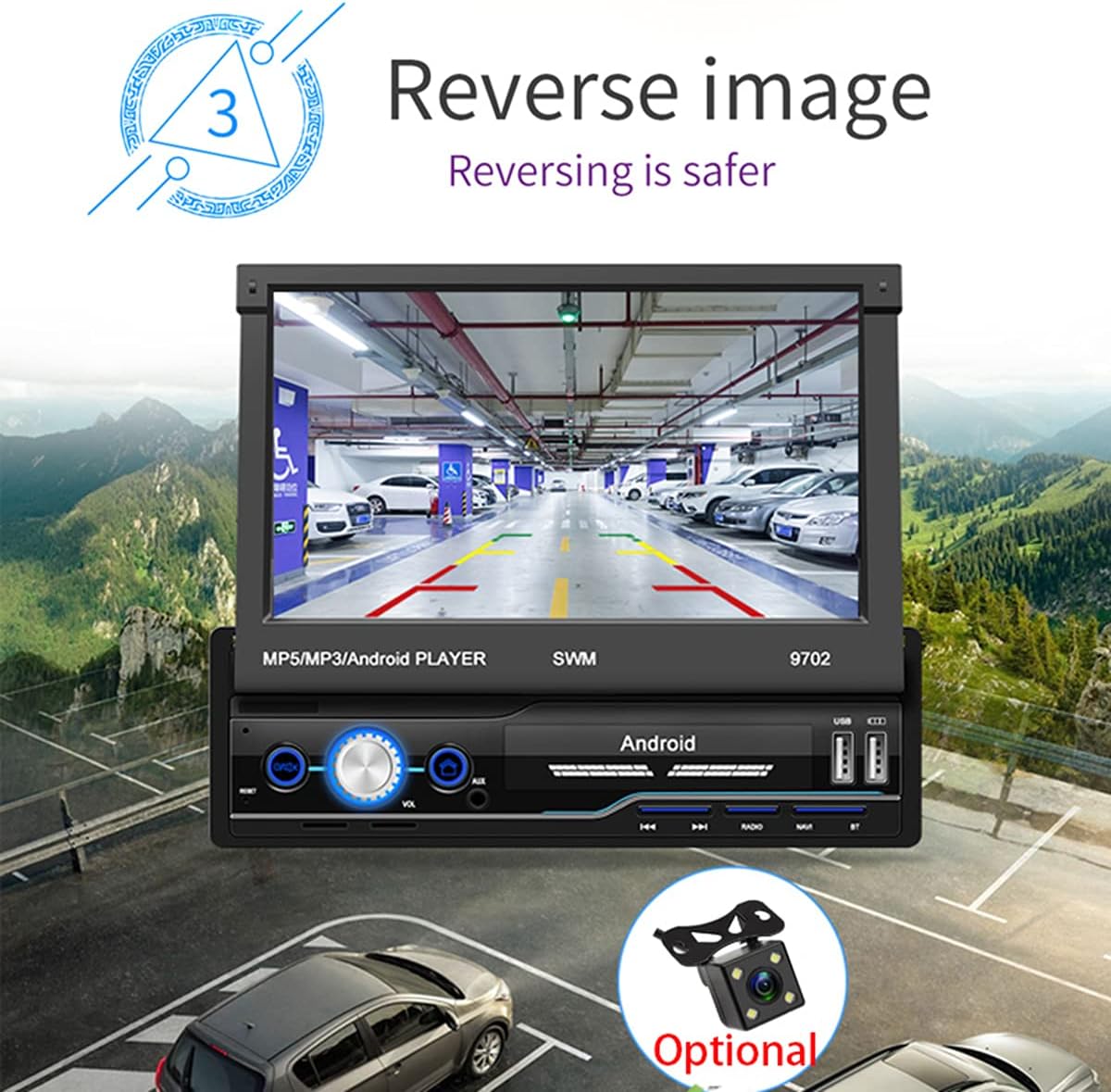
Figur 2.4: The reverse image feature in operation, displaying a clear view from a rear camera on the car radio's screen. This function enhances safety during parking and reversing maneuvers by providing a wide-angle view of the area behind the vehicle, complete with guiding lines.
- WIFI Internet Access:
- Connect to a mobile hotspot or available Wi-Fi networks to access online features, download apps, and browse the internet.

Figur 2.5: The car radio's screen showcasing a variety of application icons, including social media, navigation, and entertainment apps, demonstrating the unit's WiFi connectivity and ability to run Android applications. This feature allows users to access online content and services directly from the car's display.
- Ratbetjeningsfunktion:
- The unit supports learning functions for your original car's steering wheel controls. This allows you to control basic functions (e.g., volume, track skip) without taking your hands off the wheel.
- Navigate to "Steering Learn" in the settings menu to configure.
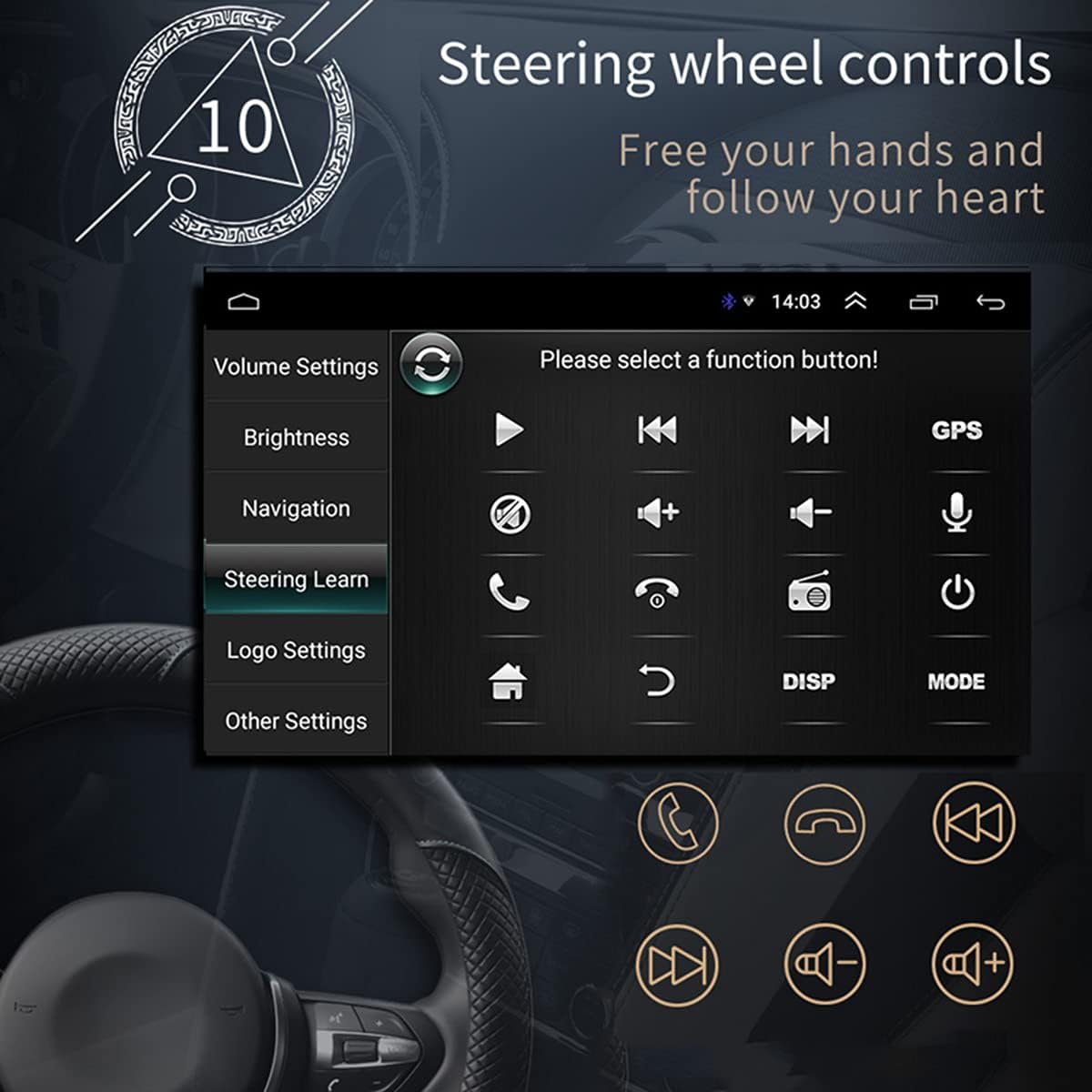
Figur 2.6: The steering wheel control learning interface on the car radio, showing options to configure various functions like volume, track control, and call handling directly from the vehicle's steering wheel buttons. This feature enhances driving safety and convenience by keeping hands on the wheel.
- App installation:
- As an Android system, you can install compatible applications directly onto the unit.
- Car Logo Replacement:
- Customize the boot-up logo to match your car's brand. (Factory setting password: 1111)
Opretholdelse
- Rengøring af skærm: Brug en blød, fnugfri klud til forsigtigt at tørre skærmen af. Ved genstridige pletter, tør let afampRengør kluden med vand eller et skærmsikkert rengøringsmiddel. Undgå slibende materialer eller barske kemikalier.
- Generel rengøring: Hold enheden fri for støv og snavs. Brug en blød børste eller trykluft til at rengøre ventilationsåbninger og knapper.
- Softwareopdateringer: Kontroller jævnligt producentens webwebstedet eller kontakt support for tilgængelige softwareopdateringer for at sikre optimal ydeevne og adgang til nye funktioner.
- Undgå ekstreme temperaturer: Udsæt ikke enheden for ekstrem varme eller kulde, da dette kan påvirke dens ydeevne og levetid.
Fejlfinding
| Problem | Mulig årsag | Løsning |
|---|---|---|
| Ingen strøm | Incorrect wiring (power/ground), blown fuse, vehicle battery issue. | Check power and ground connections. Verify vehicle fuses. Ensure battery has sufficient charge. |
| Ingen lyd | Volume too low, mute activated, incorrect speaker wiring, damaged speakers. | Increase volume. Check if mute is on. Verify speaker connections and polarity. Test with different audio source. |
| GPS-signal tabt/svagt | GPS antenna not properly connected or obstructed, unit in an area with poor satellite reception. | Ensure GPS antenna is securely connected and placed in a clear line of sight to the sky. Move to an open area. |
| Bluetooth forbinder ikke | Bluetooth not enabled on phone/unit, incorrect pairing, interference. | Sørg for, at Bluetooth er aktiveret på begge enheder. Slet tidligere parringer, og par dem igen. Flyt tættere på enheden. |
| Skærmen trækkes ikke ind/ud | Obstruktion, mekanisk problem. | Check for any physical obstructions. Do not force the screen. If issue persists, contact support. |
| Touchscreen reagerer ikke | Softwarefejl, snavset skærm, fysisk skade. | Genstart enheden. Rengør skærmen. Kontakt support, hvis problemet fortsætter. |
Specifikationer
| Feature | Detalje |
|---|---|
| Model | SWM 9702 |
| Voltage | 12V |
| System | Android |
| Konfiguration | 1G+16G |
| Skærmmodel | 7 tommer HD |
| Skærmopløsning | 1024*600 |
| Panelstørrelse | 188*58 mm |
| Magt | 60W |
| Arbejdstemperatur | -10~60 grader Celsius |
| Bluetooth model | Version 4.0 |
| Magt Amplifier Chip | TDA7388 |
| Radiofrekvens | FM 87.5 ~ 108 MHz |
| Built-in Offline Map | Europa |
| USB interface | 2 bagerste bagkabler plus forreste |
| Introduktion til RCA-terminalen | 2 lydudgange, 2 lydindgange, 2 videoindgange, 1 reverseringsindgang, 1 videoudgang |
| Front AUX-lydindgang | Ja |
| DVR-funktion | Støtte |
| Understøttet billedformat | JPG |
| Understøttede lydformater | MP3/WMA/WAV/APE/FLAC |
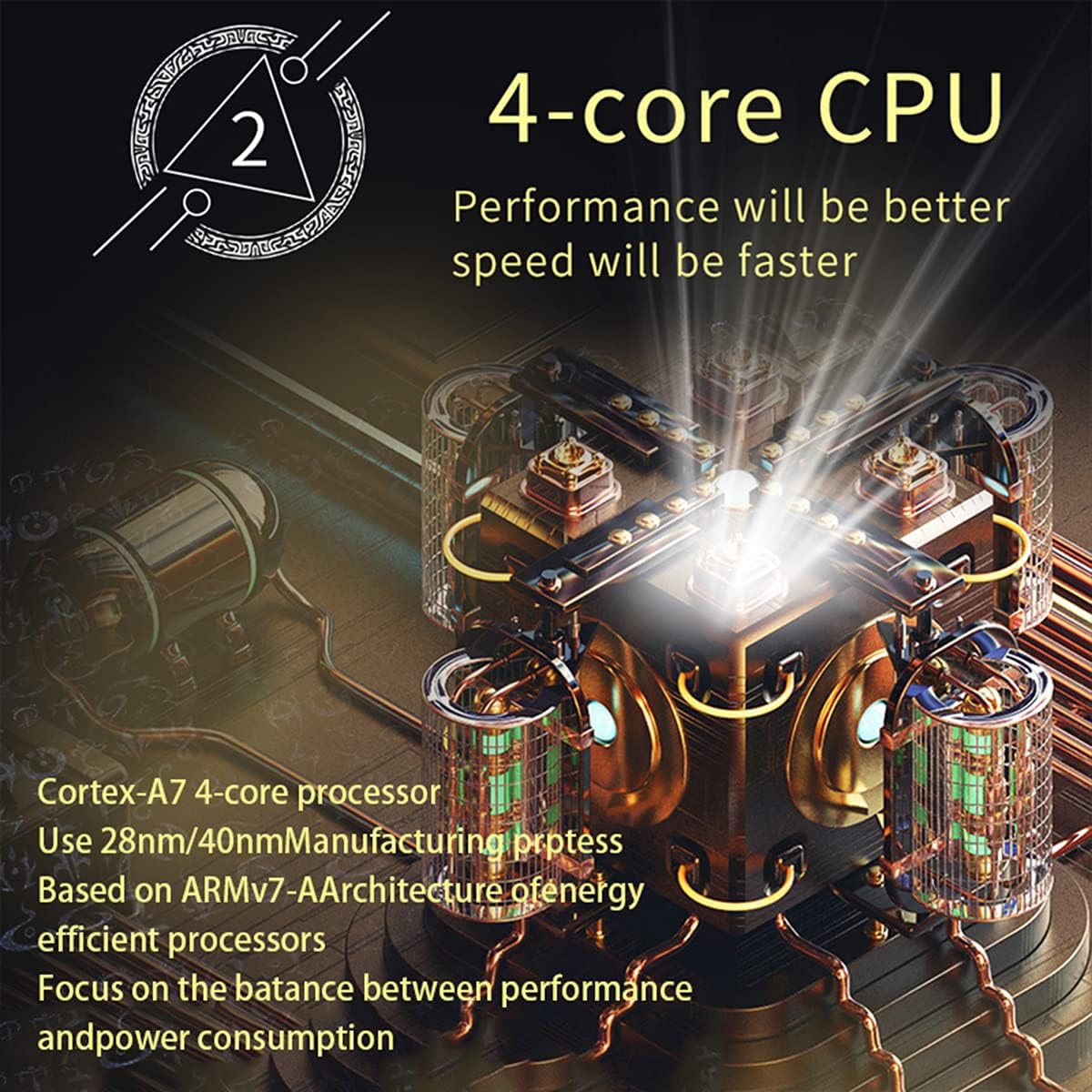
Figur 3.1: An illustration of the unit's 4-core Cortex-A7 processor, emphasizing its efficient architecture and manufacturing process (28nm/40nm). This powerful CPU ensures better performance and faster operation for all functions.

Figur 3.2: The audio playback interface on the car radio, demonstrating support for high-fidelity lossless audio formats such as APE and FLAC. This ensures a superior listening experience with native sound quality, powered by the TDA7388 high-power amplifier IC.
Garanti og support
For garantioplysninger, teknisk support eller serviceforespørgsler, kontakt venligst sælgeren eller producenten direkte. Gem din købskvittering som købsbevis.
You can visit the official NC Store on Amazon for more information and product updates: NC Store
Ask a question about this manual
Ask about setup, troubleshooting, compatibility, parts, safety, or missing instructions. Manuals+ will review the question and use this page’s manual context to help answer it.