
Indledning
The Macally BTBLZKEYSG is a full-size backlit Bluetooth keyboard designed specifically for Mac and iOS devices. It features a MacOS-specific layout with 107 scissor-switch keys and 14 convenient shortcuts, enhancing workflow and productivity. This keyboard allows seamless pairing and switching between up to three Bluetooth-enabled devices, including MacBooks, iMacs, iPhones, and iPads. The integrated white LED backlighting offers three adjustable brightness levels for comfortable typing in various lighting conditions. Powered by a built-in 1500mAh rechargeable battery, it provides extended usage time between charges.
Pakkens indhold
- Macally BTBLZKEYSG Backlit Bluetooth Keyboard
- USB-C ladekabel
- Instruktionsmanual
Produktegenskaber
- Baggrundsbelyste taster: Crisp white LEDs with 3 brightness levels for typing in low-light environments. Backlight can be turned off.
- MacOS Specific Layout: 107 scissor-switch keys with 14 macOS shortcuts for familiar and efficient use.
- Multi-Device Bluetooth: Easily pair and switch between up to 3 Bluetooth-enabled devices (Mac, iPhone, iPad) within a 30 ft wireless range.
- Genopladeligt batteri: Built-in 1500mAh battery provides 1 to 4 weeks of runtime with backlighting on. USB-C charging cable included.
- Slankt og komfortabelt design: Only 0.87 inches thin with an integrated kickstand for ergonomic typing.
Opsætning
1. Opladning af tastaturet
Before initial use, fully charge the keyboard. Connect the supplied USB-C charging cable to the keyboard's USB-C port and the other end to a USB power source (e.g., computer USB port, USB wall adapter). The LED indicator will show charging status.
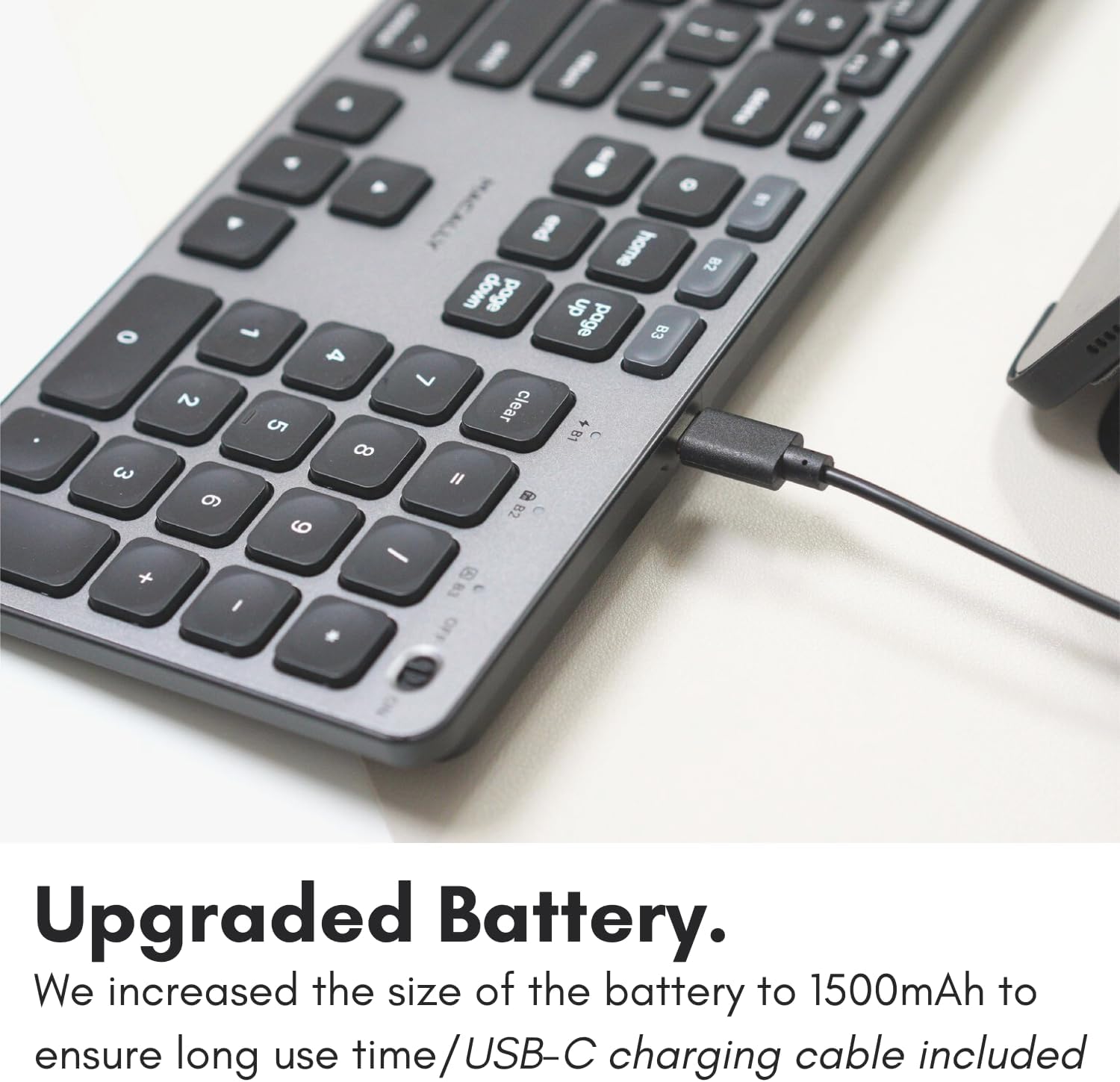
Image: The USB-C charging port on the side of the Macally BTBLZKEYSG keyboard, with the charging cable inserted.
2. Tænder
Locate the power switch on the keyboard, usually on the top right edge. Slide the switch to the 'ON' position.
3. Parring med en enhed
- Sørg for, at tastaturet er tændt.
- Press and hold one of the Bluetooth pairing keys (B1, B2, or B3) for 3-5 seconds until the corresponding LED indicator above the key starts blinking rapidly. This indicates the keyboard is in pairing mode.
- On your Mac or iOS device, go to Systemindstillinger (eller Systempræferencer) > Bluetooth.
- Look for "Macally BTBLZKEYSG" (or similar name) in the list of available devices and click/tap to connect.
- Hvis du bliver bedt om det, skal du indtaste parringskoden, der vises på skærmen, ved hjælp af tastaturet, og trykke på Indtast.
- Once connected, the LED indicator for the selected Bluetooth channel will stop blinking and remain solid for a few seconds before turning off.

Image: The Macally BTBLZKEYSG keyboard shown with a MacBook and an iPad, illustrating its multi-device capability.
Betjeningsvejledning
MacOS Specific Keys and Shortcuts
The keyboard features a standard MacOS layout, including function keys (F1-F12) that double as media and system control shortcuts. Use the Fn key in combination with these keys to access their secondary functions.
- Fn+F1: Reducer skærmens lysstyrke
- Fn+F2: Øg skærmens lysstyrke
- Fn+F3: Missionskontrol
- Fn+F4: Launchpad
- Fn+F7: Forrige spor
- Fn+F8: Afspil/pause
- Fn+F9: Næste spor
- Fn+F10: Dæmp lydstyrke
- Fn+F11: Sænk lydstyrken
- Fn+F12: Øg lydstyrken
Baggrundslys kontrol
The keyboard's backlight can be adjusted to three brightness levels or turned off completely. Use the dedicated backlight control keys, typically located near the function keys or arrow keys, to cycle through the brightness settings.

Image: The Macally BTBLZKEYSG keyboard with its white LED backlighting illuminated at different intensity levels.
Skift mellem parrede enheder
To switch between your paired Bluetooth devices, simply press the corresponding Bluetooth pairing key (B1, B2, or B3) that your device is connected to. The keyboard will automatically connect to the selected device.
Opretholdelse
For at sikre dit tastaturs levetid og optimale ydeevne skal du følge disse retningslinjer for vedligeholdelse:
- Rensning: Brug en blød, fnugfri klud lidt dampened with water or a mild cleaning solution to wipe the keyboard surface. Avoid harsh chemicals or abrasive materials.
- Fjernelse af støv: Brug trykluft til at fjerne støv og snavs mellem tasterne.
- Opbevaring: When not in use for extended periods, store the keyboard in a dry, cool place.
- Undgå væsker: Udsæt ikke tastaturet for overdreven fugt, og spild ikke væsker på det.
Fejlfinding
| Problem | Løsning |
|---|---|
| Tastaturet tænder ikke. | Ensure the power switch is in the 'ON' position. Charge the keyboard using the supplied USB-C cable. |
| Tastaturet parres ikke med enheden. | Ensure the keyboard is in pairing mode (LED blinking). Check your device's Bluetooth settings to ensure Bluetooth is enabled and the keyboard is visible. Try restarting both the keyboard and your device. |
| Tastaturet afbrydes ofte. | Ensure the keyboard is within the 30 ft wireless range of your device. Check for interference from other wireless devices. Ensure the keyboard battery is sufficiently charged. |
| Baggrundsbelysningen virker ikke. | Press the backlight control keys to cycle through brightness levels. Ensure the keyboard battery is charged, as low battery may disable backlighting. |
| Taster reagerer ikke. | Check the Bluetooth connection. If connected, try restarting the keyboard. Ensure no debris is lodged under the keys. |
Specifikationer
| Feature | Detalje |
|---|---|
| Modelnummer | BTBLZKEYSG |
| Forbindelse | Bluetooth, Trådløs |
| Kompatible enheder | Mac Mini / Pro Studio, iMac, Macbook Air, MacBook Pro, iPhone, iPad |
| Tastaturbeskrivelse | Backlit Keyboard for Mac |
| Særlige funktioner | Backlit, Multi-Device Bluetooth, Rechargeable |
| Farve | Grå |
| Tastatur baggrundsbelysning | Single Color (White), 3 Brightness Levels |
| Produktdimensioner | 16.8 cm L x 4.6 cm B x 0.87 cm H |
| Antal nøgler | 107 |
| Strømkilde | Batteridrevet (genopladelig 1500mAh) |
| Switch Type | Tactile Scissor Keys |
| Tastaturlayout | QWERTY (MacOS) |
| Materiale | Aluminium |
| UPC | 701107500362 |
Officiel produktvideo
Video: En overview of the Macally Backlit Bluetooth Keyboard for Mac & iOS, highlighting its features and compatibility.
Garanti og support
The Macally BTBLZKEYSG Backlit Bluetooth Keyboard comes with a warranty of up to two years. For technical support, warranty claims, or further assistance, please visit the official Macally webwebsted eller kontakt deres kundeserviceafdeling.