
1. Introduktion
The Fellowes Amaris 125 Laminator Machine is designed for efficient and reliable lamination of documents up to 12.5 inches wide. It supports both hot and cold lamination pouches up to 7 mil thickness, making it suitable for various applications in school or office settings. This manual provides essential information for the safe and effective operation, maintenance, and troubleshooting of your laminator.

Billede 1.1: Forside view of the Fellowes Amaris 125 Laminator Machine, showcasing dets elegante design og kontrolpanel.
2. Opsætning
- Udpakning: Carefully remove the laminator from its packaging. Retain all packaging materials for future storage or transport.
- Placering: Place the laminator on a stable, flat surface with adequate space around it for proper ventilation and for feeding and receiving laminated documents. Ensure the power cord can reach a grounded electrical outlet without strain.
- Strømtilslutning: Sæt netledningen i en almindelig stikkontakt.
- Indledende opvarmning: Press the power button. The laminator features InstaHeat Technology, allowing it to warm up in approximately 60 seconds. The indicator light will change to signal readiness for use.

Image 2.1: The laminator ready for use on a desk, highlighting its rapid 60-second warm-up time.
3. Betjeningsvejledning
- Tænd: Press the power button to turn on the laminator. Wait for the ready indicator light to illuminate (approximately 60 seconds).
- Vælg posetykkelse: Use the control panel to select the appropriate pouch thickness (3 mil, 5 mil, or 7 mil) for hot lamination, or select the cold lamination setting for self-adhesive pouches.
- Forbered dokument: Place your document centrally within the laminating pouch, ensuring even margins on all sides.
- Foderpose: Insert the sealed edge of the laminating pouch squarely into the laminator's entry slot. The machine will automatically feed the pouch through. The Amaris 125 offers rapid laminating speeds of up to 31 inches per minute.
- Retrieve Laminated Document: Once the pouch exits the machine, retrieve the laminated document. Allow it to cool on a flat surface for a few moments before handling.
- Omvendt tilstand: In case of a mis-feed or jam, activate the reverse mode button to eject the pouch. This feature helps prevent damage to documents and the machine.
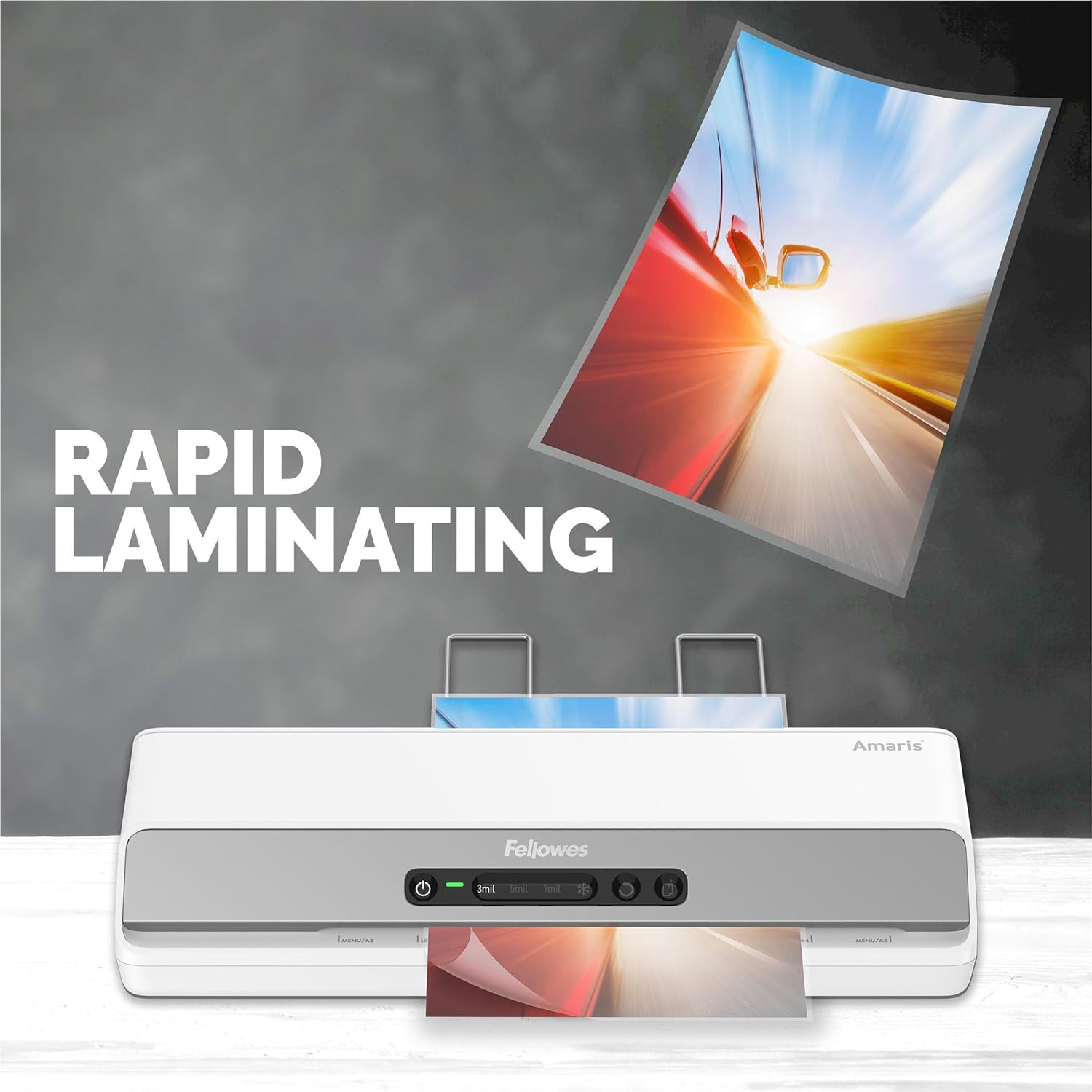
Image 3.1: The laminator in action, demonstrating its rapid laminating capability.
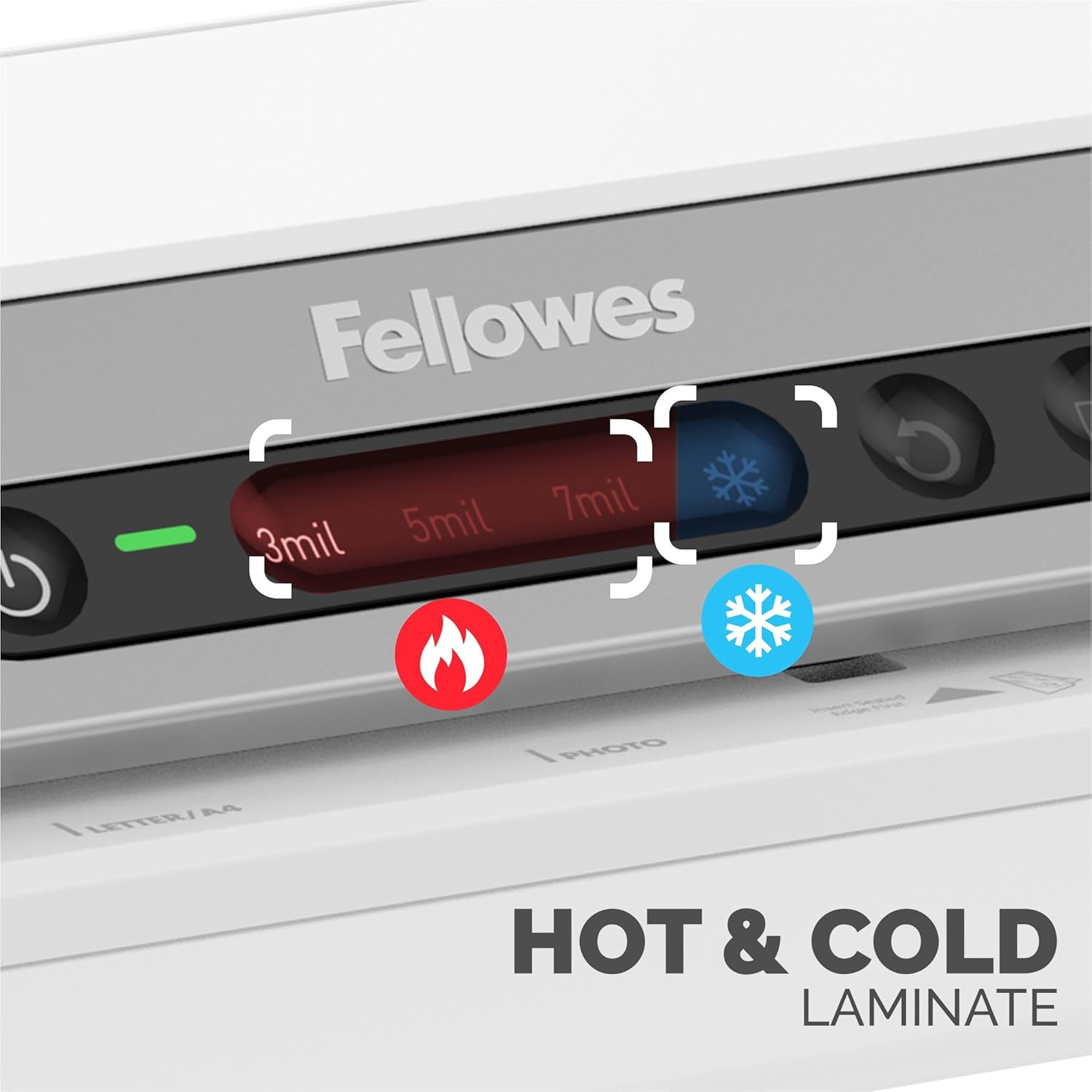
Image 3.2: Detail of the control panel, illustrating the hot and cold lamination options.

Image 3.3: Visual representation of the mis-feed detection system and the reverse mode function.
The laminator is equipped with an auto shut-off function to save energy and prevent overheating, enhancing safety during use.

Image 3.4: The laminator in an office setting, highlighting the auto shut-off feature for energy saving and safety.
4. Vedligeholdelse
Regular maintenance ensures optimal performance and extends the lifespan of your Fellowes Amaris 125 Laminator.
- Rengøring af ruller: The laminator features a 'Clean Alert' system to indicate when the rollers require cleaning. A free cleaning sheet is included with your purchase. Follow the instructions provided with the cleaning sheet to maintain roller cleanliness.
- Udvendig rengøring: Wipe the exterior of the laminator with a soft, dry cloth. Do not use abrasive cleaners or solvents.
- Opbevaring: When not in use, store the laminator in a clean, dry environment.
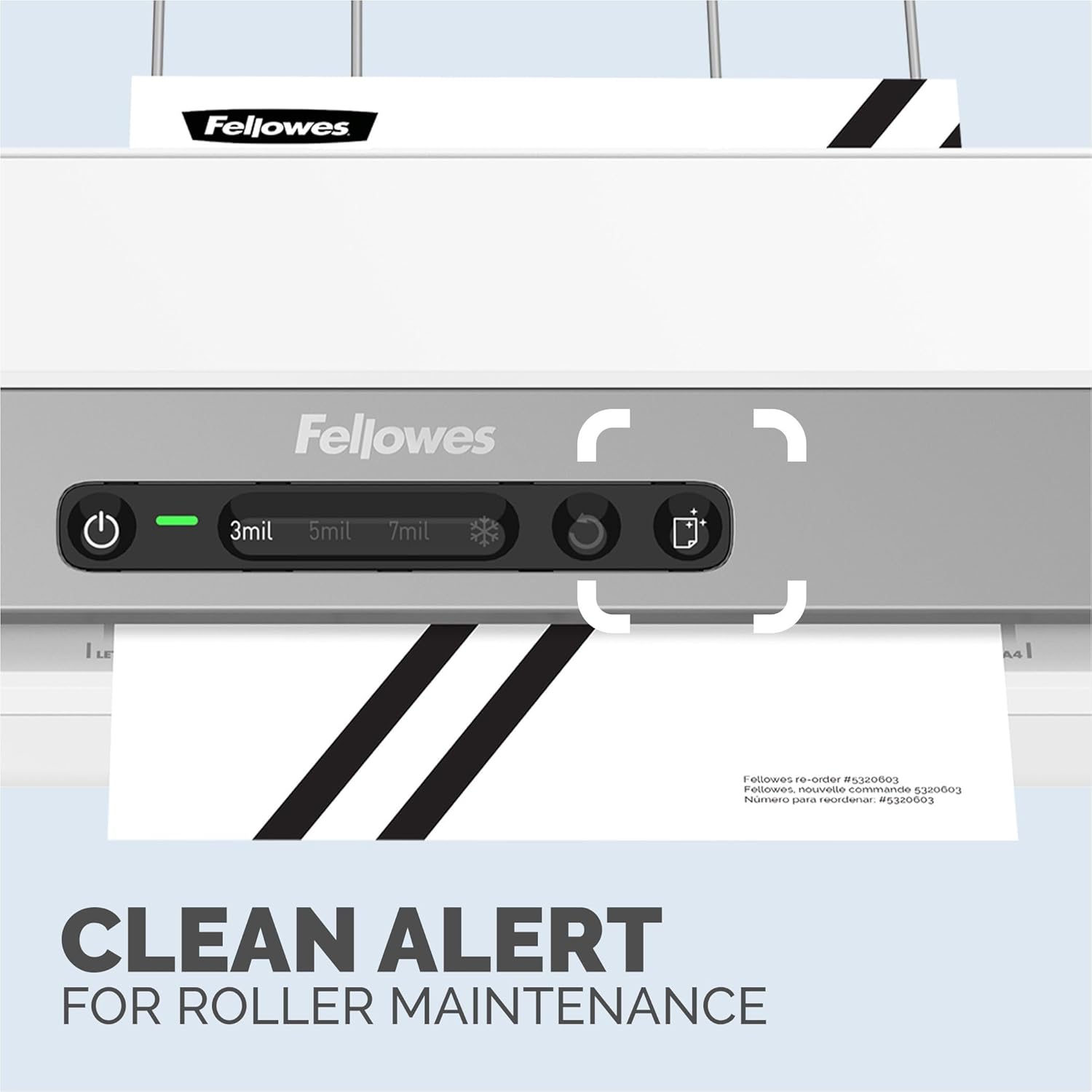
Image 4.1: The 'Clean Alert' indicator on the control panel, prompting roller maintenance.
5. Fejlfinding
- Laminatoren tænder ikke: Ensure the power cord is securely plugged into a functional electrical outlet. Check if the power button has been pressed.
- Pouch Jam: If a pouch becomes jammed, press the reverse mode button to eject it. Carefully remove the pouch. Ensure documents are centered in pouches and fed straight into the machine to prevent future jams.
- Dårlig lamineringskvalitet (bobler, rynker):
- Sørg for, at den korrekte temperaturindstilling er valgt i forhold til posens tykkelse.
- Check that the laminator rollers are clean (refer to Maintenance section).
- Use high-quality laminating pouches.
- Laminator Overheating: The machine has an auto shut-off feature to prevent overheating. If it shuts off unexpectedly, allow it to cool down before resuming operation. Ensure adequate ventilation around the machine.
6. Specifikationer
| Feature | Detalje |
|---|---|
| Mærke | Fellowes |
| Modelnummer | 8058101 |
| Varens vægt | 4.2 pund |
| Produktdimensioner | 18.69 x 6 x 4 tommer |
| Maksimal lamineringsbredde | 12.5 tommer |
| Pouch Thickness Supported | Up to 7 mil (hot and cold) |
| Opvarmningstid | 60 sekunder (InstaHeat-teknologi) |
| Lamineringshastighed | 31 tommer i minuttet |
| Funktioner | Reverse Mode, Mis-feed Detection, Clean Alert, Auto Shut-off |
| Farve | Hvid/Grå |
7. Garanti og support
For warranty information and customer support, please refer to the warranty card included with your product or visit the official Fellowes website. You can also contact Fellowes customer service directly for assistance with product inquiries, technical support, or replacement parts.
Fellowes Contact Information:
Besøg venligst www.fellowes.com for de mest opdaterede kontaktoplysninger og supportressourcer.