
Indledning
The ASHATA GamePi Set is a compact gaming solution designed for use with Raspberry Pi Zero, Zero W, and Zero WH models. It features a 1.54-inch LCD screen with a resolution of 240x240 pixels, integrated controls, an onboard speaker, and a headphone jack. This manual provides detailed instructions for assembly, operation, and maintenance of your GamePi Set.
Hvad er der i æsken
Pak forsigtigt alle komponenter ud, og bekræft, at du har modtaget følgende:
- Bundkort
- Øvre skal
- Nedre skal
- Skruetrækker
- 2 x Buttons (for game controls)
- Nøglering
- Screw Pack (various screws for assembly)

Image: All components included in the ASHATA GamePi Set, laid out for inspection.
Opsætningsinstruktioner
The ASHATA GamePi Set requires DIY assembly. Follow these steps to set up your device:
- Forbered komponenter: Ensure all components listed in the "What's in the Box" section are present and undamaged.
- Attach Raspberry Pi: Carefully connect your Raspberry Pi Zero/Zero W/Zero WH to the designated pins on the GamePi mainboard. Ensure proper alignment to avoid damage.
- Assemble Shells: Place the mainboard assembly into the lower shell. Then, position the upper shell over the mainboard, aligning the button cutouts.
- Install Buttons: Insert the provided game buttons into their respective slots on the upper shell.
- Fastgør med skruer: Use the included screwdriver and screw pack to fasten the upper and lower shells together, securing the mainboard inside. Do not overtighten.
- (Optional) Attach Keychain: If desired, attach the keychain to the designated loop on the assembled device.
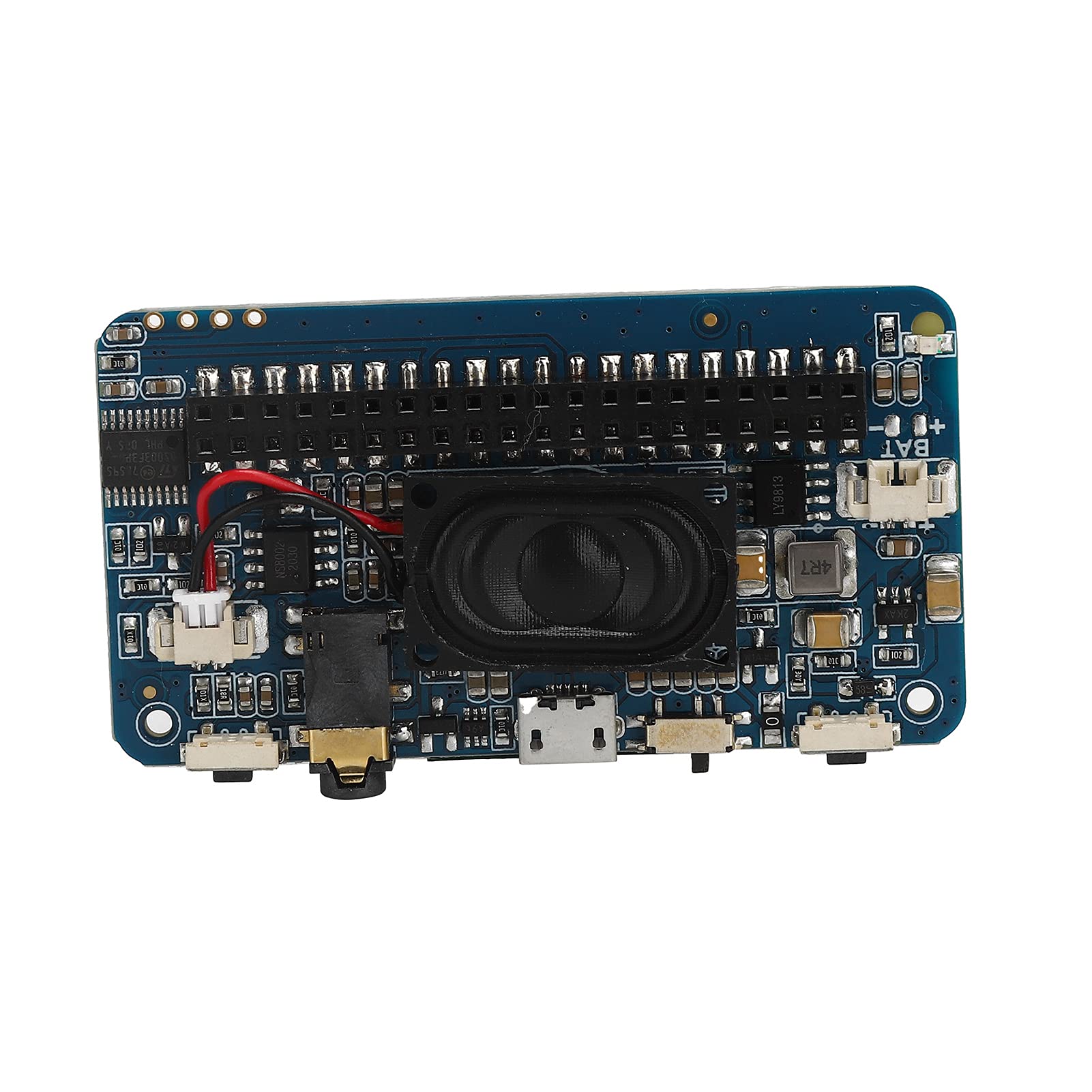
Image: The ASHATA GamePi Set mainboard and an assembled unit being held, illustrating the compact design.
Video: A brief demonstration of the ASHATA GamePi Set, showing its assembly and compact form factor.
Betjeningsvejledning
Once assembled, your ASHATA GamePi Set is ready for operation. Ensure your Raspberry Pi Zero is properly configured with the desired operating system and games.
- Tænder: The integrated battery charging circuit allows the device to be powered by a compatible lithium battery (not included). Connect a charged battery to the designated port.
- Vise: The 1.54-inch LCD screen provides a clear 240x240 resolution display for your games and applications.
- Lydudgang: Sound can be played through the onboard speaker. For private listening, connect headphones to the integrated headphone jack.
- Kontrolelementer: Utilize the physical buttons on the device for game input and navigation within your Raspberry Pi's interface.
- Kompatibilitet: This GamePi Set is specifically designed for seamless integration with Raspberry Pi Zero, Raspberry Pi Zero W, and Raspberry Pi Zero WH models.
Opretholdelse
To ensure the longevity and optimal performance of your ASHATA GamePi Set, follow these maintenance guidelines:
- Rensning: Use a soft, dry cloth to gently wipe the screen and exterior surfaces. Avoid using abrasive cleaners or solvents.
- Opbevaring: Opbevar enheden et køligt, tørt sted væk fra direkte sollys og ekstreme temperaturer.
- Batteripleje: If using a rechargeable battery, follow the battery manufacturer's instructions for charging and storage to maximize battery life. Avoid overcharging or completely draining the battery.
- Håndtering: Handle the device with care to prevent drops or impacts, which could damage internal components or the screen.
Fejlfinding
If you encounter issues with your ASHATA GamePi Set, refer to the following common troubleshooting tips:
- Ingen visning:
- Ensure the Raspberry Pi Zero is correctly seated on the GamePi mainboard.
- Verify that the Raspberry Pi is powered on and functioning correctly.
- Check for any loose connections or debris between the Raspberry Pi and the GamePi board.
- Ingen lyd:
- Confirm that the volume is not muted or set too low on your Raspberry Pi's operating system.
- Hvis du bruger hovedtelefoner, skal du sørge for, at de er sat helt i hovedtelefonstikket.
- Verify that audio output is correctly configured in your Raspberry Pi's software.
- Knapper reagerer ikke:
- Check that the physical buttons are properly installed and not stuck.
- Ensure your Raspberry Pi's software is configured to recognize the GamePi's input controls.
- Strømproblemer:
- Ensure the battery is charged and correctly connected.
- If using an external power source, verify it meets the Raspberry Pi's power requirements.
For more complex issues, consult Raspberry Pi community forums or contact ASHATA customer support.
Specifikationer
| Mærke | ASHATA |
| Modelnavn | GamePi Set |
| Skærmstørrelse | 1.54 tommer |
| Skærmopløsning | 240x240 |
| Kompatible enheder | Raspberry Pi Zero/Zero W/Zero WH |
| Forbindelsesteknologi | Bluetooth, USB (via Raspberry Pi) |
| Operativsystem | Linux (via Raspberry Pi) |
| Processor mærke | ARM (via Raspberry Pi) |
| RAM-hukommelsesteknologi | LPDDR2 (via Raspberry Pi) |
| Inkluderede komponenter | Mainboard, Upper Shell, Lower Shell, Screwdriver, 2 x Buttons, Keychain, Screw Pack |
| Fabrikant | ASHATA |
| Mfr varenummer | ASHATAnv37ogm41c844 |
Garanti og support
Specific warranty details for the ASHATA GamePi Set are not provided in the product information. For warranty claims, technical support, or further assistance, please contact the retailer where you purchased the product or reach out directly to the manufacturer, ASHATA.
You may also find helpful resources and community support for Raspberry Pi projects online.