
Indledning
Tak for købetasing the Hoco BS40 Sports Wireless Bluetooth Speaker. This manual provides detailed instructions for the proper setup, operation, and maintenance of your device. Please read this manual thoroughly before use to ensure optimal performance and longevity of your speaker.
Sikkerhedsoplysninger
- Udsæt ikke højttaleren for ekstreme temperaturer, direkte sollys eller høj luftfugtighed.
- Undgå at tabe eller udsætte højttaleren for kraftige stød.
- Keep the speaker away from water and liquids, despite its water-resistant rating, to prevent damage.
- Forsøg ikke selv at skille højttaleren ad eller reparere den. Kontakt kvalificeret servicepersonale for at få hjælp.
- Brug kun det medfølgende opladningskabel eller et tilsvarende certificeret kabel.
- Opbevares utilgængeligt for børn.
Pakkens indhold
Tjek venligst pakken for følgende varer:
- Hoco BS40 trådløs højttaler
- Ladekabel
- Brugermanual
Produkt overview
Gør dig bekendt med højttalerens komponenter og betjeningselementer.

Image: Hoco BS40 speaker, top-down view, highlighting the control panel and overall design.

Image: Hoco BS40 speaker in an upright position, displaying the side control buttons and the Hoco branding.
Kontrolknapper og porte:
- Power knap: Tryk og hold for at tænde/slukke højttaleren.
- Mode-knap (M): Press to switch between Bluetooth, FM Radio, TF Card, USB, and AUX modes.
- Afspil/pause knap: Tryk for at afspille eller sætte lyd på pause. I opkaldstilstand skal du trykke for at besvare/afslutte opkald.
- Lydstyrke op (+)/Næste nummer: Kort tryk for at skrue op for lydstyrken, langt tryk for næste nummer.
- Lydstyrke ned (-)/Forrige nummer: Kort tryk for at sænke lydstyrken, langt tryk for at sænke forrige nummer.
- TF-kortslot: Indsæt et TF-kort (MicroSD) for at afspille musik.
- USB-port: Indsæt et USB-flashdrev til musikafspilning.
- AUX port: Tilslut eksterne lydenheder via et 3.5 mm lydkabel.
- Opladningsport: Connect the charging cable to power the speaker.
Opsætning
Opladning af højttaleren
- Tilslut opladningskablet til højttalerens opladningsport.
- Tilslut den anden ende af kablet til en USB-strømadapter (medfølger ikke) eller en computers USB-port.
- Opladningsindikatorlampen lyser under opladning.
- Opladning tager typisk cirka 1.5 timer. Indikatorlampen skifter eller slukker, når den er fuldt opladet.
Tænd/sluk
- For at tænde: Press and hold the Power Button for a few seconds until you hear an audible prompt or see the indicator light.
- For at slukke: Press and hold the Power Button again for a few seconds until you hear an audible prompt or the indicator light turns off.
Betjeningsvejledning
Bluetooth-parring
- Ensure the speaker is powered on and in Bluetooth mode (indicated by a flashing blue light or an audible prompt). If not, press the 'M' (Mode) button to switch to Bluetooth mode.
- Aktiver Bluetooth på din mobile enhed (smartphone, tablet osv.).
- Søg efter available Bluetooth devices. You should find "Hoco BS40" in the list.
- Select "Hoco BS40" to connect. Once paired, the speaker will emit an audible confirmation, and the indicator light will stop flashing.
- Du kan nu afspille lyd fra din enhed via højttaleren.
FM-radiotilstand
- Tryk gentagne gange på knappen 'M' (tilstand), indtil du aktiverer FM-radiotilstand.
- To auto-scan for stations, press the Play/Pause button once. The speaker will scan and save available FM stations.
- Brug knapperne Lydstyrke op (+) og Lydstyrke ned (-) til at navigere mellem gemte stationer.
TF-kort / USB-afspilning
- Indsæt et TF-kort (MicroSD) eller et USB-flashdrev, der indeholder MP3-lyd files ind i den respektive slot/port.
- The speaker should automatically switch to TF Card or USB mode and begin playback. If not, press the 'M' (Mode) button to select the correct mode.
- Brug knapperne Afspil/Pause, Lydstyrke op (+) og Lydstyrke ned (-) til at styre afspilningen.
AUX-tilstand
- Tilslut den ene ende af et 3.5 mm lydkabel (medfølger ikke) til AUX-porten på højttaleren.
- Tilslut den anden ende af lydkablet til lydudgangsstikket på din eksterne enhed.
- Tryk på 'M'-knappen (tilstand) for at skifte til AUX-tilstand.
- Audio will now play from your external device through the speaker. Control playback from your external device.
Lydstyrkekontrol og spornavigation
- Lydstyrke op: Tryk kort på '+'-knappen.
- Skrue ned for lyden: Tryk kort på '-' knappen.
- Næste nummer: Tryk længe på '+'-knappen.
- Forrige nummer: Tryk længe på '-'-knappen.

Image: Hoco BS40 speaker highlighting its versatile connectivity options including Bluetooth, FM, TF card, USB, and AUX.
Opretholdelse
- Rensning: Brug en blød, tør klud til at rengøre højttalerens overflade. Brug ikke slibende rengøringsmidler eller opløsningsmidler.
- Opbevaring: Opbevar højttaleren et køligt og tørt sted, når den ikke er i brug i længere perioder.
- Batteripleje: For at forlænge batteriets levetid skal du oplade højttaleren helt inden første brug og genoplade den mindst én gang hver tredje måned, hvis den ikke bruges regelmæssigt.
Fejlfinding
| Problem | Mulig årsag | Løsning |
|---|---|---|
| Højttaleren tænder ikke. | Batteriet er afladet. | Oplad højttaleren i mindst 30 minutter. |
| Kan ikke parres via Bluetooth. | Højttaleren er ikke i parringstilstand eller for langt fra enheden. | Ensure speaker is in Bluetooth mode and within 10 meters of your device. Restart both devices. |
| Ingen lyd. | Volume is too low or incorrect mode selected. | Increase volume on both speaker and connected device. Press 'M' to ensure correct input mode (Bluetooth, AUX, etc.). |
| FM-radiomodtagelsen er dårlig. | Svagt signal. | Move the speaker to an open area or adjust its position for better reception. |
Specifikationer
| Feature | Specifikation |
|---|---|
| Modelnavn | BS40 |
| Bluetooth version | 5.0 |
| Højttaler type | Udendørs |
| Forbindelsesteknologi | Bluetooth, FM, TF, USB, AUX |
| Maksimal højttalerudgangseffekt | 14 watt |
| Nominel udgangseffekt | 7 watt |
| Batterikapacitet | 2400 mAh |
| Music Playback/Call Time | 4 timer eller mere |
| Opladningstid | Cirka 1.5 timer |
| Dimensioner (L x B x H) | 230 x 98 x 94 mm (9.06 x 3.86 x 3.7 tommer) |
| Varens vægt | 775 gram (1.71 lbs) |
| Vandtæt | Yes (IPX5 rating implied by image) |
| Materiale | Termoplastisk polyurethan |
| Farve | Blå |
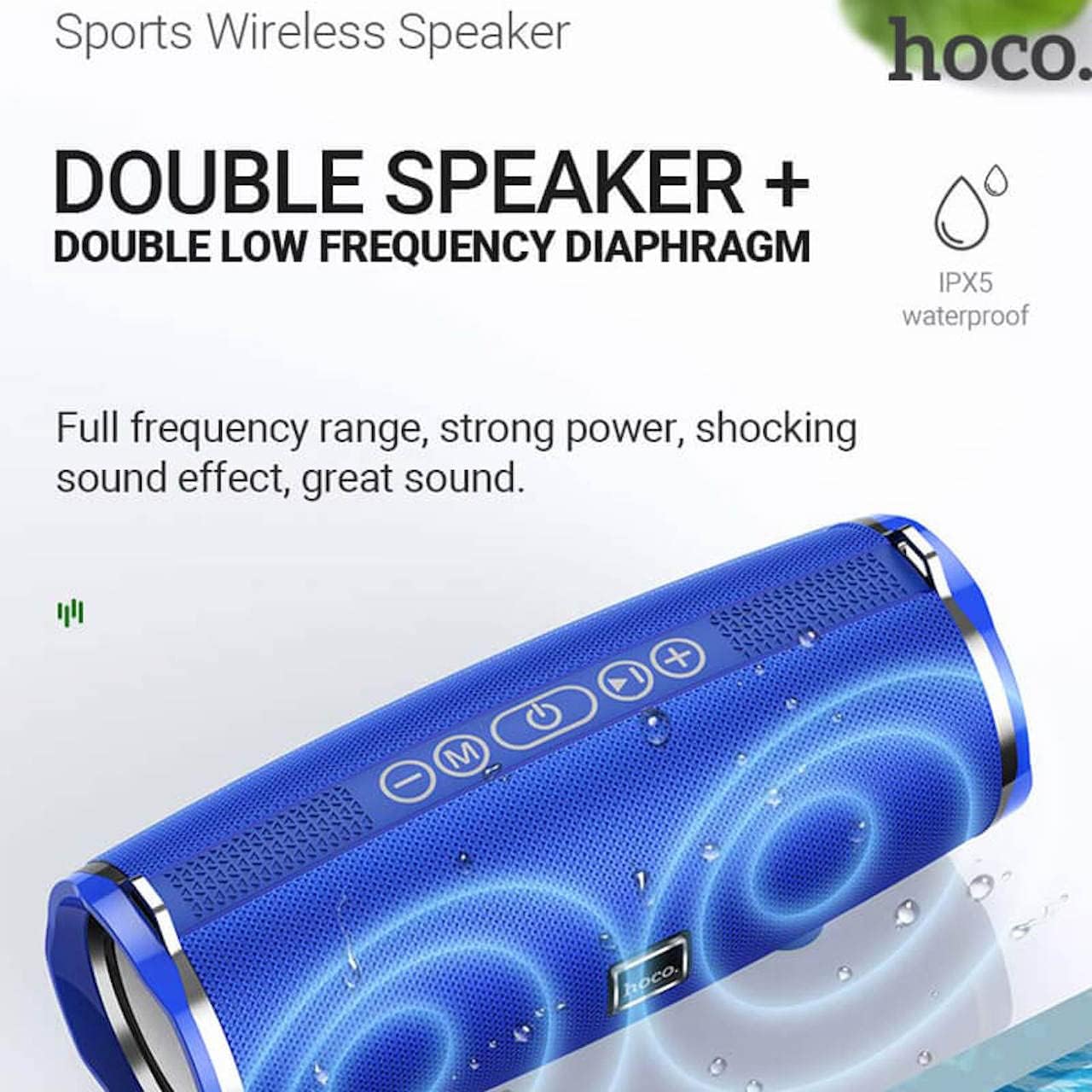
Image: Hoco BS40 speaker highlighting its IPX5 waterproof rating and dual speaker design for enhanced sound.
Garanti og support
Hoco products are designed and manufactured to the highest quality standards. For warranty information and customer support, please refer to the warranty card included with your product or visit the official Hoco webwebsted.
Official Hoco Webwebsted: http://www.hocotech.com
Gem venligst dit købsbevis for garantikrav.