
1. Introduktion
Tak for købetasing the EARISE D61 Plus Bluetooth Speaker. This manual provides important information regarding the safe operation, setup, and maintenance of your device. Please read it thoroughly before use and retain it for future reference.

Image 1.1: The EARISE D61 Plus Bluetooth Speaker, showcasing its portable design and integrated RGB lighting.
2. Vigtige sikkerhedsoplysninger
- Udsæt ikke højttaleren for vand eller overdreven fugt, da den ikke er vandtæt.
- Undgå ekstreme temperaturer, direkte sollys eller varmekilder.
- Enheden må ikke skilles ad, repareres eller ændres. Overlad al service til kvalificeret personale.
- Brug kun det specificerede opladningskabel og strømadapter.
- Hold højttaleren væk fra børn og kæledyr.
- Brug ikke højttaleren ved for høj lydstyrke i længere tid ad gangen for at undgå høreskader.
3. Pakkens indhold
Tjek venligst pakken for følgende varer:
- EARISE D61 Plus Bluetooth Speaker
- USB opladningskabel
- Brugervejledning (dette dokument)
Hvis der mangler eller er beskadigede varer, bedes du kontakte kundesupport.
4. Produktet er slutview
Gør dig bekendt med højttalerens komponenter og betjeningselementer.
Billede 4.1: Forside view of the EARISE D61 Plus speaker, highlighting the control panel and speaker grille.
4.1 Kontrolpanel og porte

Image 4.2: Diagram illustrating the various input options and features of the speaker, including USB, TF card, AUX, Microphone, Bluetooth, and FM radio.
- MODE/LIGHT Button: Short press to switch between input modes (Bluetooth, AUX, USB, TF, FM). Long press to change light effects.
- M-/V- Button: Short press for previous track (in music modes) or previous station (in FM mode). Long press to decrease volume.
- MSCAN/TWS Button: Short press to Play/Pause (in music modes) or auto-scan FM stations (in FM mode). Long press to activate TWS pairing.
- M+/V+ Button: Short press for next track (in music modes) or next station (in FM mode). Long press to increase volume.
- USB-port: Til afspilning fra USB-flashdrev.
- TF-kortslot: Til afspilning fra TF-kort (MicroSD).
- AUX-indgang: Til tilslutning af eksterne lydenheder via et 3.5 mm lydkabel.
- MIC input: Til tilslutning af mikrofon.
- Opladningsport: Til opladning af højttalerens interne batteri.
5. Opsætning
5.1 Opladning af højttaleren
Before first use, fully charge the speaker. Connect the provided USB charging cable to the speaker's charging port and the other end to a USB power adapter (not included) or a computer's USB port. The charging indicator will illuminate during charging and turn off when fully charged.

Image 5.1: Visual representation of the speaker being charged, indicating battery status.
5.2 Tænd/sluk
Press and hold the Power button (often integrated with the MODE button or a separate switch, refer to physical device for exact location) to turn the speaker ON or OFF. A sound prompt will indicate the power status.
5.3 Bluetooth -parring
- Ensure the speaker is powered on and in Bluetooth mode (indicated by a voice prompt or flashing LED). If not, short press the MODE/LIGHT button to switch to Bluetooth mode.
- Aktiver Bluetooth på din mobile enhed (smartphone, tablet osv.).
- Søg efter available Bluetooth devices. You should see "EARISE D61 Plus" in the list.
- Select "EARISE D61 Plus" to connect. Once paired, a confirmation sound will be heard.
- The speaker will automatically reconnect to the last paired device when in Bluetooth mode, if the device is within range and Bluetooth is enabled.
5.4 TWS (ægte trådløs stereo) parring
To achieve stereo sound, you can pair two EARISE D61 Plus speakers together.

Image 5.2: Illustration of two EARISE D61 Plus speakers connected via TWS for a stereo audio experience, controlled by a single smartphone.
- Ensure both EARISE D61 Plus speakers are powered on and in Bluetooth mode, but not yet connected to any device.
- On one of the speakers (this will be the primary speaker), long press the MSCAN/TWS button. You will hear a prompt indicating TWS pairing mode.
- De to højttalere vil automatisk søge efter og oprette forbindelse til hinanden. En bekræftelseslyd vil indikere vellykket TWS-parring.
- Once paired, the primary speaker will be ready for Bluetooth connection to your mobile device. Follow the steps in "5.3 Bluetooth Pairing" to connect your device to the primary speaker.
- Lyden afspilles nu i stereo gennem begge højttalere.
- To disconnect TWS, long press the MSCAN/TWS button on either speaker.
6. Betjeningsvejledning
6.1 Valg af tilstand
Tryk kort på TILSTAND/LYS button to cycle through available input modes: Bluetooth, AUX, USB, TF Card, FM Radio.
6.2 Audio Playback (Bluetooth, USB, TF Card, AUX)
- Afspil/pause: Tryk kort på MSCAN/TWS knap.
- Næste nummer: Tryk kort på M+/V+ knap.
- Forrige nummer: Tryk kort på M-/V- knap.
- Lydstyrke op: Tryk længe på M+/V+ knap.
- Skrue ned for lyden: Tryk længe på M-/V- knap.
6.3 FM-radiofunktion
- Skift til FM-tilstand ved hjælp af TILSTAND/LYS knap.
- Tryk kort på MSCAN/TWS button to automatically scan and save available FM stations. The speaker will play the first saved station.
- Kort tryk M+/V+ or M-/V- for at navigere mellem gemte stationer.
6.4 RGB-lyseffekter
The speaker features dynamic RGB lighting. Long press the TILSTAND/LYS knappen til at skifte mellem forskellige lystilstande eller slukke lyset.
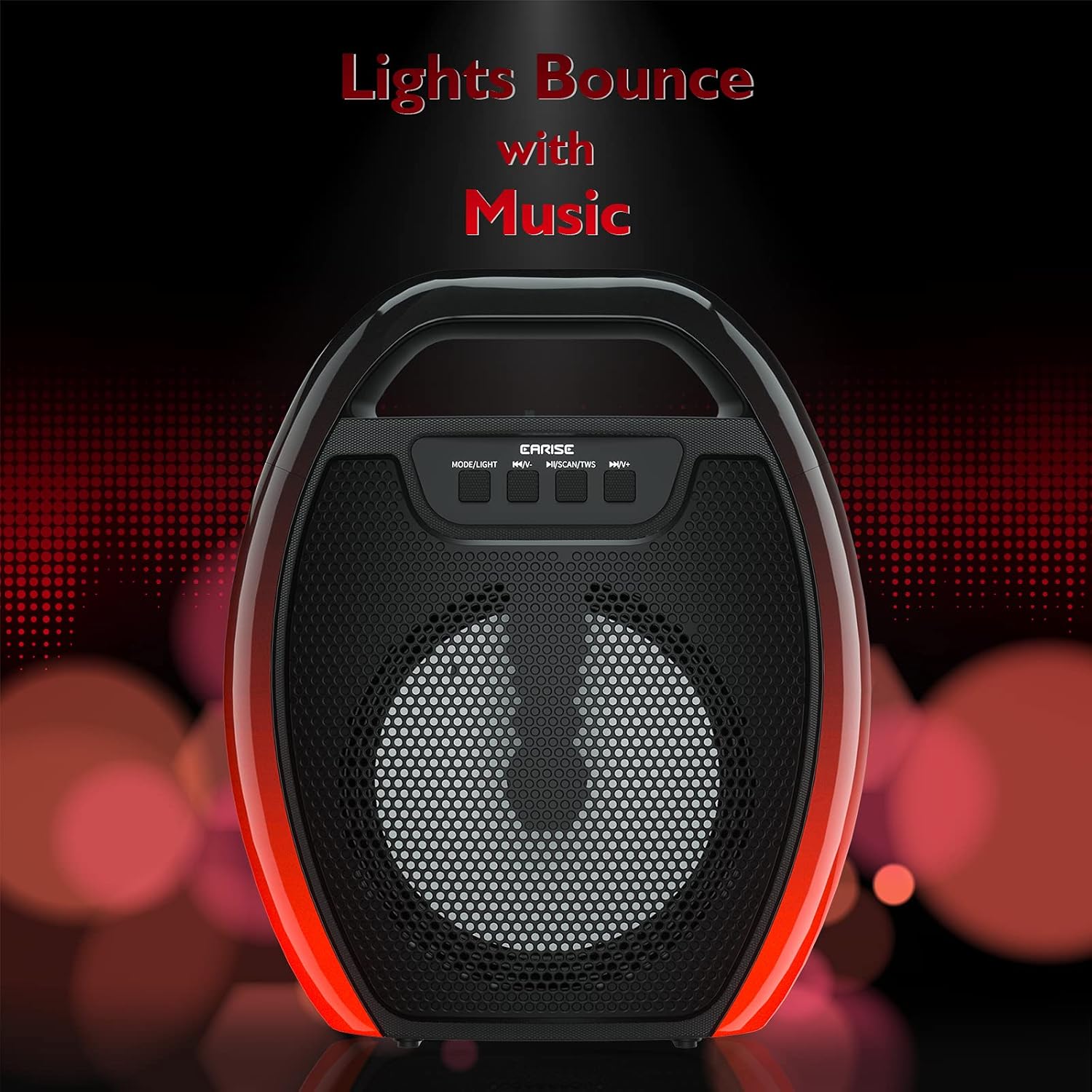
Image 6.1: The speaker displaying its light effects, which can synchronize with music playback.
6.5 mikrofonindgang
Connect a wired microphone (not included) to the MIC input port for karaoke or public address functions. Adjust the microphone volume using the connected microphone's controls or the speaker's main volume controls.
7. Vedligeholdelse
- Rensning: Use a soft, dry cloth to clean the speaker. Do not use liquid cleaners or aerosols.
- Opbevaring: Opbevar højttaleren et køligt, tørt sted væk fra direkte sollys og ekstreme temperaturer.
- Batteripleje: To prolong battery life, fully charge the speaker before long periods of inactivity and recharge it at least once every three months. Avoid completely draining the battery frequently.
8. Fejlfinding
| Problem | Mulig årsag | Løsning |
|---|---|---|
| Højttaleren tænder ikke. | Lavt batteri; Tænd/sluk-knappen er ikke trykket korrekt ind. | Charge the speaker; Press and hold the Power button for a few seconds. |
| Kan ikke parres via Bluetooth. | Højttaler ikke i parringstilstand; Enhedens Bluetooth er slået fra; Højttaler er for langt fra enheden; Allerede forbundet til en anden enhed. | Ensure speaker is in Bluetooth pairing mode; Turn on Bluetooth on your device; Move device closer to speaker; Disconnect from other devices. |
| Ingen lyd. | Lydstyrken er for lav; Forkert inputtilstand; Enheden afspiller ikke lyd. | Increase speaker and device volume; Switch to correct input mode (Bluetooth, AUX, etc.); Ensure audio is playing on your device. |
| TWS-parring mislykkes. | Speakers too far apart; One speaker already paired to a device; Not in TWS pairing mode. | Ensure speakers are close; Disconnect both speakers from any devices; Long press MSCAN/TWS on one speaker to initiate TWS pairing. |
| RGB-lysene virker ikke. | Lyset er slukket; Fejlfunktion. | Long press MODE/LIGHT button to cycle through light modes; If issue persists, contact support. |
9. Specifikationer
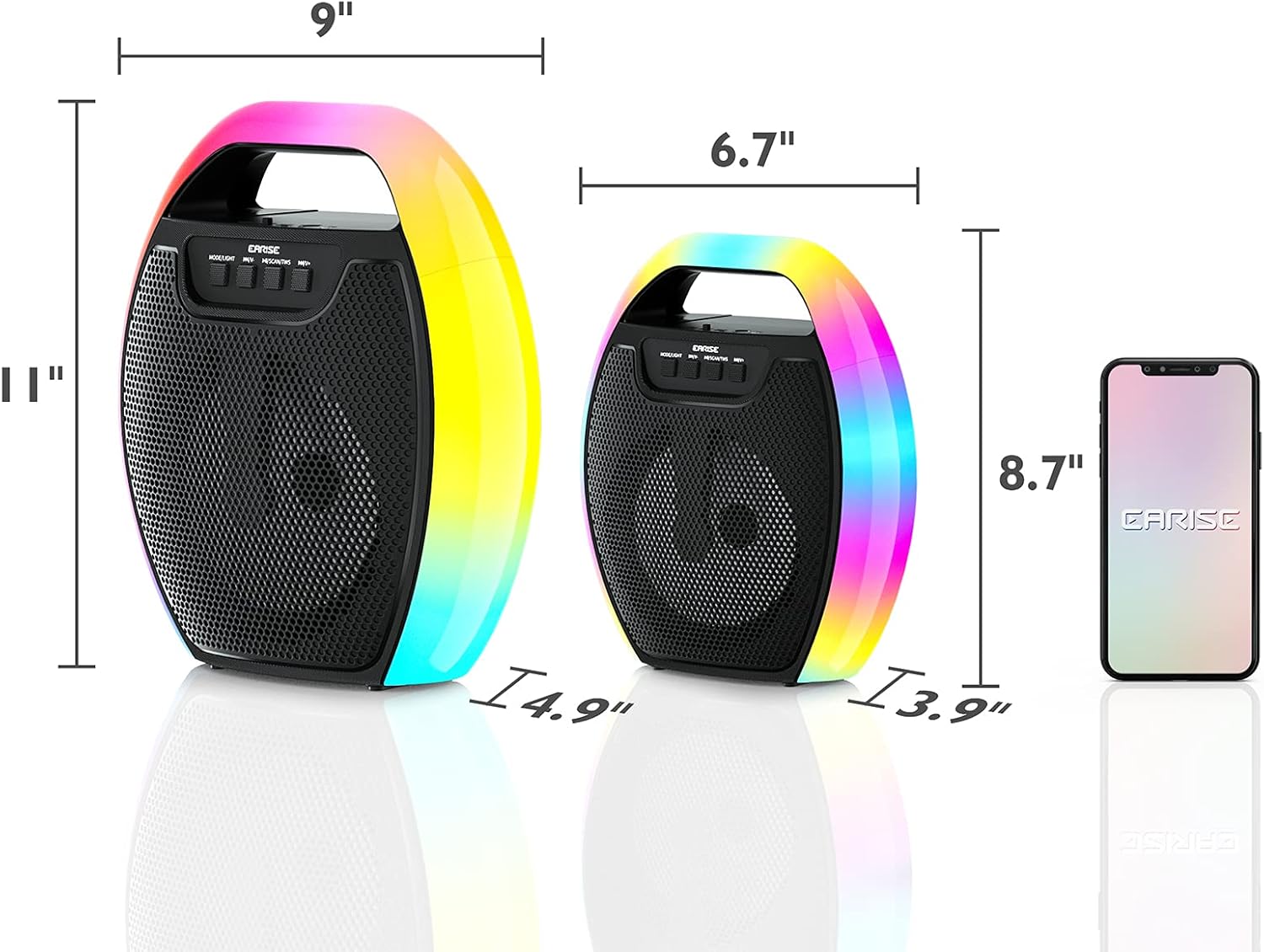
Image 9.1: Product dimensions of the EARISE D61 Plus speaker.
| Feature | Detalje |
|---|---|
| Modelnavn | D61 Plus |
| Mærke | EARISE |
| Forbindelsesteknologi | Bluetooth, Auxiliary (3.5mm), USB, TF Card, FM Radio |
| Lydudgangstilstand | Stereo (med TWS) |
| Højttaler type | Bærbar udendørs højttaler |
| Højttaler størrelse | 4 tommer |
| Strømkilde | Batteridrevet |
| Batterilevetid | Up to 12 Hours (actual playtime varies with volume and light usage) |
| Vandtæt | Ingen |
| Produktdimensioner | 9 x 5 x 11 tommer (L x B x H) |
| Varens vægt | 2.28 pund |
| Særlige funktioner | RGB Lights, TWS Pairing, Portable |
10. Garanti og support
EARISE products are designed and manufactured to the highest quality standards. For information regarding warranty coverage, technical support, or service inquiries, please refer to the warranty card included with your purchase or visit the official EARISE webwebsted.
Gem venligst dit købsbevis for garantikrav.