
FLAMMA FX100
FLAMMA FX100 Multi Effects Pedal User Manual
Model: FX100
Indledning
This manual provides comprehensive instructions for the operation and maintenance of your FLAMMA FX100 Multi Effects Pedal and the accompanying Footswitch Toppers. The FX100 is a versatile guitar multi-effects processor designed for home practice, performance, and live streaming, featuring a wide array of effects, amp models, a looper, and a drum machine. The footswitch toppers enhance the usability and comfort of your pedal's footswitches.
Sikkerhedsoplysninger
Læs og forstå alle sikkerhedsinstruktioner, før du bruger enheden. Gem denne manual til senere brug.
- Strømforsyning: Brug kun den angivne strømadapter. Sørg for, at lydstyrkentage matcher enhedskravene.
- Vand og fugt: Do not expose the device to water, rain, or excessive moisture. Do not operate with wet hands.
- Varmekilder: Hold enheden væk fra varmekilder såsom radiatorer, varmeapparater, komfurer eller andre apparater (herunder ampløftere), der producerer varme.
- Ventilation: Bloker ikke ventilationsåbninger. Sørg for korrekt luftgennemstrømning omkring enheden.
- Rensning: Rengør kun med en tør klud. Brug ikke flydende rengøringsmidler eller aerosolrens.
- Service: Forsøg ikke selv at servicere dette produkt. Overlad al service til kvalificeret servicepersonale.
- Placering: Place the device on a stable, flat surface to prevent accidental falls.
Pakkens indhold
Bekræft at alle varer er til stede i din pakke:
- FLAMMA FX100 Guitar Multi-Effects Pedal
- 5 x FLAMMA Footswitch Toppers (Mixed Colors)
- Power Adapter (if included with the specific bundle)
- USB-kabel (til pc-forbindelse)
- Brugervejledning (dette dokument)
Produkt overview
The FLAMMA FX100 is a compact yet powerful multi-effects processor. The included footswitch toppers provide enhanced comfort and visibility for the pedal's controls.
FLAMMA FX100 Multi Effects Pedal

Figur 1: Forside view of the FLAMMA FX100 Multi Effects Pedal with footswitch toppers installed.
The FX100 features a clear display, three main control knobs (MODE, VALUE, MASTER), and multiple footswitches for various functions. LED indicators show active effects blocks. An expression pedal is integrated for real-time control over parameters.

Figure 2: The FX100 offers 151 effects, 55 amp models, 200 presets, an 80-second looper, 40 drum machine patterns, 10 metronomes, and OTG functionality.
Key features include 151 built-in effects, 55 amp models, 200 user presets, an 80-second looper, 40 drum machine patterns, 10 metronomes, and support for 10 third-party IR slots. It also supports USB connectivity for PC editing and direct audio recording.

Figure 3: Visual representation of the 9 effects blocks available on the FX100, providing 151 different effects.
The FX100 organizes its effects into 9 distinct blocks: FX/COMP, DS/OD, AMP, CAB, NS, EQ, MOD, DLY, and REV, allowing for comprehensive tone shaping.
Footswitch Toppers

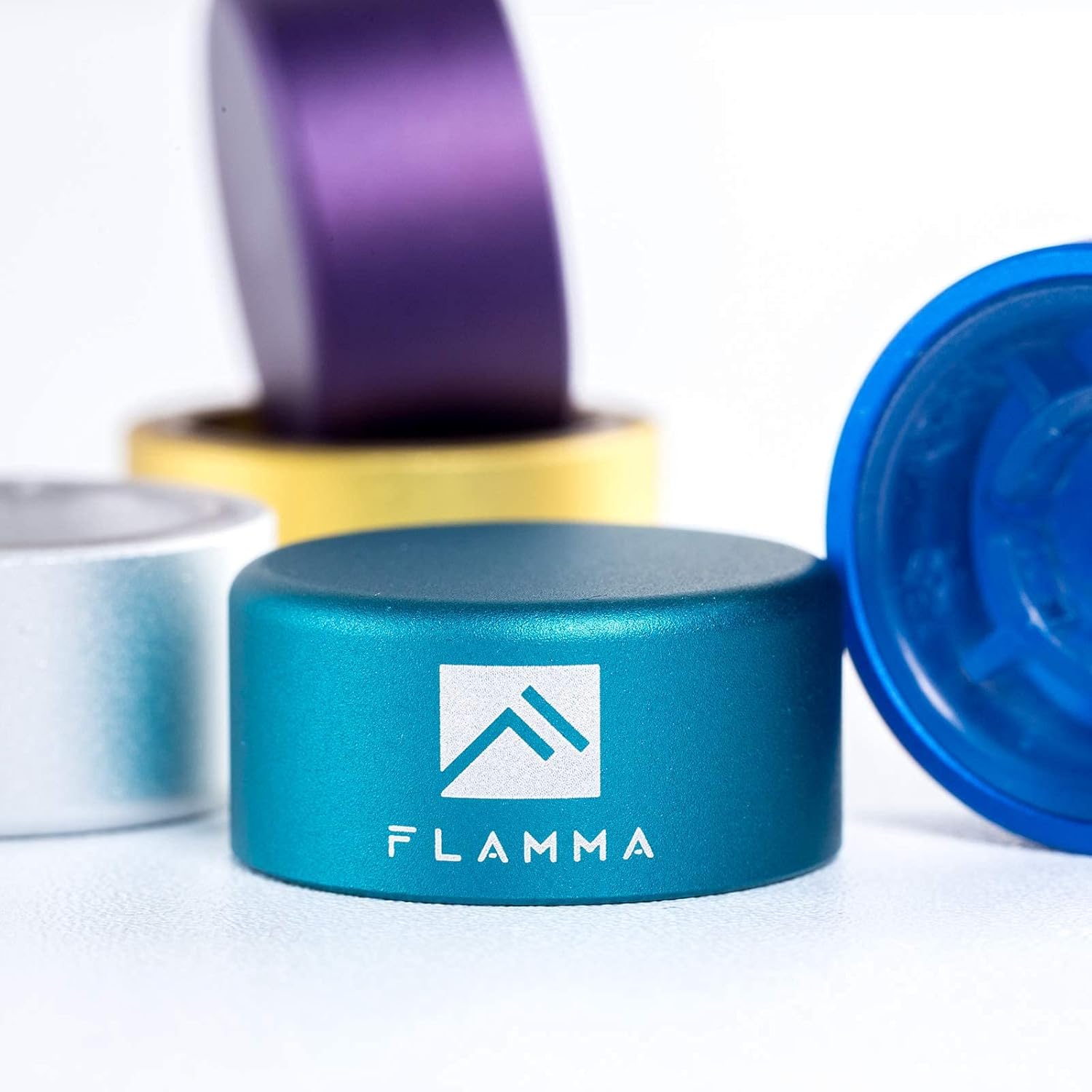
Figure 4: A single FLAMMA footswitch topper, showing its durable aluminum alloy construction and logo.
These 10mm footswitch toppers are made of quality aluminum alloy with plastic inlays. They are designed to fit standard pedal footswitches, increasing accuracy and comfort during use.

Figure 5: The set includes five footswitch toppers in mixed colors: Green, Silver, Blue, Yellow, and Purple.
Figur 6: Eksample of footswitch toppers installed on different guitar effects pedals, demonstrating their fit and appearance.
Opsætning
Connecting the FX100 Pedal
- Strømtilslutning: Connect the provided power adapter to the DC IN jack on the FX100 and then to a suitable power outlet.
- Instrumentindgang: Connect your guitar or other instrument to the INPUT jack using a standard 1/4-inch instrument cable.
- Udgangsforbindelse: Connect the OUTPUT L/MONO jack to your amplifier, mixer, or audio interface using a standard 1/4-inch cable. If using stereo, connect the OUTPUT R jack as well.
- Hovedtelefoner: For silent practice, connect headphones to the HEADPHONE jack.
- USB-forbindelse (valgfrit): To connect to a computer for editing or recording, use a USB cable to connect the USB port on the FX100 to your computer.
Installing Footswitch Toppers
The footswitch toppers are designed for easy, tool-free installation.
- Align the footswitch topper over the existing footswitch button on your pedal.
- Press down firmly until the topper securely snaps onto the footswitch. No tools are required.
- To remove, gently pull the topper upwards.
Operating the FLAMMA FX100
Grundlæggende kontroller og navigation
- MODE knap: Rotates to select different modes or menus. Press to confirm selection.
- VALUE-knap: Rotates to adjust parameter values within a selected mode. Press to confirm or enter sub-menus.
- MASTER knap: Controls the overall output volume of the unit.
- Fodkontakter: The two main footswitches (left and right) are used for preset changes, looper control, and other functions depending on the selected mode.
- Udtrykspedal: Controls parameters like volume, wah, or other assignable effects in real-time.
Effects Blocks and Presets
The FX100 features 9 independent effects blocks, each with multiple effect types. You can activate or deactivate blocks and adjust their parameters.
- Forudindstillet valg: Use the footswitches to cycle through presets. The display will show the current preset number (e.g., P001).
- Effect Block Activation: Press the corresponding button (FX, DS, AMP, CAB, NS, EQ, MOD, DLY, REV) to toggle the effect block on or off. The LED above the button indicates its status.
- Parameter Editing: With an effect block active, use the MODE and VALUE knobs to navigate and adjust its parameters.
- Gem forudindstillinger: Efter redigering skal du trykke på SPARE button to store your changes to a user preset slot.
Looper funktion
The built-in looper allows for recording and overdubbing up to 80 seconds of audio.
- Activate Looper mode via the system menu or dedicated footswitch function.
- Tryk én gang på fodkontakten for at starte optagelsen.
- Press again to stop recording and start playback.
- Press a third time to begin overdubbing.
- Hold the footswitch to undo/redo or clear the loop, depending on the specific setting.
Drum Machine and Metronome
The FX100 includes a drum machine with 40 patterns and 10 metronome types for practice.
- Access the Rhythm section via the RYTME knap.
- Use the knobs to select drum patterns or metronome types and adjust tempo and volume.
Tuner-funktion
The integrated tuner allows for accurate instrument tuning.
- Tryk på TUNER footswitch to activate the tuner. The output will be muted.
- Tune your instrument using the display.
- Tryk på TUNER fodkontakten igen for at afslutte tuner-tilstand.
FX100 Studio Software

Figure 7: The FX100 can be connected via USB to a computer for editing presets and direct audio recording using the dedicated studio software.
The FX100 can be connected to a computer via USB for advanced preset editing and management using the FLAMMA FX100 Studio Software. This software also allows for direct audio recording to your computer.
- Download the latest software from the official FLAMMA webwebsted.
- Install the software and any necessary drivers on your computer.
- Connect the FX100 to your computer using a USB cable.
- Launch the software to begin editing presets, managing IRs, and recording audio.
Opretholdelse
- Rensning: Brug en blød, tør klud til at rengøre enhedens yderside. Brug ikke slibende rengøringsmidler, voks eller opløsningsmidler.
- Opbevaring: Når pedalen ikke er i brug i længere perioder, skal den opbevares køligt og tørt, væk fra direkte sollys og ekstreme temperaturer.
- Kabelpleje: Undgå at bøje eller knække kablerne for meget. Frakobl kablerne ved at trække i stikket, ikke i selve kablet.
Fejlfinding
| Problem | Mulig årsag | Løsning |
|---|---|---|
| Ingen strøm | Incorrect power adapter; loose connection; power outlet issue. | Ensure correct power adapter is used and securely connected. Test the power outlet. |
| Ingen lydudgang | Cables not connected properly; Master volume too low; Tuner mode active; effect block bypassed. | Check all audio cable connections. Increase Master volume. Exit Tuner mode. Ensure desired effect blocks are active. |
| Forvrænget lyd | Input level too high; gain settings on effects too high; faulty cable. | Adjust input level on the FX100 or your instrument. Reduce gain/drive settings on distortion/overdrive effects. Try a different cable. |
| Footswitch topper loose | Not pressed down firmly enough. | Press the topper down firmly until it clicks into place. |
Specifikationer
| Feature | Detalje |
|---|---|
| Effekter | 151 (across 9 effects blocks) |
| Amp Modeller | 55 |
| Forudindstillinger | 200 (bruger) |
| Looper-tid | 80 sekunder |
| Trommemaskine | 40 mønstre |
| Metronom | 10 typer |
| IR-pladser | 10 (3rd party) |
| Hardware-interface | 1/4-inch Audio, USB |
| Signalformat | Analog |
| Strømkilde | Elektrisk med ledning |
| Kontroltype | Knob, Footswitch, Expression Pedal |
| Footswitch Topper Size | 10 mm diameter |
| Footswitch Topper Material | Aluminum alloy with plastic inlays |
Garanti og support
FLAMMA products are designed and manufactured to high quality standards. For warranty information, technical support, or service inquiries, please contact FLAMMA customer support through their official webwebstedet eller forhandleren, hvor produktet blev købt. Hav venligst din produktmodel og købsdato klar, når du kontakter support.
For mere information, besøg den officielle FLAMMA Store on Amazon.
Ask a question about this manual
Ask about setup, troubleshooting, compatibility, parts, safety, or missing instructions. Manuals+ will review the question and use this page’s manual context to help answer it.