
1. Introduktion
Thank you for choosing the Volkano VX Gaming Artemis Series 3-in-1 Combo. This set includes a high-performance gaming keyboard, a precision gaming mouse, and a non-slip mousepad, designed to enhance your gaming experience. This manual provides essential information for setting up, operating, maintaining, and troubleshooting your new gaming peripherals.
Nøglefunktioner:
- Includes a keyboard, mouse, and non-slip mouse pad for a complete gaming setup.
- Artemis keyboard features 12 Keyboard Shortcut Keys and multi-coloured lighting.
- High-definition 3200 DPI mouse with rainbow color illumination, DPI switch, scroll wheel, and 6 buttons for precision and speed.
- Multicolor Lighting and 12 multimedia keys enhance the gaming experience.
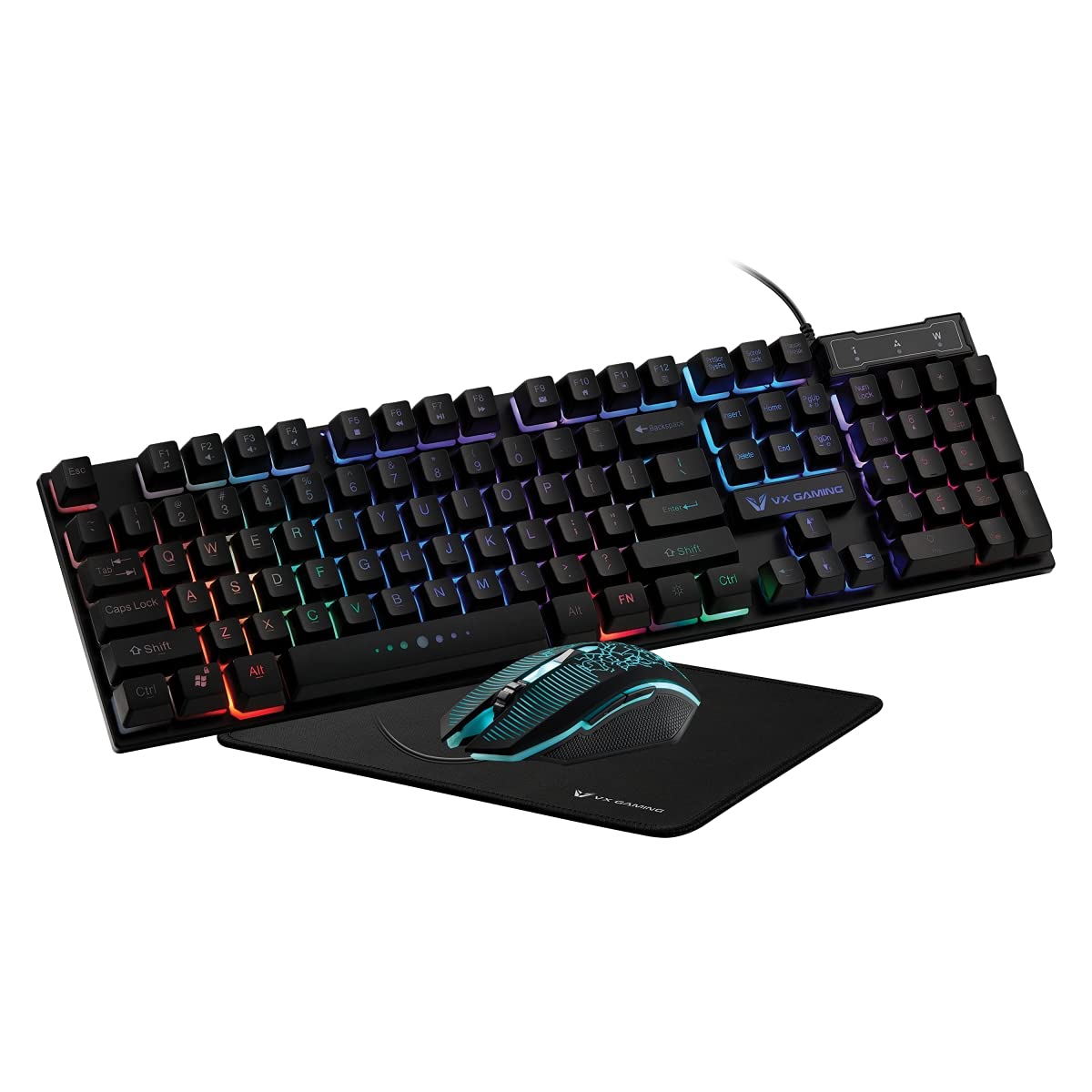
Image 1.1: Volkano VX Gaming Artemis Series 3-in-1 Combo Set packaging.
2. Opsætningsvejledning
Follow these steps to connect your Volkano VX Gaming Artemis Series 3-in-1 Combo to your computer.
2.1 Systemkrav
- Operativsystem: Windows 10 eller nyere.
- Compatible Devices: PC (Acer, Dell, HP, Mac, Samsung).
- Tilgængelig USB-port.
2.2 Tilslutning af tastatur og mus
- Unpack the keyboard, mouse, and mousepad from the packaging.
- Place the non-slip mousepad on your desired surface.
- Tilslut USB-kablet fra tastaturet til en ledig USB-port på din computer.
- Connect the USB cable from the mouse to another available USB port on your computer.
- Your computer should automatically detect and install the necessary drivers. No additional software installation is typically required.

Image 2.1: The Artemis Combo set connected and ready for use.
3. Betjeningsvejledning
3.1 Tastaturfunktioner
The Artemis keyboard features a standard QWERTY layout with additional gaming-specific functionalities.
- Multimedienøgler: The keyboard includes 12 dedicated multimedia keys for quick access to media controls (e.g., play, pause, volume). These are typically accessed via the Fn tasten i kombination med tasterne F1-F12.
- Genvejstaster: 12 Keyboard Shortcut Keys provide quick access to various functions. Refer to the keycap legends for specific functions.
- Multi-colored Lighting: The keyboard features multi-colored rainbow illumination. The lighting mode can often be adjusted using specific key combinations (e.g., Fn + Scroll Lock or similar, refer to keyboard markings).

Image 3.1: Artemis Keyboard with multi-colored lighting.
3.2 Musens funktioner
The Artemis mouse is designed for precision and responsiveness in gaming.
- DPI switch: Cycle through different DPI settings (1200, 1600, 2000, 3200) using the dedicated DPI button, usually located below the scroll wheel. This allows for on-the-fly sensitivity adjustments.
- 6 Knapper: The mouse features left-click, right-click, scroll wheel click, DPI switch, and two side buttons (typically for forward/backward navigation or custom assignments in games).
- Rainbow Color Illumination: The mouse features dynamic rainbow lighting.
- Afstemningsfrekvens: The mouse operates at a 125 Hz polling rate for consistent input.

Image 3.2: Artemis Gaming Mouse.
3.3 Mousepad Usage
The non-slip mousepad provides a stable and consistent surface for optimal mouse tracking.
- Ensure the mousepad is placed on a flat, clean surface.
- The non-slip base prevents unwanted movement during intense gaming sessions.

Image 3.3: Artemis Non-Slip Mousepad.
4. Vedligeholdelse
Proper care will extend the lifespan and performance of your gaming combo.
- Rengøring af tastaturet: Use a soft, dry cloth to wipe down the keyboard. For deeper cleaning, use compressed air to remove debris from between keys. Avoid using harsh chemicals or abrasive materials.
- Rengøring af musen: Tør musens overflade af med en blød, let fugtig kludamp cloth. Ensure the optical sensor on the bottom is clean and free of dust for accurate tracking.
- Rengøring af musemåtten: The mousepad can be gently wiped with a damp klud og mild sæbe om nødvendigt. Lad det lufttørre helt før brug.
- Opbevaring: When not in use, store the peripherals in a clean, dry environment away from direct sunlight and extreme temperatures.
5. Fejlfinding
If you encounter issues with your Volkano VX Gaming Artemis Series 3-in-1 Combo, refer to the following common solutions:
5.1 Tastatur eller mus reagerer ikke
- Tjek USB-forbindelse: Ensure both the keyboard and mouse USB cables are securely plugged into your computer's USB ports. Try different USB ports.
- Genstart computeren: Nogle gange kan en simpel systemgenstart løse forbindelsesproblemer.
- Test på en anden computer: If possible, test the keyboard and mouse on another computer to determine if the issue is with the peripherals or your system.
5.2 Lighting Not Working
- Tjek forbindelser: Ensure the USB connections are firm.
- Tastaturbelysning: Verify if any lighting control keys (e.g., Fn + Scroll Lock) have been pressed to turn off or change the lighting mode.
- Strømforsyning: Sørg for, at din computers USB-porte leverer tilstrækkelig strøm.
5.3 Problemer med musesporing
- Rengør sensor: Sørg for, at den optiske sensor i bunden af musen er ren og fri for støv eller snavs.
- Mousepad Surface: Use the provided mousepad or a clean, uniform surface. Avoid highly reflective or uneven surfaces.
- DPI -indstilling: Juster DPI-indstillingen ved hjælp af DPI-knappen for at se, om en anden følsomhed løser problemet.
6. Specifikationer
Technical details for the Volkano VX Gaming Artemis Series 3-in-1 Combo:
| Feature | Detalje |
|---|---|
| Mærke | Volkano |
| Modelnummer | VX-144-BK[V2] |
| Farve | Sort |
| Forbindelsesteknologi | USB (kablet) |
| Tastaturtype | Membrane, QWERTY Layout |
| Tastaturfunktioner | 12 Multimedia Keys, 12 Shortcut Keys, Multi-colored Lighting |
| Mus DPI-indstillinger | 1200, 1600, 2000, 3200 |
| Museknapper | 6 Buttons (Left, Right, Scroll Wheel, DPI, 2 Side Buttons) |
| Musens afstemningsrate | 125 Hz |
| Bevægelsesdetektion | Optisk |
| Strømkilde | Elektrisk ledning (USB) |
| Batterier påkrævet | Ingen |
| Kompatibelt operativsystem | Windows 10 og nyere |
| Fabrikant | SMD Technologies LLC |
| Oprindelsesland | Kina |
7. Garanti og support
7.1 Garantioplysninger
This Volkano VX Gaming Artemis Series 3-in-1 Combo is covered by a 1 års begrænset garanti fra købsdatoen. Denne garanti dækker fabrikationsfejl og udførelse under normal brug. Den dækker ikke skader forårsaget af misbrug, ulykker, uautoriserede ændringer eller normal slitage.
Gem venligst dit købsbevis for garantikrav.
7.2 Kundesupport
For technical assistance, warranty claims, or further inquiries, please contact Volkano customer support. You can find contact information on the official Volkano webhjemmeside eller gennem din forhandler.
Visit the official Volkano Store for more information: Volkano Store on Amazon