
Indledning
The NexiGo N950P is a Zoom Certified 4K webcam designed for high-quality video conferencing and content creation. It features an 8.5 Megapixel Sony sensor, delivering up to 3840 x 2160 QHD resolution at 30 frames per second for crisp images and clear videos.
This manual provides essential information for setting up, operating, and maintaining your NexiGo N950P webcam.
Hvad er der i æsken
- NexiGo N950P 4K Webcam
- Fjernbetjening
- Privatlivsdækning
- USB-A til USB-C kabel
- USB-C til USB-C kabel
- Brugermanual
Opsætning
The NexiGo N950P webcam is designed for easy plug-and-play functionality. It is compatible with both USB-A and USB-C inputs, and the necessary cables are included. No additional drivers are required for most operating systems.
Montering af Webcam
De webcam features an adjustable clip and a threaded base, allowing for versatile mounting options:
- Monitor/Laptop: Use the adjustable clip to securely attach the webkameraet til toppen af din skærm eller bærbare computerskærm.
- Stativ: The threaded base allows you to mount the webcam onto a standard tripod for more flexible positioning.
- Flad overflade: The clip can also serve as a stable stand for placing the webkameraet på enhver plan overflade.
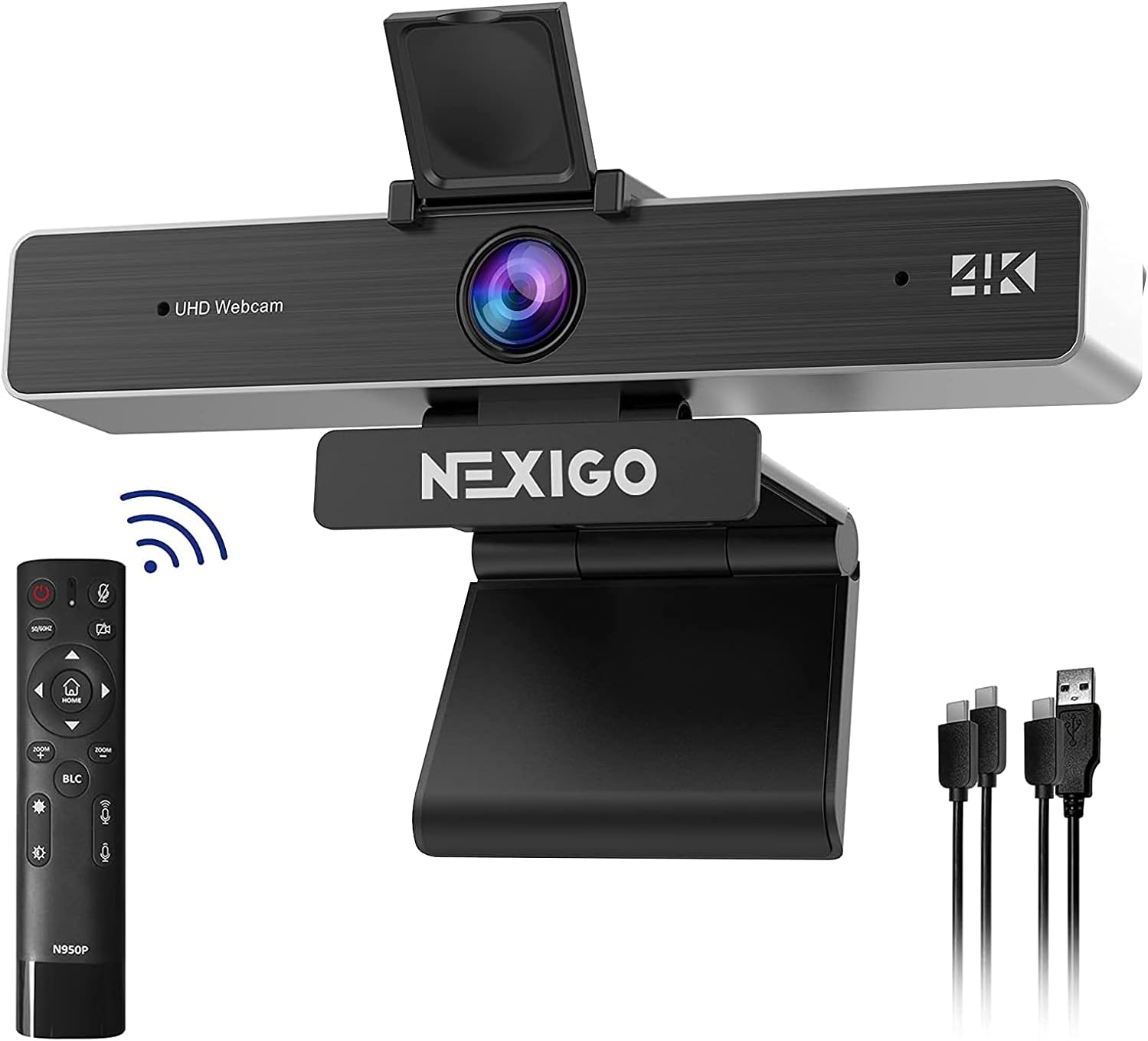
Image: The NexiGo N950P webcam, showing its adjustable clip, remote control, and included USB-A and USB-C cables.
Betjeningsvejledning
Fjernbetjeningsfunktioner
The included remote control provides convenient access to various webcam functions, allowing you to manage your video calls and recordings with ease.
- Zoom: Utilize the 5X digital zoom feature (at 1080P resolution) to adjust your viewing område.
- Bind: Adjust the microphone volume directly from the remote.
- Billedkontrol: Mirror or flip your image as needed.
- Privatliv: A dedicated button on the remote allows you to instantly stop your video feed.
- Brightness/Backlight Compensation: Adjust brightness and enable Backlight Compensation (BLC) for optimal lighting.
Note: Please do not use the power button on the remote to turn off the camera. Use the dedicated video stop button for privacy.

Image: Detailed layout of the NexiGo N950P remote control, highlighting various function buttons including zoom, volume, and privacy controls.

Image: Illustration demonstrating the 5X digital zoom capability of the NexiGo N950P webcam, showing 1X, 3X, and 5X zoom levels.
Video: Official NexiGo N950P Remote Instruction video, demonstrating how to use the remote control for various webcam functions.
Lydfunktioner
De webcam is equipped with built-in dual omnidirectional microphones that feature noise cancellation. This ensures that your voice is captured clearly from all angles, minimizing background distractions.

Image: Depicts the one-click mute function of the NexiGo N950P, illustrating how it blocks unwanted sounds like noise, incoming calls, and doorbells.
Beskyttelse af privatlivets fred
Your privacy is paramount. The NexiGo N950P includes a physical privacy cover that can be placed over the lens when the webcam is not in use. Additionally, the remote control offers a quick button to instantly cut off your video feed, providing an extra layer of security.

Image: Shows the physical privacy cover and the remote control button for instantly stopping the video feed, ensuring ultimate privacy.
Software og kompatibilitet
The NexiGo N950P is designed for broad compatibility and ease of use across various platforms and applications.
- Plug & Play: Works with USB 2.0/3.0 without requiring additional drivers. It's ready to use in approximately one minute or less.
- Operativsystemer: Compatible with Mac OS X 10.7 and higher, Windows 7, 8, 10 & 11, Android 4.0 or higher, Linux 2.6.24, Chrome OS 29.0.1547, and Ubuntu Version 10.04 or above.
- Video Conferencing Software: Optimized for popular platforms such as Zoom, Skype, Facetime, Facebook, YouTube, Microsoft Teams, and other video calling applications.

Image: Screenshot of the NexiGo Webcam Settings software, showing options for white balance, brightness, contrast, hue, saturation, sharpness, gamma, and backlight compensation.
Opretholdelse
To ensure the longevity and optimal performance of your NexiGo N950P webkamera, følg disse vedligeholdelsesretningslinjer:
- Rengøring af linsen: Brug en blød, fnugfri klud til forsigtigt at tørre webcam lens. Avoid using abrasive materials or harsh chemical cleaners, as these can scratch or damage the lens.
- Opbevaring: Når den ikke er i brug, skal du opbevare den webcam in a cool, dry place. Utilize the included privacy cover to protect the lens from dust and scratches.
- Kabelpleje: Undgå at bøje eller vride USB-kablerne for meget for at forhindre indvendige skader.
Fejlfinding
If you encounter any issues with your NexiGo N950P webcam, please refer to the following common troubleshooting steps:
- WebKamera ikke fundet:
- Sørg for, at USB-kablet er korrekt tilsluttet til begge webkameraet og din computer.
- Prøv at forbinde webkameraet til en anden USB-port på din computer.
- Genstart din computer.
- Sløret billede:
- Sørg for webkameralinsen er ren og fri for støv eller pletter.
- Bekræft, at webcam is positioned within the optimal focus range (typically 6-10 inches for fixed focus models, though this model has a Sony sensor for crisper images).
- Poor Video Quality (Dark/Washed Out):
- Sørg for, at der er tilstrækkelig belysning i dine omgivelser.
- Use the remote control to adjust brightness or enable Backlight Compensation (BLC).
- Avoid strong backlighting directly behind you.
- Ingen lyd/dårlig lydkvalitet:
- Check your computer's sound settings to ensure the NexiGo N950P microphone is selected as the input device.
- Ensure the microphone is not muted via the remote control.
- Reducer baggrundsstøj i dine omgivelser.
Specifikationer
| Feature | Detalje |
|---|---|
| Modelnummer | NexiGo-Webcam N950P |
| Videooptagelsesopløsning | 4K (3840 x 2160 QHD) at 30fps |
| Fotosensorteknologi | CMOS (8.5 Megapixel Sony sensor) |
| Digital Zoom | 5X (at 1080P) |
| Mikrofon | Dual Omnidirectional with Noise Cancellation |
| Forbindelsesteknologi | USB 2.0/3.0 (USB-A and USB-C compatible) |
| Farve | Sort |
| Produktdimensioner | 5.98 x 2.12 x 1.78 tommer |
| Varens vægt | 14.9 ounce |
| Videooptagelsesformat | YUY2/MJPG |
| Understøttet lydformat | AAC, MP3, PCM |
Garanti og support
For detailed warranty information, technical support, and customer service, please visit the official NexiGo webwebstedet eller se kontaktoplysningerne på din produktemballage.
You can also find additional resources and FAQs on the NexiGo support pages.