
1. Introduktion
The EVTSCAN PM8908C is a non-contact voltage detector pen designed for safe and efficient electrical testing. It features multi-sensor technology, an LED indicator, and a wide voltage sensitivity range of AC 12V-1000V, making it suitable for various household and industrial applications. This manual provides essential information for the safe and proper use of your device.
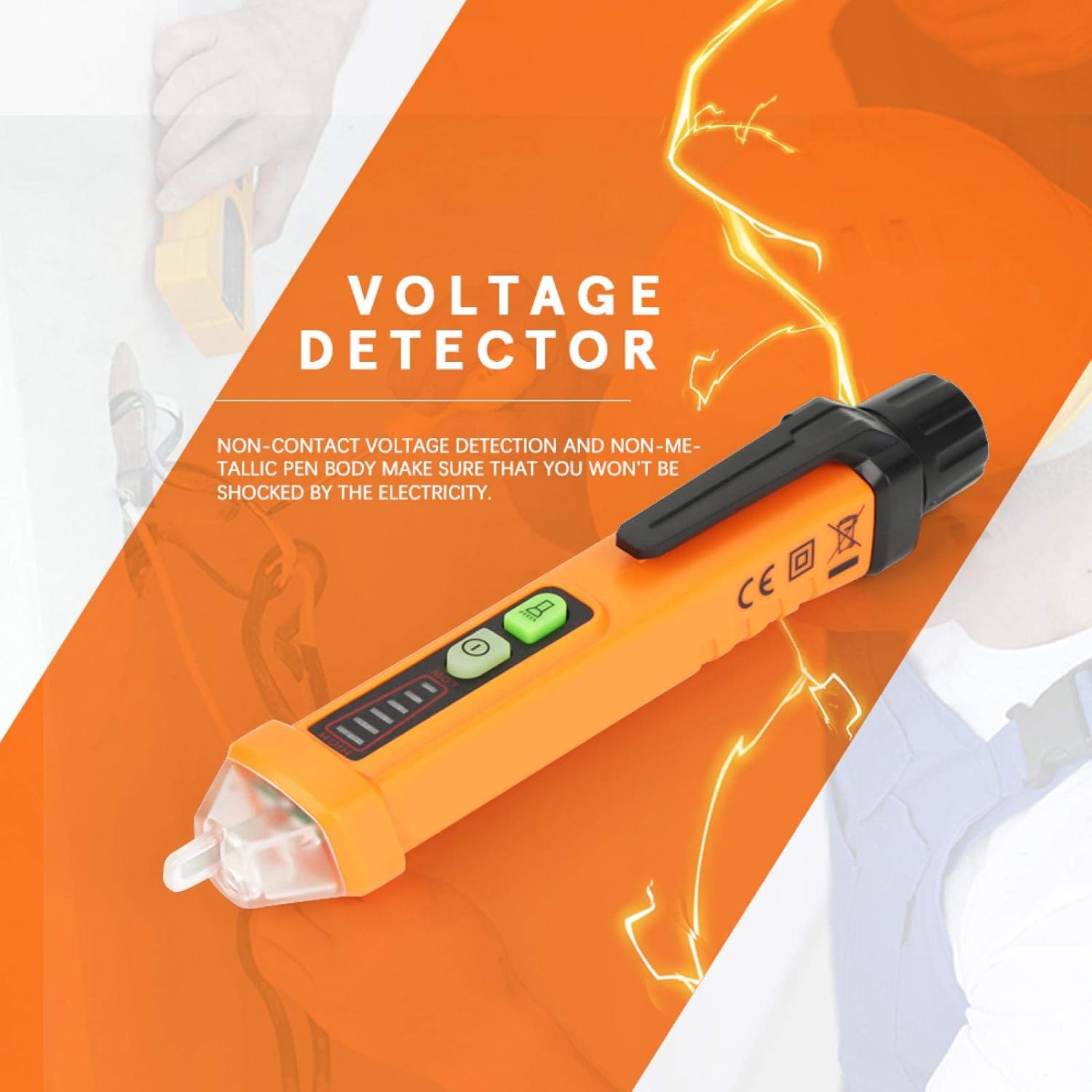
Billede 1: Generelt view of the EVTSCAN PM8908C Non-Contact Voltage Tester Pen.
2. Sikkerhedsoplysninger
- Always adhere to local safety regulations and standards when working with electricity.
- The device is designed for non-contact voltage detection. Do not attempt to make direct contact with live circuits.
- Voltage detection pen complies with EU safety standards EN61010-1-2-030 1000V CAT III.
- Ensure the device is in good working condition before each use. Do not use if damaged.
- Do not rely solely on this device for determining if a circuit is de-energized. Always verify with a known working voltage kilde.
- Opbevares utilgængeligt for børn.
3. Produktfunktioner
- Berøringsfri voltage-detektion for øget sikkerhed.
- Non-metallic pen body to prevent electrical shock.
- Compliance with EU safety standards (EN61010-1-2-030 1000V CAT III) and environmental certifications (ROHS/REACH).
- Automatic selection of 3 sensitivity levels (High, Medium, Low) for accurate detection.
- Voltage sensitivity range: AC 12V-1000V.
- Frequency range: 50-500Hz.
- Sound and light alarm mode for clear indications.
- Integrated flashlight for use in dimly lit areas.
- Durable engineering plastic construction, wear-resistant and insulated.
- Intelligent chips for auto sensitivity, auto shutdown, NCV null and live line testing.
- Lavt batteri indikation.
- Automatisk slukfunktion for at spare batterilevetid.
4. Pakkens indhold
Pakken indeholder følgende varer:
- 1 x EVTSCAN PM8908C Voltage Tester Pen
- 1 x Brugermanual (dette dokument)
Note: 2pcs 1.5V AA Batteries are NOT included and must be purchased separately.
5. Opsætning
5.1 Batteriinstallation
- Unscrew the battery cap at the rear of the voltage tester pen.
- Insert two (2) 1.5V AA batteries, ensuring correct polarity (+/-).
- Securely screw the battery cap back into place.
- The device will indicate low battery when replacement is needed.

Billede 2: Nærbillede view of the non-contact tip and the battery compartment for installation.
6. Betjeningsvejledning
6.1 Tænd/sluk
- Press the power button (usually marked with a circle and a vertical line) to turn the device on.
- Press and hold the power button to turn the device off. The device also features an auto power-off function after a period of inactivity.
6.2 Non-Contact Voltage (NCV) Detektion
- Hold the pen with the tip near the object to be tested (e.g., wire, outlet).
- The device will automatically select the appropriate sensitivity (High, Medium, Low) to detect the electromagnetic field.
- A sound alarm and flashing LED indicator will activate when AC voltage is detected. The intensity of the alarm and the number of illuminated LED segments indicate the strength of the detected voltage.
6.3 Identifikation af fase-/nulledninger
- When testing an AC circuit, the device can distinguish between live and null (neutral) wires.
- Place the tip near each wire. A stronger indication (faster beeping, brighter LED, more segments lit) typically signifies the live wire. A weaker or no indication suggests the null wire.
6.4 Lommelygtefunktion
- Press the flashlight button (if separate, or a quick press of the power button on some models) to turn the built-in white LED flashlight on or off. This is useful for working in dark environments.

Image 3: The LED flashlight function in use, illuminating a power strip for better visibility.
6.5 Indikation for lavt batteriniveau
- When the battery power is low, the device will provide a visual or audible alert. Replace the batteries promptly to ensure accurate readings.
7. Vedligeholdelse
- Rensning: Tør enheden af med en tør, blød klud. Brug ikke slibende rengøringsmidler eller opløsningsmidler.
- Udskiftning af batteri: Replace batteries when the low battery indicator appears. Always use new 1.5V AA batteries. Remove batteries if the device will not be used for an extended period to prevent leakage.
- Opbevaring: Opbevar enheden et køligt, tørt sted, væk fra direkte sollys og ekstreme temperaturer.
8. Fejlfinding
- Enheden tændes ikke:
- Kontroller, om batterierne er installeret korrekt.
- Replace with new 1.5V AA batteries.
- Sørg for, at tænd/sluk-knappen er trykket fast.
- Ingen bindtage detection or inconsistent readings:
- Ensure the device tip is close enough to the object being tested.
- Kontroller batteriniveauet, og udskift det, hvis det er lavt.
- Verify the device is functioning by testing a known live circuit.
- Lommelygten virker ikke:
- Kontroller batteriniveauet.
- Ensure the flashlight button is pressed correctly.
9. Specifikationer
| Feature | Specifikation |
|---|---|
| Model | PM8908C |
| Voltage Følsomhed | AC 12V-1000V |
| Frekvens | 50-500Hz |
| NCV-følsomhed | Automatically selecting 3 kinds (High, Medium, Low) |
| Alarmtilstand | Lyd & Lys |
| Flash Light Color | Hvid |
| Automatisk sluk | Ja |
| Lavt batteri indikation | Ja |
| Identifikation af fase-/nulledninger | Ja |
| Driftstemperatur | 0-50 ℃ (32-122 ℉) |
| Opbevaringstemperatur | -20-60 ℃ (-4-140 ℉) |
| Fugtighed | <85 % RF |
| Strømkilde | 2pcs 1.5V AA Batteries (NOT included) |
| Dimensioner | 16 x 2 x 2 cm (6.30 x 0.79 x 0.79 '') |
| Vægt | Approx. 64g (0.05 kg) |
| Sikkerhedsstandarder | EN61010-1-2-030 1000V CAT III |
| Environmental Certs | ROHS/REACH |

Image 4: Illustration of the dimensions of the EVTSCAN PM8908C voltage tester pen.
10. Garanti og support
For warranty information or technical support, please refer to the product packaging or contact the seller/manufacturer directly. Keep your purchase receipt for warranty claims.