
Indledning
The Daewoo DIBT2626 is a compact and versatile wireless portable Bluetooth speaker designed for audio playback and hands-free communication. It features Bluetooth 5.0 connectivity, FM radio, an SD card slot for MP3 playback, a USB port, and an AUX input. The speaker is equipped with a 1200 mAh lithium-ion battery, providing up to 4 hours of playback on a 2-hour charge. Its robust design includes a metal speaker grille and protective rubber edges.
Sikkerhedsoplysninger
For at sikre sikker drift og forlænge din enheds levetid, bedes du overholde følgende:
- Udsæt ikke højttaleren for ekstreme temperaturer, direkte sollys eller høj luftfugtighed.
- Undgå at tabe eller udsætte højttaleren for kraftige stød.
- Forsøg ikke at skille højttaleren ad eller ændre den. Dette vil ugyldiggøre garantien og kan forårsage skade.
- Hold højttaleren væk fra vand og andre væsker.
- Brug kun det medfølgende USB-opladerkabel eller et tilsvarende certificeret kabel.
- Rengør højttaleren med en blød, tør klud. Brug ikke slibende rengøringsmidler eller opløsningsmidler.
Pakkens indhold
- Daewoo DIBT2626 Wireless Portable Bluetooth Speaker
- USB opladningskabel
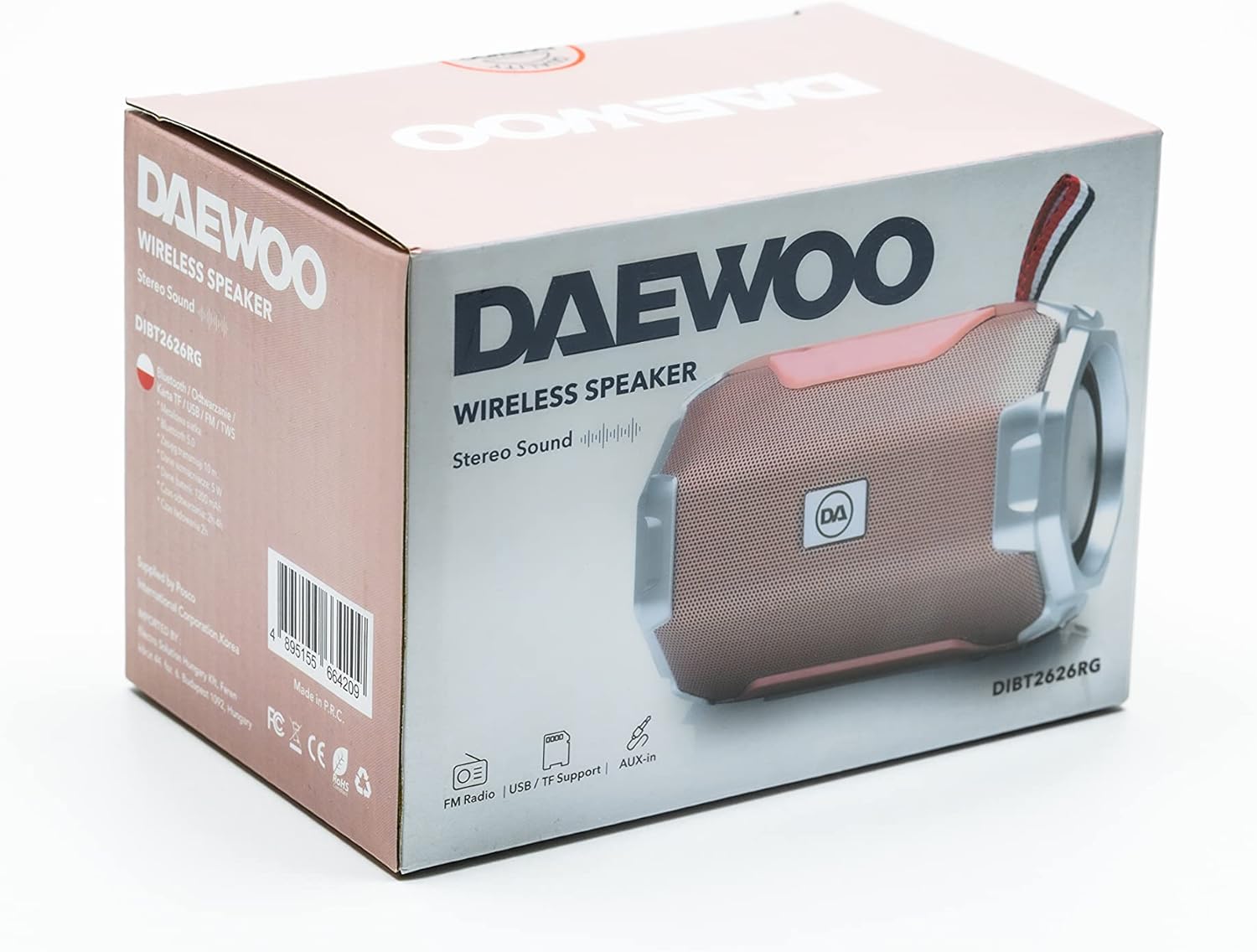
Image: The retail packaging box for the Daewoo DIBT2626 speaker, showing the product image and branding.
Produkt overview
Gør dig bekendt med højttalerens betjeningselementer og porte.
Kontrolpanel
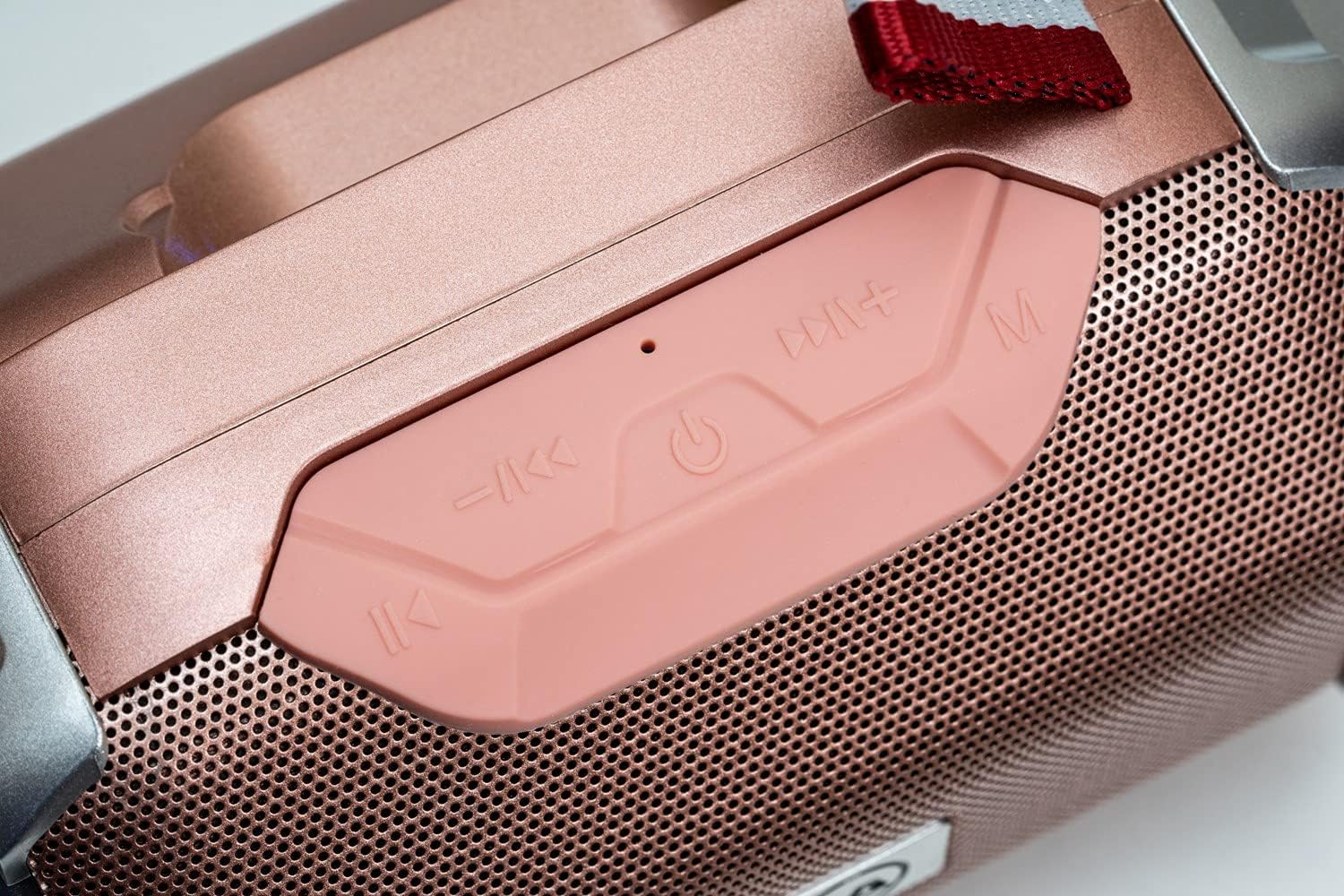
Billede: Et nærbillede view of the speaker's control panel, featuring four buttons and an LED indicator.
- Forrige nummer / Lydstyrke ned: Short press for previous track, long press to decrease volume.
- Power / Play / Pause: Long press to power on/off. Short press to play/pause music. In call mode, short press to answer/end call.
- Næste spor / lydstyrke op: Short press for next track, long press to increase volume.
- Tilstand (M): Short press to switch between Bluetooth, FM Radio, SD Card, USB, and AUX modes.
- LED-indikator: Indicates power status, charging, and Bluetooth pairing.
Forbindelsesporte

Billede: En detaljeret view of the speaker's rear panel, showing the AUX, USB, TF (SD card), and DC 5V charging ports.
- AUX-port: Til tilslutning af eksterne lydenheder via et 3.5 mm lydkabel.
- USB-port: For playing music from a USB flash drive.
- TF Card Slot (SD Card)Til afspilning af MP3 files fra et microSD-kort.
- DC 5V-port: Micro USB port for charging the speaker.

Image: The Daewoo DIBT2626 speaker in rose gold, showcasing its front grille, control panel, and fabric hook.
Opsætning
1. Opladning af højttaleren
- Tilslut det medfølgende USB-opladerkabel til DC 5V-porten på højttaleren.
- Tilslut den anden ende af USB-kablet til en USB-strømadapter (medfølger ikke) eller en computers USB-port.
- The LED indicator will illuminate during charging. A full charge takes approximately 2 hours.
- Once fully charged, the LED indicator may change color or turn off, depending on the model. Disconnect the charging cable.
En fuldt opladet højttaler giver op til 4 timers spilletid.
2. Tænd/sluk
- For at tænde: Tryk længe på Power / Play / Pause button until you hear an audible prompt or the LED indicator lights up.
- For at slukke: Tryk længe på Power / Play / Pause button again until you hear an audible prompt or the LED indicator turns off.
Driftstilstande
1. Bluetooth-tilstand
- Ensure the speaker is powered on. It will automatically enter Bluetooth pairing mode, indicated by a flashing LED.
- Aktiver Bluetooth på din mobile enhed (smartphone, tablet, bærbar computer), og søg efter tilgængelige enheder.
- Select "DIBT2626" from the list of devices.
- Once paired, the LED indicator will stop flashing, and you will hear a confirmation sound.
- You can now play audio from your device through the speaker. Use the speaker's control buttons or your device to adjust volume, play/pause, and skip tracks.
2. FM-radiotilstand
- Tænd for højttaleren.
- Tryk på Tilstand (M) knappen gentagne gange, indtil du aktiverer FM-radiotilstand.
- For at automatisk scanne og gemme tilgængelige stationer skal du trykke kort på Power / Play / Pause knappen. Højttaleren vil automatisk scanne og gemme stationer.
- Brug Forrige nummer / Lydstyrke ned og Næste spor / lydstyrke op knapper til at navigere mellem gemte stationer.
3. SD Card / USB Mode
- Insert a microSD card (TF card) with MP3 files into the TF Card slot or a USB flash drive into the USB port.
- Power on the speaker. It should automatically detect the storage device and switch to SD Card or USB mode, beginning playback. If not, press the Tilstand (M) knappen for at vælge den korrekte tilstand.
- Use the speaker's control buttons to play/pause, skip tracks, and adjust volume.
4. AUX-tilstand
- Tilslut den ene ende af et 3.5 mm lydkabel (medfølger ikke) til AUX-porten på højttaleren.
- Tilslut den anden ende af lydkablet til lydudgangsstikket på din eksterne enhed.
- Power on the speaker. It should automatically switch to AUX mode. If not, press the Tilstand (M) -knappen for at vælge AUX-tilstand.
- Styr afspilning og lydstyrke fra din eksterne enhed.
5. Håndfri opkald
- When connected via Bluetooth to your smartphone, the speaker can be used for hands-free calls.
- When an incoming call is received, short press the Power / Play / Pause knappen for at besvare opkaldet.
- To end a call, short press the Power / Play / Pause knappen igen.
Opretholdelse
- Hold højttaleren ren ved at tørre den af med en blød, tør klud.
- Undgå at bruge skrappe kemikalier, rengøringsopløsningsmidler eller stærke rengøringsmidler.
- Opbevar højttaleren et køligt og tørt sted, når den ikke er i brug i længere perioder.
- Charge the battery periodically if the speaker is stored for a long time to maintain battery health.
Fejlfinding
| Problem | Mulig årsag | Løsning |
|---|---|---|
| Højttaleren tænder ikke. | Batteriet er afladet. | Oplad højttaleren i mindst 2 timer. |
| Ingen lyd. | Lydstyrken er for lav eller slået fra. Forkert tilstand valgt. | Increase volume on both the speaker and the connected device. Press the Tilstand (M) button to ensure the correct input mode is selected. |
| Kan ikke parres via Bluetooth. | Speaker is not in pairing mode. Bluetooth is off on device. Device is too far. | Ensure speaker is powered on and LED is flashing. Enable Bluetooth on your device. Move device closer to the speaker (within 10 meters). |
| FM-radiomodtagelsen er dårlig. | Svagt signal. | Flyt højttaleren til et sted med bedre modtagelse. |
Specifikationer
| Modelnummer | DIBT2626 |
| Mærke | Daewoo Electronics |
| Dimensioner | 14 x 9 x 9 cm |
| Vægt | 350 g |
| Højttaler udgangseffekt | 5 W |
| Batteritype | 1200 mAh Lithium-ion |
| Opladningstid | Cirka 2 timer |
| Afspilningstid | Op til 4 timer |
| Bluetooth version | 5.0 |
| Tilslutningsmuligheder | Bluetooth, USB, TF (SD Card), AUX (3.5mm) |
| Kompatible enheder | Smartphones, tablets, bærbare computere |
| Særlige funktioner | FM Radio, Hands-free Calling |
Garanti og support
For warranty information and technical support, please refer to the documentation provided with your purchase or visit the official Daewoo Electronics webwebsted. Gem din købsbevis i tilfælde af garantikrav.