
Indledning
Thank you for choosing the Soul S-GEAR Wireless Bluetooth Earbuds. These earbuds are designed to provide a high-quality audio experience with the convenience of wireless connectivity, active noise cancellation, and a comfortable in-ear fit. Featuring Bluetooth 5.0, IPX4 water resistance, and a long-lasting battery with fast charging, the S-GEAR earbuds are perfect for daily use.
Please read this manual carefully before using your earbuds to ensure proper operation and to maximize their lifespan.
Pakkens indhold
- Soul S-GEAR Wireless Earbuds (Left and Right)
- Opladningsetui
- USB-C ladekabel
- Flere størrelser af ørepropper
- Brugermanual
Produkt overview
Familiarize yourself with the components of your Soul S-GEAR earbuds and charging case.
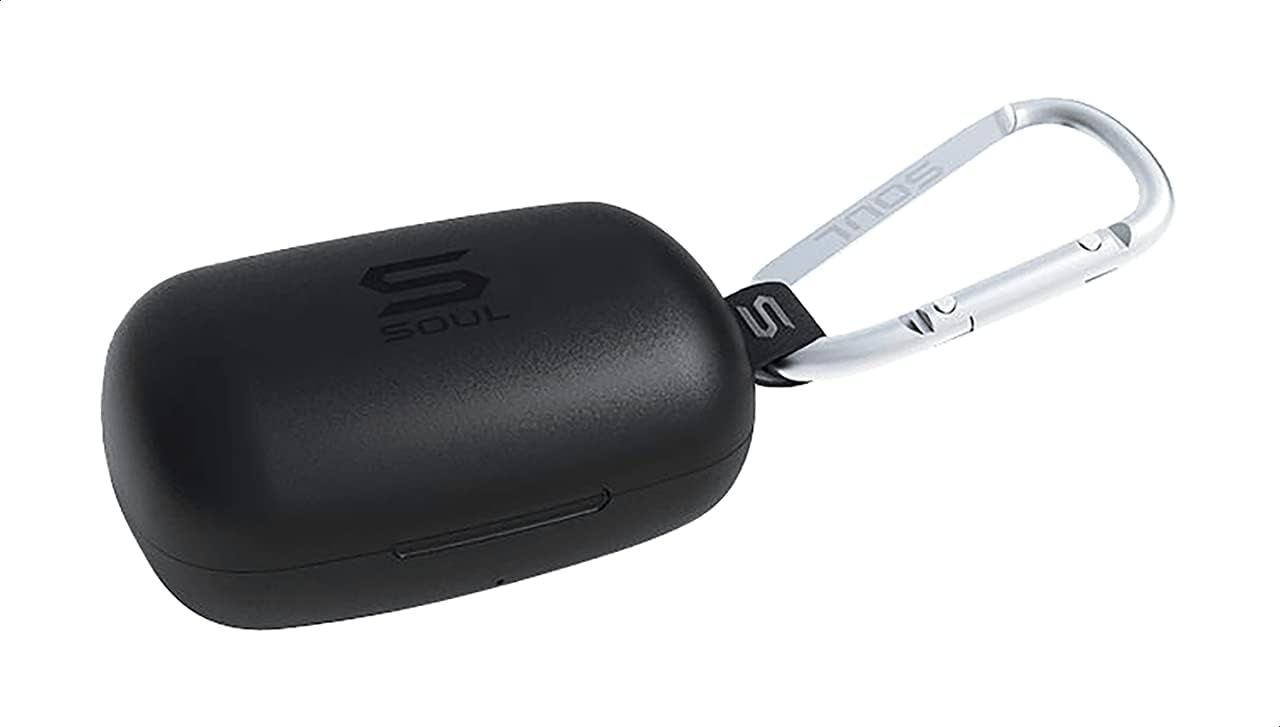
Figur 1: The Soul S-GEAR charging case in black, with the Soul logo visible. A carabiner clip is attached for portability.
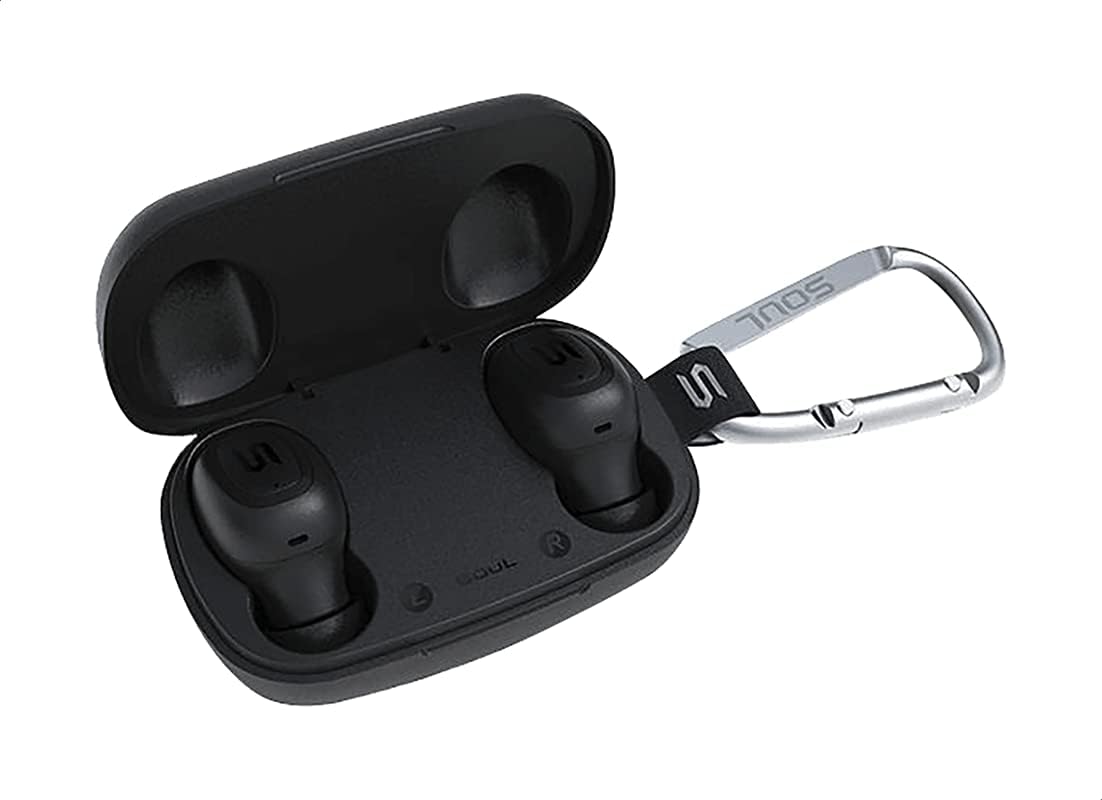
Figur 2: The Soul S-GEAR charging case opened, revealing the two black earbuds securely placed inside their charging slots. The carabiner clip is also visible.
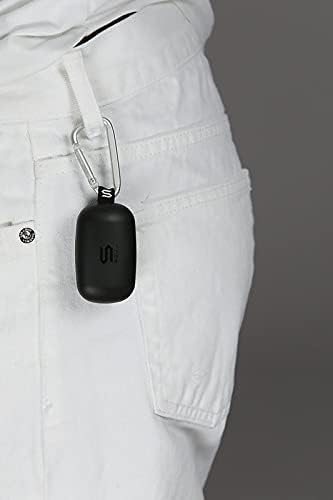
Figur 3: The Soul S-GEAR charging case, with its carabiner clip, attached to the belt loop of white pants, demonstrating its portability.
Opsætning
1. Opladning af øretelefoner og etuiet
- Placer ørepropperne i opladningsetuiet. Sørg for, at de er korrekt placeret i deres respektive venstre/højre stik.
- Connect the USB-C charging cable to the charging port on the case and plug the other end into a USB power source (e.g., wall adapter, computer USB port).
- The indicator lights on the case will show the charging status. Allow approximately 1-2 hours for a full charge.
- Når det er fuldt opladet, skal du frakoble ladekablet.
2. Første parring med en enhed
- Open the charging case. The earbuds will automatically power on and enter pairing mode. The indicator lights on the earbuds will flash, indicating they are ready to pair.
- Aktiver Bluetooth på din enhed (smartphone, tablet osv.) og søg efter tilgængelige enheder.
- Select "Soul S-GEAR" from the list of found devices.
- Once connected, you will hear an audible confirmation, and the earbud indicator lights will stop flashing.
- The earbuds feature automatic pairing. After the initial setup, they will automatically connect to the last paired device when removed from the case.
Betjeningsvejledning
The Soul S-GEAR earbuds feature touch controls for easy management of audio and calls.
Tænd/sluk
- Tænd: Open the charging case, or press and hold the touch sensor on both earbuds for 3 seconds.
- Sluk: Place the earbuds back into the charging case and close the lid, or press and hold the touch sensor on both earbuds for 5 seconds.
Musikafspilning
- Afspil/pause: Tryk én gang på berøringssensoren på begge øretelefoner.
- Næste nummer: Dobbelttryk på berøringssensoren på den højre øreprop.
- Forrige nummer: Dobbelttryk på berøringssensoren på den venstre øreprop.
Opkaldsstyring
- Besvar/afslut opkald: Tryk én gang på berøringssensoren på begge øretelefoner.
- Afvis opkald: Tryk og hold berøringssensoren på begge øretelefoner nede i 2 sekunder.
Aktiv støjafbrydelse (ANC)
- Aktivér/deaktiver ANC: Triple-tap the touch sensor on the left earbud to cycle through ANC On, Ambient Mode, and ANC Off.
Stemmeassistent
- Aktiver stemmeassistent: Tryk tre gange på berøringssensoren på den højre øreprop.
Opladning
The Soul S-GEAR earbuds and charging case provide up to 24 hours of total playtime. The case supports USB-C fast charging.
- Opladning af øretelefoner: Place earbuds into the charging case. They will charge automatically.
- Sagsopladning: Connect the USB-C cable to the case and a power source. The LED indicator on the case will show charging status.
- A full charge for the case typically takes 1.5-2 hours.
Opretholdelse
- Rensning: Rengør regelmæssigt ørepropperne og opladningsetuiet med en blød, tør og fnugfri klud. Brug ikke skrappe kemikalier eller slibende materialer.
- Ørespidser: Fjern ørepropperne, og rengør dem med vand og mild sæbe, hvis det er nødvendigt. Sørg for, at de er helt tørre, før du sætter dem på igen.
- Vandtæthed: The earbuds are IPX4 rated, meaning they are resistant to splashing water from any direction. They are not designed for submersion in water. Do not expose them to heavy rain or immerse them. Ensure earbuds are dry before placing them back in the charging case.
- Opbevaring: Opbevar ørepropperne i deres opladningsetui, når de ikke er i brug, for at beskytte dem og holde dem opladede. Undgå ekstreme temperaturer.
Fejlfinding
| Spørgsmål | Løsning |
|---|---|
| Øretelefoner parrer ikke |
|
| Ingen lyd fra et ørepropp |
|
| Ladeetui oplader ikke |
|
| Aktiv støjreduktion virker ikke |
|
Specifikationer
| Feature | Detalje |
|---|---|
| Mærke | Sjæl |
| Modelnavn | S-GEAR (Soul S Gemar) |
| Modelnummer | SS56BK |
| Forbindelsesteknologi | Trådløs (Bluetooth 5.0) |
| Hovedtelefonens formfaktor | In Ear |
| Støjkontrol | Aktiv støjreduktion |
| Mikrofon | Integreret |
| Kontrolmetode | Røre |
| Vand- og støvmodstand | IPX4 |
| Spilletid | Op til 24 timer (med opladningsetui) |
| Opladningsport | USB-C (hurtig opladning) |
| Kompatible enheder | Multiple Bluetooth-enabled devices |
| Materiale | Plast |
| Farve | Sort |
| Pakkedimensioner | 11.8 x 9.8 x 4.2 cm |
| Varens vægt | 152 gram |
Sikkerhedsoplysninger
- Produktet må ikke skilles ad, repareres eller modificeres.
- Udsæt ikke produktet for ild eller høje temperaturer.
- Undgå at bruge ørepropperne ved for høj lydstyrke i længere perioder for at forhindre høreskader.
- Hold produktet væk fra børn og kæledyr.
- Brug kun de medfølgende eller certificerede opladningskabler og adaptere.
- Bortskaf produktet ansvarligt i henhold til lokale regler.
Garanti og support
The Soul S-GEAR Wireless Bluetooth Earbuds come with a standard manufacturer's warranty. For detailed warranty terms and conditions, please refer to the warranty card included in your package or visit the official Soul webwebsted.
For technical support, troubleshooting assistance, or any inquiries regarding your product, please contact Soul customer service through their official webwebstedet eller kontaktoplysningerne på din produktemballage.