
Redzeo BH510A
Redzeo MDots Wireless Earbuds Instruction Manual
Model: BH510A
Indledning
Thank you for choosing Redzeo MDots Wireless Earbuds. This manual provides detailed instructions on how to set up, operate, maintain, and troubleshoot your new earbuds. Please read this manual carefully before use to ensure optimal performance and longevity of your device.
Pakkens indhold
- Redzeo MDots Wireless Earbuds (Left and Right)
- Trådløs opladningsetui
- USB opladningskabel
- Flere størrelser ørepropper (S/M/L)
- Multiple Sizes of Earwings (S/M/L)
- Brugermanual
Opsætning
1. Første opladning
Oplad opladningsetuiet og ørepropperne helt inden første brug.
- Placer ørepropperne i opladningsetuiet. Sørg for, at de sidder korrekt i deres respektive holdere.
- Tilslut USB-opladerkablet til opladningsporten på etuiet, og den anden ende til en USB-strømkilde (f.eks. computer, vægadapter).
- The indicator light on the charging case will show charging status. A full charge for the case takes approximately 2.0 hours. The earbuds provide 4.0 hours of playback per charge, and the case provides up to 4 full charges, totaling 20 hours of enjoyment.

Image: The Redzeo MDots earbuds and charging case, illustrating the 20 hours total playtime with the case, 4.0 hours playback per earbud charge, and 2.0 hours to fully charge the case.
2. Parring med din enhed
The earbuds automatically enter pairing mode when taken out of the charging case.
- Open the charging case and remove both earbuds. They will automatically power on and attempt to connect to each other.
- Gå til Bluetooth-indstillingerne på din Bluetooth-aktiverede enhed (smartphone, tablet osv.).
- Søg efter new devices and select "Redzeo MDots" from the list.
- Når der er forbindelse, hører du en bekræftelsestone, og ørepropperne er klar til brug.

Image: The Redzeo MDots wireless earbuds resting inside their open charging case, ready for pairing or charging.
3. Tilpasning af ørepropperne
For optimal sound quality and comfort, choose the correct size of eartips and earwings.
- Experiment with the different sizes of eartips (S/M/L) to find the best seal for your ear canal. A good seal is crucial for bass response and noise isolation.
- Select the appropriate earwings (S/M/L) that fit snugly into your ear's concha, providing stability during movement.
- Gently insert the earbuds into your ears and twist slightly until they feel secure and comfortable.
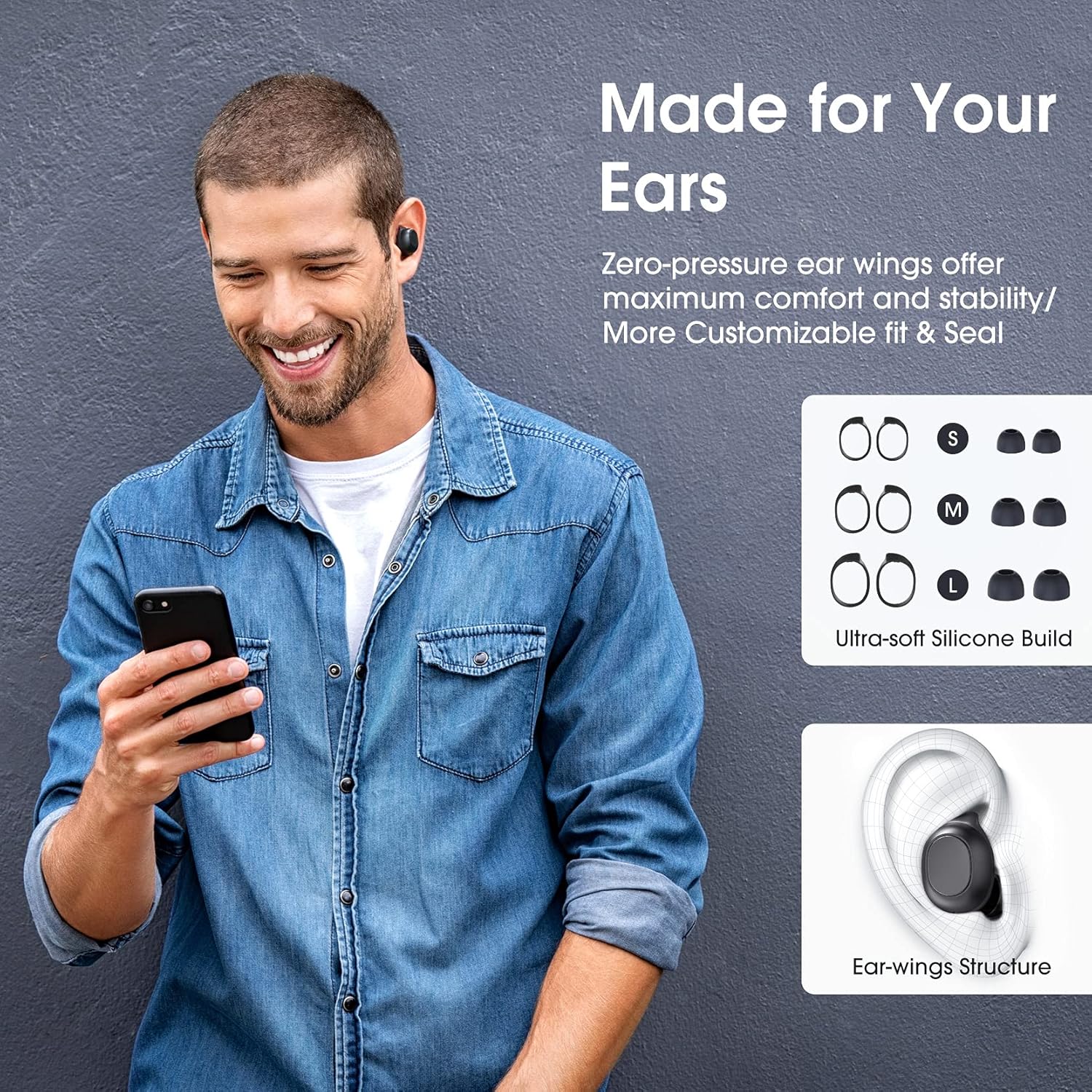
Image: A man wearing the Redzeo MDots earbuds, demonstrating their comfortable fit. The image also shows diagrams of various earwing sizes (S, M, L) and an illustration of how the earwing structure fits into the ear for maximum comfort and stability.
Betjeningsvejledning
Knap kontrol
The Redzeo MDots earbuds feature two easy-to-press buttons on each earbud for comprehensive control.
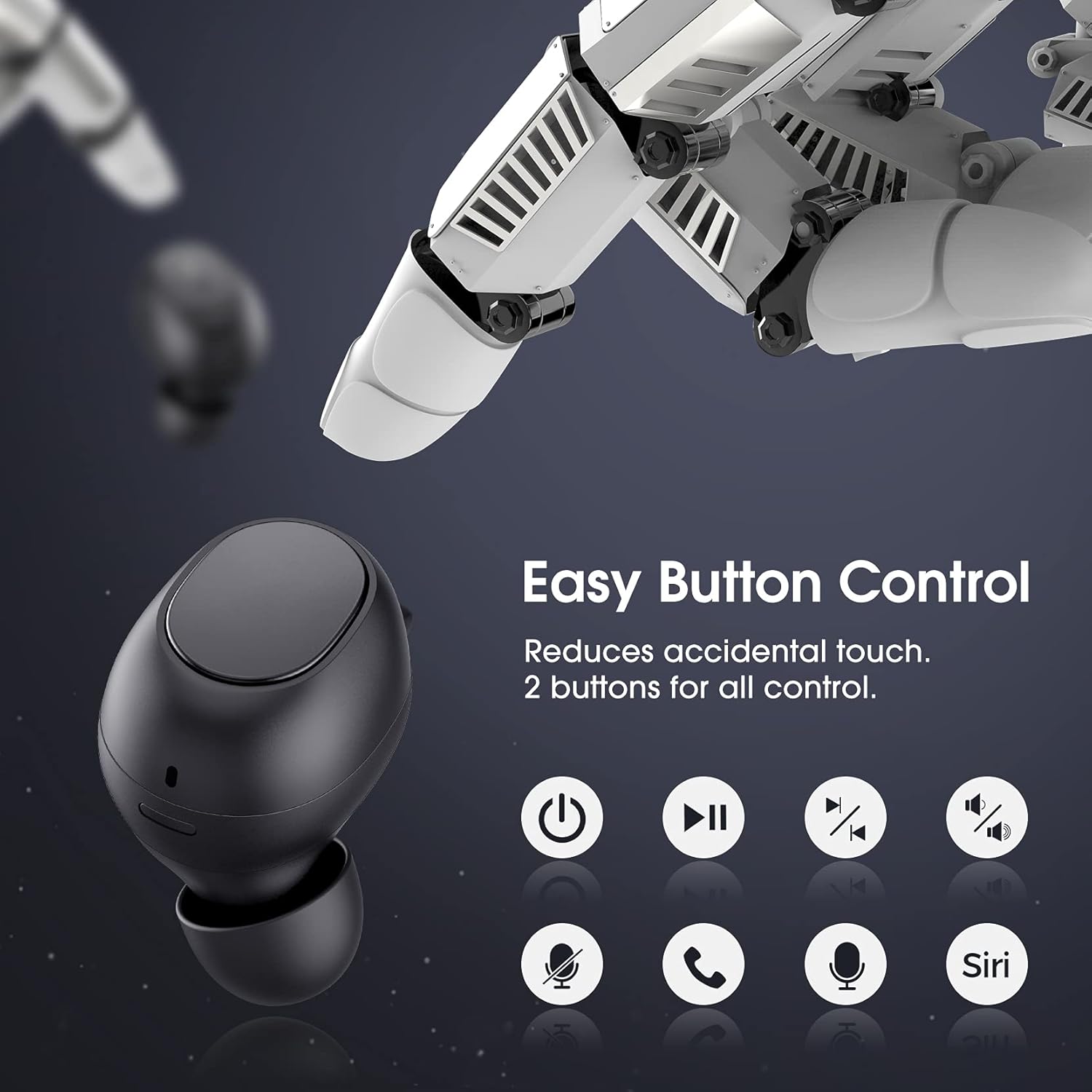
Image: A visual representation of the easy button controls on the Redzeo MDots earbuds, with icons indicating functions such as power on/off, play/pause, skip track, volume control, microphone mute, call answer/end, and voice assistant activation (Siri/Google Assistant).
| Fungere | Handling |
|---|---|
| Tænd | Remove from charging case |
| Sluk | Place back into charging case |
| Afspil/pause | Enkelt tryk på begge øretelefoner |
| Næste spor | Dobbelttryk på den højre øreprop |
| Forrige spor | Dobbelttryk på den venstre øreprop |
| Lydstyrke op | Press and hold Right earbud |
| Lydstyrke ned | Press and hold Left earbud |
| Besvar/afslut opkald | Enkelt tryk på begge øretelefoner |
| Afvis opkald | Tryk og hold på en af øretelefonerne |
| Aktivér stemmeassistent (Siri/Google Assistant) | Triple press on either earbud |
Mono Mode and Twin Stereo Mode
The Redzeo MDots earbuds offer flexible listening options:
- Mono-tilstand: Each earbud can be used independently. This allows you to leave one ear free to hear your surroundings while still enjoying audio. Simply take one earbud out of the case to use it in mono mode.
- Twin Stereo Mode: Use both earbuds simultaneously for an immersive true wireless stereo sound experience. This mode is ideal for enjoying music or blocking out surrounding noise.

Image: A visual guide demonstrating the different listening modes: Right Mono Mode (using only the right earbud), Left Mono Mode (using only the left earbud to hear ambient sound), and Twin Stereo Mode (using both earbuds for immersive sound).
Lydkvalitet
The MDots wireless earbuds deliver well-balanced sound with stereo bass. For the best audio experience, ensure you have selected the optimal eartips for a proper seal, which enhances bass and overall sound clarity.

Image: An exploded diagram illustrating the internal components of the Redzeo MDots earbud, highlighting the driver and acoustic structure responsible for delivering magical immersive sound with rich, high-quality audio.
Opretholdelse
Rensning
Regelmæssig rengøring hjælper med at opretholde lydkvalitet og hygiejne.
- Brug en blød, tør og fnugfri klud til at tørre ørepropperne og opladningsetuiet af.
- For eartips, remove them from the earbuds and clean with a mild soap solution if necessary, then rinse thoroughly and dry completely before reattaching.
- Fjern forsigtigt ørevoks eller snavs fra øreproppernes net med en lille, blød børste eller vatpind.
Opbevaring
Opbevar altid ørepropperne i deres opladningsetui, når de ikke er i brug, for at beskytte dem og holde dem opladede.
Vandtæthed (IPX6)
The Redzeo MDots earbuds feature an IPX6 waterproof nano-coating design, making them resistant to sweat, water splashes, and rain. They are suitable for strenuous exercise and all-weather conditions.

Image: The Redzeo MDots earbuds resting on a wet surface, visually representing their IPX6 waterproof capability, which provides water protection for daily use and resistance to sweat, water, and rain, making them ideal for running, yoga, and gym activities.
Vigtig bemærkning: Do not use the earbuds for swimming or immerse them in heavy rain. The IPX6 rating protects against strong jets of water, but not continuous submersion.
Fejlfinding
Fælles problemer og løsninger
- Øretelefoner parrer ikke med enheden:
- Sørg for, at Bluetooth er aktiveret på din enhed.
- Sørg for, at øretelefonerne er opladet.
- Place earbuds back in the case, close it, wait a few seconds, then open and remove them to re-enter pairing mode.
- Forget/delete "Redzeo MDots" from your device's Bluetooth list and try pairing again.
- Kun én øreprop virker:
- Sørg for, at begge øretelefoner er opladet.
- Place both earbuds back into the charging case, close the lid, and then open it again. This should force them to re-sync.
- Hvis problemet fortsætter, kan du prøve at nulstille ørepropperne (se producentens vejledning). website or contact support for specific reset instructions if not detailed here).
- Ingen lyd eller lav lydstyrke:
- Kontroller lydstyrkeniveauet på både din enhed og ørepropperne.
- Sørg for, at ørepropperne er korrekt tilsluttet din enhed.
- Clean any debris from the earbud mesh that might be obstructing sound.
- Try different eartip sizes to ensure a proper seal in your ear.
- Opladeretuiet oplader ikke:
- Sørg for, at opladningskablet er korrekt tilsluttet til både etuiet og strømkilden.
- Prøv et andet USB-kabel eller strømadapter.
- Kontroller opladningsporten for snavs.
Specifikationer
| Feature | Detalje |
|---|---|
| Modelnummer | BH510A |
| Mærke | Redzeo |
| Forbindelsesteknologi | Trådløs (Bluetooth 5.0) |
| Øreplacering | In Ear |
| Formfaktor | In Ear |
| Hovedtelefonstik | USB |
| Farve | Lys sort |
| Materiale | Plast |
| Produktdimensioner | 6.35 x 2.49 x 1.98 cm |
| Varens vægt | 91 g |
| Vandmodstandsvurdering | IPX6 |
| Afspilningstid (ørepropper) | Op til 4 timer |
| Samlet afspilningstid (med opladningsetui) | Op til 20 timer |
| Opladningstid (etui) | Ca. 2 timer |
| Inkluderede komponenter | Trådløs opladningsetui |
| Dato først tilgængelig | 31. maj 2021 |
Garanti og support
Redzeo products are designed and manufactured to the highest quality standards. For information regarding warranty coverage, technical support, or customer service, please refer to the warranty card included in your product packaging or visit the official Redzeo webwebsted. Gem venligst din købsbevis i tilfælde af garantikrav.
For further assistance, you may contact Redzeo customer support through the contact information provided on their official webwebsted.