
Indledning
Thank you for choosing the Cellularline CORE True Wireless Bluetooth Earphones. These earphones are designed to provide a seamless audio experience with advanced features such as a charging case with an LED display, touch controls, and automatic pairing. This manual will guide you through the setup, operation, and maintenance of your new earphones.
Hvad er der i æsken
- Cellularline CORE True Wireless Bluetooth Earphones (Left and Right)
- Opladningsetui med LED-display
- USB-C ladekabel
- Brugermanual
Produkt overview
The Cellularline CORE earphones feature a compact design and a charging case with an integrated LED display to show the remaining battery percentage. They offer up to 16 hours of total play time with the charging case.

Image: Cellularline CORE True Wireless Bluetooth Earphones and Charging Case. The earphones are white and sit in an open white charging case.

Image: A close-up of the Cellularline CORE charging case with an LED display showing '100', indicating full battery. The earphones are inside the case.
The LED display on the charging case provides real-time battery status, ensuring you are always aware of the remaining charge.
Opsætning
1. Opladning af øretelefoner og etuiet
- Placer begge øretelefoner i opladningsetuiet. Sørg for, at de er korrekt placeret i deres respektive slots.
- Connect the provided USB-C cable to the charging port on the case and plug the other end into a USB power adapter (not included) or a computer's USB port.
- LED-displayet på opladningsetuiet viser den aktuelle batteriprocent.tage during charging. A full charge typically takes approximately 4 hours for the case and earphones.
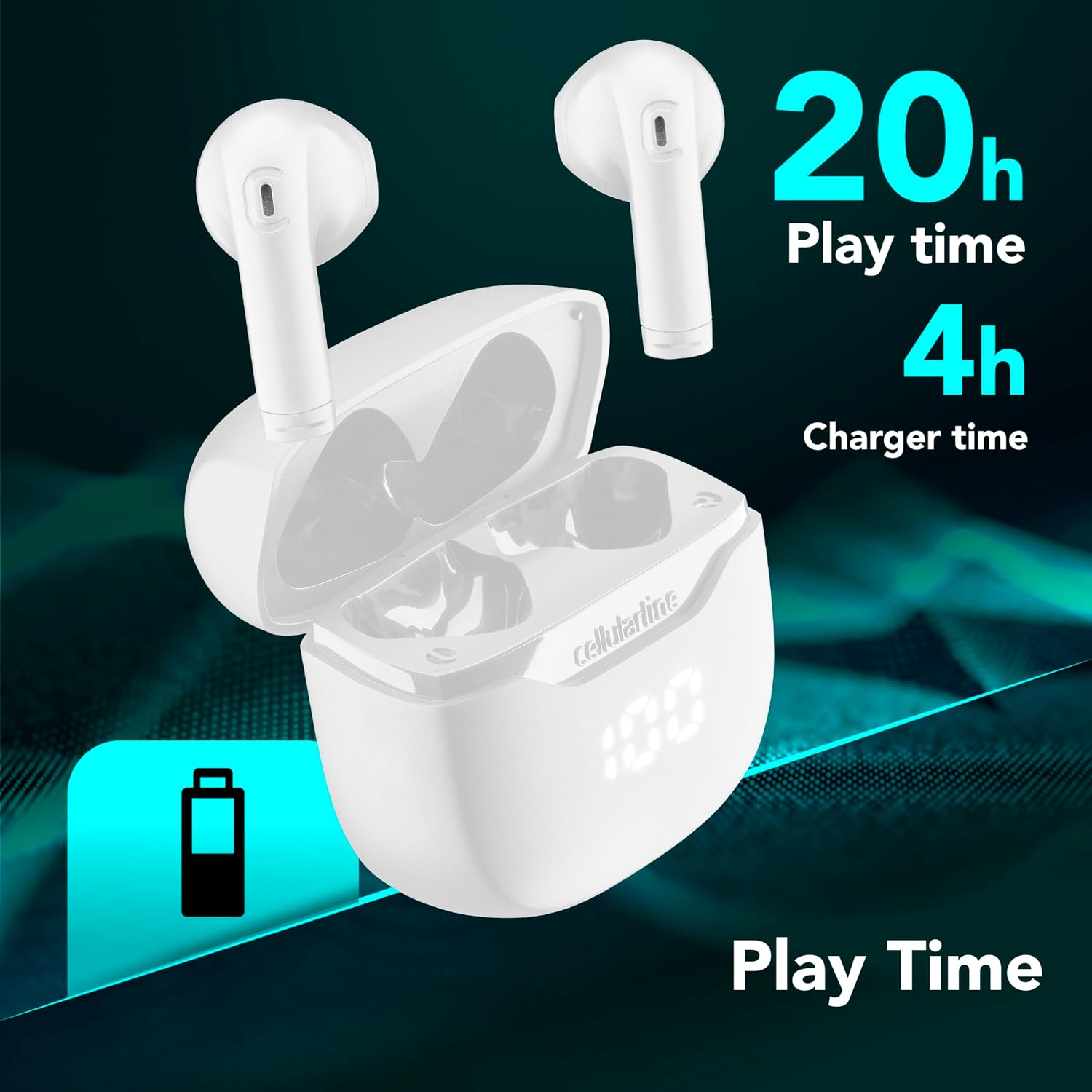
Image: The Cellularline CORE earphones and charging case, highlighting 20 hours of total play time and 4 hours of charging time for the case.
2. Initial Pairing (Autopairing)
- Sørg for, at høretelefonerne er opladet.
- Åbn opladningsetuiet. Høretelefonerne tændes automatisk og går i parringstilstand.
- Gå til Bluetooth-indstillingerne på din smartphone eller Bluetooth-aktiverede enhed.
- Søg efter available devices and select "Cellularline CORE" from the list.
- Når der er oprettet forbindelse, hører du en hørbar bekræftelse, og øretelefonerne er klar til brug.

Image: Cellularline CORE earphones and charging case next to a smartphone displaying a music application, with a Bluetooth icon indicating successful pairing.
The Autopairing function ensures that once paired, the earphones will automatically connect to your last paired device when removed from the case.
Betjeningsvejledning
Tryk på kontrolelementer
The Cellularline CORE earphones feature intuitive touch controls on each earbud for managing calls, music, and voice assistant functions.
| Fungere | Handling |
|---|---|
| Afspil/pause musik | Et enkelt tryk på begge øretelefoner |
| Næste spor | Dobbelttryk på den højre øreprop |
| Forrige spor | Dobbelttryk på den venstre øreprop |
| Besvar/afslut opkald | Et enkelt tryk på begge øretelefoner |
| Afvis opkald | Tryk på en af øretelefonerne, og hold den nede i 2 sekunder |
| Aktiver Voice Assistant | Tryk tre gange på begge øretelefoner |
| Lydstyrke op | Press and hold the right earbud |
| Lydstyrke ned | Press and hold the left earbud |
Double Master Function
The Double Master function allows you to use either the left or right earbud independently for calls. Simply remove one earbud from the case, and it will automatically connect. You can answer calls by tapping the active earbud.
Opretholdelse
Rensning
- Rengør regelmæssigt øretelefonerne og opladningsetuiet med en blød, tør og fnugfri klud.
- Brug ikke slibende rengøringsmidler, opløsningsmidler eller aerosolspray.
- Ensure charging contacts on both the earphones and the case are clean and free of debris to maintain proper charging.
Opbevaring
- Når de ikke er i brug, skal øretelefonerne opbevares i deres opladningsetui for at beskytte dem og holde dem opladede.
- Opbevar enheden et køligt, tørt sted, væk fra ekstreme temperaturer og direkte sollys.

Image: A hand placing the compact Cellularline CORE charging case into the pocket of a pair of jeans, demonstrating its portable size.
Fejlfinding
| Problem | Mulig løsning |
|---|---|
| Høretelefonerne tænder ikke. | Ensure the earphones and charging case are fully charged. Place earphones in the case and close it, then open it again. |
| Høretelefonerne parres ikke med enheden. | Make sure Bluetooth is enabled on your device. Forget the device in your Bluetooth settings and try pairing again. Ensure earphones are in pairing mode (LED indicator blinking). |
| Kun én høretelefon virker. | Place both earphones back into the charging case, close the lid, wait a few seconds, then open it again. This should re-sync them. If the issue persists, try resetting the earphones (refer to manufacturer's webwebsted for specifikke nulstillingsinstruktioner, hvis de ikke findes i manualen). |
| Lav lydstyrke eller dårlig lydkvalitet. | Adjust the volume on both your device and the earphones. Ensure the earphones are clean and properly seated in your ears. Check for any obstructions in the earbud speakers. |
| Charging case LED display is not working. | Ensure the charging cable is securely connected and the power source is active. If the issue persists, contact customer support. |
Specifikationer
- Modelnavn: BTCORETWSW
- Mærke: cellulær linje
- Farve: Hvid
- Øreplacering: In-ear
- Formfaktor: In-ear
- Forbindelse teknologi: Trådløs
- Trådløs teknologi: Bluetooth
- Bluetooth version: 5.0
- Impedans: 16 Ohm
- Støjkontrol: Lydisolering
- Frekvensrespons: 20 Hz - 20,000 Hz
- Følsomhed: 100 dB
- Kontroltype: Røre
- Drivertype: Dynamisk Driver
- Materiale: Plast
- Gennemsnitlig batterilevetid: 16 timer (med opladningsetui)
- Vandmodstandsniveau: Waterproof (Note: Refer to product packaging for specific IP rating if available)
- Funktioner: True Wireless Technology, Automatic Pairing, Touch Controls, LED Display
- Kompatible enheder: Bluetooth-aktiverede enheder
- Oprindelsesland: Kina
Garantioplysninger
The Cellularline CORE True Wireless Bluetooth Earphones come with a 2 års producentgaranti fra købsdatoen. Denne garanti dækker defekter i materialer og udførelse ved normal brug. Den dækker ikke skader forårsaget af misbrug, ulykker, uautoriserede ændringer eller normal slitage.
Please retain your proof of purchase for warranty claims. For detailed warranty terms and conditions, please visit the official Cellularline webwebsted eller kontakt kundesupport.
Støtte
For further assistance, technical support, or warranty inquiries, please contact Cellularline customer service through their official webwebsted:
Webwebsted: www.cellularline.com
You may also find FAQs and additional support resources on their webwebsted.