
Indledning
This manual provides essential information for the proper use and maintenance of your Blitzwolf BW-AT2C Smartwatch. Please read these instructions carefully before using the device to ensure optimal performance and longevity. This smartwatch features Bluetooth calling, comprehensive health monitoring, various sports modes, and smart notifications.
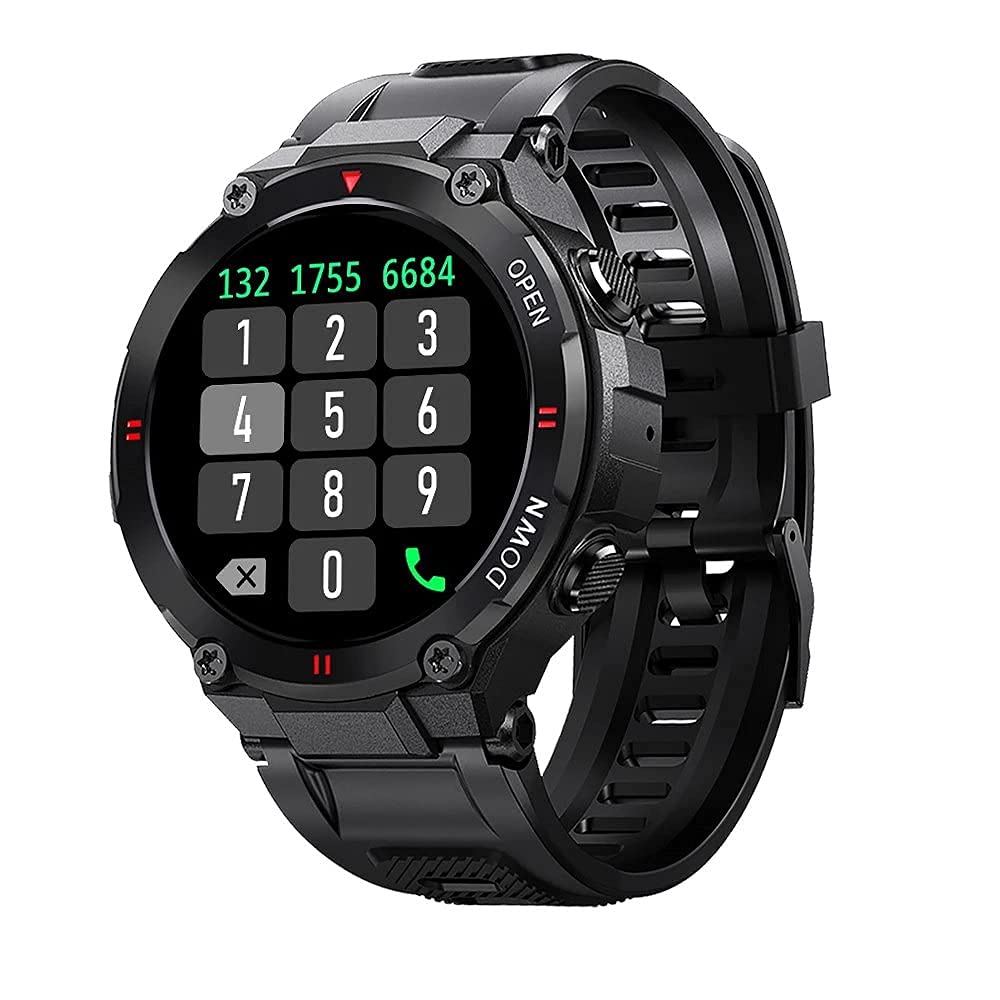
Billede: Forside view of the Blitzwolf BW-AT2C Smartwatch, displaying a digital watch face with time, date, battery, and step count.
Produkt overview
The Blitzwolf BW-AT2C Smartwatch is designed for daily use, fitness tracking, and communication. It features a durable build and a clear display.
- Vise: 1.3-inch IPS full touch screen.
- Kontrollere: Full touch screen and two side buttons.
- Sensorer: Heart rate, blood pressure, blood oxygen, pedometer, sleep monitor.
- Forbindelse: Bluetooth 5.0 for calls and data synchronization.
- Holdbarhed: IP54 vandtæt.

Image: The smartwatch displaying weather information, highlighting its robust design and metal buttons.

Billede: Bagside view of the smartwatch, showing the optical heart rate sensor and magnetic charging contacts, along with the model number BW-AT2C.
Opsætning
1. Opladning af enheden
Before initial use, fully charge your smartwatch. Connect the magnetic charging cable to the charging contacts on the back of the watch and plug the USB end into a power adapter (not included) or a computer's USB port. The watch screen will indicate charging status. A full charge takes approximately 2 hours.
2. Appinstallation og parring
- Download appen: Søg efter "Da Fit" i din smartphones appbutik (Google Play Store til Android eller Apple App Store til iOS) og installer den.
- Aktiver Bluetooth: Sørg for, at Bluetooth er aktiveret på din smartphone.
- Åbn Da Fit-appen: Launch the "Da Fit" application on your smartphone.
- Tilføj enhed: In the app, navigate to the "Device" section and select "Add Device". The app will search for available devices.
- Vælg dit ur: Choose "BW-AT2C" from the list of found devices to initiate pairing.
- Bekræft parring: Følg eventuelle vejledninger på skærmen på både din telefon og dit ur for at bekræfte parringen.
- Enable Call Function: For the Bluetooth call feature, you may need to pair the watch a second time through your phone's Bluetooth settings. Look for "BW-AT2C_CALL" or similar in your phone's Bluetooth device list and connect to it.
Note: For full functionality, ensure the "Da Fit" app has all necessary permissions (e.g., location, notifications, contacts) enabled on your smartphone.
Betjeningsvejledning
Grundlæggende navigation
- Berøringsskærm: Stryg til venstre/højre, op/ned for at navigere gennem menuer og funktioner. Tryk for at vælge.
- Sideknapper: The top button typically acts as a power/wake button and a back button. The bottom button may be a shortcut to sports modes or other functions, depending on customization.
- Vækningsskærm: Løft dit håndled, eller tryk på en sideknap for at vække skærmen.
- Justering af lysstyrke: Adjust screen brightness through the watch settings or the Da Fit app for better visibility in various lighting conditions.
- Brugerdefinerede urskiver: Change watch faces directly on the watch or via the Da Fit app. You can also customize watch faces with your own photos.
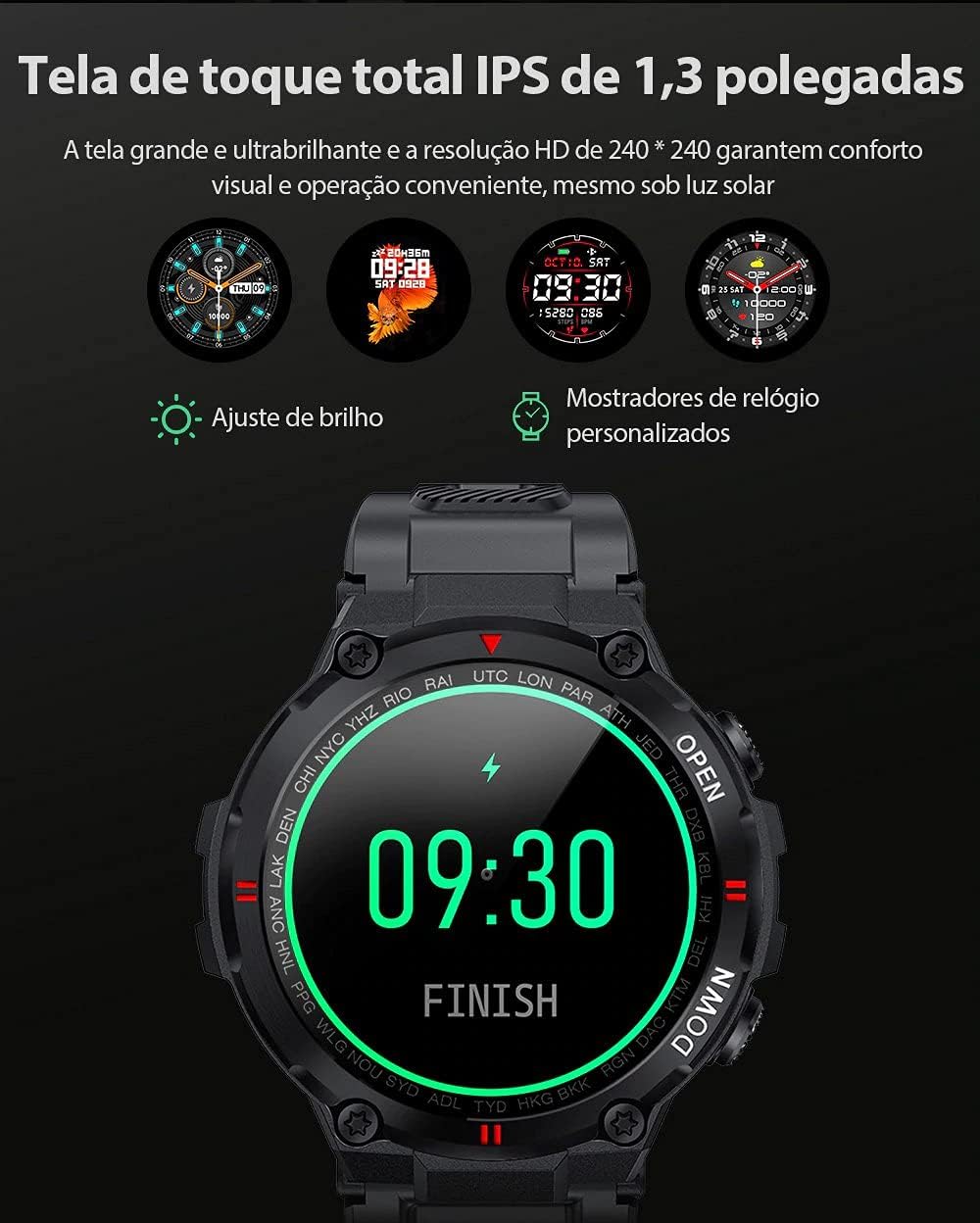
Image: The smartwatch displaying multiple customizable watch faces and options for brightness adjustment.
Foretage og modtage opkald
The BW-AT2C allows you to make and receive calls directly from your wrist after successful Bluetooth pairing (including the call function pairing).
- Modtagelse af opkald: When a call comes in, the watch will display the caller ID. You can answer or reject the call directly from the watch screen.
- Foretage opkald: Få adgang til tastaturet eller kontaktlisten på uret for at starte et opkald.

Image: A comparison showing the BW-AT2C model with its Bluetooth call function (dial pad visible) next to the BW-AT2 model without this feature.
Musik kontrol
Control music playback on your smartphone directly from your watch. Functions include play, pause, skip forward, and skip backward.
Sundhedsovervågning
The smartwatch continuously monitors various health metrics.
- Puls: Pulsmåling i realtid. View din aktuelle puls og historiske data i appen.
- Blodtryk: Measure your blood pressure on demand.
- Blodilt (SpO2): Overvåg dine iltmætningsniveauer i blodet.
- Søvnovervågning: Sporer dine søvnmønstre, herunder dyb søvn, let søvn og vågnetider.
- Skridttæller: Tæller dine daglige skridt, distance og forbrændte kalorier.

Image: The smartwatch screen showing a graph of heart rate data, indicating current BPM and historical trends.
Sportstilstande
The watch supports multiple sports modes to track your workouts accurately. Available modes include Walking, Running, Cycling, Skipping Rope, Badminton, Basketball, and Football. Select your desired mode before starting an activity to record relevant data.
Meddelelser
Receive notifications from your smartphone directly on your watch. This includes call reminders, message alerts, and app notifications from platforms like WhatsApp, Instagram, Facebook, and Twitter. Ensure notification permissions are granted in the Da Fit app and your phone's settings.

Image: The smartwatch on a user's wrist, showing an incoming call alert and SMS reminder, indicating its notification capabilities.
Andre funktioner
- Vækkeur: Set up to three alarms via the app.
- Stopur: Brug det indbyggede stopur til at tage tid på aktiviteter.
- Stillesiddende påmindelse: The watch will alert you if you remain inactive for too long.
- Fjernbetjening til kamera: Brug dit ur som fjernbetjent udløser til din telefons kamera.
- Find Watch/Find Phone: Locate your watch or phone using the respective functions in the app or on the watch.
- Kalender: Access calendar information.
Opretholdelse
- Rensning: Tør uret og remmen regelmæssigt af med en blød, tør klud. Til genstridigt snavs, brug en let tør klud.amp klud og tør grundigt. Undgå skrappe kemikalier.
- Vandtæthed (IP54): The BW-AT2C is IP54 water-resistant, meaning it is protected against dust ingress and splashing water from any direction. It is suitable for daily use like hand washing or light rain. Do not submerge the watch in water, wear it while swimming, showering, or in saunas. Prolonged exposure to water or high-pressure water jets may cause damage.
- Opladningskontakter: Hold de magnetiske opladningskontakter rene og tørre for at sikre korrekt opladning.
- Opbevaring: Opbevar uret et køligt og tørt sted, når det ikke er i brug.
Fejlfinding
| Problem | Løsning |
|---|---|
| Uret tænder ikke. | Sørg for, at uret er fuldt opladet. Tilslut det til opladeren i mindst 30 minutter. |
| Kan ikke parres med smartphone. |
|
| Meddelelser modtages ikke. |
|
| Opkaldsfunktionen virker ikke. | Ensure you have paired the "BW-AT2C_CALL" device in your phone's Bluetooth settings in addition to the main watch pairing. |
| Unøjagtige sundhedsdata. | Ensure the watch is worn snugly on your wrist, not too tight or too loose. Keep the sensor clean. Note that this device is not a medical device and data is for reference only. |
Specifikationer

Image: Diagram illustrating the dimensions of the Blitzwolf BW-AT2C Smartwatch, including watch face diameter, strap width, and total length.
| Feature | Detalje |
|---|---|
| Mærke | Blitzulv |
| Model | BW-AT2C |
| Farve | Sort |
| Bluetooth version | 5.0 |
| Kompatibel OS | Android 4.4+ / iOS 8.0+ |
| Driftstilstand | Full Touch Screen + 2 Side Buttons |
| Companion app | Da Fit |
| Vandmodstand | IP54 |
| Sundhedsovervågning | Heart Rate, Blood Pressure, Blood Oxygen, Sleep, Pedometer |
| Sportstilstande | Walking, Running, Cycling, Skipping Rope, Badminton, Basketball, Football |
| Skærmstørrelse | 1.3 tommer IPS |
| Opløsning | 240 x 240 pixels |
| Batterikapacitet | 400mAh |
| Standby tid | Ca.. 30 dage |
| Brugstid | Approx. 4-7 days (varies by usage) |
| Opladningstid | Ca. 2 timer |
| Opladningstype | Magnetisk opladning |
| Remmateriale | Silikone |
| Stroppebredde | 22mm (Removable) |
| Produktdimensioner | 52 x 12 mm (Watch Face) |
| Produktets vægt | 55 gram |
Garanti og support
For warranty information and technical support, please refer to the documentation provided with your purchase or visit the official Blitzwolf webwebsted. Gem din købsbevis til garantikrav.
If you encounter issues not covered in the troubleshooting section, please contact customer support for assistance.