
1. Produktet er slutview
The ORIA Wireless Digital Refrigerator and Freezer Thermometer provides accurate temperature monitoring for your refrigerator, freezer, or cooler. It features a main unit and two wireless sensors, allowing you to track temperatures in multiple locations simultaneously. Key functionalities include an audible alarm for temperature deviations and recording of maximum and minimum temperatures over a 24-hour period.
2. Hvad er der i æsken
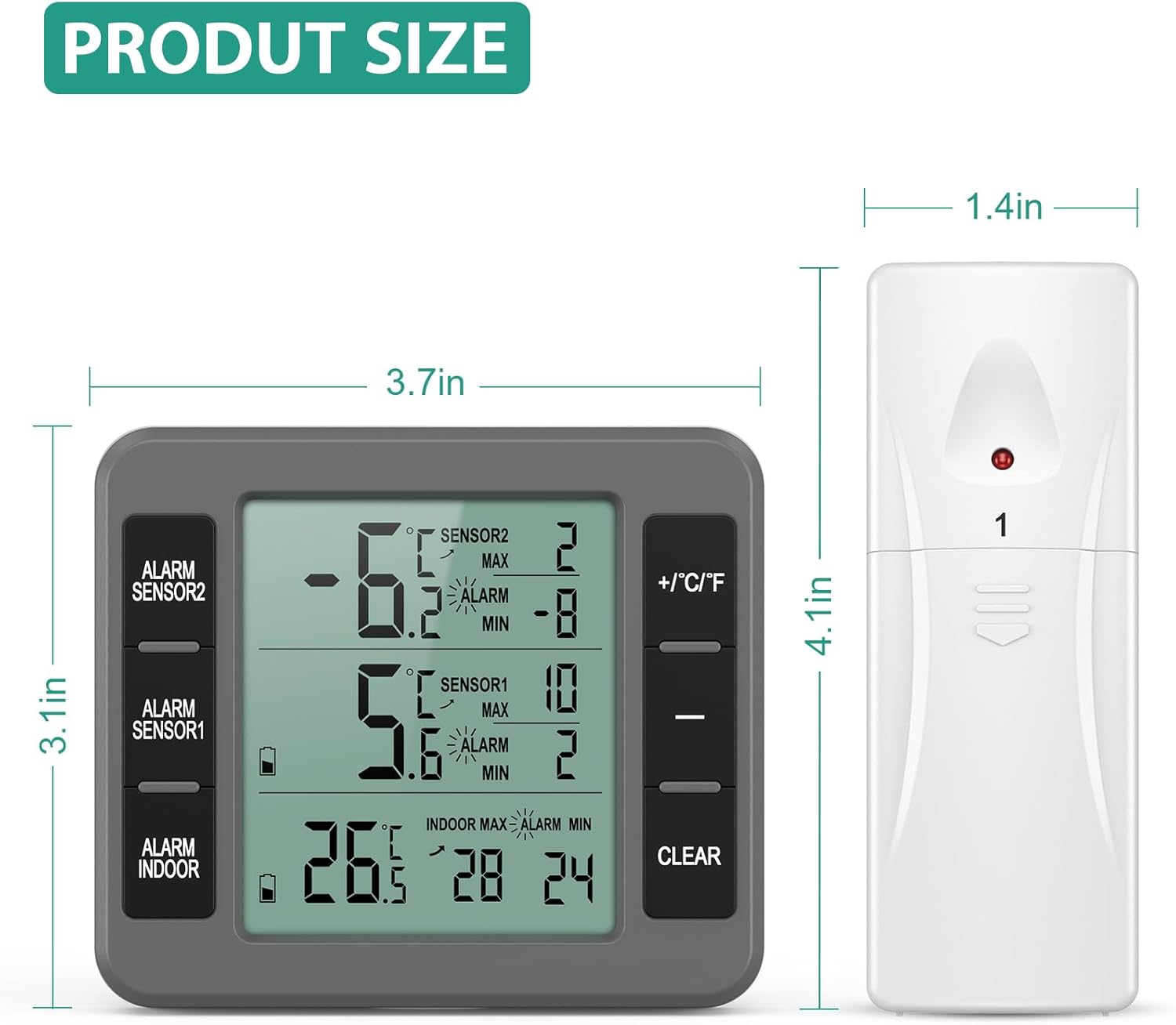
- 1x Refrigerator Thermometer (Main Unit)
- 2x Wireless Sensors
- 1x brugermanual
3. Opsætning og installation
3.1 Batteriinstallation
The main unit requires 3x AAA batteries (not included). Each wireless sensor requires 2x AA batteries (not included). Ensure batteries are inserted with correct polarity.

3.2 Sensorplacering
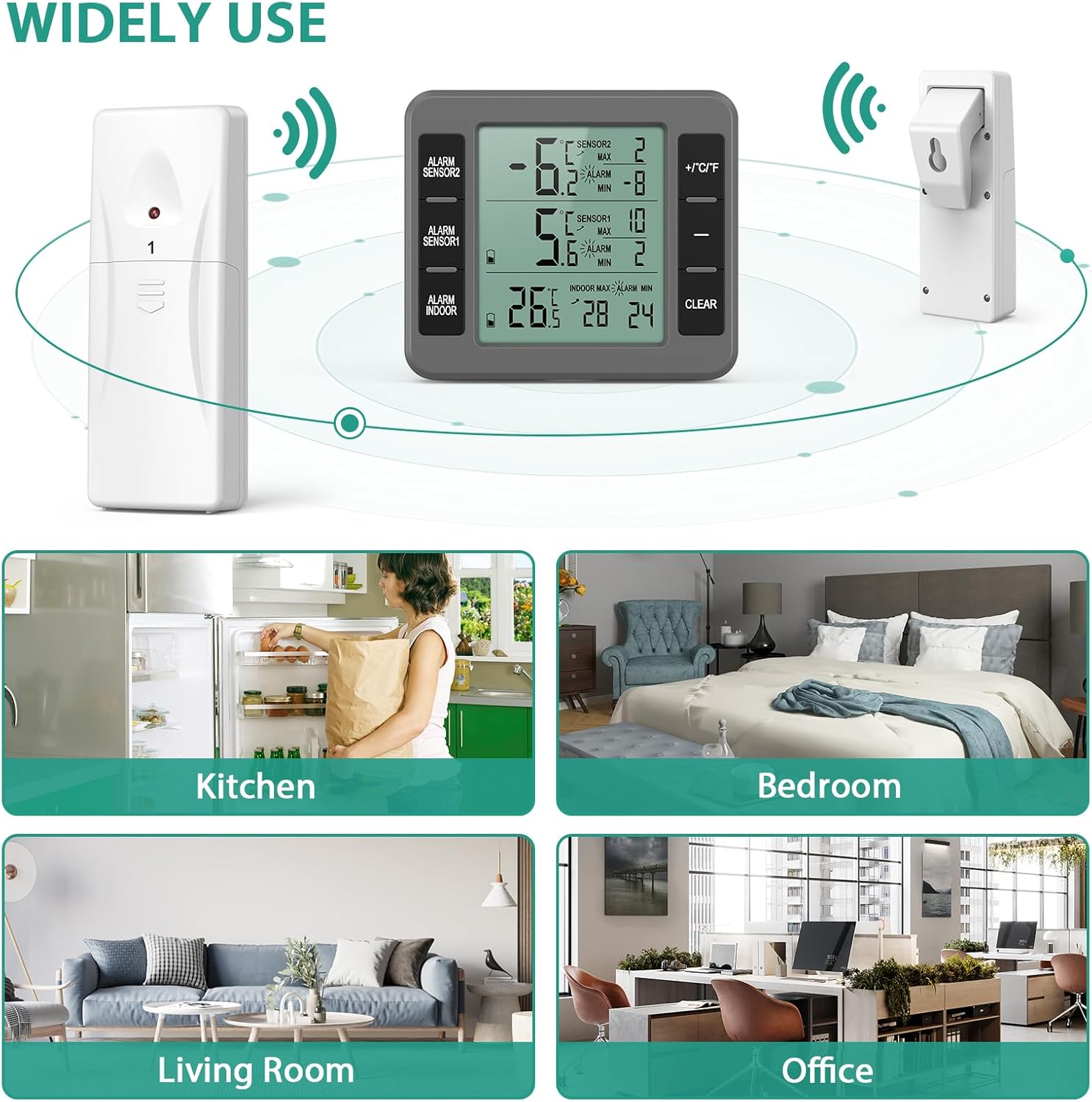
Place the wireless sensors inside your refrigerator, freezer, or cooler. Ensure they are not obstructed by food items for optimal signal transmission. The main unit can be placed on a table using its integrated bracket, hung on a wall via the hanging hole, or attached to a metallic surface using its magnets.


The transmission range is up to 100 meters (328 feet) in an open area. Walls and other obstructions may reduce this range.
4. Betjeningsvejledning
4.1 Display overview
The main unit displays temperatures from both wireless sensors (Sensor 1 and Sensor 2) and the indoor temperature of the main unit itself. It also shows maximum and minimum recorded temperatures for each channel over the last 24 hours, along with temperature trend indicators (up, down, or parallel arrow).
4.2 Temperaturområde
- Indoor Thermometer Range: -10℃ to 60℃ (14℉ to 140℉)
- Outdoor Thermometer Range: -40℃ to 60℃ (-40℉ to 140℉)
4.3 Switching Between Celsius and Fahrenheit
Press the "+/℃/℉" button on the main unit to toggle between Celsius and Fahrenheit display modes.
4.4 Alarmfunktion
The thermometer features an audible alarm. You can manually set maximum and minimum alarm values for each sensor. The alarm will sound if the temperature exceeds the set maximum or falls below the set minimum. Note: The alarm function activates 10 minutes after being turned on.

4.5 Max/Min Temperature Records
The unit records the maximum and minimum temperatures for each sensor and the indoor unit over the last 24 hours. These records update daily. To clear the Max/Min values, press the "CLEAR" button.
5. Vedligeholdelse
To maintain optimal performance, wipe the units clean with a soft, dry cloth. Avoid using abrasive cleaners or submerging the units in water. Replace batteries when the low battery indicator appears on the display.
6. Fejlfinding
- No Temperature Reading/Sensor Not Connecting:
- Ensure all batteries are correctly installed and have sufficient charge.
- Remove batteries from both the main unit and sensors, wait 30 seconds, then reinsert batteries into the main unit first, followed by each sensor.
- Ensure sensors are within the transmission range (100m/328ft in open area) and not heavily obstructed.
- Allow up to 30 minutes for sensors to register with the main unit after initial setup.
- Alarmen lyder ikke:
- Verify that the alarm function is enabled and the maximum/minimum temperature thresholds are set correctly.
- Remember the alarm activates 10 minutes after being turned on.
- Upræcise læsninger:
- Ensure sensors are not placed directly next to cooling vents or heating elements, which can cause localized temperature fluctuations.
- Compare readings with another calibrated thermometer if possible.
7. Specifikationer
| Feature | Detalje |
|---|---|
| Mærke | ORIA |
| Modelnavn | B095HC2J2R |
| Speciel funktion | Alarm, 3 Mounting Options |
| Farve | Grå |
| Inkluderede komponenter | 1* Refrigerator Thermometer; 2* Wireless Sensors; 1* User Manual |
| Ydermateriale | Acrylonitrilbutadienstyren (plast) |
| Display Type | Digital |
| Forbindelsesteknologi | Trådløs |
| Strømkilde | Battery Powered (Main Unit: 3x AAA; Sensors: 2x AA each) |
| Indendørs/Udendørs brug | Indoor (Main Unit), Indoor/Outdoor (Sensors) |
| Indendørs temperaturområde | -10℃ til 60℃ (14℉ til 140℉) |
| Udendørs temperaturområde | -40 ℃ til 60 ℃ (-40 ℉ til 140 ℉) |
| Transmission Range | 100M/328ft (open area) |
8. Officielle produktvideoer
ORIA Wireless Freezer Thermometer - Product Introduction
Video Description: An official product introduction video from ORIA Direct, showcasing the features and functionality of the wireless freezer thermometer. This video provides a comprehensive overview of the device's capabilities and how it operates.
9. Garanti og support
ORIA offers a 1-Year Warranty for this product. Additionally, customers can benefit from 90-Day Free Replacements, 30-Day Free Returns, 24/7 Customer Support, and Lifetime Technical Support. For any inquiries or assistance, please refer to the contact information provided in the included user manual or visit the official ORIA webwebsted.