
1. Introduktion
Thank you for choosing the Mitzu MCS-9956 Bluetooth Car Stereo. This manual provides essential information for the proper installation, operation, and maintenance of your new car stereo. Please read this manual thoroughly before using the product to ensure safe and optimal performance. Keep this manual for future reference.
The MCS-9956 features Bluetooth connectivity for hands-free calls and audio streaming, USB and SD card playback for MP3 files, an AUX input, and an LCD display with a pre-set equalizer and digital clock.
2. Sikkerhedsoplysninger
- Installation: Ensure professional installation to prevent damage to the unit or your vehicle. Incorrect wiring can cause fire or electrical shock.
- Strømforsyning: Tilslut kun enheden til en 12V DC strømforsyning med negativ jord.
- Lydstyrke: Avoid operating the unit at excessively high volume levels for extended periods to prevent hearing damage and to maintain awareness of traffic conditions.
- Rensning: Brug en blød, tør klud til rengøring. Brug ikke slibende rengøringsmidler eller opløsningsmidler.
- Fugtighed: Hold enheden væk fra vand og overdreven fugt.
- Betjening under kørsel: Do not operate complex functions or watch videos while driving. Distraction can lead to accidents.
3. Produktet er slutview
3.1 Frontpanel og fjernbetjening
The front panel provides access to all primary controls, including power, volume, mode selection, and media playback. The included remote control offers convenient access to these functions from a distance.

Billede 3.1: Front view of the Mitzu MCS-9956 car stereo showing the main unit with its LCD display, control knob, buttons, USB, SD, and AUX ports, alongside the included remote control.
- Tænd/sluk-knap: Press to turn on/off, short press to change mode (Radio, USB, SD, AUX, Bluetooth).
- Lydstyrkeknap: Rotate to adjust volume. Press to access audio settings (EQ, Bass, Treble, Balance, Fader).
- Vise: LCD screen showing current status, time, track information, etc.
- USB-port: Connect USB flash drives for MP3 playback.
- SD Card Slot (TF): Insert Micro SD cards for MP3 playback.
- AUX-indgang: 3.5 mm jackstik til tilslutning af eksterne lydenheder.
- Mikrofon (MIC): Indbygget mikrofon til håndfri opkald.
- Band/APS Button: In radio mode, press to select radio band (FM1, FM2, FM3). Long press for automatic station scan.
- Mute-knap: Slår lyden fra.
- Navigation Buttons (<< / >>): Skip tracks, fast forward/rewind, tune radio stations.
- Forudindstillede knapper (1-6): Store and recall radio stations. In media mode, these can also function as play/pause, repeat, random, and folder navigation.
3.2 Bagpaneltilslutninger
The rear panel houses all necessary wiring connections for power, speakers, and external amplivførere.
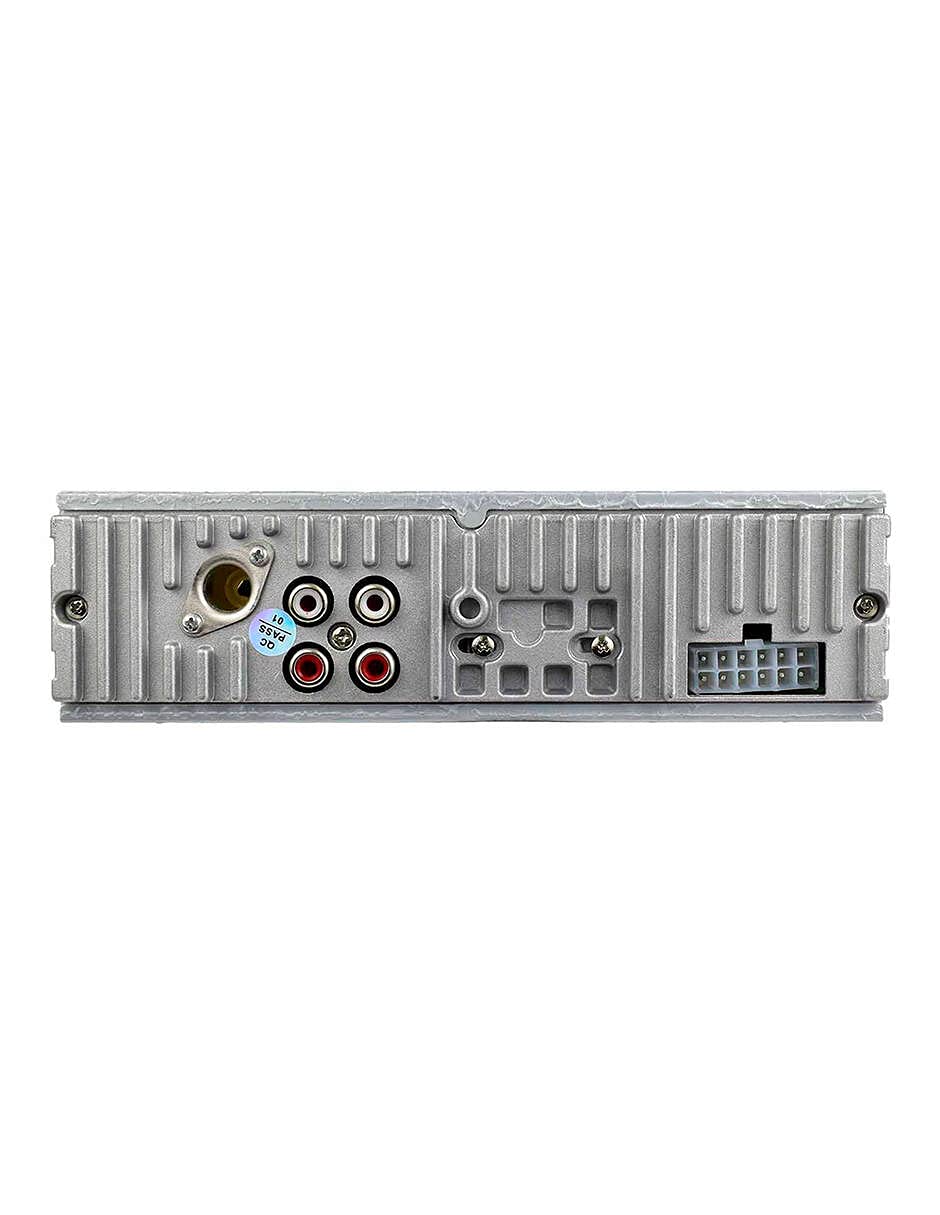
Billede 3.2: Bag view of the Mitzu MCS-9956 car stereo, displaying the antenna input, RCA audio outputs, and the multi-pin wiring harness connector.
- Antenneindgang: Connect your car's radio antenna here.
- RCA lydudgange: Til tilslutning af ekstern amplifiers (Front Left/Right, Rear Left/Right).
- Stik til ledningsnet: Connects to the included wiring harness for power, ground, and speaker connections.
3.3 Side View
Siden view illustrates the mounting points and heat dissipation design of the unit.
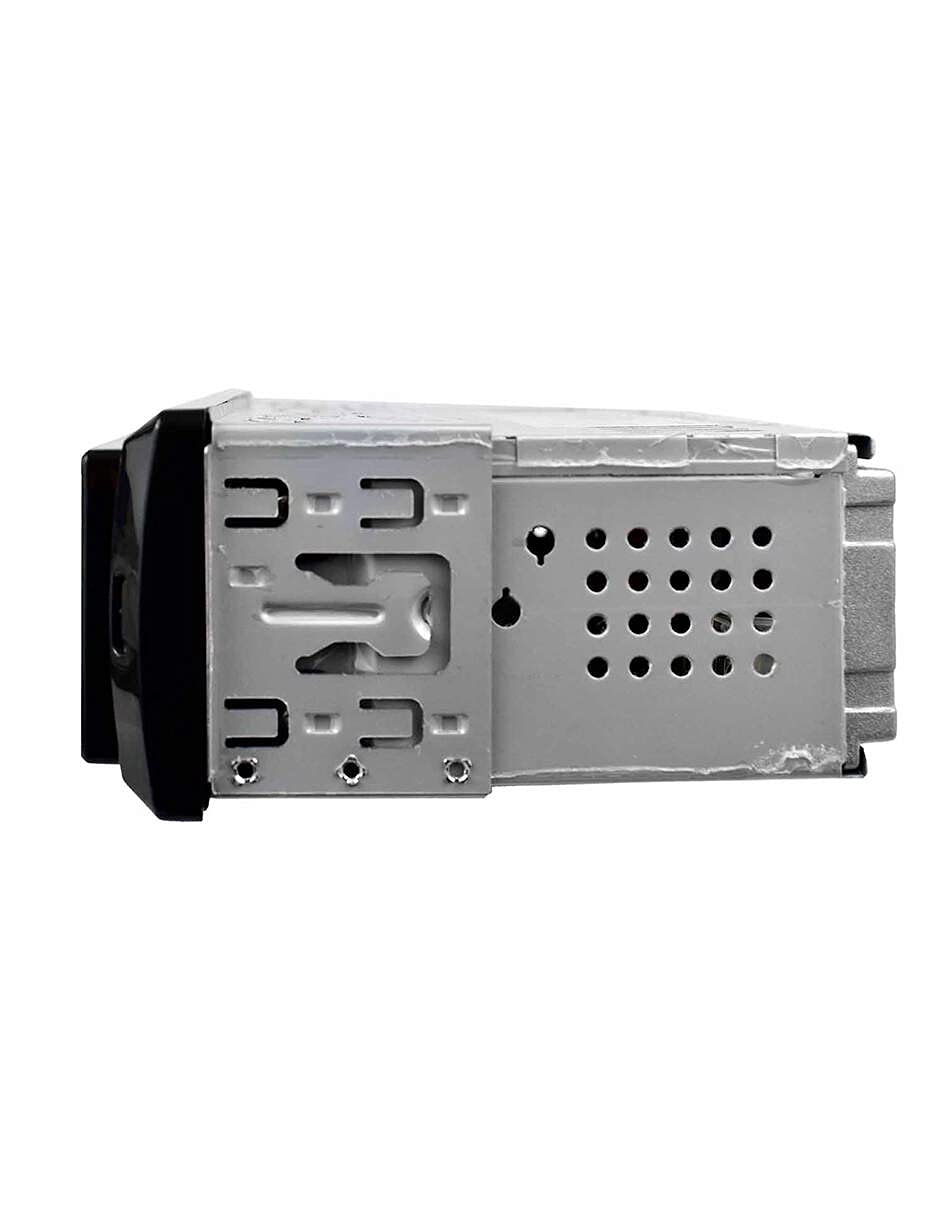
Billede 3.3: Side view of the Mitzu MCS-9956 car stereo, highlighting the mounting brackets and ventilation holes for heat management.
4. Opsætning
4.1 Installation
Professional installation is highly recommended. Incorrect wiring can damage the unit or your vehicle's electrical system. Refer to your vehicle's service manual for specific dashboard removal and wiring instructions.
- Afbryd batteriet: Før du starter, skal du frakoble den negative pol på dit bilbatteri for at undgå kortslutninger.
- Montering: Install the car stereo into the dashboard opening using the provided mounting sleeve and brackets. Secure it firmly.
- Ledningsforbindelser:
- Magt: Connect the yellow wire (constant 12V) to a constant 12V power source, the red wire (accessory 12V) to a switched 12V source (ignition), and the black wire (ground) to a good chassis ground point.
- Højttalere: Connect the speaker wires according to the color codes (e.g., White/White-Black for Front Left, Gray/Gray-Black for Front Right, Green/Green-Black for Rear Left, Purple/Purple-Black for Rear Right). Ensure correct polarity.
- Antenne: Connect the car's radio antenna cable to the antenna input on the rear of the unit.
- RCA Outputs (Optional): Hvis du bruger ekstern amplifiers, connect RCA cables from the unit's RCA outputs to the amplifiers indgange.
- Gentilslut batteri: Once all connections are secure, reconnect the car battery.
4.2 Indledende tænding
After installation, turn on your vehicle's ignition. Press the Strøm/tilstand button on the unit. The LCD display should illuminate. If not, check all wiring connections.
5. Betjeningsvejledning
5.1 Grundlæggende funktioner
- Tænd/sluk: Tryk på Strøm/tilstand button to turn the unit on. Long press to turn off.
- Valg af tilstand: Tryk kort på Strøm/tilstand button to cycle through available modes: Radio (FM), USB, SD, AUX, Bluetooth.
- Lydstyrkekontrol: Drej på Volumenknap med uret for at øge lydstyrken, mod uret for at sænke den.
- Stum: Tryk på Stum knappen for at slå lyden fra. Tryk igen for at genoprette den.
5.2 Radiodrift
- Vælg bånd: I radiotilstand skal du trykke på BAND/APS button to switch between FM1, FM2, and FM3 bands.
- Manuel indstilling: Tryk kort på Navigation Buttons (<< / >>) to fine-tune frequencies.
- Automatisk scanning: Tryk længe på Navigation Buttons (<< / >>) to automatically search for the next strong station.
- Auto Store (APS): Tryk længe på BAND/APS button to automatically scan and store the strongest stations into the preset memory.
- Forudindstillede stationer: Short press preset buttons (1-6) to recall stored stations. To store a station, tune to the desired frequency, then long press one of the preset buttons (1-6) until you hear a beep.
5.3 Bluetooth-betjening
Enheden understøtter Bluetooth til håndfri opkald og streaming af lyd.
- Parring:
- Ensure the car stereo is in Bluetooth mode (select via Mode button). The display will show "BT".
- Aktiver Bluetooth på din mobilenhed, og søg efter tilgængelige enheder.
- Select "Mitzu MCS-9956" (or similar name) from the list. If prompted for a PIN, enter "0000".
- Once paired, the display will show "CONNECTED" or a Bluetooth icon.
- Håndfri opkald:
- Besvar opkald: Tryk på SEL button (or green call button on remote) to answer an incoming call.
- Afslut opkald: Tryk på SEL button (or red call button on remote) to end a call.
- Opkald: Dial from your phone; audio will automatically transfer to the car stereo.
- Bluetooth-lydstreaming (A2DP):
- Once paired, play music on your mobile device. Audio will stream wirelessly to the car stereo.
- Brug Navigation Buttons (<< / >>) at springe spor over.
- Brug SEL button (or Play/Pause on remote) to play or pause.
5.4 USB/SD-afspilning
Insert a USB flash drive into the USB port or a Micro SD card into the TF slot. The unit will automatically switch to USB/SD mode and begin playing MP3 files.
- Afspil/pause: Tryk på 1/PAU button (or Play/Pause on remote).
- Næste / forrige nummer: Tryk kort på Navigation Buttons (<< / >>).
- Hurtigt frem/tilbage: Tryk længe på Navigation Buttons (<< / >>).
- Gentage: Tryk på 2 / INT button (or RPT on remote) to cycle through repeat modes (Repeat One, Repeat All).
- Tilfældigt spil: Tryk på 3 / RDM button (or RDM on remote) to enable/disable random playback.
- Mappenavigation: Brug -DIR og +DIR knapper til at navigere mellem mapper.
5.5 AUX-indgang
Connect an external audio device (e.g., smartphone, MP3 player) to the 3.5mm AUX input jack on the front panel using an audio cable. Switch the unit to AUX mode using the Mode button. Audio will play through the car speakers. Control playback from the connected device.
5.6 Audio Settings (EQ, Bass, Treble)
Tryk på Volumenknap to cycle through audio settings:
- EQ (Equalizer): Select from pre-set equalizer modes (e.g., POP, ROCK, CLASS, JAZZ, FLAT).
- BAS/TREBLE: Adjust bass and treble levels.
- BALANCE (BAL): Adjust audio balance between left and right speakers.
- FADER (FAD): Adjust audio balance between front and rear speakers.
Drej på Volumenknap to change the value of the selected setting.
5.7 Indstilling af ur
Tryk på CLK button (or CLK on remote) to display the time. Long press the CLK button to enter clock setting mode. Use the Navigation Buttons (<< / >>) to adjust hours and minutes, and the Volumenknap to confirm and move between hour/minute settings. Press CLK igen for at forlade.
6. Vedligeholdelse
- Rengøring af enheden: Use a soft, dry cloth to wipe the front panel. Do not use harsh chemicals, solvents, or abrasive cleaners, as they may damage the finish or display.
- USB/SD Card Care: Ensure USB drives and SD cards are clean and free of dust before insertion. Avoid forcing them into the slots.
- Temperatur: Undgå at udsætte enheden for ekstreme temperaturer, direkte sollys i længere perioder eller høj luftfugtighed.
7. Fejlfinding
| Problem | Mulig årsag | Løsning |
|---|---|---|
| Ingen strøm | Forkert ledningsføring; Sprunget sikring; Løs forbindelse. | Check power and ground wires. Inspect the fuse (usually located on the yellow wire). Ensure all connections are secure. |
| Ingen lyd | Volume too low; Mute activated; Incorrect speaker wiring; Faulty speakers. | Increase volume. Deactivate mute. Check speaker connections and polarity. Test with known good speakers. |
| Radiomodtagelsen er dårlig | Antenne ikke tilsluttet; Beskadiget antenne; Område med svagt signal. | Ensure antenna is securely connected. Check antenna for damage. Try a different location. |
| Bluetooth forbinder ikke | Bluetooth not enabled on device; Device too far; Incorrect pairing process. | Ensure Bluetooth is on and discoverable on your phone. Keep devices within 10 meters. Re-attempt pairing. Forget device on phone and pair again. |
| USB/SD afspiller ikke | Ikke understøttet file format; Beskadiget files; Incorrectly inserted media; Max capacity exceeded. | Sikre files are MP3 format. Check media for errors. Reinsert USB/SD card. Use media within supported capacity. |
8. Specifikationer
- Mærke: Mitzu
- Model: MCS-9956
- Max Audio Output Power: 4 x 45 W
- Bluetooth Range: 10 meter (ca.)
- Displayteknologi: LCD
- Lydudgangstilstand: Stereoanlæg
- Kompatible enheder: Smartphone
- Særlige funktioner: Equalizer, Hands-free calling
- Forbindelse: Auxiliary (3.5mm), Bluetooth, USB, Micro SD card
- Understøttede medietyper: MP3
- Strømforsyning: 12V DC (negativ jord)
- Pakkedimensioner: 21.1 x 15.5 x 7.9 cm
- Vægt: 480 g
9. Garanti og support
For warranty information, please refer to the warranty card included with your product or contact your retailer. For technical support, product inquiries, or service, please visit the official Mitzu webwebstedet eller kontakt deres kundeserviceafdeling. Behold din købskvittering som købsbevis.
Mitzu Official Store: Visit Mitzu Store on Amazon