
Indledning
This manual provides detailed instructions for the setup, operation, maintenance, and troubleshooting of your Logilink UA0384 Full HD USB Webcam. Please read this manual thoroughly before using the device to ensure proper functionality and to maximize your user experience.
Produktegenskaber
- Full HD 1080p resolution at 30 frames per second.
- 76° wide-angle lens for broader coverage.
- Integrated ring light with 3 adjustable brightness levels for optimal illumination.
- Automatic autofocus for clear image quality.
- Dual microphone with noise cancellation for clear audio.
- Automatic Low Light Correction, Exposure (AE), and White Balance (AWB).
- Plug and Play functionality, no driver installation required.
- Versatile mounting options: LCD screens, laptops, tabletops, or tripod.
- Compatible with Windows, Mac OS, Linux, Chrome OS, Xbox One, and Android.
Pakkens indhold
- Logilink UA0384 Full HD USB Webcam
Opsætning
1. Udpakning og placering
Fjern forsigtigt webcam from its packaging. The webcam can be placed on a flat surface, clipped onto an LCD monitor or laptop screen, or mounted on a tripod using the integrated thread.
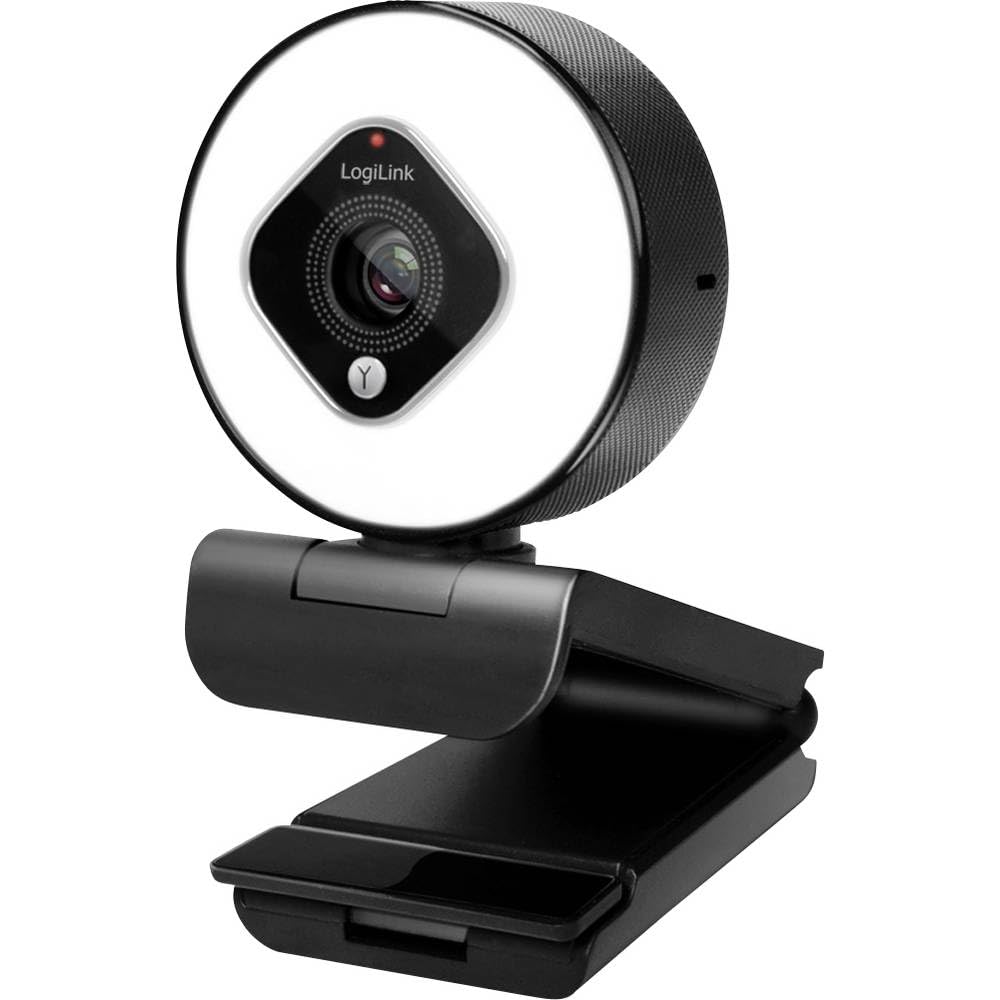
Image showing the Logilink UA0384 webcam, highlighting its compact design, integrated ring light, and flexible mounting options.
2. Tilslutning af Webcam
- Find en ledig USB-port på din computer eller enhed.
- Plug the USB cable of the Logilink UA0384 webkameraet i USB-porten.
- De webcam is plug-and-play, meaning no additional drivers are typically required. Your operating system should automatically detect and install the necessary software.
- Wait for your system to confirm that the device is ready for use. This may be indicated by a notification or a light on the webcam.
Betjeningsvejledning
1. Grundlæggende brug
Når den er tilsluttet webcam is ready for use with video conferencing applications (e.g., Skype, Zoom, Google Meet, FaceTime) or streaming software (e.g., OBS, XSplit, Twitch). Select the Logilink UA0384 as your preferred camera and microphone device within your application's settings.
2. Ringlysbetjening
The integrated ring light provides additional illumination. To activate or adjust the brightness:
- Locate the touch-sensitive control on the webcam, typically around the ring light itself.
- Tap the control to cycle through the 3 brightness levels or to turn the light off.
3. Autofocus and Automatic Adjustments
The UA0384 features automatic autofocus, ensuring your image remains sharp even if you move. It also includes automatic low light correction, auto exposure, and auto white balance to adapt to various lighting conditions without manual intervention.
4. Dobbelt mikrofon
The built-in dual microphones with noise cancellation are designed to capture clear audio. Ensure the webcam is selected as the audio input device in your application settings for optimal sound quality.
Opretholdelse
Rengøring af linse og krop
- Sørg for webkameraet er frakoblet din computer før rengøring.
- Use a soft, lint-free cloth to gently wipe the lens. For stubborn smudges, a small amount of lens cleaning solution can be applied to the cloth (not directly to the lens).
- Tør kroppen af webkam med en tør eller let damp soft cloth. Avoid using harsh chemicals or abrasive materials.
Opbevaring
Når den ikke er i brug, skal du opbevare den webOpbevar kameraet på et rent, tørt sted væk fra ekstreme temperaturer og direkte sollys.
Fejlfinding
1. WebKamera ikke fundet
- Tjek USB-forbindelse: Sørg for, at USB-kablet er korrekt tilsluttet i begge webcam and the computer. Try a different USB port.
- Genstart computeren: Nogle gange kan en simpel genstart løse detektionsproblemer.
- Test på en anden enhed: If possible, try connecting the webcam to another computer to determine if the issue is with the webcam or your primary device.
2. Ingen video eller dårlig videokvalitet
- Applikationsindstillinger: Verify that the Logilink UA0384 is selected as the camera device in your video conferencing or streaming application.
- Lysforhold: Ensure adequate lighting. Use the integrated ring light if necessary.
- Linserens: Rengør webkamlinsen som beskrevet i afsnittet Vedligeholdelse.
- Systemressourcer: Luk andre krævende programmer, der muligvis bruger systemressourcer.
3. Ingen lyd eller dårlig lydkvalitet
- Applikationsindstillinger: Confirm that the Logilink UA0384 is selected as the microphone device in your application settings.
- Systemvolumen: Check your computer's microphone input volume settings.
- Forhindringer: Ensure the microphones are not covered or obstructed.
Specifikationer
| Feature | Specifikation |
|---|---|
| Modelnummer | UA0384 |
| Mærke | Logilink |
| Videooptagelsesopløsning | 1080p fuld HD |
| Rammer pr. sekund | 30 fps |
| Felt af View | 76° |
| Mikrofontype | Dual Microphone with Noise Cancellation |
| Linsetype | 6 tempered glass and plastic elements |
| Blænde | f/2.1 |
| Brændvidde | 7 cm |
| Særlige funktioner | Autofocus, Ring Light (3 levels), Low Light Correction |
| Forbindelse | USB |
| Kabellængde | 1.6 m |
| Produktdimensioner | 2.44 x 1.81 x 2.91 tommer |
| Varens vægt | 5 ounce |
Garanti og support
For warranty information and technical support, please refer to the documentation provided with your purchase or visit the official Logilink webwebsted. Specifikke garantivilkår kan variere afhængigt af region og forhandler.