
Indledning
Thank you for choosing the MEDION MD 10319 Tower Fan. This manual provides essential information for the safe and efficient operation of your new fan. Please read these instructions carefully before use and keep them for future reference.
Vigtige sikkerhedsinstruktioner
Følg altid grundlæggende sikkerhedsforanstaltninger ved brug af elektriske apparater for at reducere risikoen for brand, elektrisk stød og personskade.
- Sørg for, at strømforsyningen voltage stemmer overens med typeskiltet på ventilatoren.
- Brug ikke ventilatoren med en beskadiget ledning eller stik. Hvis ledningen er beskadiget, skal den udskiftes af producenten, dennes servicerepræsentant eller lignende kvalificerede personer for at undgå fare.
- Hold ventilatoren væk fra vand eller andre væsker. Ventilatoren må ikke nedsænkes i vand.
- Stik ikke fingre eller fremmedlegemer ind i gitteret, mens ventilatoren er i drift.
- Tag ventilatoren ud af stikkontakten, når den ikke er i brug, når du flytter den fra et sted til et andet, og før rengøring.
- Dette apparat er ikke beregnet til brug af personer (inklusive børn) med nedsatte fysiske, sensoriske eller mentale evner, eller mangel på erfaring og viden, medmindre de har fået opsyn eller instruktion i brugen af apparatet af en person, der er ansvarlig for deres sikkerhed.
- Børn skal være under opsyn for at sikre, at de ikke leger med apparatet.
- Placer ventilatoren på en stabil, plan overflade for at forhindre den i at vælte.
Pakkens indhold
Please check the package for the following components:
- MEDION MD 10319 Tower Fan
- Bund (to halvdele)
- Sikringsmøtrik
- 4 Mounting Screws for Base
- Remote Control (with 2 x AAA batteries)
- Instruktionsmanual
Montering og opsætning
Follow these steps to assemble your tower fan:
- Fjern forsigtigt alle komponenter fra emballagen.
- Assemble the two halves of the base by interlocking them.
- Align the assembled base with the bottom of the fan unit. Ensure the power cord passes through the designated slot in the base.
- Secure the base to the fan unit using the 4 mounting screws provided.
- Tighten the securing nut from underneath the base to firmly attach it to the fan body.
- Insert the 2 AAA batteries into the remote control, observing polarity.
- Placer ventilatoren på en fast, plan overflade.
- Sæt netledningen i en passende stikkontakt (220V).
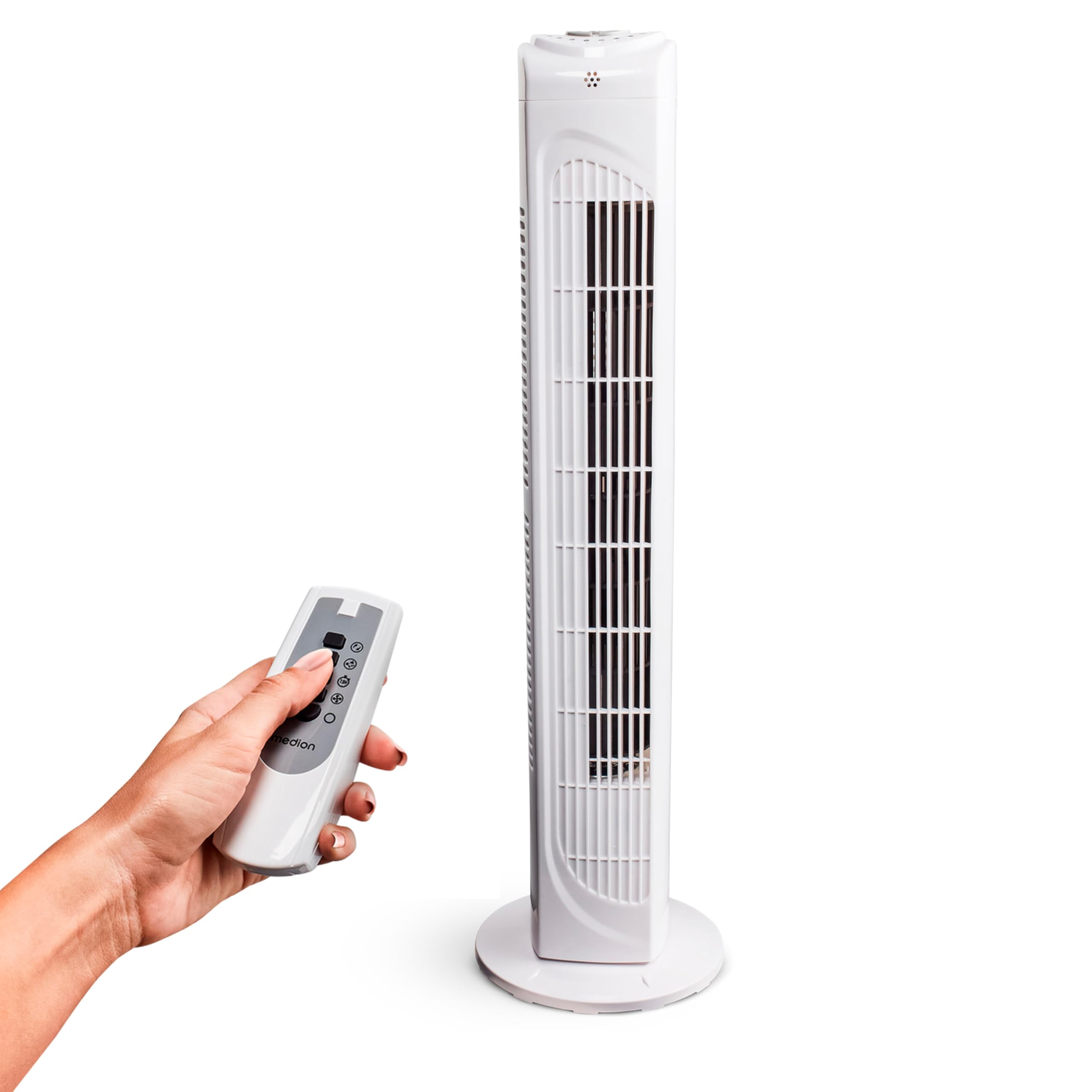
Image: The MEDION MD 10319 Tower Fan, fully assembled with its base, ready for use.

Image: A hand demonstrating the integrated carrying handle on top of the fan for easy portability.
Produkt overview
Kontrolpanel
The control panel is located on the top of the fan unit. It features buttons for power, speed, oscillation, and timer functions.

Billede: Detaljeret view of the fan's top control panel, showing buttons for power, speed settings (3 levels), timer, and oscillation.
Fjernbetjening
The included remote control allows you to operate all fan functions from a distance.
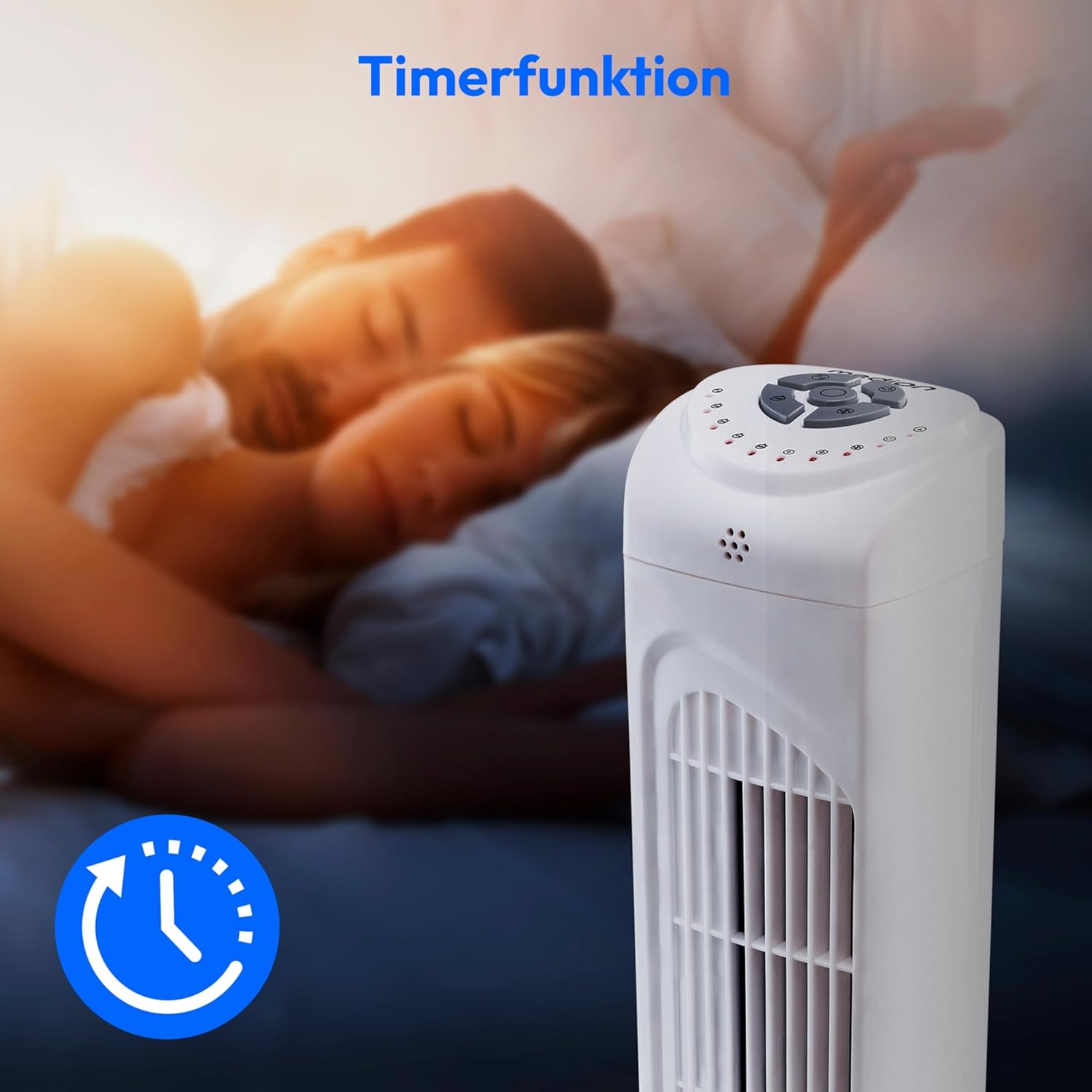
Image: A hand holding the remote control, which features buttons for power, speed, oscillation, and timer, mirroring the main control panel.
Betjeningsvejledning
Tænd/sluk
- Tryk på MAGT button on the control panel or remote control to turn the fan ON.
- Tryk på MAGT knappen igen for at slukke for ventilatoren.
Justering af blæserhastighed
Ventilatoren har 3 hastighedsindstillinger: Lav, mellem og høj.
- Tryk på HASTIGHED button repeatedly to cycle through the speed settings.
- The current speed level will be indicated by LED lights on the control panel.
Oscillationsfunktion
The oscillation function allows the fan to rotate horizontally, distributing air over a wider area.
- Tryk på OSC button on the control panel or remote control to activate oscillation. The fan will rotate approximately 60 degrees.
- Tryk på OSC button again to stop oscillation. The fan will stop in its current position.

Image: The tower fan oscillating, indicated by blue arrows showing a 60-degree rotation for wider air distribution.
Timer funktion
The timer function allows you to set the fan to automatically turn off after a specified period, up to 7.5 hours.
- Tryk på TIMER button repeatedly to set the desired operating time (e.g., 0.5h, 1h, 2h, 4h, up to 7.5h).
- The selected timer duration will be indicated by LED lights on the control panel.
- To cancel the timer, cycle through the settings until no timer LEDs are illuminated, or turn the fan off.

Image: The fan with a timer icon, illustrating its use for setting automatic shut-off, ideal for use during sleep.
Opretholdelse
Regular cleaning will help maintain the performance and extend the lifespan of your fan.
- Tag altid ventilatorens stik ud af stikkontakten inden rengøring.
- Brug en blød, damp klud til at tørre ventilatorens udvendige overflader af. Brug ikke slibende rengøringsmidler eller opløsningsmidler.
- Brug en støvsuger med børstetilbehør til forsigtigt at fjerne støv fra luftindtags- og udløbsgitrene.
- Lad ikke vand dryppe ind i ventilatorens indre.
- Opbevar ventilatoren et køligt og tørt sted, når den ikke er i brug i længere perioder.
Fejlfinding
If you encounter any issues with your MEDION MD 10319 Tower Fan, please refer to the following common problems and solutions:
| Problem | Mulig årsag | Løsning |
|---|---|---|
| Ventilatoren tænder ikke. | Ingen strømforsyning. Tænd/sluk-knappen er ikke trykket ned. | Kontroller, om netledningen er sat ordentligt i en fungerende stikkontakt. Press the POWER button on the fan or remote. |
| Fjernbetjeningen virker ikke. | Batterierne er døde eller isat forkert. Blokering mellem fjernbetjening og ventilator. | Udskift batterierne (2 x AAA), og sørg for korrekt polaritet. Remove any objects blocking the signal path. Ensure you are within range. |
| Ventilatoren laver usædvanlig lyd. | Ventilatoren står ikke på en plan overflade. Obstruction in the fan grille. | Placer ventilatoren på en stabil, flad overflade. Unplug the fan and carefully check for any foreign objects in the grilles. |
| Oscillationsfunktionen virker ikke. | Oscillationsknappen er ikke aktiveret. | Press the OSC button on the control panel or remote control. |
Specifikationer
| Feature | Detalje |
|---|---|
| Mærke | MEDION |
| Modelnavn | MD 10319 |
| Type | Tower Fan / Floor Fan |
| Farve | Hvid |
| Strømkilde | Elektrisk med ledning |
| Wattage | 45 W |
| Voltage | 220 volt |
| Antal hastigheder | 3 |
| Særlige funktioner | Oscillating, Timer Function |
| Svingningsvinkel | 60° |
| Timer funktion | Op til 7.5 timer |
| Kontrolmetode | Fjernbetjening, knapper på enheden |
| Støjniveau | 50 decibel |
| Produktmål (D x B x H) | 28 cm x 28 cm x 79 cm |
| Varens vægt | 2.5 kilo |
| Materiale | Plast |
| Type hovedstrømstik | CEE 7/7 (Schuko) |

Image: The MEDION MD 10319 Tower Fan with its height (79 cm) and base width (28 cm) clearly indicated.
Garanti og support
Your MEDION MD 10319 Tower Fan comes with a manufacturer's warranty. Please refer to the warranty card included in your package for detailed terms and conditions, including the warranty period and coverage.
For teknisk support, service eller reservedele, kontakt venligst MEDIONs kundeservice. Kontaktoplysninger kan typisk findes på MEDIONs officielle hjemmeside. webwebstedet eller i garantidokumentationen.