
ELD 9858822518316
ELD Aviator vægur brugsanvisning
Model: 9858822518316
Indledning
Denne manual indeholder detaljerede instruktioner til opsætning, betjening og vedligeholdelse af dit ELD Aviator vægur. Læs venligst denne manual grundigt inden brug, og gem den til senere brug.

Billede: Forside view af ELD Aviator væguret, udstilletasinmed dens unikke turbine-inspirerede urskive og analoge visere.
Sikkerhedsoplysninger
- Hold uret væk fra direkte sollys og ekstreme temperaturer for at forhindre skader.
- Udsæt ikke uret for vand eller høj luftfugtighed.
- Brug kun den angivne batteritype (1 AA-batteri).
- Opbevar batterier utilgængeligt for børn.
- Forsøg ikke selv at skille uret ad eller reparere det. Kontakt kvalificeret personale for service.
- Sørg for, at uret er sikkert monteret for at forhindre det i at falde ned.
Pakkens indhold
Bekræft at alle varer er til stede i pakken:
- 1 x ELD Aviator vægur
- 1 x produktæske
- (AA-batteri medfølger ikke)
Opsætning
1. Batteriinstallation
- Find batterirummet på bagsiden af uret.
- Isæt et (1) AA-batteri, og sørg for, at de positive (+) og negative (-) poler er korrekt justeret med markeringerne inde i batterirummet.
- Luk batterirummets dæksel.
2. Montering af uret
Uret er designet til vægmontering. Vælg en passende placering på en stabil væg.

Billede: Side profile af ELD Aviator væguret, der illustrerer dets dybde og hvordan det ser ud, når det er monteret på en væg.
- Find et sikkert sted på væggen, hvor du vil hænge uret.
- Brug et søm eller en skrue (medfølger ikke), der passer til din vægtype. Sørg for, at den er stærk nok til at bære urets vægt (ca. 450 g).
- Hæng uret sikkert op ved hjælp af ophængningshullet på bagsiden.
Drift
Indstilling af tid
- Find tidsindstillingsknappen på bagsiden af uret, normalt i nærheden af batterirummet.
- Drej forsigtigt knappen i begge retninger, indtil time- og minutviserne viser det korrekte klokkeslæt.
- Kvartsurværket sikrer præcis tidtagning, når det er indstillet.
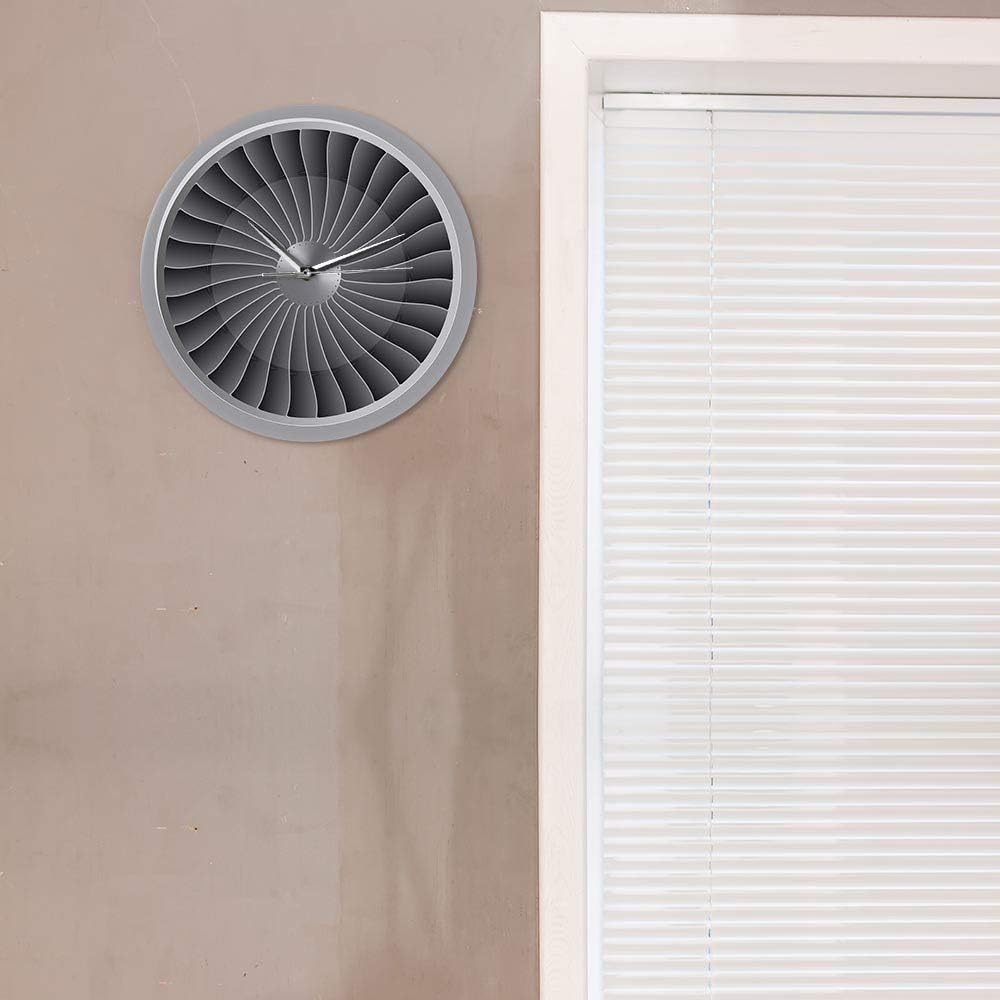
Billede: ELD Aviator væguret vist i et rum, hvilket demonstrerer dets æstetiske appel som et dekorativt stykke.
Opretholdelse
- Rensning: Tør urets overflade forsigtigt af med en blød, tør klud. Brug ikke slibende rengøringsmidler eller opløsningsmidler.
- Udskiftning af batteri: Udskift AA-batteriet årligt, eller når uret begynder at miste tid.
- Opbevaring: Hvis uret opbevares i længere tid, skal batteriet fjernes for at forhindre lækage.
Fejlfinding
| Problem | Mulig årsag | Løsning |
|---|---|---|
| Uret virker ikke / Viserne bevæger sig ikke | Batteriet er dødt eller forkert installeret. | Udskift AA-batteriet med et nyt, og sørg for at polariteten (+/-) vender korrekt. |
| Uret mister tid | Batteriet er lavt. | Udskift AA-batteriet. |
| Høj tikkende lyd | Ikke relevant. Uret har et lydløst urværk. | Ingen handling kræves. Dette ur er designet til lydløs drift. |
Specifikationer
| Produktnavn | Aviator vægur |
| Mærke | ELD |
| Modelnummer | 9858822518316 |
| Materiale | Akryl |
| Dimensioner | 30.5 cm (12 tommer) diameter |
| Vægt | 450 g |
| Strømkilde | 1 x AA batteri (medfølger ikke) |
| Bevægelsestype | Quartz, lydløst urværk |
| Display Type | Analog |
| Monteringstype | Vægmontering |
Garanti og support
Hvis du har spørgsmål eller problemer, der ikke er dækket i denne manual, bedes du kontakte din forhandler eller producenten direkte. Oplysninger om specifikke garantivilkår kan findes ved køb eller på produktemballagen.
Dette produkt er designet til langvarig brug med korrekt pleje og vedligeholdelse.
Ask a question about this manual
Ask about setup, troubleshooting, compatibility, parts, safety, or missing instructions. Manuals+ will review the question and use this page’s manual context to help answer it.