
1. Introduktion
The Salter 1048 Digital Kitchen Scale is designed for precise measurement of ingredients in your kitchen. This versatile scale features an easy-to-read LCD display and includes a measuring jug, allowing for accurate weighing of various items, including liquids, directly within the container. This manual provides essential information for the safe and effective use of your new kitchen scale.
2. Sikkerhedsoplysninger
Please read all safety instructions before using the Salter 1048 Digital Kitchen Scale.
- Do not immerse the scale base in water or other liquids. Clean with a damp kun klud.
- Use the scale on a flat, stable, and level surface to ensure accurate readings.
- Opbevar vægten utilgængeligt for børn.
- Do not overload the scale beyond its maximum capacity. Overloading can cause permanent damage.
- Avoid exposing the scale to extreme temperatures or direct sunlight.
- Do not use abrasive cleaning agents or sharp objects on the scale's surface or display.
3. Pakkens indhold
Bekræft at alle varer er til stede i pakken:
- 1 x Salter 1048 Digital Kitchen Scale Base
- 1 x Measuring Jug
- 1 x brugsanvisning
4. Opsætning
- Pakker ud: Fjern forsigtigt alle komponenter fra emballagen.
- Batteri installation: Open the battery compartment on the underside of the scale. Insert the required batteries (e.g., AAA or button cell) ensuring correct polarity (+/-). Close the compartment securely.
- Placering: Place the scale base on a firm, flat, and level surface, such as a kitchen countertop.
- Jug Placement: Position the measuring jug securely onto the scale platform.
5. Betjeningsvejledning
5.1 Tænd/sluk
- For at dreje skalaen ON, tryk på ON/OFF knappen. Displayet viser '0' eller '0.0'.
- For at dreje skalaen SLUKKET, tryk på og hold nede ON/OFF -knappen i et par sekunder, indtil displayet slukker. Vægten kan også slukke automatisk efter en periode med inaktivitet for at spare på batteriet.
5.2 Enhedskonvertering
The Salter 1048 scale can measure in various units.
- Tryk på ENHED button repeatedly to cycle through the available measurement units: grams (g), ounces (oz), milliliters (ml), and fluid ounces (fl.oz).
- Select the desired unit before or during weighing.
5.3 Tarafunktion (nulstilling)
The Tare function allows you to weigh multiple ingredients in the same container or to exclude the weight of a container.
- Place an empty container (e.g., the measuring jug) onto the scale platform. The display will show its weight.
- Tryk på TARA knappen. Displayet nulstilles til '0' eller '0.0'.
- Tilsæt din første ingrediens til beholderen. Displayet viser kun vægten af ingrediensen.
- For at tilføje en anden ingrediens, tryk på TARA button again to zero the display, then add the next ingredient. Repeat as needed.
5.4 Vejning af ingredienser
- Ensure the scale is on a flat, stable surface and turned on.
- If using a container, place it on the scale and press TARA to zero the display.
- Place the ingredients directly onto the scale platform or into the tared jug.
- Aflæs vægten vist på LCD-skærmen.
5.5 Weighing Liquids
The Salter 1048 is capable of measuring liquids by volume.
- Turn on the scale and place the measuring jug on the platform.
- Trykke TARA to zero the display.
- Tryk på ENHED button until 'ml' (milliliters) or 'fl.oz' (fluid ounces) is displayed.
- Slowly pour the liquid into the jug. The display will show the volume of the liquid.
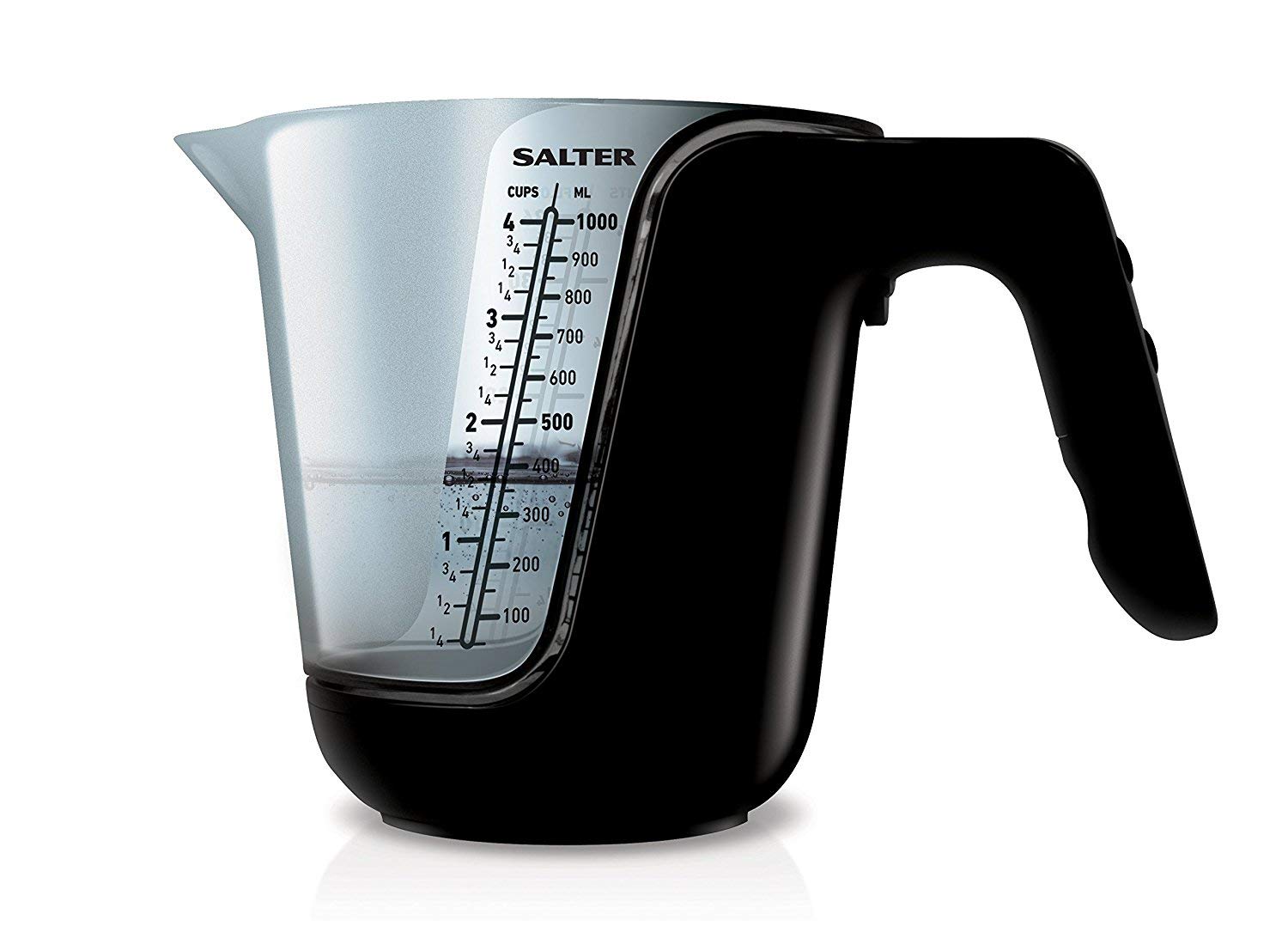
Figur 1: The Salter 1048 Digital Kitchen Scale with its clear measuring jug. The LCD display is illuminated, showing a measurement of '25.5 mL' for 'water', demonstrating its liquid weighing capability.
6. Vedligeholdelse og pleje
- Rengøring af vægtens base: Tør vægtens bund af med en blød kludamp cloth. Do not use chemical cleaners or immerse in water.
- Rengøring af kanden: The measuring jug can be washed by hand with warm soapy water or placed in the dishwasher. Ensure it is completely dry before placing it back on the scale.
- Opbevaring: Store the scale in a cool, dry place. If storing for an extended period, it is recommended to remove the batteries to prevent leakage.
- Udskiftning af batteri: When the display shows 'Lo', replace the batteries promptly with new ones of the correct type.
7. Fejlfinding
| Problem | Mulig årsag | Løsning |
|---|---|---|
| Displayet viser 'Lo' | Lav batteristrøm. | Udskift batterierne med nye. |
| Displayet viser 'Err' | Vægten er overbelastet eller overfladen er ustabil. | Remove items from the scale. Turn the scale off, then restart it on a flat, stable surface. Ensure weight does not exceed maximum capacity. |
| Unøjagtige aflæsninger | Scale not on a level surface, or not tared correctly. | Ensure the scale is placed on a firm, level surface. Press the TARE button to zero the display before weighing. Avoid vibrations during use. |
| Skalaen tænder ikke | Batterierne er døde eller forkert installeret. | Check battery polarity and ensure they are correctly inserted. Replace batteries if necessary. |
8. Specifikationer
- Mærke: Salter
- Model: 1048
- Farve: Sort
- Materiale: Plast
- Vise: LCD
- Måleenheder: g, oz, ml, fl.oz
- ASIN: B091J7PDL9
- Første tilgængelige dato: 1. april 2021
- Strømkilde: Batteries (type not specified, typically AAA or button cell)
9. Garanti og support
For detailed warranty information, product registration, or customer support, please refer to the documentation included with your purchase or visit the official Salter webDu kan også kontakte din forhandler for at få hjælp.
Fabrikant: Salter