
TecTake 403915
TecTake Portable Air Conditioner User Manual
Model: 403915 | Brand: TecTake
1. Introduktion
Thank you for choosing the TecTake Portable Air Conditioner. This unit is designed to provide efficient cooling and air circulation for your home or office. Featuring a touch control panel, remote control, multiple speed levels, and wind modes, it offers a customizable and comfortable environment. This manual provides essential information for the safe and effective operation, maintenance, and troubleshooting of your new air conditioner.

The TecTake Portable Air Conditioner, highlighting its key features such as 3 fan speeds, 3 modes, touch control, remote control, integrated timer, large water tank, adjustable vent, and swivel castors.
2. Sikkerhedsinstruktioner
Læs alle sikkerhedsinstruktioner omhyggeligt, inden apparatet tages i brug. Manglende overholdelse af disse instruktioner kan resultere i elektrisk stød, brand eller alvorlig personskade.
- Sørg for, at strømforsyningen voltage stemmer overens med klassificeringsmærkatet på enheden.
- Betjen ikke enheden med en beskadiget ledning eller stik.
- Hold enheden væk fra vand og andre væsker. Enheden må ikke nedsænkes i vand.
- Bloker ikke luftindtag eller -udtag. Sørg for tilstrækkelig afstand omkring enheden for korrekt luftgennemstrømning.
- Tag stikket ud af stikkontakten før rengøring, vedligeholdelse eller når enheden ikke er i brug.
- Lad ikke børn betjene apparatet uden opsyn.
- Brug kun originalt tilbehør og reservedele.
- Forsøg ikke selv at reparere eller modificere enheden. Kontakt kvalificeret servicepersonale for reparationer.
- Sørg for, at enheden er placeret på en stabil, plan overflade for at forhindre, at den vælter.
3. Pakkens indhold
Kontroller, at alle komponenter er til stede og i god stand ved udpakning:
- Bærbar klimaanlægsenhed
- Fjernbetjening
- 2 isposer
- Wall Mounting Materials (screws, bracket)
- Brugermanual

Overview of the product dimensions and included accessories.
4. Opsætning
- Placering af enheden: Place the air conditioner on a firm, level surface. Ensure there is sufficient space around the unit for proper air circulation. The unit is equipped with four smooth-running double castors for easy mobility. Two of these castors have brakes to secure the unit in place.

The unit's fully swivelling double castors, two of which can be locked to prevent unwanted movement.
- Påfyldning af vandtanken: For cooling and humidification, fill the 4-litre water tank with clean, cold water. The water tank has a readable fill level indicator. For enhanced cooling, place the two included ice packs in the freezer until frozen, then add them to the water tank.
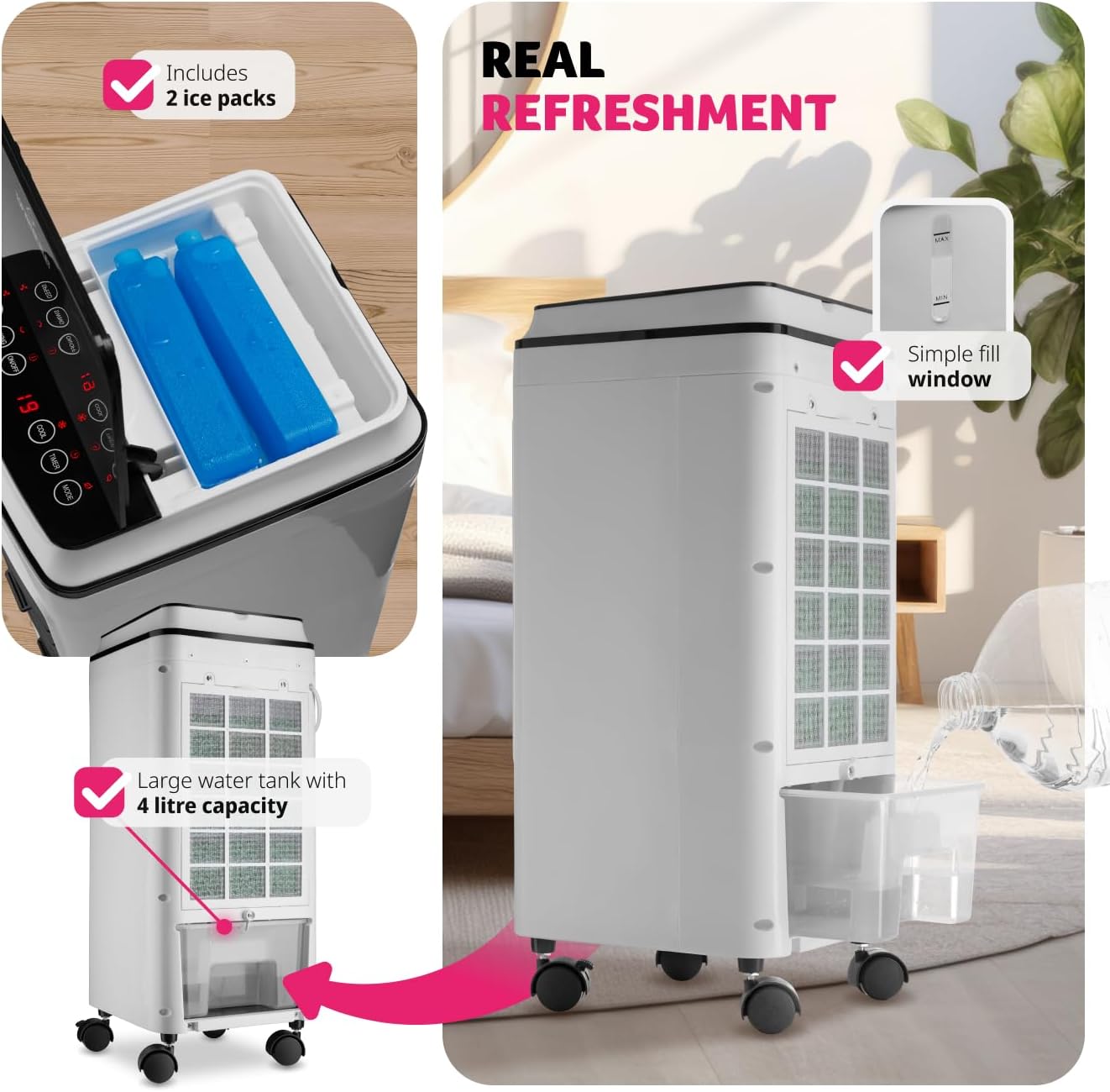
Instructions for filling the 4-litre water tank and adding the included ice packs for improved cooling.
- Strømtilslutning: Sæt strømkablet i en passende stikkontakt (240 volt).
- Valgfri vægmontering: If desired, the unit can be wall-mounted using the provided materials. Refer to the separate wall mounting instructions for detailed steps.
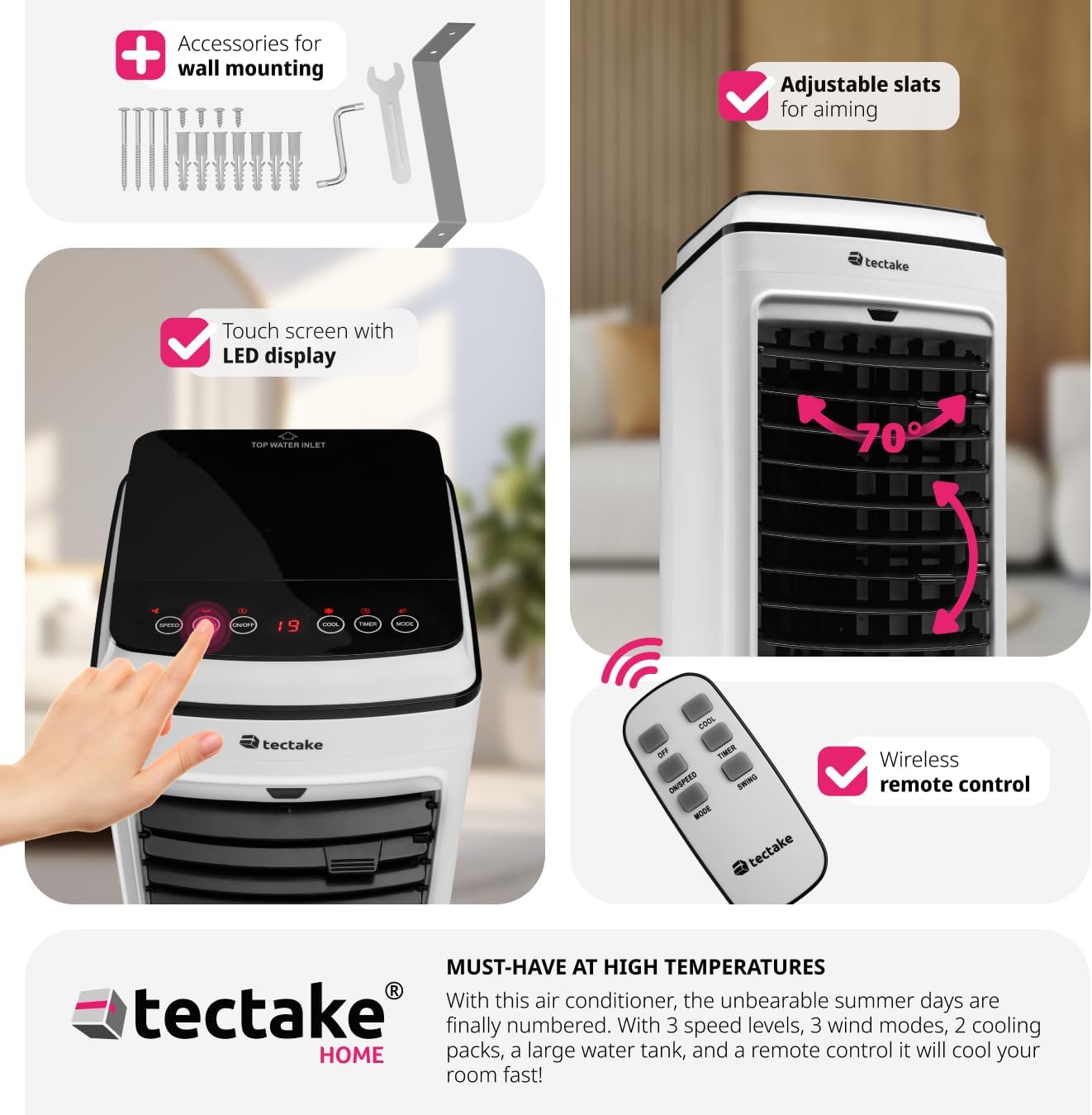
The unit can be wall-mounted using the included accessories.
5. Betjeningsvejledning
Your TecTake Portable Air Conditioner can be operated using the intuitive LED touch control panel on top of the unit or the included remote control.
5.1 Kontrolpanel og fjernbetjening
The touch control panel features LED lighting for easy operation, even in low light conditions. All functions available on the control panel are also accessible via the remote control.
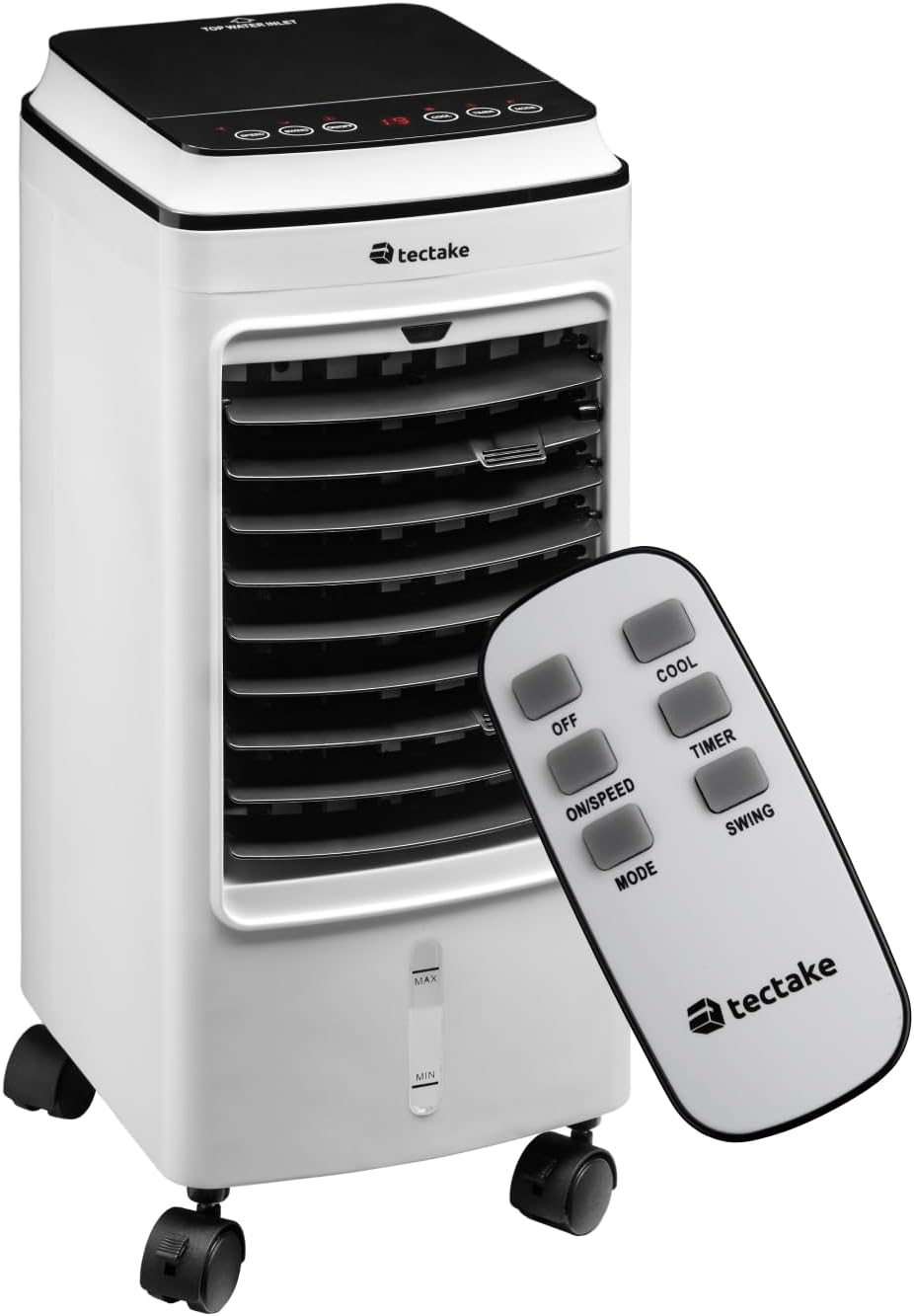
The portable air conditioner unit and its remote control.

The touch sensitive control panel is intuitive and user-friendly.

Remote control functions for easy adjustment from a distance.
5.2 Funktioner
- Tænd/sluk: Tryk på ON/OFF knappen for at tænde eller slukke for enheden.
- Hastighedsniveauer: Tryk på TIL/HASTIGHED button repeatedly to cycle through three fan speed levels (Low, Medium, High).
- Vindtilstande: Tryk på MODE button to select from three wind modes:
- Normal: Konstant luftstrøm ved den valgte hastighed.
- Naturlig: Simulerer naturlig brise med varierende ventilatorhastigheder.
- Snooze (Sleep): Operates at a lower, quieter speed for comfortable sleep.
- Cool Function: Tryk på AFKØLE button to activate the cooling function, utilizing the water tank and ice packs.
- Timer funktion: Tryk på TIMER button to set the operating time from 1 to 8 hours. The unit will automatically turn off after the set time. This function is ideal for ensuring comfortable sleep without continuous operation.
- Swing funktion: Tryk på SWING button to activate the automatic oscillation of the vertical slats, distributing air across a wider area. The horizontal slats can be manually adjusted to direct airflow precisely.

Adjustable inner and outer slats allow you to direct the cold breeze.

The unit offers quiet operation (under 60 dB) and a timer function (1-8 hours) for comfortable use during sleep.
6. Vedligeholdelse
Regelmæssig vedligeholdelse sikrer optimal ydeevne og forlænger levetiden på dit klimaanlæg. Tag altid stikket ud af enheden, før du udfører nogen form for vedligeholdelse.
- Rengøring af luftfilteret: The air filter should be cleaned regularly, especially if the unit is used frequently.
- Tag enheden ud af stikkontakten.
- Find luftfilteret på bagsiden af enheden.
- Loosen the two upper screws securing the filter cover.
- Remove the filter and gently clean it with a soft brush or vacuum cleaner. For a more thorough cleaning, rinse it under running water (ensure it is completely dry before reinserting).
- Reinsert the clean, dry filter and secure the screws.

Steps for easy air filter cleaning.
- Rengøring af vandtanken: To prevent mold and mildew, the water tank should be cleaned regularly.
While the water tank is not designed for complete removal, it can be cleaned by draining any remaining water and wiping the interior with a damp cloth and mild detergent. Rinse thoroughly and allow to air dry before refilling. Regular draining of old water and refilling with fresh water is recommended.
- Udvendig rengøring: Tør ydersiden af enheden af med en blød, damp klæde. Brug ikke slibende rengøringsmidler eller opløsningsmidler.
- Opbevaring: If storing the unit for an extended period, ensure the water tank is empty and dry, and the filter is clean. Store in a cool, dry place.
7. Fejlfinding
Før du kontakter kundesupport, bedes du se følgende tabel for almindelige problemer og løsninger på disse.
| Problem | Mulig årsag | Løsning |
|---|---|---|
| Enheden tænder ikke. | Ingen strømforsyning; netledningen er ikke sat i; stikkontakten er defekt. | Ensure the unit is properly plugged into a working power outlet. Check the circuit breaker. |
| No cool air / Insufficient cooling. | Water tank empty; ice packs not frozen; air filter dirty; room too large; windows/doors open. | Fill the water tank. Freeze and add ice packs. Clean the air filter. Ensure the room size is appropriate for the unit's capacity. Close windows and doors. |
| Enheden er støjende. | Unit not on a level surface; air filter dirty; foreign object inside. | Place the unit on a stable, level surface. Clean the air filter. Check for any obstructions. |
| Fjernbetjening virker ikke. | Batteries dead or incorrectly inserted; obstruction between remote and unit. | Replace batteries. Ensure line of sight to the unit's receiver. |
8. Specifikationer
| Feature | Detalje |
|---|---|
| Modelnummer | 403915 |
| Fabrikant | tectake |
| Produktdimensioner | 23.5 x 26.5 x 60 cm |
| Varens vægt | 5.2 kg |
| Farve | Hvid |
| Strømkilde | Elektrisk med ledning |
| Voltage | 240 volt |
| Wattage | 75 W |
| Vandtankkapacitet | 4 liter |
| Antal hastigheder | 3 |
| Vindtilstande | Normal, Natural, Snooze |
| Timer funktion | 1-8 timer |
| Kontroltype | Fjernbetjening, berøringspanel |
| Særlige funktioner | Portable, Adjustable Slats, Quiet Operation |
9. Garanti og support
Your TecTake Portable Air Conditioner comes with a standard manufacturer's warranty. Please refer to the warranty card included in your package for specific terms and conditions.
For technical support, troubleshooting assistance beyond this manual, or warranty claims, please contact TecTake customer service. Contact details can typically be found on the product packaging, the official TecTake webwebstedet eller din købsdokumentation.
Når du kontakter support, bedes du have dit modelnummer (403915) og købsdatoen klar.
Ask a question about this manual
Ask about setup, troubleshooting, compatibility, parts, safety, or missing instructions. Manuals+ will review the question and use this page’s manual context to help answer it.