
1. Introduktion og overview
The GAMDIAS Hermes E3 RGB Mechanical Gaming Keyboard is a compact and responsive peripheral designed for both gaming and general computing. It features GAMDIAS Certified Optical Gaming Switches, 16.8 million RGB customizable colors, and 19 built-in lighting effects. Its 60% form factor makes it easily portable while retaining essential functionality through its function layer.

Figur 1: Top-down view of the GAMDIAS Hermes E3 RGB Mechanical Gaming Keyboard, showcasindens kompakte layout med 61 taster og levende RGB-baggrundsbelysning.
Nøglefunktioner:
- Extreme Gaming RGB Lighting Modes: 19 built-in RGB backlight modes with 16.8 million customizable colors, adjustable brightness, and WASD/Arrow Keys exchange.
- Compact 60 Percent Design: A 61-key layout optimized for mobility and space-saving.
- Blue Switches & Full Anti-ghosting: Classic blue switches provide tactile and audible feedback. All keys are fully conflict-free with N-Key rollover for accurate and responsive commands.
- Ergonomic & Portable Design: Solid front plate design for durability and comfortable use.
- Superior Control: Responsive mechanical switches with a built-in vertical LED perception sensor.
2. Pakkens indhold
Sørg for, at alle dele er til stede i pakken, før du fortsætter med opsætningen:
- GAMDIAS Hermes E3 RGB Mechanical Gaming Keyboard
- USB kabel
- Keycap aftrækker

Figure 2: Visual representation of key features including RGB lighting, GAMDIAS certification, N-Key rollover, responsive lighting, WASD/Arrow key exchange, 32-bit ARM processor, and ergonomic design.
3. Opsætning
To set up your GAMDIAS Hermes E3 keyboard, follow these simple steps:
- Tilslut det medfølgende USB-kabel til tastaturets USB-port.
- Tilslut den anden ende af USB-kablet til en ledig USB-port på din computer (pc eller bærbar computer).
- Tastaturet er plug-and-play og burde blive genkendt automatisk af dit operativsystem.
Systemkrav:
- Windows® XP / Vista / 7 / 8 / 10
- PC med USB -port
4. Betjeningsvejledning
Keyboard Layout and FN Key Usage:
The Hermes E3 is a 60% keyboard, meaning it omits the number pad, F-row keys, and navigation cluster to achieve a compact size. These functions are accessed via the FN (Function) key, located near the bottom right side of the keyboard.
- F-Keys (F1-F12): Trykke FN + the corresponding number key (e.g., FN + 1 for F1).
- Piletasterne: Trykke FN + W (Op), A (Venstre), S (Down), D (Right) to use the arrow keys.
- Navigation Cluster (Home, End, PgUp, PgDn, Ins, Del): These functions are typically mapped to other keys in conjunction with the FN key. Refer to the keycap legends for specific mappings (e.g., FN + P til skærmudskrift, FN + [{ til hjemmet, FN + ]} for End).
RGB-lysstyring:
The Hermes E3 features 16.8 million RGB colors and 19 chromatic lighting effects. Control these directly from the keyboard:

Figure 3: The GAMDIAS Hermes E3 keyboard displaying its vibrant 16.8 million RGB colors and 19 lighting effects.
- Skift lystilstande: Trykke FN2 + F9 to cycle through the 19 different lighting effects.
- Skift farver: Trykke FN1 + [{ or ]} to change the color of the current lighting effect.
- Juster effekthastighed: Trykke FN1 + PgUp or PgDn to increase or decrease the speed of dynamic lighting effects.
- Juster lysstyrke: Trykke FN2 + + or - for at øge eller mindske baggrundslysets lysstyrke.
Avanceret funktionalitet:
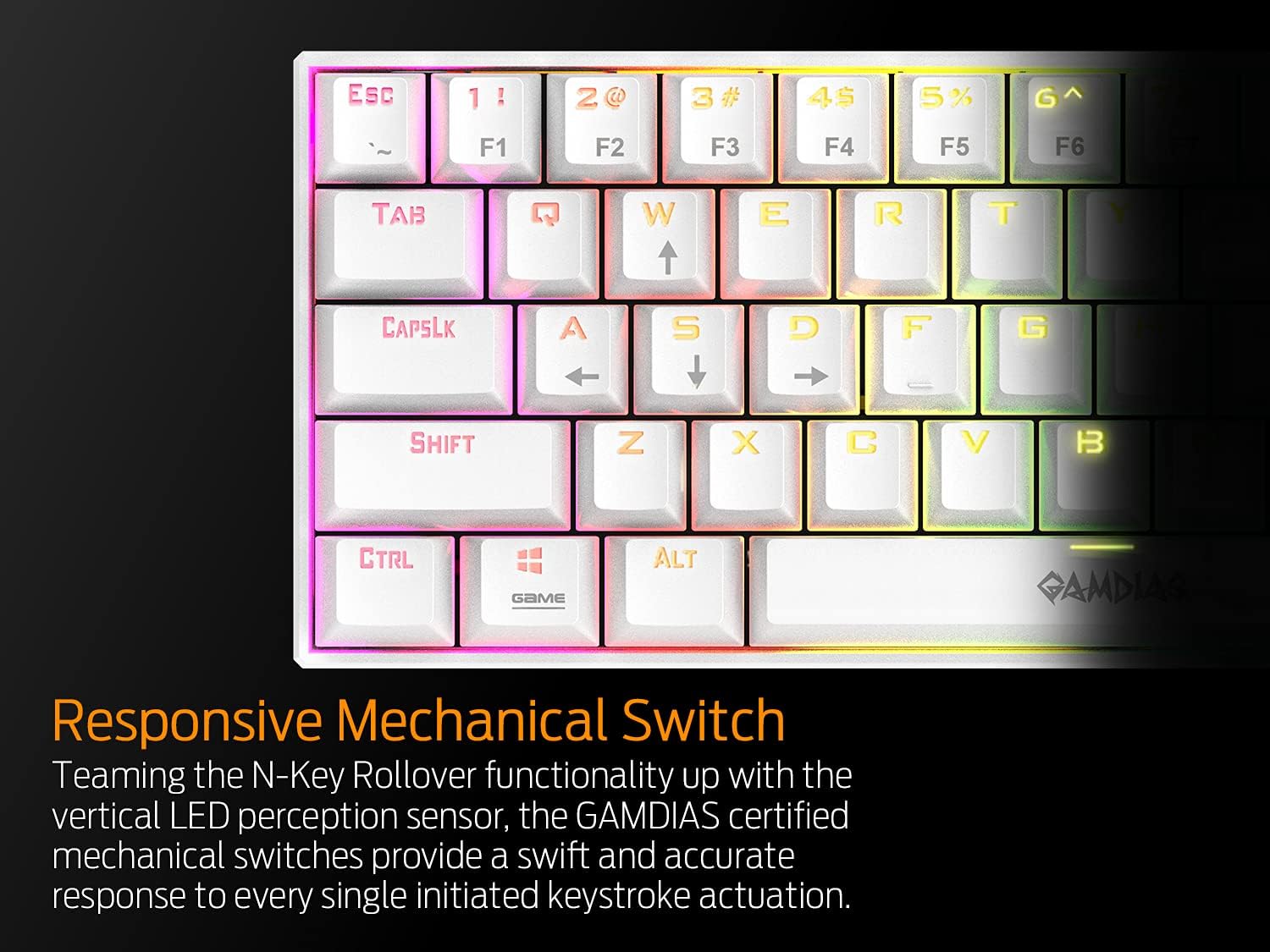
Figur 4: Nærbillede view of the GAMDIAS Hermes E3 keyboard highlighting its responsive mechanical switches and N-Key rollover functionality.
- N-Key Rollover og Anti-Ghosting: All keys on the Hermes E3 are fully conflict-free, ensuring that every keystroke is registered accurately, even during intense gameplay or fast typing.
- Key Reassignment & Macros: The keyboard supports key reassignment and macro creation for effortless operation. Refer to the official GAMDIAS software (if available) for detailed instructions on customizing key functions and creating macros.
5. Vedligeholdelse
Korrekt vedligeholdelse sikrer dit tastaturs levetid og optimale ydeevne:
- Rensning: Regularly clean the keyboard surface with a soft, dry cloth. For deeper cleaning, use the provided keycap puller to carefully remove keycaps and clean dust or debris from beneath them. Avoid using harsh chemicals or abrasive materials.
- Opbevaring: Når tastaturet ikke er i brug, skal det opbevares et rent og tørt sted, væk fra direkte sollys og ekstreme temperaturer.
- Kabelpleje: Undgå at bøje eller vride USB-kablet for meget for at forhindre skader.

Figure 5: The compact and portable design of the GAMDIAS Hermes E3 keyboard, suitable for various setups.
6. Fejlfinding
If you encounter issues with your GAMDIAS Hermes E3 keyboard, try the following troubleshooting steps:
- Tastaturet reagerer ikke:
- Sørg for, at USB-kablet er korrekt tilsluttet til både tastaturet og computeren.
- Prøv at tilslutte tastaturet til en anden USB-port på din computer.
- Test tastaturet på en anden computer for at afgøre, om problemet skyldes tastaturet eller den oprindelige computers opsætning.
- RGB-belysning virker ikke/forkert:
- Verify that the brightness is not set to minimum using FN2 + +.
- Skift mellem forskellige lystilstande ved hjælp af FN2 + F9.
- Ensure no software conflicts are present if you are using third-party lighting control software.
- Nøgler registreres ikke:
- Check for any physical obstructions or debris under the keycaps. Use the keycap puller to inspect and clean if necessary.
- If specific keys are not working, it might indicate a switch issue.
If the problem persists after attempting these steps, please contact GAMDIAS customer support for further assistance.
7. Specifikationer
| Feature | Specifikation |
|---|---|
| Produktdimensioner | 13.39 x 6.69 x 2.28 tommer |
| Varens vægt | 1.66 pund |
| Key Switch Type | GAMDIAS Certified Mechanical Switches (Blue) |
| Tastetryks livscyklus | 50 mio |
| Dimensioner (tastatur) | 11.46 x 3.98 x 1.61 tommer (291 x 101 x 41 mm) |
| Vægt (tastatur) | 255 g |
| Indbygget hukommelse | 32KB |
| Afstemningsfrekvens | 1000 Hz |
| Baggrundsbelysning | 16.8 Million Colors (RGB) |
| Anti-Ghosting | Yes, N-Key Rollover |
| Windows Key Disable | Ja |
| Kabellængde | 1.8m |
| Interface | USB |
| Antal nøgler | 61 |
| Farve | Hvid |
8. Garanti og support
For garantioplysninger og teknisk support henvises til den officielle GAMDIAS webwebstedet eller kontakt deres kundeservice direkte. Gem din købskvittering som købsbevis i tilfælde af garantikrav.
Manufacturer: GAMDIAS
For mere information, besøg GAMDIAS Store on Amazon.