1. Introduktion
This manual provides detailed instructions for the safe and efficient use of your Hoco HC3 Bounce Sports Wireless Speaker. Please read this manual thoroughly before operating the device and retain it for future reference. The Hoco HC3 is a versatile portable speaker supporting Bluetooth, FM radio, TF card, USB, AUX, and TWS modes.

Figure 1: Hoco HC3 Bounce Sports Wireless Speaker. This image displays the speaker in a vertical orientation, showcasing its black mesh grille, the 'hoco' logo at the bottom right, and a braided carrying strap attached to the top left side. The control buttons are visible on the side panel.
2. Pakkens indhold
Sørg for, at alle varer er til stede ved udpakning:
- Hoco HC3 Bounce Sports Wireless Speaker
- USB opladningskabel
- Brugervejledning (dette dokument)
- AUX Audio Cable (if included with your model)
3. Produktet er slutview
3.1 Højttalerkomponenter

Figure 2: Rear panel of the Hoco HC3 speaker. This image highlights the various input ports and control buttons located on the back of the speaker. Visible elements include the power switch, USB port, TF card slot, AUX input, and LED indicator.
Gør dig bekendt med højttalerens betjeningselementer og porte:
- Power knap: Long press to power on/off. Short press to switch modes.
- Afspil/pause knap: Afspil eller sæt lyd på pause. Besvar/afslut opkald.
- Knap til lydstyrke op / Næste nummer: Kort tryk for næste nummer, langt tryk for at skrue op for lydstyrken.
- Knap til lydstyrke ned / forrige nummer: Kort tryk for forrige nummer, langt tryk for at sænke lydstyrken.
- Mode-knap (M): Short press to cycle through Bluetooth, FM, TF card, USB, and AUX modes.
- USB-port: Til afspilning fra USB-drev.
- TF-kortslot: Til afspilning fra TF-kort (MicroSD).
- AUX-indgang: 3.5 mm jackstik til kablet lydforbindelse.
- Opladningsport: Micro USB-port til opladning af højttaleren.
- LED-indikator: Displays charging status and operating mode.
3.2 Nøglefunktioner
- Bluetooth V5.0: Giver stabil og effektiv trådløs forbindelse.
- Flere afspilningstilstande: Supports Bluetooth, FM radio, TF card, USB drive, and AUX input.
- True Wireless Stereo (TWS): Allows two HC3 speakers to connect wirelessly for a stereo sound experience.
- Lang batterilevetid: 2400mAh battery capacity offers up to 5 hours of music playback.
- Dobbelte højttalere: Equipped with two 45mm speaker units, each with 5W power output.
- Kompakt og bærbar: Dimensions of 202*60*60mm and weight of 561g for easy transport.
4. Opsætning
4.1 Opladning af højttaleren
- Tilslut det medfølgende USB-opladerkabel til højttalerens opladningsport.
- Connect the other end of the USB cable to a 5V USB power adapter (not included) or a computer's USB port.
- The LED indicator will illuminate to show charging status. It typically takes about 3 hours for a full charge.
- Once fully charged, the LED indicator will change or turn off (refer to specific LED behavior in the troubleshooting section if unsure).
Bemærk: For optimal batterilevetid skal højttaleren oplades helt inden første brug.
4.2 Tænd/sluk
- For at tænde: Long press the Power button until you hear an audible prompt and the LED indicator lights up.
- For at slukke: Long press the Power button again until you hear an audible prompt and the LED indicator turns off.
5. Betjeningsvejledning
5.1 Bluetooth -parring
- Ensure the speaker is powered on and in Bluetooth mode (the LED indicator will typically flash blue, indicating it's ready for pairing). If not, short press the Mode (M) button to switch to Bluetooth mode.
- Aktiver Bluetooth på din mobile enhed (smartphone, tablet, computer).
- Søg efter available Bluetooth devices. You should see "HC3" or "Hoco HC3" in the list.
- Select "HC3" to connect. Once paired, the speaker will emit an audible confirmation, and the LED indicator will stop flashing and remain solid blue.
- Du kan nu afspille lyd fra din enhed via højttaleren.
Note: The speaker will automatically attempt to reconnect to the last paired device when powered on, if that device's Bluetooth is active and within range.
5.2 FM-radiotilstand
- Tænd for højttaleren.
- Short press the Mode (M) button repeatedly until you enter FM radio mode.
- To auto-scan and save available FM stations, short press the Play/Pause button. The speaker will scan and store stations.
- Use the Volume Up / Next Track and Volume Down / Previous Track buttons to navigate between saved stations.
5.3 TF-kort / USB-afspilning
- Tænd for højttaleren.
- Insert a TF (MicroSD) card into the TF card slot or a USB flash drive into the USB port.
- The speaker should automatically switch to TF card or USB mode and begin playing audio files. If not, short press the Mode (M) button to select the correct mode.
- Use the Play/Pause, Volume Up / Next Track, and Volume Down / Previous Track buttons to control playback.
Note: Ensure your TF card or USB drive contains compatible audio files (f.eks. MP3-format).
5.4 AUX-tilstand
- Tænd for højttaleren.
- Connect one end of a 3.5mm audio cable (if included) to the speaker's AUX input port.
- Connect the other end of the audio cable to the audio output jack of your external device (e.g., MP3 player, computer).
- The speaker should automatically switch to AUX mode. If not, short press the Mode (M) button to select AUX mode.
- Control playback from your external device. Volume can be adjusted on both the speaker and the external device.
5.5 TWS (ægte trådløs stereo) funktion
The TWS function allows you to pair two Hoco HC3 speakers together for a true stereo sound experience.
- Ensure both HC3 speakers are powered off.
- Power on both speakers simultaneously. They should both enter Bluetooth pairing mode.
- On en of the speakers (this will become the primary speaker), long press the Mode (M) button or a dedicated TWS button (if present, otherwise try the Play/Pause button for 3-5 seconds) until you hear a pairing tone. The speakers will attempt to connect to each other.
- Once successfully paired, you will hear a confirmation tone, and one speaker's LED will indicate it's the primary (e.g., flashing slowly), while the other's LED will be solid.
- Tilslut nu din mobile enhed til primær speaker via Bluetooth as described in section 5.1.
- Lyden afspilles nu i stereo gennem begge højttalere.
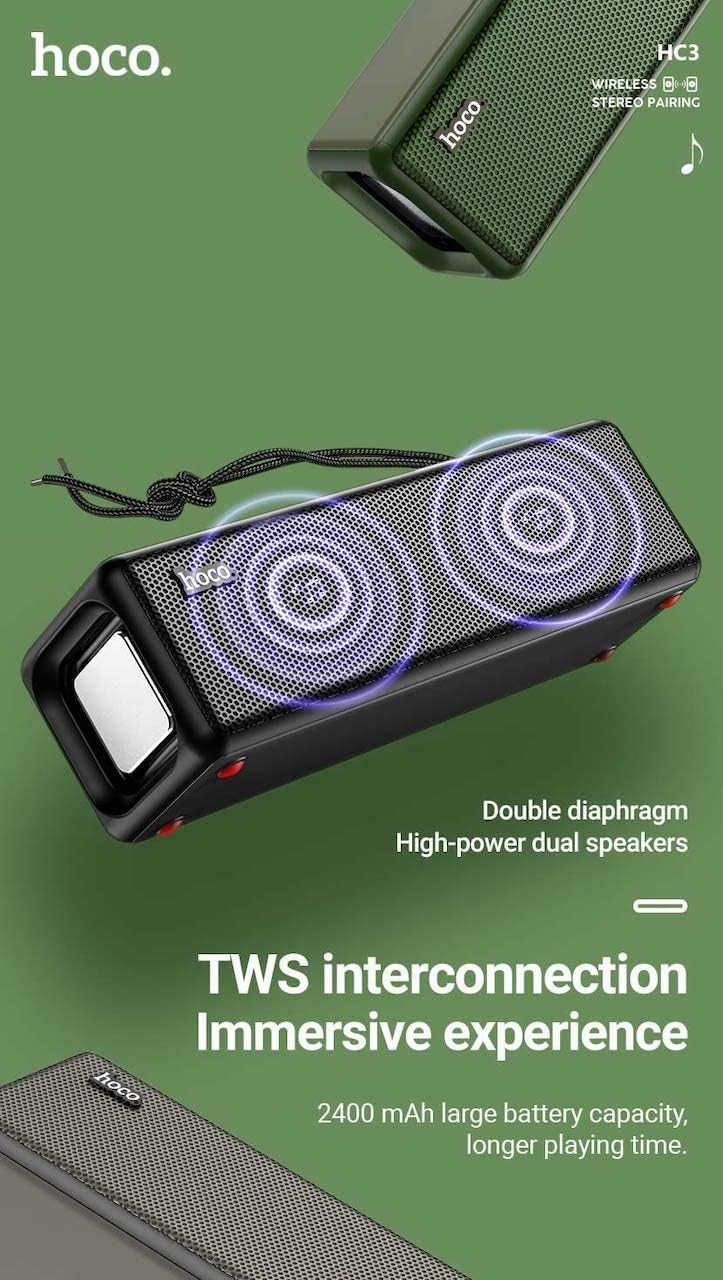
Figure 3: TWS Interconnection. This image illustrates the concept of two Hoco HC3 speakers wirelessly connected to provide a stereo audio experience, highlighting the dual speaker setup and the 2400 mAh battery capacity.
5.6 Opkaldshåndtering
Når den er tilsluttet via Bluetooth til en smartphone:
- Besvar opkald: Tryk kort på Play/Pause-knappen.
- Afslut opkald: Tryk kort på Afspil/Pause-knappen under et opkald.
- Afvis opkald: Tryk længe på Afspil/Pause-knappen, når et indgående opkald ringer.
- Genopkald sidste nummer: Dobbelttryk på Play/Pause-knappen.
6. Vedligeholdelse
- Rensning: Use a soft, dry cloth to clean the speaker's surface. Do not use abrasive cleaners, alcohol, or other chemical solvents.
- Opbevaring: Opbevar højttaleren et køligt, tørt sted væk fra direkte sollys og ekstreme temperaturer.
- Batteripleje: To prolong battery life, charge the speaker regularly, even if not in use for extended periods (e.g., once every 3 months). Avoid fully discharging the battery frequently.
- Vandtæthed: While designed for sports, avoid submerging the speaker in water. Refer to product specifications for any IP rating.
- Undgå påvirkning: Protect the speaker from drops and strong impacts.
7. Fejlfinding
If you encounter issues with your Hoco HC3 speaker, refer to the following table for common problems and solutions:
| Problem | Mulig årsag | Løsning |
|---|---|---|
| Højttaleren tænder ikke. | Lavt batteri. | Oplad højttaleren i mindst 30 minutter. |
| Kan ikke parres via Bluetooth. | Bluetooth er ikke aktiveret på enheden; højttaleren er ikke i parringstilstand; for langt fra enheden. | Ensure Bluetooth is on, speaker is in pairing mode (flashing blue LED), and devices are within 10 meters. Forget "HC3" on your device and try pairing again. |
| Ingen lyd. | Lydstyrken er for lav; forkert tilstand er valgt; enheden afspiller ikke lyd. | Increase volume on both speaker and connected device. Verify correct mode (Bluetooth, AUX, TF, USB). Ensure audio is playing on the source device. |
| FM-radiomodtagelsen er dårlig. | Svagt signal; miljøforstyrrelser. | Move the speaker to a location with better reception. Re-scan for stations. |
| TF-kort/USB-afspilning virker ikke. | Card/drive not inserted correctly; incompatible file format; beskadiget files. | Ensure card/drive is fully inserted. Check file formats (MP3 recommended). Try another card/drive. |
| TWS-parring mislykkes. | Højttalere er ikke i TWS-parringstilstand; for langt fra hinanden. | Ensure both speakers are powered on and in TWS pairing mode. Keep them close during pairing. Refer to section 5.5. |
8. Specifikationer
| Feature | Detalje |
|---|---|
| Model | HC3 |
| Dimensioner | 202 x 60 x 60 mm |
| Vægt | 561 g |
| Bluetooth version | V5.0 (Chip: JLAC6928B) |
| Batterikapacitet | 2400mAh |
| Opladningstid | Cirka 3 timer |
| Tale/musiktid | Op til 5 timer |
| Højttalerenhed | 45 mm * 2 |
| Højttalerens strømudgang | 5 W * 2 |
| Tilslutningstilstande | Bluetooth, FM, TF card, USB, AUX, TWS |
| Lydudgangstilstand | Omgive |
| Fabrikant | Hoco |
| Oprindelsesland | Kina |
9. Garanti og support
Hoco products are manufactured to high quality standards. For information regarding warranty coverage, please refer to the warranty card included with your purchase or contact your local Hoco distributor or retailer. Keep your proof of purchase for any warranty claims.
For technical support or further assistance, please visit the official Hoco website or contact their customer service department. Contact details are typically available on the product packaging or the official webwebsted.