
1. Introduktion
Thank you for choosing the ZEBRONICS Zeb-Buds C2 Type C Wired Earphones. This manual provides essential information for the proper setup, operation, maintenance, and troubleshooting of your new earphones. Please read this guide thoroughly before use to ensure optimal performance and longevity of your device.
2. Produktet er slutview
Nøglefunktioner:
- Type C Connector for broad compatibility.
- Integreret mikrofon til håndfri opkald.
- Durable 1.2-meter braided cable.
- Metallic design for enhanced durability.
- Comfortable in-ear fit.
- Equipped with 10mm drivers for clear audio.
- In-line remote for call function and volume/media control.
Pakkeindhold:
- 1 x ZEBRONICS Zeb-Buds C2 Earphone
- Extra Eartips (various sizes)

Image: ZEBRONICS Zeb-Buds C2 earphones, showcasing the Type C connector, in-line remote with volume and call controls, and the braided cable leading to the metallic earbuds.

Image: A visual representation highlighting the key design elements and accessories of the Zeb-Buds C2, such as comfortable fit, in-ear design, in-line microphone, included extra eartips, and the 1.2-meter cable length.
3. Opsætning
Connecting Your Earphones:
The Zeb-Buds C2 earphones are designed for plug-and-play functionality with most devices featuring a Type C audio output. Simply insert the Type C connector into your device's Type C port.

Billede: En detaljeret view of the Type-C connector, which is used to connect the earphones to compatible devices.
Mobile Phone Compatibility & User Guide:
Most phones work with Type-C wired earphones without any setup. However, if the audio still plays through the phone speaker after plugging in the earphones, try one of the following solutions:
MULIGHED 1
- Gå til Indstillinger > Om telefon og aktivere Udviklerindstillinger (tap "Build Number" 7 times).
- In Developer Options, turn off the "Disable USB audio routing" setting.
- Plug in your earphones and enjoy your music.
MULIGHED 2
- Enable Developer Options as described above.
- In Developer Options, turn on the "OTG connection" setting.
- Plug in your earphones and start listening.
Note: For Option 2, if the earphones are unused for over 10 minutes, the OTG connection may turn off automatically. You'll need to re-enable it manually.
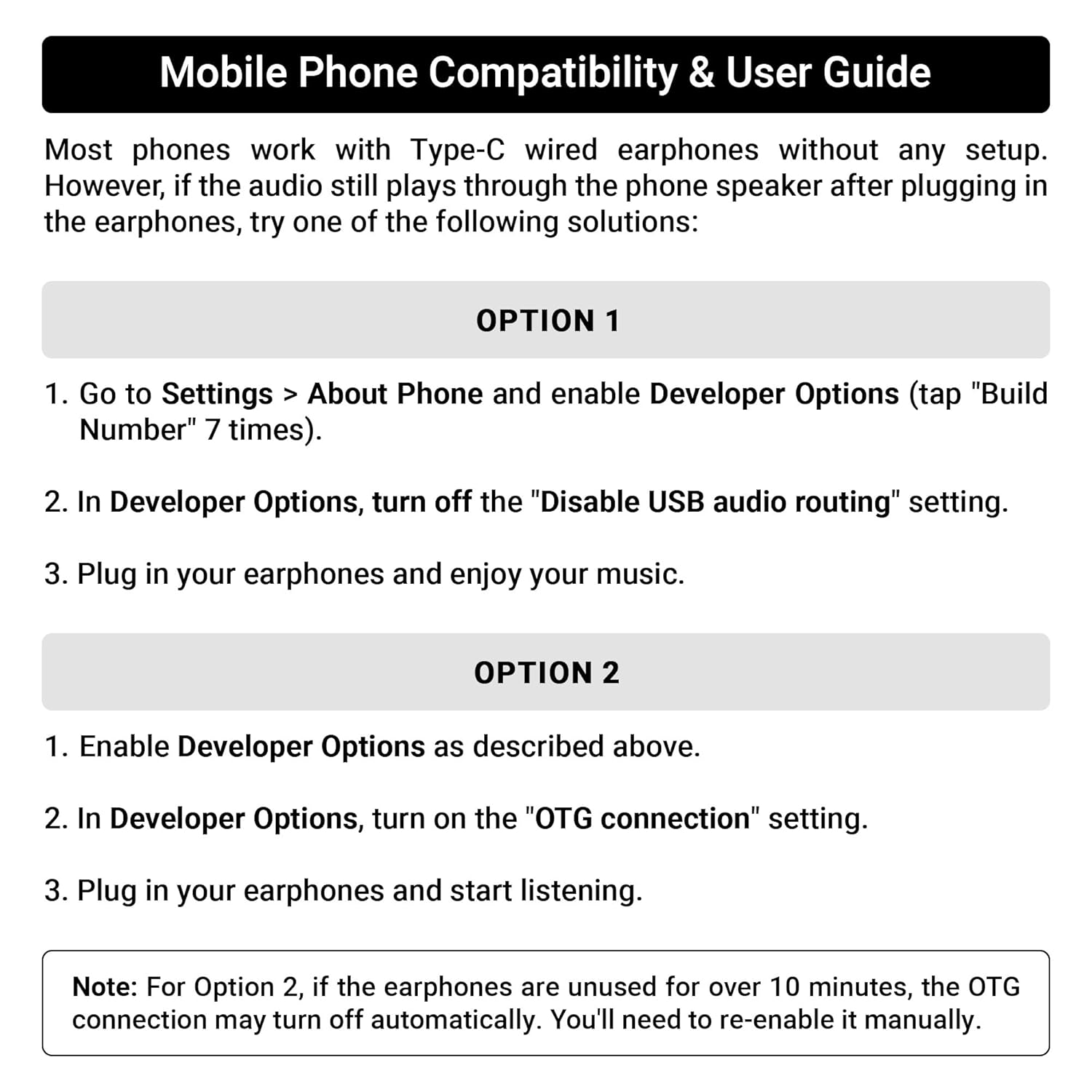
Image: A guide detailing compatibility and troubleshooting steps for connecting Type C earphones to mobile phones, including instructions for Developer Options and OTG settings.
4. Betjeningsvejledning
Fjernbetjening i ledningen:
The Zeb-Buds C2 features an in-line remote control for convenient management of audio playback and calls.
- Lydstyrke op (+): Tryk for at øge lydstyrken.
- Skrue ned for lyden (-): Tryk for at sænke lydstyrken.
- Multifunktionsknap (midt):
- Enkelt tryk: Afspil/pause musik, besvar/afslut opkald.
- Dobbelt tryk: Spring til næste nummer.
- Triple Press: Gå til det forrige spor.
- Langt tryk: Reject incoming calls, Activate voice assistant (if supported by device).

Image: A user demonstrating the in-line volume and media control remote on the Zeb-Buds C2 earphones.
5. Vedligeholdelse
For at sikre dine øretelefoners levetid og optimale ydeevne skal du følge disse retningslinjer for vedligeholdelse:
- Rensning: Tør forsigtigt ørepropperne og kablet af med en blød, tør klud. Brug ikke skrappe kemikalier eller slibende materialer.
- Opbevaring: Når øretelefonerne ikke er i brug, skal de opbevares et rent og tørt sted, helst i en beskyttende pose, for at forhindre sammenfiltring og beskadigelse.
- Kabelpleje: Avoid sharp bends or excessive pulling on the cable, especially near the connectors, to prevent internal wire damage. The braided cable is designed for durability, but proper handling is still recommended.
- Ørespidser: Regularly check and clean the eartips. Replace them if they become worn or damaged to maintain sound quality and comfort.
6. Fejlfinding
If you encounter issues with your Zeb-Buds C2 earphones, refer to the following common solutions:
- Ingen lyd:
- Ensure the Type C connector is fully inserted into your device.
- Tjek din enheds lydstyrkeindstillinger.
- Verify that your device's audio output is set to the Type C port (refer to Section 3: Setup for specific mobile phone settings).
- Test the earphones with another compatible device to rule out a device-specific issue.
- Mikrofonen virker ikke:
- Ensure the earphones are fully connected.
- Tjek din enheds mikrofonindgangsindstillinger.
- Sørg for, at mikrofonen ikke er blokeret.
- Lydforvrængning:
- Skru ned for lydstyrken på din enhed.
- Sørg for, at lydkilden er af god kvalitet.
- Check for any physical damage to the cable or earbuds.
7. Specifikationer
| Feature | Specifikation |
|---|---|
| Modelnavn | Zeb-Buds C2 |
| Forbindelsesteknologi | Kablet |
| Connector Type | USB Type C |
| Driver størrelse | 10 mm |
| Frekvensområde | 20Hz-20kHz |
| Kabellængde | 1.2 meter |
| Kabelfunktion | Flettet, filtret frit |
| Materiale | Plastic (earbuds with metallic design elements) |
| Varens vægt | 16 gram |
| Kontroltype | Call Control, Volume/Media Control |
| Kompatible enheder | Laptops, Mobile Phones, Tablets, PC, Audio Devices with Type C Input Port |
8. Garanti og support
Garantioplysninger:
The ZEBRONICS Zeb-Buds C2 earphones come with a 6 Months Carry Into Service Centre warranty from the date of purchase. Please retain your purchase receipt for warranty claims. The warranty covers manufacturing defects under normal use conditions.
Kundesupport:
For any support queries, technical assistance, or warranty claims, please contact ZEBRONICS customer service through their official webwebstedet eller de kontaktoplysninger, der følger med din produktemballage.