
1. Introduktion
The ARCTIC F12 Silent is a 120mm PC case fan designed for quiet and efficient cooling. This manual provides essential information for the proper installation, operation, and maintenance of your fan to ensure optimal performance and longevity.
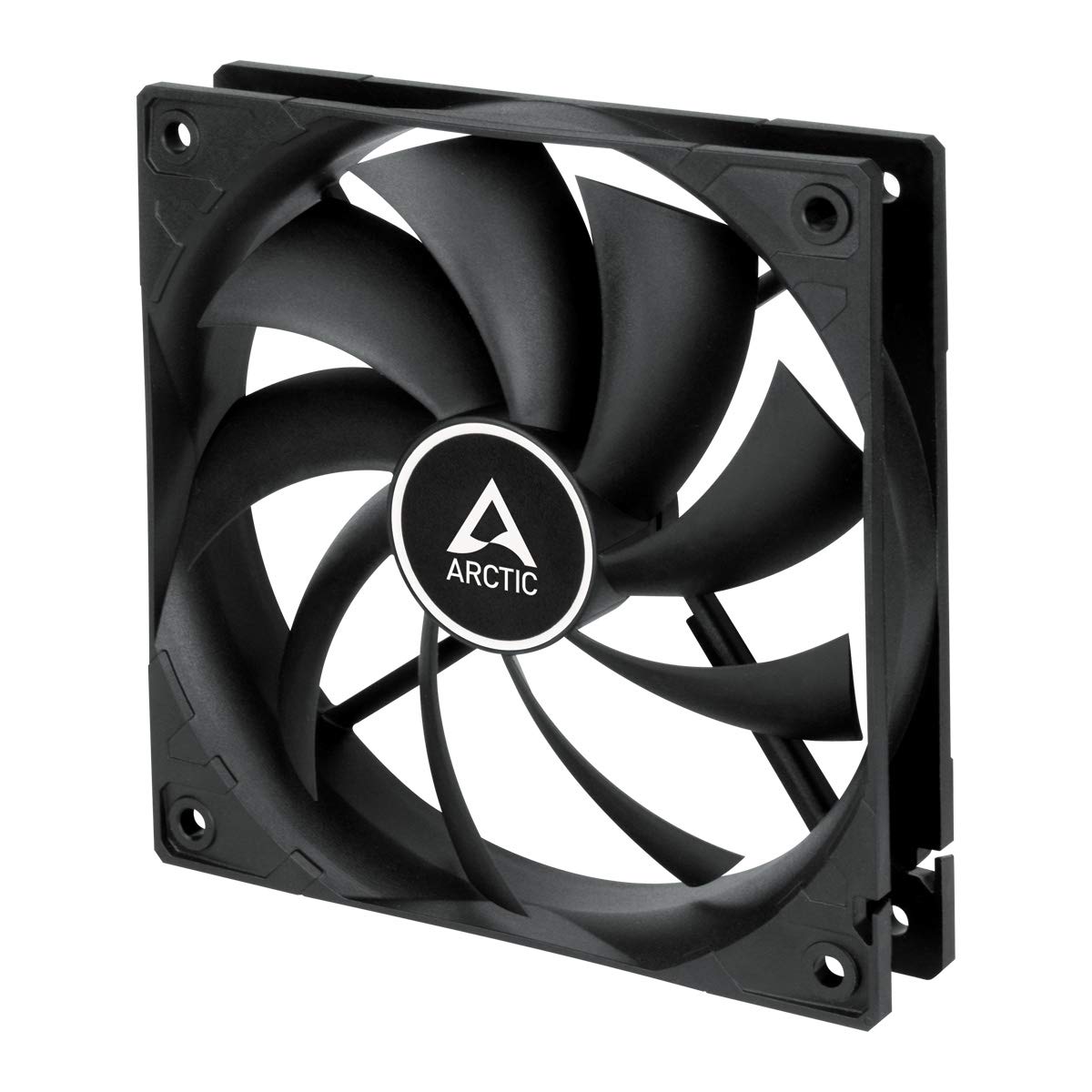
Billede 1.1: Forside view of the ARCTIC F12 Silent 120mm PC Case Fan, showcasing its black frame and nine-blade impeller.
2. Sikkerhedsoplysninger
- Sørg for, at dit computersystem er slukket og taget stikket ud af stikkontakten før installation eller vedligeholdelse.
- Hold ventilatoren i rammen for at undgå at beskadige bladene.
- Keep fingers and other objects away from the fan blades when the fan is operating.
- Forsøg ikke at skille ventilatoren ad eller ændre den. Dette vil ugyldiggøre garantien.
- Use only the provided mounting screws to prevent damage.
3. Pakkens indhold
Bekræft at alle varer er til stede i din pakke:
- 1x ARCTIC F12 Silent 120mm PC Case Fan
- 4x monteringsskruer

Image 3.1: The retail packaging for the ARCTIC F12 Silent fan, showing the fan and branding.
4. Produktfunktioner
- Stille drift: Engineered with a German-developed motor and an optimized alloy/lubricant combination to minimize friction and noise, ensuring almost inaudible performance at 800 RPM.
- Optimeret luftstrøm: The fan blade design is specifically crafted to improve air circulation and facilitate efficient ventilation, focusing on minimizing noise while delivering effective airflow and static pressure.
- Fluid Dynamic Bearing: Equipped with a Fluid Dynamic Bearing that includes an oil capsule to prevent lubricant leakage, offering a service life comparable to sleeve bearings but with enhanced quietness and durability.

Image 4.1: Diagram illustrating the internal structure of the fan motor, highlighting the quiet operation design.

Image 4.2: Cross-section diagram of the Fluid Dynamic Bearing, showing the lubricant capsule and precision components for extended service life.
5. Opsætning og installation
The ARCTIC F12 Silent fan supports two-way installation for flexible airflow management within your PC case.
- Bestem luftstrømsretning: Decide whether you want the fan to draw cool air into the case (intake) or exhaust warm air out of the case (outtake). The fan's frame typically has arrows indicating airflow direction and blade rotation.
- Placer ventilatoren: Place the fan in the desired mounting location within your PC case (e.g., front, rear, top, bottom).
- Fastgør ventilatoren: Use the four included mounting screws to firmly attach the fan to the case. Do not overtighten.
- Tilslut strøm: Connect the fan's 3-pin connector to an available 3-pin fan header on your motherboard or a fan controller. Ensure the connector is properly aligned before pushing it in.

Image 5.1: Illustration demonstrating the two-way installation options: exhausting hot air out of the case (left) and drawing cool air into the case (right).
Video 5.1: En kort gennemgangview videoshowasing the ARCTIC F12 Silent fan from various angles, demonstrating its physical design and quiet operation.
6. Betjeningsvejledning
Once installed and connected, the ARCTIC F12 Silent fan will operate at a fixed speed of 800 RPM. This speed is optimized for a balance between quietness and effective airflow.
- Ventilatoren er designet til kontinuerlig drift.
- Monitor your system's temperatures to ensure adequate cooling.
- The 3-pin connector provides constant power, meaning the fan speed is not controlled by PWM (Pulse Width Modulation).
7. Vedligeholdelse
Regelmæssig vedligeholdelse er med til at sikre din ventilators levetid og optimale ydeevne.
- Rensning: Rengør ventilatorbladene og rammen med jævne mellemrum for at fjerne støvophobning. Brug trykluft eller en blød børste. Sørg for, at ventilatoren er slukket og taget ud af stikket, før du rengør den.
- Inspektion: Check for any obstructions around the fan that might impede airflow.
- No lubrication is required for the Fluid Dynamic Bearing as it is designed to be maintenance-free.
8. Fejlfinding
- Ventilatoren drejer ikke:
- Ensure the 3-pin connector is securely plugged into the motherboard or fan controller.
- Check if the fan header on the motherboard is supplying power. Try connecting the fan to a different header if available.
- Verify that your power supply unit (PSU) is functioning correctly.
- Overdreven støj:
- Ensure the fan is securely mounted and not vibrating against the PC case.
- Check for any cables or objects obstructing the fan blades.
- Rengør eventuelt støvophobning på ventilatorbladene.
- Dårlig luftgennemstrømning:
- Verify the fan is installed in the correct orientation for your desired airflow (intake or exhaust).
- Ensure there are no obstructions blocking the fan's intake or exhaust.
9. Specifikationer

Image 9.1: Diagram showing the dimensions of the ARCTIC F12 Silent fan: 120mm x 120mm x 25mm.
| Feature | Specifikation |
|---|---|
| Blæserhastighed | 800 RPM |
| Luftstrøm | 37 CFM | 62.9 m³/t |
| Støjniveau | 0.08 Sone |
| Statisk tryk | 0.3 mmHXNUMX |
| Stik | 3-benet |
| Voltage | 12 volt |
| Produktmål (L x B x H) | 120 mm x 120 mm x 25 mm (4.72" L x 4.72" B x 0.98" H) |
| Varens vægt | 107 gram |
| Materiale | Metal |
| Leje Type | Fluid Dynamic Bearing |
10. Garanti og support
The ARCTIC F12 Silent fan comes with a 6 års garanti from the date of purchase. For warranty claims or technical support, please contact ARCTIC customer service through their official webwebsted.
For additional information and resources, please visit the official ARCTIC webwebsted: www.arctic.ac/f12silent