
1. Produktet er slutview
The Donerton Smart Watch P32 is a versatile wearable device designed to assist with daily activity tracking, health monitoring, and smart notifications. It features a 1.69-inch standing screen display, Bluetooth connectivity, and various fitness modes.

Image: The Donerton Smart Watch P32 showcasing its 1.69-inch HD touch screen and a selection of customizable watch faces. The watch is displayed on a wrist and next to a smartphone, highlighting its modern design and digital interface.
2. Hvad er der i æsken
- Donerton Smart Watch P32
- Ladekabel
- Brugervejledning (dette dokument)
3. Opsætningsvejledning
3.1. Opladning af enheden
Before first use, fully charge your Donerton Smart Watch P32. Connect the provided charging cable to the charging port on the back of the watch and plug the USB end into a standard USB power adapter (not included) or a computer's USB port. A full charge typically takes approximately 2 hours.
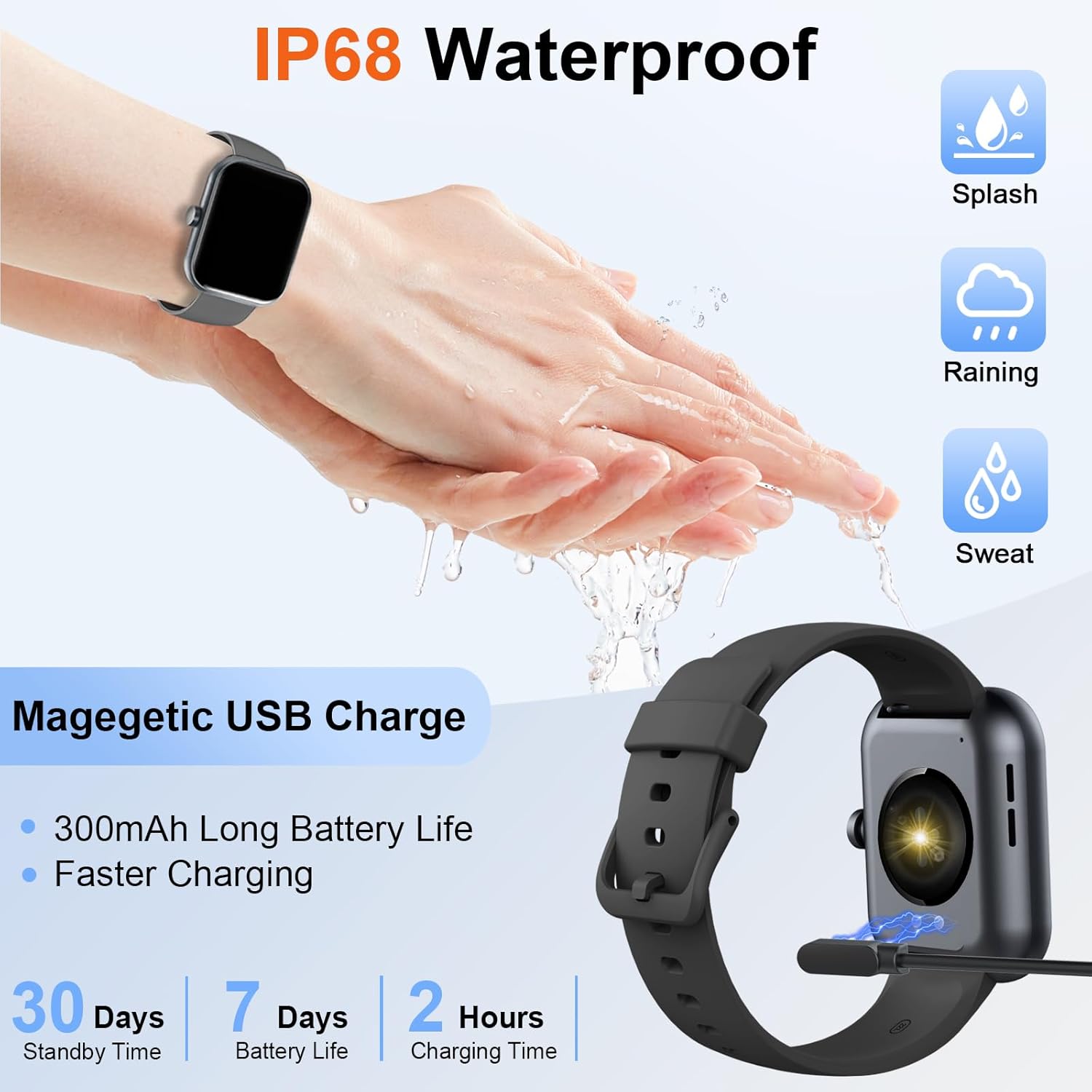
Image: The Donerton Smart Watch P32 connected to its magnetic USB charging cable, illustrating the charging process. The image also highlights the watch's IP68 waterproof rating and battery life specifications.
3.2. App Installation
For at få adgang til dit smartwatchs fulde funktionalitet skal du downloade og installere den tilhørende applikation på din smartphone. Søg efter the official Donerton app in your device's app store (e.g., Google Play Store for Android or Apple App Store for iOS).
3.3. Enhedsparring
- Sørg for, at dit smartwatch er opladet og tændt.
- Aktiver Bluetooth på din smartphone.
- Open the Donerton companion app.
- Follow the in-app instructions to search for and connect to your Donerton Smart Watch P32. The Bluetooth device name for the watch may appear as "P32" or similar.
- Bekræft parringsanmodningen på både dit ur og din smartphone.
4. Betjeningsvejledning
4.1. Grundlæggende navigation
- Power knap: Press the side button to wake up the screen or return to the main watch face.
- Berøringsskærm: Stryg til venstre, højre, op eller ned for at navigere gennem menuer og funktioner. Tryk for at vælge en indstilling.
4.2. Sundhedsovervågning
The Donerton Smart Watch P32 can monitor various health metrics:
- Puls: Pulsmåling i realtid.
- Søvnsporing: Overvåger søvnmønstre og -kvalitet.
- Blodiltmætning (SpO2): Måler iltniveauet i blodet.
- Blodtryk: Giver blodtryksmålinger. Bemærk: Denne funktion er kun til reference og bør ikke bruges til medicinsk diagnose.
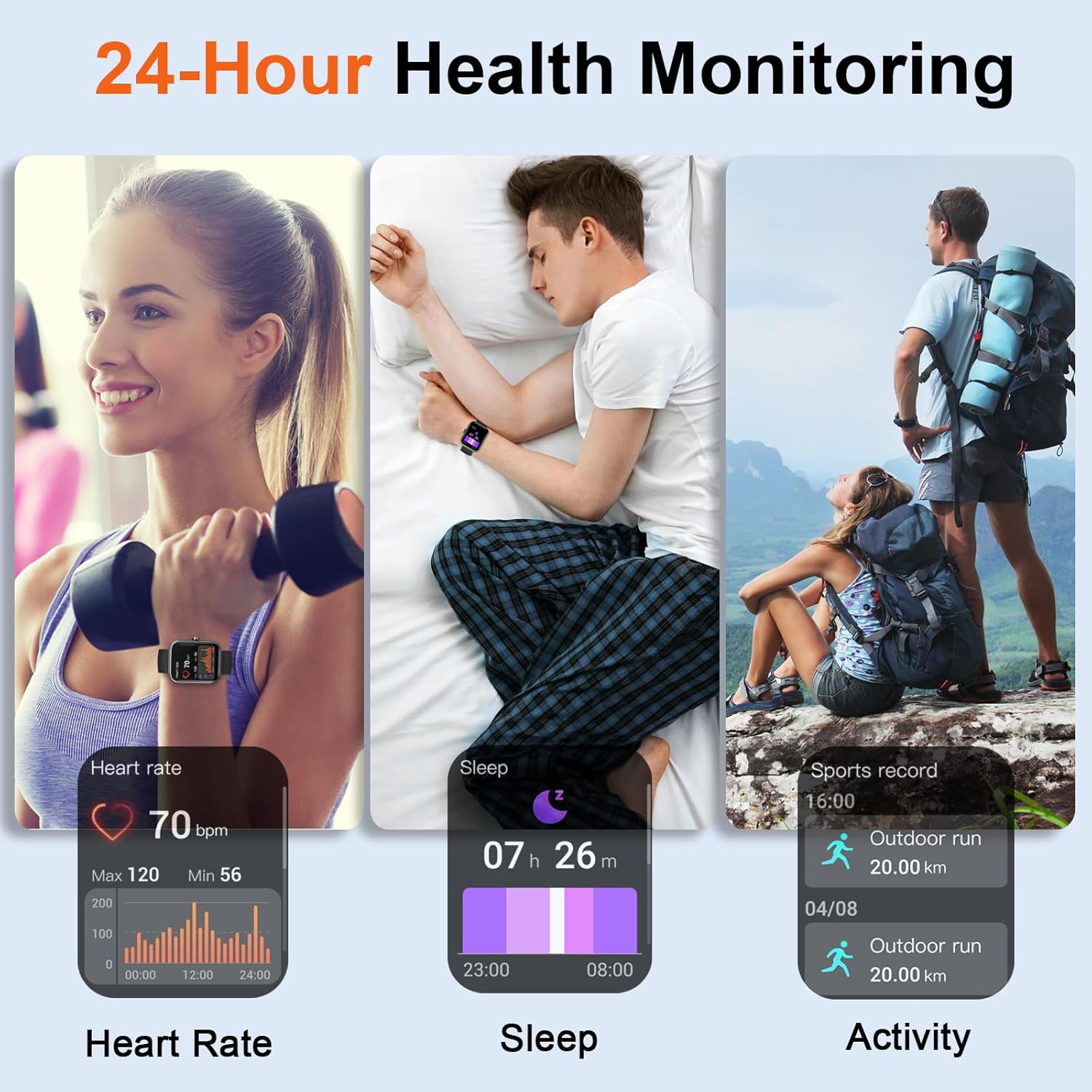
Image: Three panels illustrating the 24-hour health monitoring capabilities of the Donerton Smart Watch P32, including heart rate measurement, sleep duration and quality tracking, and outdoor activity recording.
4.3. Fitnesstracking
The watch supports over 100 sport modes and tracks daily activity:
- Aktivitetssporing: Registrerer skridt, distance og forbrændte kalorier.
- Sportstilstande: Select a specific sport mode (e.g., running, cycling, elliptical) to track performance during workouts.

Image: A person running while wearing the Donerton Smart Watch P32, with graphics illustrating over 100 sport modes and activity tracking metrics such as steps, distance, and calories. The watch display shows exercise options like 'Elliptical trainer' and 'Tai Chi'.
4.4. Smart Notifications & Calls
Once paired with your smartphone, the watch can receive notifications and manage calls:
- Opkaldsmeddelelser: View incoming call alerts and answer or reject calls directly from the watch.
- Besked- og app-notifikationer: Receive alerts for SMS messages and notifications from social media applications.

Image: A person using the Donerton Smart Watch P32 to manage a Bluetooth call. The image displays the watch interface for dialing, incoming calls, call history, and contacts, illustrating its communication features.
4.5. Yderligere funktioner
The watch includes several convenient functions:
- Vejrudsigt: Viser aktuelle vejrforhold.
- Vækkeur: Indstil alarmer direkte på dit ur.
- Kamerastyring: Fjernstyr din smartphones kamera.
- Timer og stopur: Indbyggede tidsfunktioner.
- Lommelygte: Activates the screen as a light source.
- Find telefon: Hjælper med at finde din parrede smartphone.

Billede: En collageudstillingasing the multifunction capabilities of the Donerton Smart Watch P32, including weather forecast, alarm clock, camera control, timer, flashlight, and find phone features. A person is shown typing on a laptop, implying connectivity.
4.6. Vandafvisende
The Donerton Smart Watch P32 is IP68 waterproof, meaning it is resistant to dust and can withstand immersion in water up to 1.5 meters for up to 30 minutes. It is suitable for daily use, such as hand washing, rain, and sweating during exercise. It is not recommended for hot showers, saunas, or diving.
5. Vedligeholdelse
- Rensning: Tør uret og remmen regelmæssigt af med en blød, tør klud. Brug om nødvendigt en let tør klud.amp kluden og tør den derefter grundigt. Undgå barske kemikalier eller slibende materialer.
- Batteripleje: For at forlænge batteriets levetid bør du undgå at aflade uret helt ofte. Oplad det, når batteriniveauet er lavt. Opbevar uret et køligt og tørt sted, når det ikke er i brug i længere perioder.
- Vandtæthed: While IP68 rated, avoid exposing the watch to hot water or steam, as this can compromise the seals. Ensure the charging port is dry before charging.
6. Fejlfinding
- Watch not turning on/responding: Ensure the watch is fully charged. If it remains unresponsive, try pressing and holding the side button for 10-15 seconds to force a restart.
- Problemer med Bluetooth-parring:
- Sørg for, at Bluetooth er aktiveret på din telefon, og at uret er synligt.
- Genstart både uret og din telefon.
- Glem enheden i din telefons Bluetooth-indstillinger, og prøv at parre igen via appen.
- Inaccurate health readings (e.g., blood pressure): The health monitoring features are designed for general wellness and fitness purposes. They are not medical devices. For accurate medical measurements, consult professional medical equipment.
- Notifikationer vises ikke:
- Ensure the watch is properly connected via Bluetooth to your phone.
- Check notification permissions in your phone's settings for the Donerton app.
- Verify that notification alerts are enabled within the Donerton app settings.
- Batteriet aflades hurtigt: High usage of features like continuous heart rate monitoring or frequent screen activation can reduce battery life. Adjust settings in the app to optimize battery consumption.
7. Specifikationer
| Modelnummer | P32 |
| Produktdimensioner | 1.67 x 1.43 x 0.38 tommer |
| Varens vægt | 439 milligram |
| Skærmstørrelse | 1.69 tommer |
| Operativsystem | Android Wear 2.9 |
| Forbindelsesteknologi | Bluetooth |
| Batteritype | 1 Lithium Polymer batteri (medfølger) |
| Vandmodstand | IP68 |
| Speciel funktion | Activity Tracker, Built-in GPS |
8. Garantioplysninger
For detailed warranty information, please refer to the official Donerton website or contact Donerton customer service. Keep your purchase receipt as proof of purchase for any warranty claims.
9. Kundesupport
If you encounter any issues or have questions regarding your Donerton Smart Watch P32, please visit the official Donerton support page or contact their customer service team for assistance. Contact information can typically be found on the manufacturer's webwebsted.