
1. Introduktion og overview
The Walfront BSC6048 Solar Controller is a multifunctional device designed to manage power flow from solar panels to various battery types. It supports 12V, 24V, 36V, and 48V battery systems, automatically identifying the voltage. This controller is suitable for sealed valve-regulated lead-acid, gel, liquid lead-acid, lithium iron, and ternary lithium batteries, with customizable parameters for other battery types. Its compact design ensures ease of use and storage.

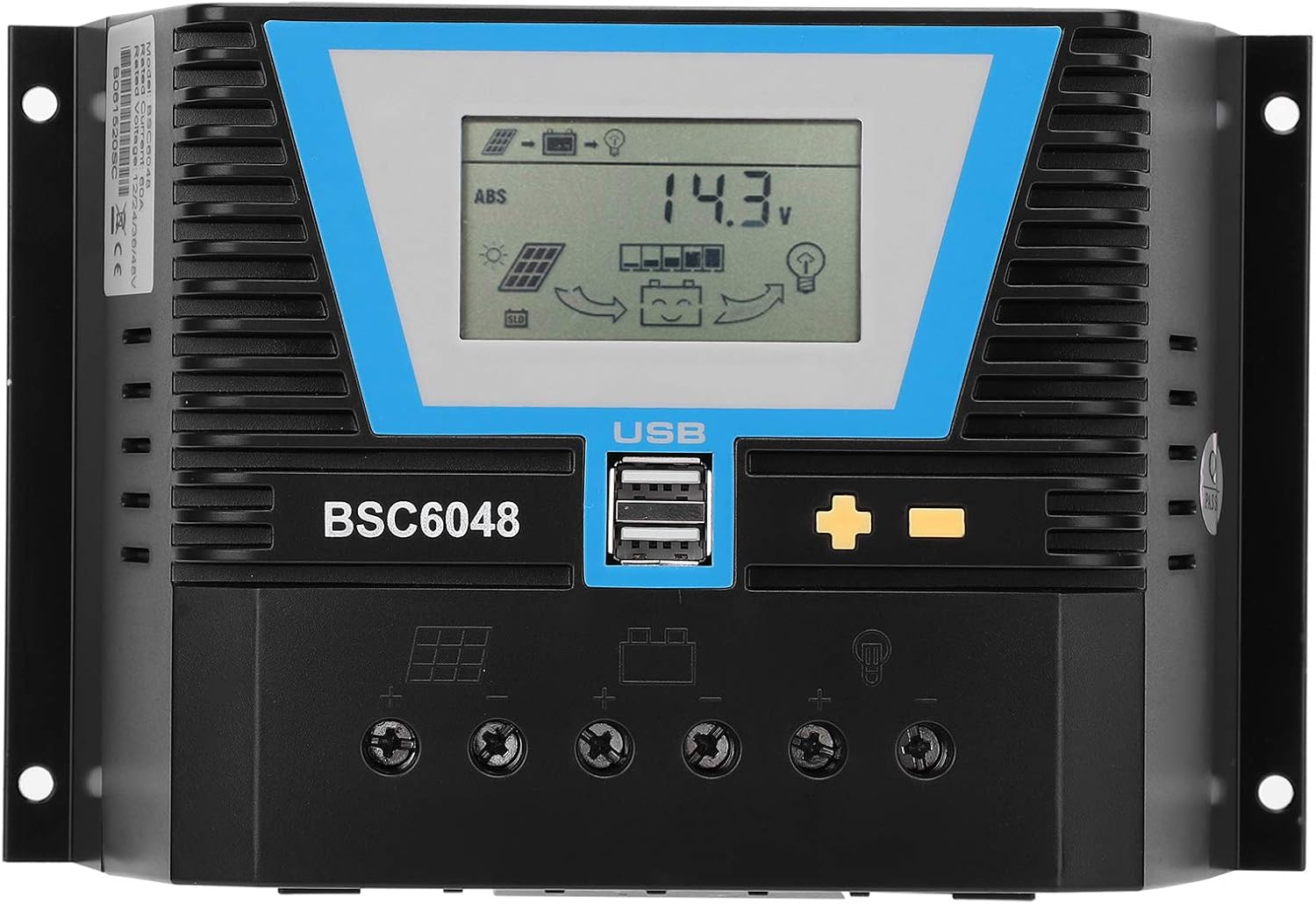
Figur 1.1: Forside view of the Walfront BSC6048 Solar Controller, showing the LCD display and USB ports.
2. Nøglefunktioner
- Alsidig batterikompatibilitet: Supports sealed valve-regulated lead-acid, gel, liquid lead-acid, lithium iron, and ternary lithium batteries.
- Tilpassede parametre: Allows for parameter customization to charge other battery types not listed by default.
- Universal Voltage Tilpasningsevne: Automatically adapts to 12V, 24V, 36V, and 48V battery systems without manual adjustment.
- Intelligent identifikation: Features intelligent recognition for truly automated control.
- Kompakt og bærbar: Small size for easy carrying and storage, ensuring good performance in various applications.

Figure 2.1: The Walfront BSC6048 Solar Controller depicted in various usage environments, including residential solar setups and portable applications.
3. Specifikationer
| Parameter | Værdi |
|---|---|
| Varetype | Solar Controller |
| Materiale | Teknisk plast |
| Nominel strøm | 60A |
| Bedømt arbejdsvolumentage | 12V/24V/36V/48V (Auto-sensing) |
| Solpanelindgang Voltage | ≤100V |
| Statisk tab | ≤20mA |
| Loop Pressure Drop | ≤0.3V |
| USB udgang | 5V/2A x 2 |
| Arbejdstemperatur | -20°C til +55°C |
| Beskyttelsesniveau | IP30 |
| Relativ luftfugtighed | ≤95% (ikke-kondenserende) |
| Terminalstørrelse | 4AWG/25mm² |
| Varens vægt | 1.83 pund (828 gram) |
| Display Type | LCD eller LED |
4. Pakkens indhold
Når du åbner pakken, skal du kontrollere, at alle varer er til stede og i god stand:
- 1 x Walfront BSC6048 Solar Controller
- 1 x Brugermanual (dette dokument)
5. Opsætning og installation
Proper installation is crucial for the safe and efficient operation of your solar controller. Please follow these steps carefully:
- Forberedelse: Ensure all components (solar panels, battery bank, load, and appropriate wiring) are available and in good condition. Disconnect any power sources before beginning installation.
- Montering: Mount the solar controller in a cool, dry, and well-ventilated area, away from direct sunlight and flammable materials. Ensure there is sufficient space around the controller for heat dissipation. The controller features mounting brackets for secure installation.
- Batteriforbindelse: Connect the battery to the controller's battery terminals first. Ensure correct polarity (+ to + and - to -). The controller will automatically detect the battery voltage (12V/24V/36V/48V).
Figur 5.1: Bagside view of the controller highlighting the terminal connections for solar panels, battery, and load.
- Solpaneltilslutning: Connect the solar panels to the controller's solar panel terminals. Again, observe correct polarity. Ensure the solar panel input voltage ikke overstiger 100V.
- Belastningsforbindelse: Connect your DC loads (e.g., lights, fans) to the controller's load terminals. Pay attention to polarity. The controller can manage the load output based on battery status.
- Verifikation: Double-check all connections for tightness and correct polarity. Once verified, the controller's display should illuminate, indicating proper operation.
Vigtig sikkerhedsbemærkning: Always connect the battery to the controller BEFORE connecting the solar panels. Disconnect solar panels BEFORE disconnecting the battery. Failure to follow this order may damage the controller.
6. Betjeningsvejledning
The BSC6048 controller features an intuitive LCD display and control buttons for monitoring and adjusting settings.

Figur 6.1: Detaljeret view of the controller's LCD display and control buttons.
6.1. Vis oplysninger
The LCD display provides real-time information about your solar system, including:
- Batteri voltage and charge status
- Solar panel charging current
- Load discharge current
- System status indicators (charging, discharging, errors)
6.2. Knapfunktioner
The controller typically has three buttons:
- Menu/Indstil-knap: Used to enter the settings menu and confirm selections.
- Op-knap: Used to navigate through menu options or increase values.
- Ned-knap: Used to navigate through menu options or decrease values.
Refer to the on-screen prompts and the detailed user manual (if provided separately) for specific navigation and parameter adjustment procedures. The controller's intelligent identification function means basic operation is largely automatic.
6.3. USB-opladningsporte
The controller is equipped with two 5V/2A USB output ports, allowing you to charge compatible electronic devices directly from the controller.
7. Vedligeholdelse
Regular maintenance ensures the longevity and optimal performance of your solar controller.
- Renhed: Hold controlleren ren og fri for støv og snavs. Brug en tør, blød klud til rengøring. Brug ikke flydende rengøringsmidler.
- Forbindelser: Periodically check all wiring connections to ensure they are secure and free from corrosion. Loose connections can lead to power loss or overheating.
- Ventilation: Ensure the ventilation fins are not obstructed to allow for proper heat dissipation.
- Miljøforhold: Kontroller, at driftsmiljøet holder sig inden for de angivne temperatur- og fugtighedsområder.
8. Fejlfinding
This section addresses common issues you might encounter with your solar controller.
| Problem | Mulig årsag | Løsning |
|---|---|---|
| Controllerens display er slukket. | Ingen strøm fra batteriet eller forkert batteritilslutning. | Check battery connections and ensure battery has sufficient charge. Reconnect battery first, then solar panels. |
| Batteriet oplades ikke. | Solar panels not connected, insufficient sunlight, or incorrect panel polarity. | Verify solar panel connections and polarity. Ensure panels are receiving adequate sunlight. Check solar panel input voltage. |
| Indlæsningen virker ikke. | Load disconnected, incorrect polarity, or battery voltage for lavt. | Check load connections and polarity. Ensure battery has sufficient charge. Some controllers automatically disconnect load when battery is low. |
| Controller overheating. | Poor ventilation or excessive load/current. | Ensure controller is in a well-ventilated area. Check if the total current draw exceeds the controller's rated capacity (60A). |
If the problem persists after attempting these solutions, please contact Walfront customer support for further assistance.
9. Garanti og support
Specific warranty details for the Walfront BSC6048 Solar Controller are typically provided with your purchase documentation or can be found on the official Walfront webwebsted. Gem venligst din købsbevis til garantikrav.
For technical support, troubleshooting assistance beyond this manual, or warranty inquiries, please contact Walfront customer service through their official channels. You can often find contact information on the product packaging, the Walfront brand store on Amazon, or their official webwebsted.
Visit the Walfront Store: Walfront Amazon Store