
1. Introduktion
Thank you for choosing the Beelink GK55 Mini PC. This compact and powerful computer is designed for various applications, from home entertainment to office productivity. This manual provides essential information for setting up, operating, maintaining, and troubleshooting your device.
The Beelink GK55 features an Intel J4125 processor, 8GB DDR4 RAM, and a 256GB SSD, offering efficient performance in a small form factor. It supports 4K video output, dual-band Wi-Fi, Bluetooth 4.2, and multiple connectivity options including Dual HDMI and USB 3.0 ports.
2. Produktet er slutview
2.1 Pakkens indhold
- Beelink GK55 Mini PC
- Strømadapter
- HDMI kabel
- Brugermanual
- VESA Mount (optional)
2.2 Enhedslayout
Familiarize yourself with the ports and features of your Beelink GK55 Mini PC.

Billede: Forside og side view of the Beelink GK55 Mini PC, showing the power button, USB ports, and ventilation.

Billede: Bagside view of the Beelink GK55 Mini PC, displaying two USB ports, two LAN ports, two HDMI ports, and the DC power input.
2.3 Porte og stik
- USB 3.0-porte: Til tilslutning af højhastighedsudstyr.
- USB 2.0-porte: For connecting standard peripherals.
- USB Type-C-port: Til dataoverførsel og displayoutput.
- HDMI-porte (x2): For connecting to displays, supporting dual monitor setup.
- LAN-porte (x2): Til kablet netværksforbindelse.
- DC strømindgang: Til tilslutning af strømadapteren.
- Lydstik: Til tilslutning af hovedtelefoner eller højttalere.
- Power knap: For at tænde/slukke enheden.
2.4 Interne komponenter
The Beelink GK55 is engineered with efficient components for reliable performance.

Billede: Detaljeret view of the Intel J4125 processor, highlighting its 4 cores/4 threads, 4M cache, 2.0GHz up to 2.7GHz burst frequency, 8GB DDR4 support, and Intel UHD Graphics 600.

Billede: Intern view showing the M.2 SATA SSD 2280 slot and the provision for an expandable 2.5-inch HDD, with optional configurations of 128GB, 256GB, and 512GB.

Image: An exploded diagram of the Beelink GK55 Mini PC, illustrating the internal layout of the motherboard, cooling fan, heat sink, and various ports.
Video: En overview of the Beelink GK55 Mini PC, showcasing its design, internal components like the Intel J4125 processor, M.2 SATA SSD, cooling system, and various ports. The video also demonstrates its dual display capabilities and compact size.
3. Opsætning
3.1 Tilslutning af eksterne enheder
- Tilslut skærm: Use an HDMI cable to connect your monitor(s) to the HDMI ports on the back of the Mini PC. The device supports dual display output.
- Tilslut tastatur og mus: Tilslut dit USB-tastatur og din mus til de tilgængelige USB-porte.
- Tilslut netværk (valgfrit): For a wired internet connection, connect an Ethernet cable from your router or modem to one of the LAN ports.

Image: The Beelink GK55 Mini PC connected to a large 4K display, demonstrating its capability to output high-resolution video.
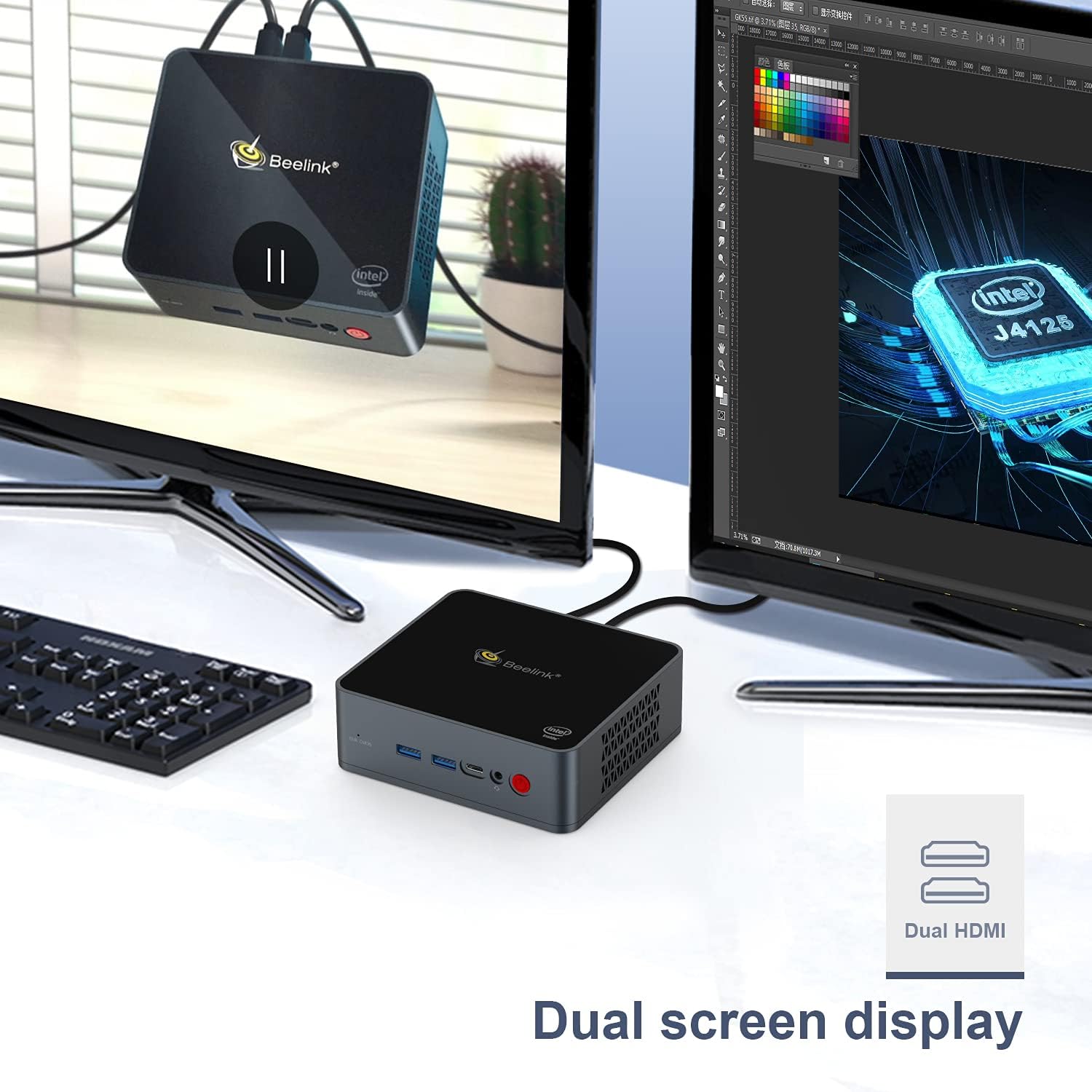
Image: The Beelink GK55 Mini PC connected to two monitors, illustrating its dual screen display capability for enhanced productivity.
3.2 Tænd
- Connect the power adapter to the DC power input port on the Mini PC, then plug the adapter into a power outlet.
- Tryk på tænd/sluk-knappen på forsiden af enheden. Strømindikatorlampen lyser.
- The Mini PC will boot up, and the operating system (Windows 10 Pro or Linux, depending on your configuration) will load.
4. Betjeningsvejledning
4.1 Grundlæggende betjening
- Tænd/sluk: Tryk én gang på tænd/sluk-knappen for at tænde. For at slukke skal du bruge operativsystemets nedlukningsfunktion eller trykke på tænd/sluk-knappen og holde den nede i 5 sekunder.
- Genstart: Brug operativsystemets genstartsfunktion.
- Sove mode: Brug operativsystemets dvalefunktion.
4.2 Display Output
The Beelink GK55 supports up to 4K resolution at 30Hz via its HDMI ports. For optimal display quality, ensure your monitor and HDMI cables support 4K resolution.
4.3 Trådløs forbindelse
- Wi-Fi: The device supports 2.4G and 5G Wi-Fi. To connect, navigate to your operating system's network settings, select your desired Wi-Fi network, and enter the password.
- Bluetooth: The device includes Bluetooth 4.2. To pair Bluetooth devices, go to your operating system's Bluetooth settings and follow the pairing instructions for your specific device.

Image: An illustration showing the Beelink GK55 Mini PC connected to various peripherals such as a monitor, TV, headset, sound system, keyboard, mouse, camera, and gamepad, highlighting its extensive connectivity.
5. Vedligeholdelse
5.1 Rengøring
Regularly clean the exterior of the Mini PC with a soft, dry cloth. Use compressed air to clear dust from ventilation openings to ensure proper airflow and prevent overheating.
5.2 Lagerudvidelse
The Beelink GK55 supports storage expansion. You can add an M.2 SATA SSD (2280 form factor) or a 2.5-inch HDD/SSD to increase storage capacity. Refer to the detailed instructions for internal component access if you plan to upgrade storage.
5.3 Kølesystem
The Mini PC is equipped with a heat pipe and fan for efficient heat dissipation. Ensure the ventilation openings are not obstructed to maintain optimal operating temperatures.
6. Fejlfinding
If you encounter issues with your Beelink GK55 Mini PC, refer to the following common problems and solutions:
- Ingen strøm:
- Sørg for, at strømadapteren er korrekt tilsluttet både mini-pc'en og en fungerende stikkontakt.
- Kontroller, at stikkontakten fungerer.
- Ingen visning:
- Kontroller, at HDMI-kablet er korrekt tilsluttet til både mini-pc'en og skærmen.
- Sørg for, at skærmen er tændt og indstillet til den korrekte inputkilde.
- Prøv en anden HDMI-port eller et andet kabel.
- Ingen internetforbindelse (kablet):
- Kontroller, at Ethernet-kablet er korrekt tilsluttet til både Mini PC'en og din router/modem.
- Check your router/modem status.
- No Wi-Fi/Bluetooth:
- Sørg for, at Wi-Fi og Bluetooth er aktiveret i dine operativsystemindstillinger.
- Check for driver updates if issues persist.
- Accessing BIOS/Boot Menu:
- To enter the BIOS setup menu, press the 'Delete' gentagne gange under opstart.
- To enter the boot menu, press the 'F7' gentagne gange under opstart.
7. Specifikationer
| Feature | Specifikation |
|---|---|
| Mærke | Beelink |
| Modelnummer | GK55 |
| Operativsystem | Windows 10 Pro (understøtter Linux) |
| CPU model | Intel Celeron J4125 |
| CPU hastighed | 2.7 GHz (Burst Frequency) |
| Processorantal | 4 |
| Installeret RAM-hukommelsesstørrelse | 8 GB DDR4 |
| Hukommelseslagringskapacitet | 256 GB SSD |
| Harddisk interface | Serial ATA-600 (for 2.5" HDD/SSD expansion) |
| Beskrivelse af grafikkort | Integreret Intel UHD-grafik |
| Opløsning | 3840 x 2160 (4K) |
| Forbindelsesteknologi | Bluetooth 4.2, 2.4G+5G WiFi, USB Type-A, USB Type-C, HDMI |
| Hardware-interface | HDMI, USB type C |
| Emnedimensioner | 4.88 x 4.45 x 1.61 tommer |
8. Garanti og support
Beelink products come with a standard manufacturer's warranty. For specific warranty terms and conditions, please refer to the warranty card included with your product or visit the official Beelink webwebsted.
If you require technical assistance, have questions about your product, or need to report an issue, please contact Beelink customer support through their official channels. Provide your product model (GK55) and serial number for faster service.