
Syantek BHC1802-2
Brugermanual til Syantek trådløs fjernbetjenings-kombosæt
Model: BHC1802-2
Produkt overview
The Syantek Wireless Remote Control Outlet Combo Kit provides convenient remote control over your electrical appliances. This kit includes two compact outlets and one remote control, designed for ease of use and energy saving.

Image: The Syantek Wireless Remote Control Outlet Combo Kit, showing two white compact outlets and a matching white remote control.
Nøglefunktioner:
- Independent 2 Sockets: Each remote control outlet features two independent sockets, allowing separate management of connected devices. Includes "All On" and "All Off" buttons on the remote for simultaneous control.
- Strong Signal Up to 100 FT: The remote switch outlet provides a powerful 100ft signal range, enabling control through doors, walls, and windows.
- 2-In-1 Compact Size: Combines two sockets in one compact unit, occupying only one wall socket while providing dual power options. Its small size fits well in tight spaces.
- Programmable for Personalized Needs: Features a "Program Button" for custom programming, allowing one remote to control multiple outlets or multiple remotes to control the same outlet.
- Nem at bruge: Simple plug-and-use operation with no programming or tools required. No apps or Wi-Fi connection needed.

Image: An infographic highlighting the key features of the Syantek remote control outlet, including its compact design, remote control capability, 100ft range, pre-programmed functionality, and benefits of saving energy and space.
Pakkens indhold
Når du åbner pakken, skal du sørge for, at alle komponenter er til stede og i god stand:
- 2 x Syantek Wireless Remote Control Outlets
- 1 x Syantek Remote Control (with 12V battery included)
Opsætningsinstruktioner
The Syantek Wireless Remote Control Outlets are pre-programmed for immediate use. Follow these steps to set up your kit:
- Indsæt fjernbetjeningsbatteri: The remote control comes with a 12V battery already installed. If the remote does not respond, check the battery compartment and ensure the battery is properly seated or replace it if necessary.
- Sæt stikkontakten i: Insert one of the Syantek Wireless Remote Control Outlets into a standard 120V AC wall socket. Ensure it is securely plugged in.
- Tilslut apparat: Plug your desired appliance (e.g., lamp, fan, coffee maker) into one of the two sockets on the Syantek outlet.
- The socket labeled "Always ON" provides continuous power and is not controlled by the remote.
- The socket labeled "RF Control" is controlled by the remote.
- Test fjernbetjening: Use the remote control to turn the appliance connected to the "RF Control" socket ON or OFF. The remote has individual buttons (1, 2) for each outlet in the kit, and "ON" / "OFF" buttons for overall control.

Image: A Syantek compact outlet plugged into a wall, illustrating its small size and the two distinct sockets: one for constant power and one for remote control.
Betjeningsvejledning
Grundlæggende betjening:
- Individual Outlet Control: Use buttons "1" or "2" on the remote to control the corresponding "RF Control" socket of each Syantek outlet. Press the button once to toggle power.
- All On/Off Control: The "ON" button on the remote will turn on all connected "RF Control" sockets. The "OFF" button will turn off all connected "RF Control" sockets.
Programming (Pairing) Instructions:
The outlets are pre-programmed. However, if you need to re-pair an outlet with the remote, or pair additional remotes/outlets, follow these steps:
- Plug the Syantek outlet into a wall socket.
- Press and hold the "Program Button" located on the top of the outlet for approximately 3 seconds until the LED indicator starts flashing.
- While the LED is flashing, press the desired "ON" or "OFF" button (e.g., "1", "2", "ON", or "OFF") on your remote control. The LED on the outlet will stop flashing and remain solid, indicating successful pairing.
- Test the newly paired outlet with the remote control.

Image: A visual representation of the Syantek system's flexibility, demonstrating how a single remote can manage multiple outlets and how multiple remotes can control the same outlet.
Signalområde:
The remote control operates effectively up to 100 feet (approximately 30 meters) in open areas. The signal can pass through walls, doors, and windows, providing flexibility in placement.
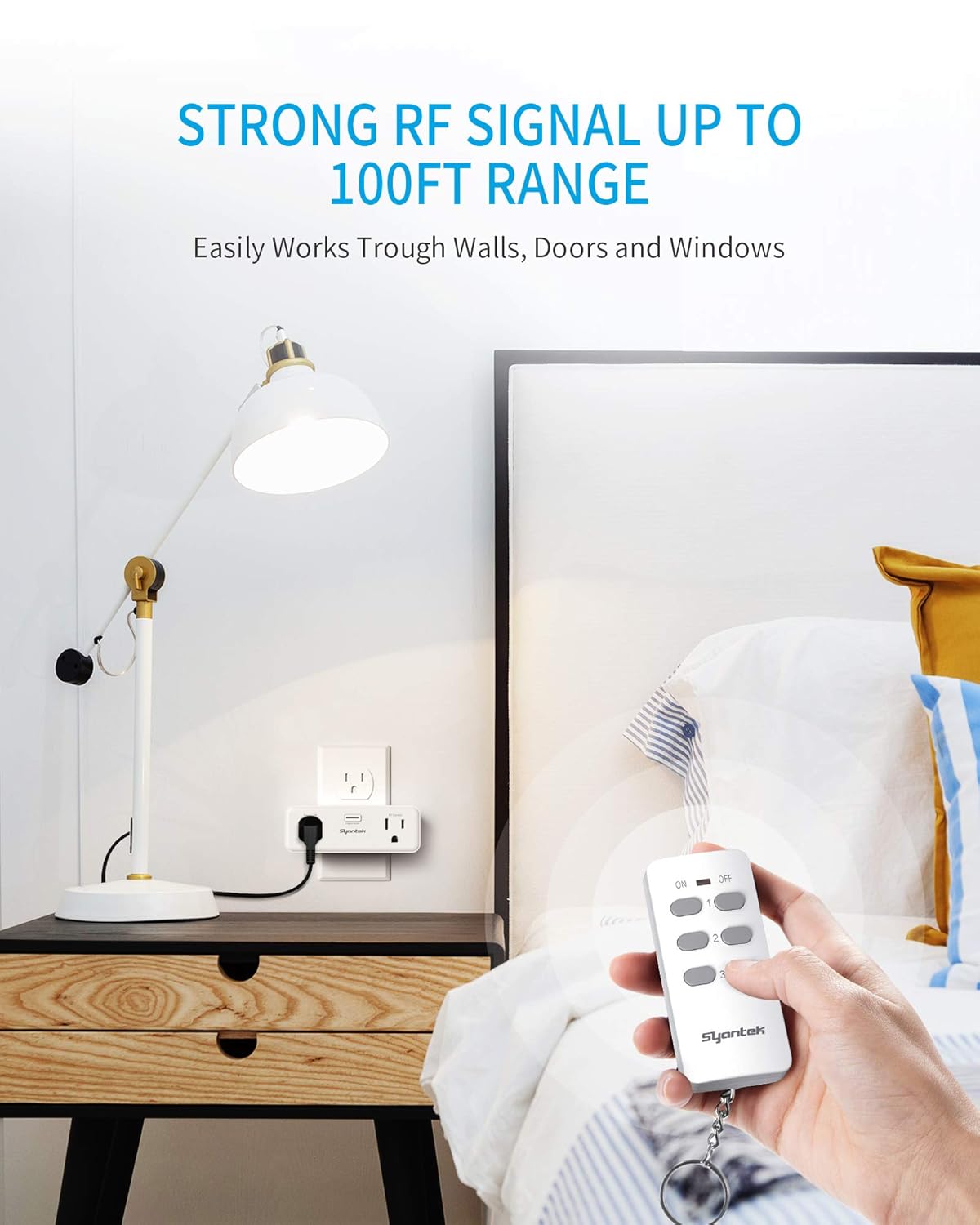
Image: A user operating the Syantek remote control from a distance, with the outlet visible behind a bed, illustrating the strong RF signal's ability to work through obstacles.
Vedligeholdelse og pleje
- Rensning: Wipe the outlets and remote control with a soft, dry cloth. Do not use abrasive cleaners or immerse in water.
- Udskiftning af batteri: If the remote control's range decreases or it stops responding, replace the 12V battery. To replace, open the battery compartment on the back of the remote.
- Opbevaring: Store the product in a cool, dry place away from direct sunlight and extreme temperatures when not in use for extended periods.
Fejlfinding
| Problem | Mulig årsag | Løsning |
|---|---|---|
| Stikkontakten reagerer ikke på fjernbetjeningen. |
|
|
| Reduceret rækkevidde for fjernbetjening. |
|
|
| Apparatet tænder/slukker ikke. |
|
|
Specifikationer
| Attribut | Værdi |
|---|---|
| Modelnummer | BHC1802-2 |
| Mærke | Syantek |
| Operation Voltage | 120 volt |
| Nuværende vurdering | 15 Amps |
| Produktmål (L x B x H) | 4.53 x 4.06 x 2.44 tommer |
| Varens vægt | 8.48 ounce |
| Fjernbetjenings batteri | 1 x 12V (inkluderet) |
| Driftstilstand | ON-OFF-ON |
| Signalrækkevidde | Op til 100 fod (30 meter) |
Sikkerhedsoplysninger
- For indoor use only. Do not expose to water or damp forhold.
- Overskrid ikke den maksimale belastningsgrad på 15 Amps.
- Enheden må ikke skilles ad eller modificeres.
- Opbevares utilgængeligt for børn og kæledyr.
- Ensure the outlet is fully inserted into the wall socket.
Garanti og support
For product support, troubleshooting assistance, or warranty inquiries, please contact Syantek customer service. Refer to the official Syantek webwebstedet eller din købsdokumentation for kontaktoplysninger.
En PDF-version af brugermanualen kan også downloades: Syantek Wireless Remote Control Outlet User Manual (PDF)
Ask a question about this manual
Ask about setup, troubleshooting, compatibility, parts, safety, or missing instructions. Manuals+ will review the question and use this page’s manual context to help answer it.