
VOCOO 5260
VOCOO Digital Kitchen Timer
Model: 5260
Brugervejledning
Indledning
Thank you for choosing the VOCOO Digital Kitchen Timer. This device is designed for precise time management in various settings, including cooking, studying, fitness, and more. Featuring a large LED display, adjustable volume, and magnetic backing, it offers ease of use and versatility for all ages.

Billede: Forside view of the VOCOO Digital Kitchen Timer, displaying "08:24" on its large LED screen. The timer is white with a black display area.
Sikkerhedsoplysninger
- Hold enheden væk fra vand og overdreven fugt for at forhindre skader.
- Do not expose the timer to extreme temperatures or direct sunlight for prolonged periods.
- Handle with care; avoid dropping or subjecting the device to strong impacts.
- Sørg for, at batterierne er isat korrekt i henhold til polaritetsmarkeringerne.
- Opbevar batterier utilgængeligt for børn.
Pakkens indhold
Når du åbner pakken, skal du kontrollere, at alle varer er til stede og i god stand:
- 1 x VOCOO Digital Kitchen Timer (Model 5260)
- 3 x AAA-batterier (forinstalleret eller medfølger separat)
- 1 x Brugermanual (dette dokument)
Produkt overview
The VOCOO Digital Kitchen Timer features a sleek design with intuitive controls. Key components include:
- Stort LED display: Shows time clearly.
- Drejeskive: Used for setting minutes and seconds.
- Start/stop -knap: Integrated into the display, press to start or pause.
- Magnetisk bagside: Allows attachment to metal surfaces.
- Skridsikre puder: Provide stability on flat surfaces.
- Lydstyrkekontakt: Located on the back, for adjusting alarm volume (Loud, Soft, Mute).
- Lysstyrkekontakt: Located on the back, for adjusting display brightness (Bright, ECO).

Image: A person's hands holding the VOCOO Digital Kitchen Timer, highlighting its compact and ergonomic design for easy handling.
Opsætning
1. Batteriinstallation
The timer requires three AAA batteries. These are typically included. If not, or if replacing, follow these steps:
- Find batteridækslet på bagsiden af timeren.
- Skub dækslet åbent.
- Insert three AAA batteries, ensuring the correct polarity (+/-) as indicated inside the compartment.
- Luk batterirummets dæksel forsvarligt.
2. Første opstart
Once batteries are installed, the timer should automatically power on and display "00:00". If not, check battery installation.
3. Magnetisk vedhæftning
The timer features powerful magnets on its back, allowing it to be securely attached to any iron surface, such as a refrigerator or oven. Ensure the transparent film on the silicone pads is removed for stronger magnetic adhesion.
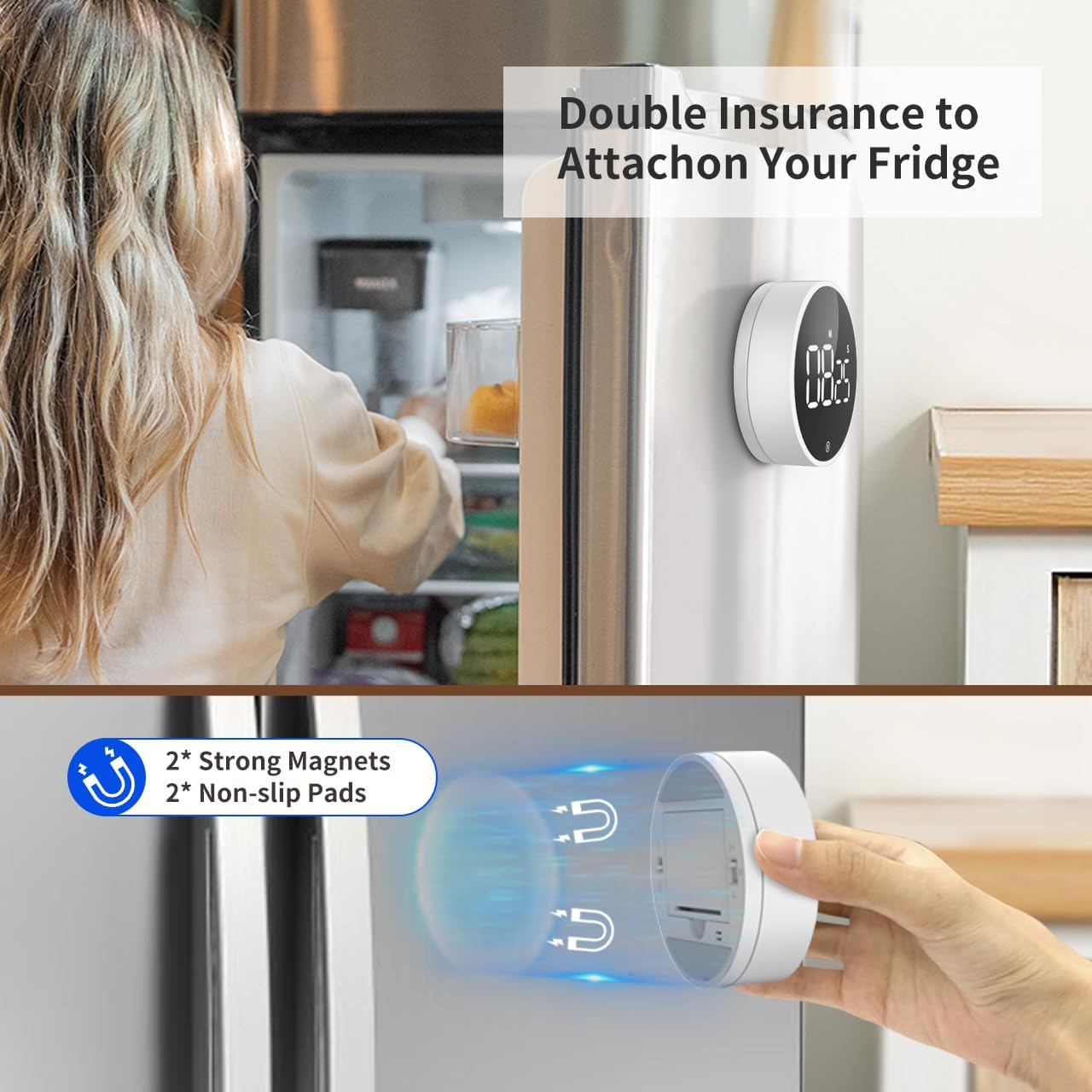
Image: The VOCOO Digital Kitchen Timer magnetically attached to the side of a refrigerator, demonstrating its convenient placement.

Billede: En detaljeret view of the back of the timer, illustrating the two strong magnets and two non-slip silicone pads designed for secure attachment.
Betjeningsvejledning
1. Setting Time (Countdown Mode)
Sådan indstilles en nedtællingstid:
- Ensure the display shows "00:00". If not, press and hold the front button to reset it.
- Rotate the outer dial clockwise to increase the time.
- Rotate slowly to adjust seconds.
- Rotate quickly to adjust minutes.
- Den maksimale nedtællingstid er 99 minutter og 55 sekunder.
2. Starting and Pausing the Timer
Once the desired time is set, press the front button (the large circular area on the display) once to start the countdown. To pause the timer, press the button again. Pressing it a third time will resume the countdown.
3. Nulstilling af timeren
To reset the timer to "00:00" at any point, press and hold the front button for approximately 3 seconds.
4. Count-Up Mode (Stopwatch)
Sådan bruger du timeren som stopur:
- Ensure the display shows "00:00". If not, press and hold the front button to reset it.
- Press the front button once to start counting up from "00:00".
- Press the button again to pause the count-up.
- Press and hold the button to reset the stopwatch to "00:00".

Image: Illustration of the two counting modes: Count-up (stopwatch) from 00:00 to 99:55, and Countdown from 99:55 to 00:00. Examples show the timer used during exercise and baking.
5. Justering af alarmlydstyrke
On the back of the timer, locate the volume switch. You can select from three alarm levels:
- Højt: Approximately 80-90dB, suitable for noisy environments.
- Blød: Approximately 60-75dB, for quieter settings.
- Stum: The numbers will blink on the display to indicate time is up without an audible alarm, ideal for silent environments like libraries or meetings.

Image: The timer's volume settings are illustrated, showing a loud setting (80-90dB) for a kitchen environment, a soft setting (60-75dB) for a quiet home, and a mute setting where numbers blink, suitable for an office or classroom.
6. Justering af skærmens lysstyrke
Also on the back of the timer, there is a switch to adjust the display brightness:
- Lys: For optimal visibility in well-lit conditions.
- ØKO: A dimmer setting to conserve battery life, suitable for low-light conditions.
The timer automatically enters power-saving mode 5 seconds after being paused or stopped. Press the front button to reactivate the display.
Opretholdelse
Rensning
To clean the timer, wipe it gently with a soft, dry, or slightly damp klæde. Brug ikke slibende rengøringsmidler eller nedsænk enheden i vand.
Udskiftning af batteri
When the display dims significantly or the timer stops responding, it's time to replace the batteries. Follow the battery installation steps outlined in the "Setup" section.
Opbevaring
If storing the timer for an extended period, it is recommended to remove the batteries to prevent leakage and potential damage to the device.
Fejlfinding
| Problem | Mulig årsag | Løsning |
|---|---|---|
| Timeren tænder ikke. | Batterierne er døde eller forkert installeret. | Udskift batterierne, eller sørg for korrekt polaritet. |
| Displayet er svagt. | ECO brightness mode is selected or batteries are low. | Switch to "Bright" mode on the back. Replace batteries if still dim. |
| Alarmen lyder ikke. | Mute volume mode is selected. | Switch to "Loud" or "Soft" mode on the back. |
| Timer does not stick to surface. | Transparent film on silicone pads not removed or surface is not iron. | Remove the transparent film. Ensure the surface is magnetic (iron/steel). |
| Time setting is too sensitive. | Rapid rotation of the dial. | Rotate the dial more slowly for precise second adjustments. Rotate quickly for minute adjustments. |
Specifikationer
| Feature | Detalje |
|---|---|
| Modelnummer | 5260 |
| Dimensioner | 3.07"D x 3.07"W x 1.06"H (7.8 x 7.8 x 2.7 CM) |
| Vægt | 4.2 ounces (120 gram) |
| Materiale | Acrylonitril Butadien Styren (ABS) |
| Max Count Time | 99 minutter 55 sekunder |
| Strømkilde | 3 x AAA batterier (medfølger) |
| Alarmlydstyrkeniveauer | Loud (80-90dB), Soft (60-75dB), Mute (blinking digits) |
| Displayets lysstyrke | Bright, ECO |
| Funktioner | Magnetic Backing, Non-slip Pads, Memory Function |
Garanti og support
Garantioplysninger
VOCOO products are manufactured with high-quality materials and undergo strict quality control. For specific warranty details, please refer to the product packaging or contact VOCOO customer support. Typically, electronic devices come with a limited warranty covering manufacturing defects.
Kundesupport
If you encounter any issues or have questions regarding your VOCOO Digital Kitchen Timer, please contact our customer support team. You can usually find contact information on the product packaging, the official VOCOO webwebstedet eller via din købsplatform.
When contacting support, please have your product model number (5260) and purchase details ready to assist in a quicker resolution.